English| 简体中文
Luckysheet is no longer maintained. It is recommended to use the upgraded version of Univer for production environment deployment. The new version solves problems such as large data loading, chart styles, pivot tables, formula calculations, etc., and has made many optimization designs, added import, export, printing, collaboration and other functions, improved table performance, and has a professional technical team to provide technical support.
Follow the #1454 issue for more details.
Introduction
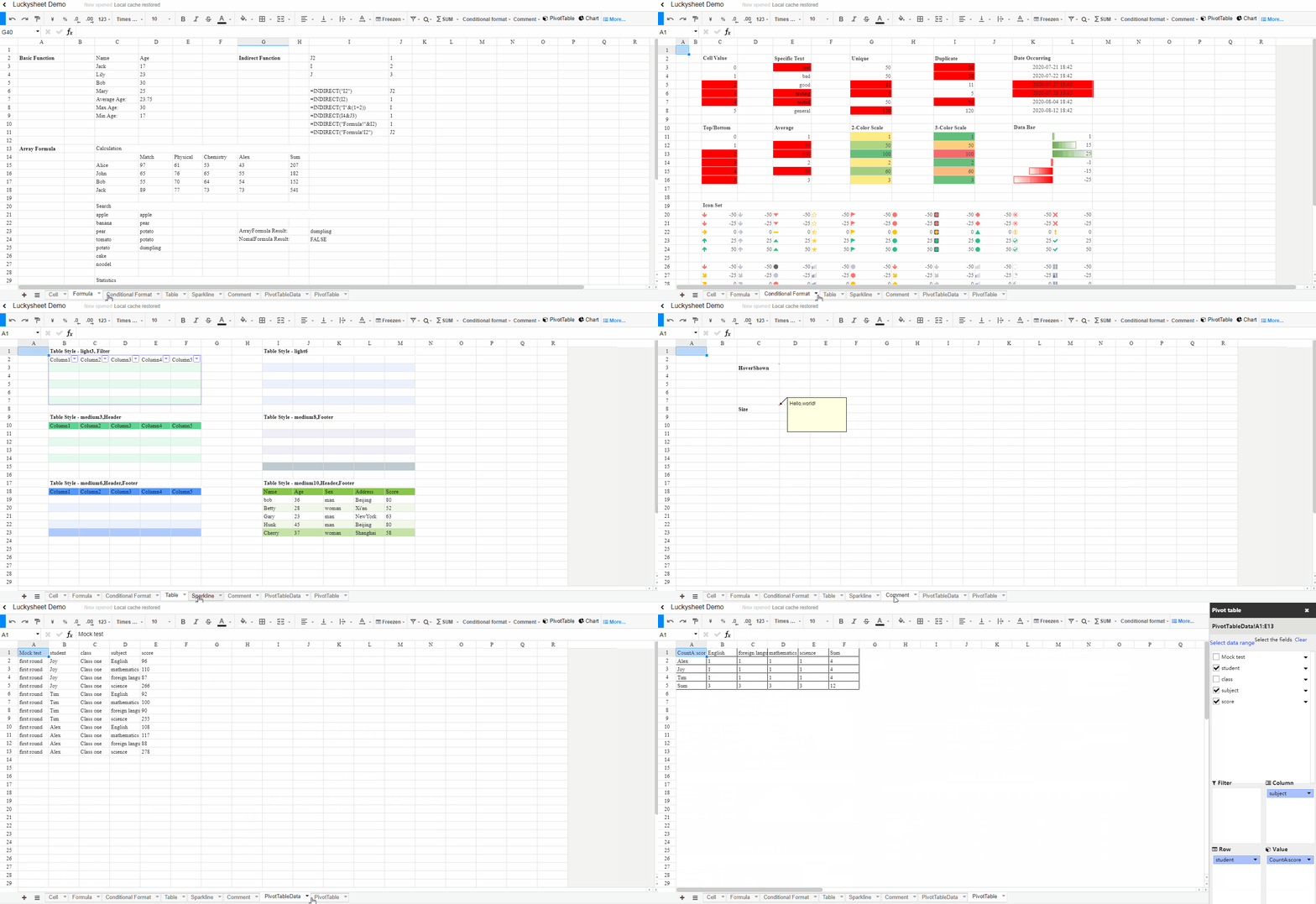
🚀Luckysheet is an online spreadsheet like excel that is powerful, simple to configure, and completely open source.
Links
Plugins
For advanced features like import, export, and printing, please use Univer
Ecosystem
Features
- Formatting: style, conditional formatting, text alignment and rotation, text truncation, overflow, automatic line wrapping, multiple data types, cell segmentation style
- Cells: drag and drop, fill handle, multiple selection, find and replace, location, merge cells, data verification
- Row & column: hide, insert, delete rows or columns, freeze, and split text
- Operation: undo, redo, copy, paste, cut, hot key, format painter, drag and drop selection
- Formulas & Functions: Built-in, remote and custom formulas
- Tables: filter, sort
- Enhanced functions: Pivot tables, charts, comments, cooperative editing, insert picture, matrix calculations, screenshots, copying to other formats, EXCEL import and export, etc.
For a more detailed feature list, please refer to: Features
📖 Resources
- Priority reading for new users: User Guide
- For the tutorials, learning materials and supporting solutions provided by the community, please refer to: Tutorials and Resources
📜 Changelog
Detailed changes for each release are documented in the CHANGELOG.md.
❗️ Issues
Please make sure to read the Issue Reporting Checklist before opening an issue. Issues not conforming to the guidelines may be closed immediately.
✅ TODO
Managed with GitHub Projects
💪Contribution
Please make sure to read the Contributing Guide before making a pull request.
Usage
First step
Introduce dependencies through CDN
<link rel='stylesheet' href='https://cdn.jsdelivr.net/npm/luckysheet@latest/dist/plugins/css/pluginsCss.css' />
<link rel='stylesheet' href='https://cdn.jsdelivr.net/npm/luckysheet@latest/dist/plugins/plugins.css' />
<link rel='stylesheet' href='https://cdn.jsdelivr.net/npm/luckysheet@latest/dist/css/luckysheet.css' />
<link rel='stylesheet' href='https://cdn.jsdelivr.net/npm/luckysheet@latest/dist/assets/iconfont/iconfont.css' />
<script src="https://cdn.jsdelivr.net/npm/luckysheet@latest/dist/plugins/js/plugin.js"></script>
<script src="https://cdn.jsdelivr.net/npm/luckysheet@latest/dist/luckysheet.umd.js"></script>
Second step
Specify a table container
<div id="luckysheet" style="margin:0px;padding:0px;position:absolute;width:100%;height:100%;left: 0px;top: 0px;"></div>
Third step
Create a table
<script>
    $(function () {
        //Configuration item
        var options = {
            container: 'luckysheet' //luckysheet is the container id
        }
        luckysheet.create(options)
    })
</script>
Development
Requirements
Node.js Version >= 6
Installation
npm install
npm install gulp -g
Development
npm run dev
Package
npm run build
Partner project
Communication
Chinese community
Luckysheet is an MIT-licensed open source project with its ongoing development made possible entirely by the support of these awesome backers. If you'd like to join them, please consider:
What's the difference between Patreon and OpenCollective?
Funds donated via Patreon go directly to support mengshukeji's work on Luckysheet. Funds donated via OpenCollective are managed with transparent expenses and will be used for compensating work and expenses for core team members or sponsoring community events. Your name/logo will receive proper recognition and exposure by donating on either platform.
(Sort by time)
- *涛 ¥ 200
- popo ¥ 1
- 孔垂善 ¥ 5
- Shawn文 ¥ 99
- 幸运的小路易 ¥ 1
- 冯启俊 ¥ 88
- mxb ¥ 10
- 祭阳 ¥ 20
- *勇 ¥ 30
- 虚我 ¥ 200
- 甜党 ¥ 50
- Alphabet(Google)-gcf ¥ 1
- **平 ¥ 100
- **东 ¥ 10
- debugger ¥ 20
- 烦了烦 ¥ 10
- 文顶顶 ¥ 200
- yangxshn ¥ 10
- 爱乐 ¥ 100
- 小李飞刀刀 ¥ 66
- 张铭 ¥ 200
- 曹治军 ¥ 1
- *特 ¥ 10
- **权 ¥ 9.9
- **sdmq ¥ 20
- *旭 ¥ 10
- Quentin ¥ 20
- 周宇凡 ¥ 100
- *超 ¥ 10
- 维宁 ¥ 100
- hyy ¥ 20
- 雨亭寒江月 ¥ 50
- **功 ¥ 10
- **光 ¥ 20
- terrywan ¥ 100
- 王晓洪 ¥ 10
- Sun ¥ 10
- 忧绣 ¥ 100
- Jasonx ¥ 10
- 国勇 ¥ 66.6
- 郎志 ¥ 100
- 匿名 ¥ 1
- ni ¥ 100
- 苏 ¥ 50
- Mads_chan ¥ 1
- LK ¥ 100
- 智连方舟 李汪石 ¥ 168
- **发 ¥ 260
- *超 ¥ 10
- *勇 ¥ 10
- *腾 ¥ 15
- 名字好难起 ¥ 20
- 大山 ¥ 1
- waiting ¥ 1000
- **宇 ¥ 10.00
- 刘小帅的哥哥 ¥ 20.00
- 宁静致远 ¥ 10.00
- Eleven ¥ 1.00
- **帆 ¥ 188
- henry ¥ 100
- .波罗 ¥ 50
- 花落有家 ¥ 50
- 踏遍南水北山 ¥ 1
- LC ¥ 5
- **明 ¥ 8.80
- *军 ¥ 20
- 张彪 ¥ 50
- 企业文档云@肖敏 ¥ 10
- 匿名 ¥ 50
- 逍遥行 ¥ 10
- z.wasaki ¥ 50
- Make Children ¥ 20
- Foam ¥ 20
- 奥特曼( o|o)ノ三 ¥ 50
- **凯 ¥ 10
- **兵 ¥ 20
- **川 ¥ 1
- 二万 ¥ 50
- 蔚然成林 ¥ 10
- 邹杰 ¥ 10
- 张永强 ¥ 50
- 鱼得水 ¥ 50
- Ccther ¥ 1
- Eric Cheng ¥ 10
- 佚名 ¥ 1
- 花叶 ¥ 50
- GT ¥ 20
- 菜菜心 ¥ 10
- fisher ¥ 1
- JC ¥ 5
- 佚名 ¥ 20
- 独孤一剑 ¥ 50
- mxt ¥ 20
- 一叶迷山 ¥ 100
- Jeff ¥ 100
- 八千多条狗🐶 ¥ 100
- 晓峰 ¥ 10
- 戒 ¥ 1
- 浪里个浪 ¥ 1
- 回调函数 ¥ 50
- 赖瓜子 ¥ 5
- Milo•J ¥ 20
- 可道云 ¥ 200
- *程 ¥ 10
- 来一杯卡布酸奶 ¥ 5
- 刘久胜 ¥ 100
- 快意江湖 ¥ 50
- *新 ¥ 9.9
- **龙 ¥ 100
- **江 ¥ 100
- **威 ¥ 9.8
- **涛 ¥ 500
- **嘉 ¥ 10
- *涛 ¥ 1
- *兵 ¥ 5
- *阳 ¥ 200
- *辉 ¥ 1
- *帆 ¥ 30
- **旺 ¥ 10
- **麟 ¥ 20
- *霖 ¥ 9.9
- *帅 ¥ 10
- *鑫 ¥ 6.66
- ~朴:shu ¥ 29.79
- 未来 ¥ 1
- 国勇 ¥ 0.1
- 用心灵听雨 ¥ 10
- 钊 ¥ 5
- 星稀 ¥ 5
Authors and acknowledgment
Active Core Team Members
License
MIT
Copyright (c) 2020-present, mengshukeji






 Luckysheet 是一个完全开源的在线表格,类似 Excel——功能强大、可配置的 Excel 风格表格,支持公式、图表和数据透视表,直接在浏览器里运行。