


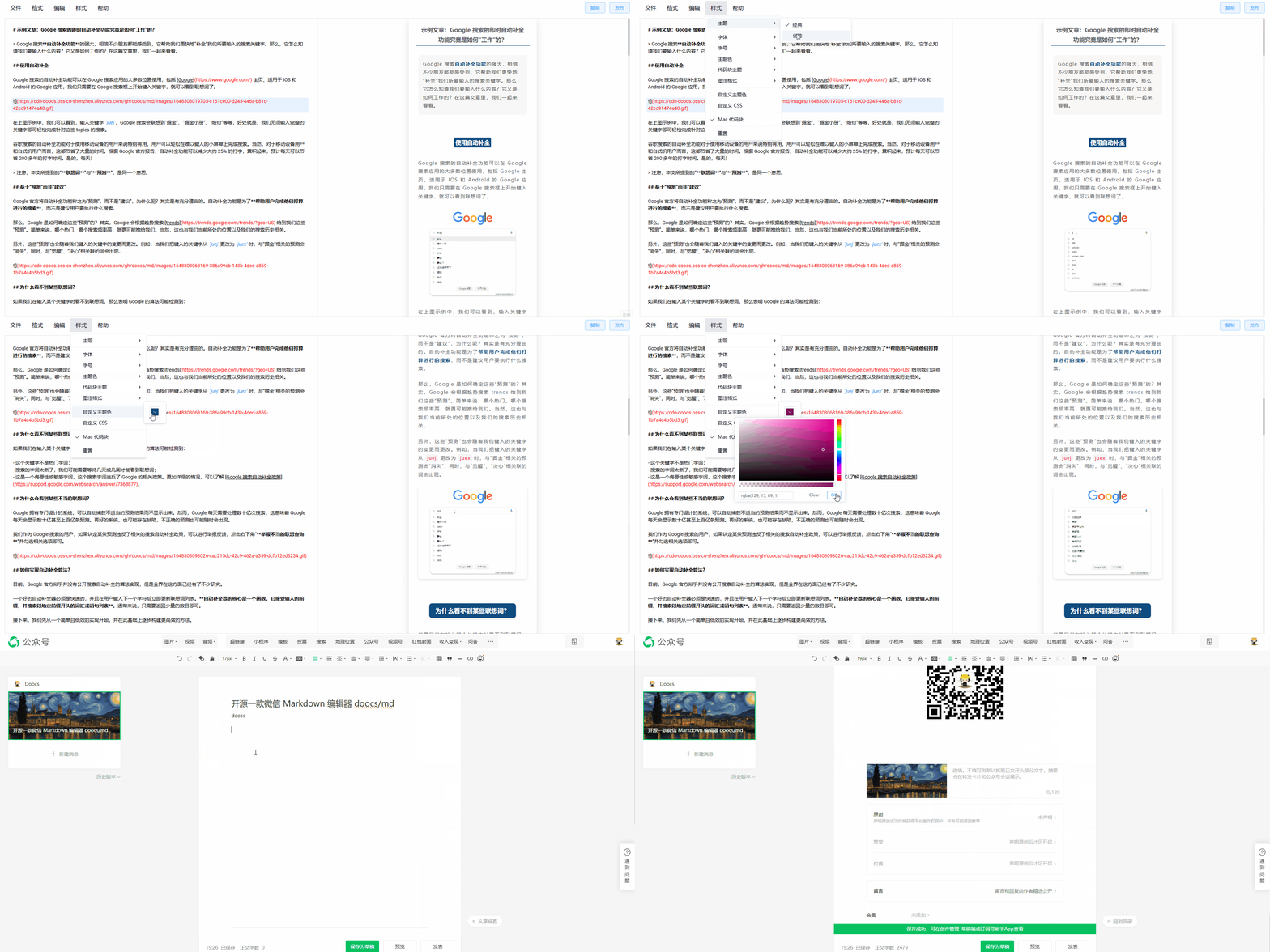
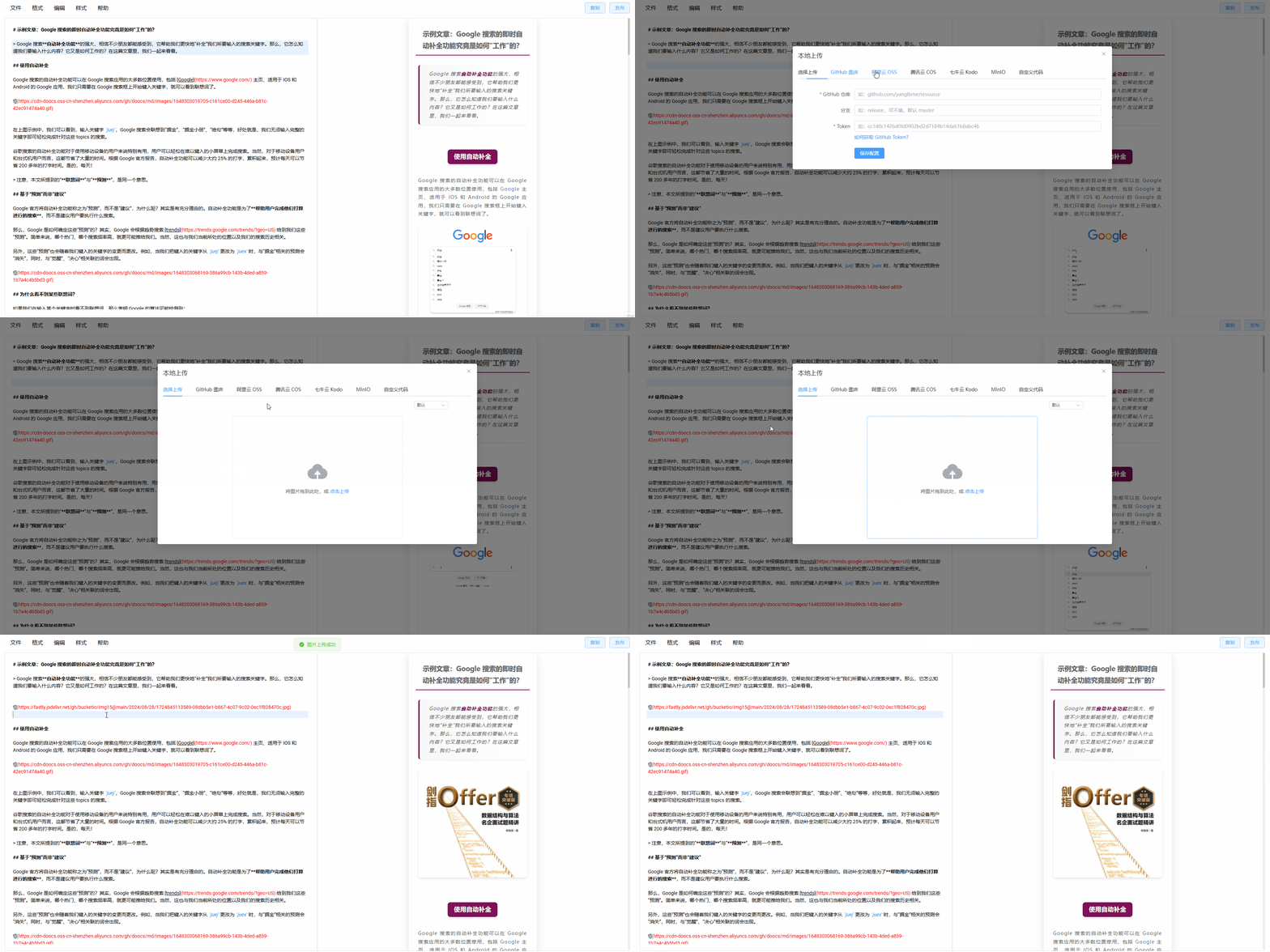




What is this?
 doocs/md is a WeChat Markdown editor that instantly renders your Markdown into clean, ready-to-paste WeChat Official Account article formatting, so you do not have to manually re-style posts in the WeChat editor.
doocs/md is a WeChat Markdown editor that instantly renders your Markdown into clean, ready-to-paste WeChat Official Account article formatting, so you do not have to manually re-style posts in the WeChat editor.Is this a browser-based editor or something I install?It is a web-based editor built with Vue3 and TypeScript that you can use online; it also ships an npm CLI and a Docker image for self-hosting, plus a separate VS Code extension and MCP server in the same monorepo.
It is a web-based editor built with Vue3 and TypeScript that you can use online; it also ships an npm CLI and a Docker image for self-hosting, plus a separate VS Code extension and MCP server in the same monorepo.How do I start using it, or run my own instance?Just open the online editor (Chrome recommended) and start typing Markdown; to self-host, run the npm CLI with 'port', 'spaceId' and 'clientSecret' flags, or deploy the provided Docker image.
Just open the online editor (Chrome recommended) and start typing Markdown; to self-host, run the npm CLI with 'port', 'spaceId' and 'clientSecret' flags, or deploy the provided Docker image.Do I need to set up an image host or AI API key before writing?No, a default image host works out of the box, but you can plug in GitHub, Aliyun OSS, Tencent COS, Qiniu Kodo, MinIO, S3, Cloudflare R2, Telegram or Cloudinary. AI writing assistance needs your own key for models like DeepSeek, OpenAI, Qwen, Tencent Hunyuan, Volcano Ark or 302.AI.
No, a default image host works out of the box, but you can plug in GitHub, Aliyun OSS, Tencent COS, Qiniu Kodo, MinIO, S3, Cloudflare R2, Telegram or Cloudinary. AI writing assistance needs your own key for models like DeepSeek, OpenAI, Qwen, Tencent Hunyuan, Volcano Ark or 302.AI.Any catch with image hosting or syncing my settings?Most image-host providers (Aliyun, Tencent, Qiniu, MinIO, S3, R2, WeChat official account, etc.) require you to fill in your own access keys, bucket and domain details, and editor preferences only sync across devices if you log into an account.
Most image-host providers (Aliyun, Tencent, Qiniu, MinIO, S3, R2, WeChat official account, etc.) require you to fill in your own access keys, bucket and domain details, and editor preferences only sync across devices if you log into an account.Why did the author build this instead of using an existing WeChat Markdown editor?Existing open-source WeChat Markdown editors tend to have messy, inconsistent styling that needs constant manual tweaking, so the author built doocs/md to let writers focus on content instead of fighting layout.
Existing open-source WeChat Markdown editors tend to have messy, inconsistent styling that needs constant manual tweaking, so the author built doocs/md to let writers focus on content instead of fighting layout.What special Markdown syntax does it support beyond the basics?Besides standard Markdown it supports math formulas via KaTeX, Mermaid diagrams, PlantUML, GitHub-style alert blocks (GFM), and Ruby annotations written as '[text]{ruby}' or '[text]^(ruby)'.
Besides standard Markdown it supports math formulas via KaTeX, Mermaid diagrams, PlantUML, GitHub-style alert blocks (GFM), and Ruby annotations written as '[text]{ruby}' or '[text]^(ruby)'.Does it include a VS Code extension or MCP server?Yes, the monorepo bundles a VS Code extension and an MCP server package alongside the main web editor, CLI and API.
Yes, the monorepo bundles a VS Code extension and an MCP server package alongside the main web editor, CLI and API.What are similar projects?huobao-drama, chatgpt-web, Mars-Editor-Web, md2wechat-skill, marp, rankme.fast, taro, TradingAgents-CN
huobao-drama, chatgpt-web, Mars-Editor-Web, md2wechat-skill, marp, rankme.fast, taro, TradingAgents-CNWhich topics is it in?weixin, markdown-editor, vue3, vscode-extension, ai-assistant, wechat, content-creation, tailwindcss, editor, vite, vue, deepseek
weixin, markdown-editor, vue3, vscode-extension, ai-assistant, wechat, content-creation, tailwindcss, editor, vite, vue, deepseek