




lottie README

The project's README from github.com/diffusionstudio/lottie. As one markdown file: README.md.

Text to Lottie

English | 繁體中文

Text-to-lottie is an open-source framework for generating production ready Lottie animations with claude code/codex or any other coding agent supporting skills.

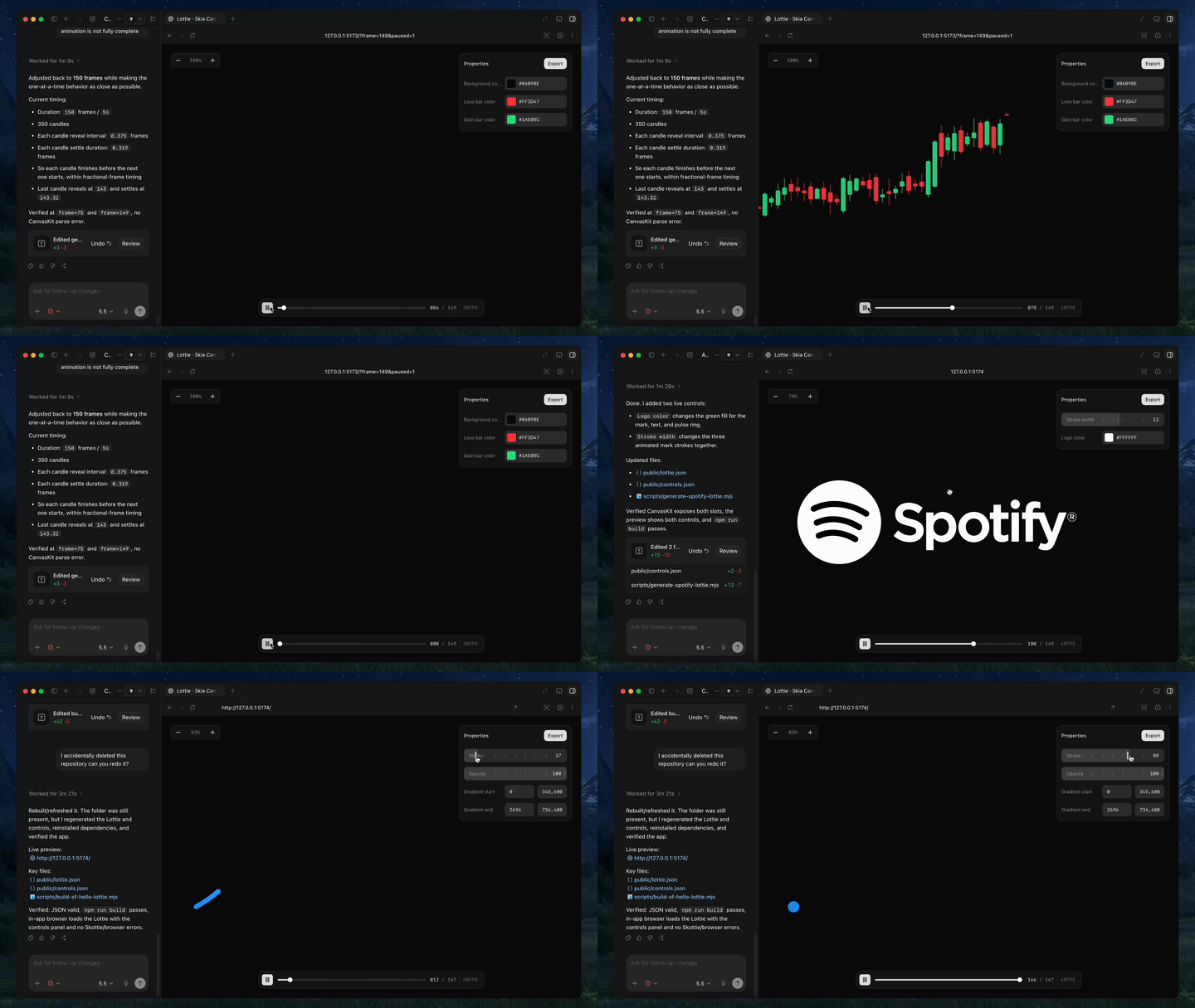
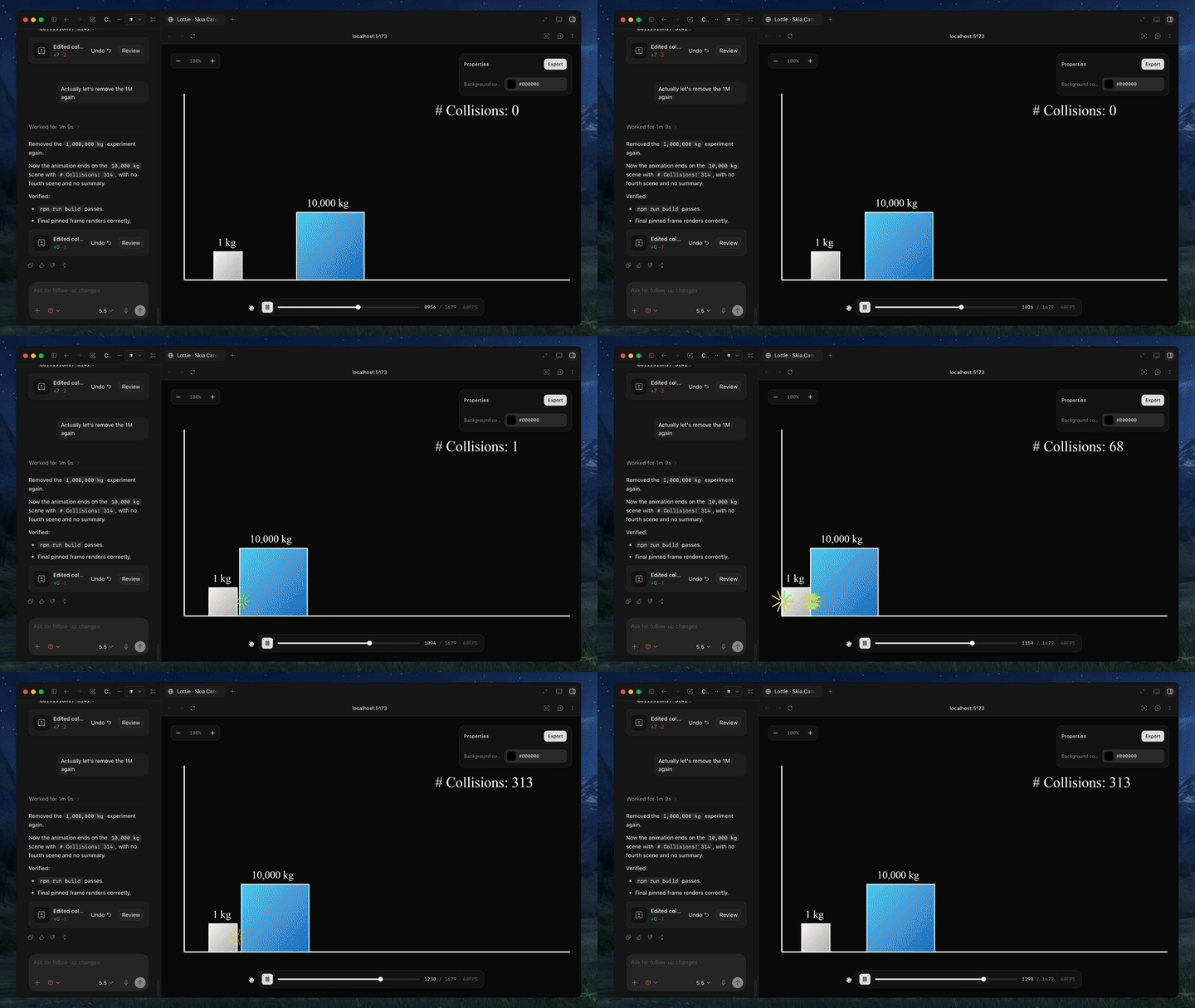
Created with Text-to-Lottie

Quick Start

Install the skill:

npx skills add diffusionstudio/lottie

Then ask your coding agent to generate a Lottie animation using text-to-lottie.

Example prompt:

Create a Lottie animation from the SVG path in https://github.com/JaceThings/SF-Hello/blob/main/SVG/hello-en.svg. Reveal the path with an animation that follows the natural path direction. Apply a premium apple themed gradient to the path. Use ease-in-out timing, a transparent background, and preserve the original SVG geometry.

The agent sets up the workspace and the included player, where each animation lives as a scene inside a project. Scenes load automatically from public/projects/<project>/<scene>/lottie.json and live-update in the player as the agent edits them — so you can inspect, scrub, and refine the generated Lottie in real time.

Prompt guide

1. Ground the model

Provide SVGs, real-world data, or screenshots whenever possible. Results are significantly better when the animation is based on concrete assets.

2. Use motion design terminology

Describe timing and movement using motion design language like ease-in, ease-out, and ease-in-out.

3. Think like a camera operator

Professional motion graphics often rely on camera movement. Include camera pushes, pans, zooms, and rig-like motion in your prompt.

4. Request the controls you need

By default, outputs usually only expose a background color control. If you want to customize other properties, explicitly ask the agent to create controls for them.

5. Specify FPS and duration

If your animation requires a specific frame rate or length, include the desired FPS and total frame count in the prompt.

Using the Generated Animation

Generated animations can be used directly as Lottie JSON files or imported into After Effects for further refinement.

Web / vanilla HTML

<script src="https://unpkg.com/lottie-web/build/player/lottie.min.js"></script>

<div id="anim"></div>

<script>
  lottie.loadAnimation({
    container: document.getElementById("anim"),
    renderer: "svg",
    loop: true,
    autoplay: true,
    path: "/animations/my-animation.json"
  });
</script>

React Native

Use React Native Skia to render Lottie animations via its Skottie module. It supports iOS, Android, and web, and lets you customize animation properties, assets, and typographies at runtime.

import { Skia, Canvas, Skottie, useClock } from "@shopify/react-native-skia";
import { useDerivedValue } from "react-native-reanimated";

const animation = Skia.Skottie.Make(JSON.stringify(require("./animation.json")));

export default function Loader() {
  const clock = useClock();
  const frame = useDerivedValue(
    () => ((clock.value / 1000) % animation.duration()) * animation.fps()
  );
  return (
    <Canvas style={{ width: 200, height: 200 }}>
      <Skottie animation={animation} frame={frame} />
    </Canvas>
  );
}

iOS Swift

import Lottie

let animationView = LottieAnimationView(name: "animation")
animationView.frame = view.bounds
animationView.contentMode = .scaleAspectFit
animationView.loopMode = .loop
view.addSubview(animationView)
animationView.play()

Android Kotlin

val view = findViewById<LottieAnimationView>(R.id.animationView)
view.setAnimation(R.raw.animation)
view.loop(true)
view.playAnimation()

Flutter

dependencies:
  lottie: ^1.0.0
import 'package:lottie/lottie.dart';

Lottie.asset('assets/animation.json')

lottie (diffusionstudio/lottie)

Searching Database…

5.6K ·GitHub
这是什么?Text-to-Lottie 是一个开源框架,让你用自然语言向 Claude Code、Codex 或任何支持技能的编程智能体描述动画,就能生成可直接用于生产的 Lottie 动画。
这是我的编程智能体的插件,还是一个完整的动画应用?它由一个智能体技能和一个小型播放器工作区组成:技能教编程智能体如何生成 Lottie JSON,内置的播放器则会实时预览智能体在 public/projects/ 中生成的场景。
它支持哪些编程智能体?文档明确提到了 Claude Code 和 Codex,但该技能适用于任何支持技能格式的编程智能体,因为这是它唯一真正的要求。
开箱即用时,我能完全控制动画吗?默认不能。生成的动画通常只提供背景颜色的控件,因此如果你想调整其他属性,必须明确要求智能体为其添加控件。
我在哪里可以使用它生成的 Lottie 文件?输出的是标准 Lottie JSON,可直接用于网页端(纯 HTML)、通过 Skottie 模块用于 React Native、原生用于 iOS 的 Swift 和 Android 的 Kotlin、用于 Flutter,或重新导入 After Effects 进行进一步编辑。
如何让智能体给出更好的结果?用真实的 SVG、截图或数据来约束提示词,使用 ease-in/ease-out 等动效设计术语,以镜头语言描述动作,比如推进、平移和缩放,并明确指定帧率(FPS)和时长。
我能在 After Effects 中编辑生成的动画吗?可以,生成的 Lottie JSON 文件可以直接导入 After Effects 做进一步调整。
React Native 的输出还需要额外的东西才能播放吗?在 React Native 中播放依赖 React Native Skia 的 Skottie 模块。它可以在 iOS、Android 和网页端渲染 Lottie,并让你在运行时自定义属性、资源和字体排版。
Size
4.9 MB
Stars
5.6K
Age
4mo
Commits · 90 Days