


faceswap README

The project's README from github.com/deepfakes/faceswap. As one markdown file: README.md.

deepfakes_faceswap

Important information for Patreon and PayPal supporters. Please see this forum post: https://forum.faceswap.dev/viewtopic.php?f=14&t=3120


FaceSwap is a tool that utilizes deep learning to recognize and swap faces in pictures and videos.


Emma Stone/Scarlett Johansson FaceSwap using the Phaze-A model


Jennifer Lawrence/Steve Buscemi FaceSwap using the Villain model

Build Status Documentation Status

Make sure you check out INSTALL.md before getting started.

Manifesto

FaceSwap has ethical uses.

When faceswapping was first developed and published, the technology was groundbreaking, it was a huge step in AI development. It was also completely ignored outside of academia because the code was confusing and fragmentary. It required a thorough understanding of complicated AI techniques and took a lot of effort to figure it out. Until one individual brought it together into a single, cohesive collection. It ran, it worked, and as is so often the way with new technology emerging on the internet, it was immediately used to create inappropriate content. Despite the inappropriate uses the software was given originally, it was the first AI code that anyone could download, run and learn by experimentation without having a Ph.D. in math, computer theory, psychology, and more. Before "deepfakes" these techniques were like black magic, only practiced by those who could understand all of the inner workings as described in esoteric and endlessly complicated books and papers.

"Deepfakes" changed all that and anyone could participate in AI development. To us, developers, the release of this code opened up a fantastic learning opportunity. It allowed us to build on ideas developed by others, collaborate with a variety of skilled coders, experiment with AI whilst learning new skills and ultimately contribute towards an emerging technology which will only see more mainstream use as it progresses.

Are there some out there doing horrible things with similar software? Yes. And because of this, the developers have been following strict ethical standards. Many of us don't even use it to create videos, we just tinker with the code to see what it does. Sadly, the media concentrates only on the unethical uses of this software. That is, unfortunately, the nature of how it was first exposed to the public, but it is not representative of why it was created, how we use it now, or what we see in its future. Like any technology, it can be used for good or it can be abused. It is our intention to develop FaceSwap in a way that its potential for abuse is minimized whilst maximizing its potential as a tool for learning, experimenting and, yes, for legitimate faceswapping.

We are not trying to denigrate celebrities or to demean anyone. We are programmers, we are engineers, we are Hollywood VFX artists, we are activists, we are hobbyists, we are human beings. To this end, we feel that it's time to come out with a standard statement of what this software is and isn't as far as us developers are concerned.

We are very troubled by the fact that FaceSwap can be used for unethical and disreputable things. However, we support the development of tools and techniques that can be used ethically as well as provide education and experience in AI for anyone who wants to learn it hands-on. We will take a zero tolerance approach to anyone using this software for any unethical purposes and will actively discourage any such uses.

How To setup and run the project

FaceSwap is a Python program that will run on multiple Operating Systems including Windows, Linux, and MacOS.

See INSTALL.md for full installation instructions. You will need a modern GPU with CUDA support for best performance. Many AMD GPUs are supported through ROCm (Linux).

Overview

The project has multiple entry points. You will have to:

Check out USAGE.md for more detailed instructions.

Extract

From your setup folder, run python faceswap.py extract. This will take photos from src folder and extract faces into extract folder.

Train

From your setup folder, run python faceswap.py train. This will take photos from two folders containing pictures of both faces and train a model that will be saved inside the models folder.

Convert

From your setup folder, run python faceswap.py convert. This will take photos from original folder and apply new faces into modified folder.

GUI

Alternatively, you can run the GUI by running python faceswap.py gui

General notes:

NB: there is a conversion tool for video. This can be accessed by running python tools.py effmpeg -h. Alternatively, you can use ffmpeg to convert video into photos, process images, and convert images back to the video.

Some tips:

Reusing existing models will train much faster than starting from nothing. If there is not enough training data, start with someone who looks similar, then switch the data.

Help I need support!

Discord Server

Your best bet is to join the FaceSwap Discord server where there are plenty of users willing to help. Please note that, like this repo, this is a SFW Server!

FaceSwap Forum

Alternatively, you can post questions in the FaceSwap Forum. Please do not post general support questions in this repo as they are liable to be deleted without response.

Donate

The developers work tirelessly to improve and develop FaceSwap. Many hours have been put in to provide the software as it is today, but this is an extremely time-consuming process with no financial reward. If you enjoy using the software, please consider donating to the devs, so they can spend more time implementing improvements.

Patreon

The best way to support us is through our Patreon page:

become-a-patron

One time Donations

Alternatively you can give a one off donation to any of our Devs:

@torzdf

There is very little FaceSwap code that hasn't been touched by torzdf. He is responsible for implementing the GUI, FAN aligner, MTCNN detector and porting the Villain, DFL-H128 and DFaker models to FaceSwap, as well as significantly improving many areas of the code.

Bitcoin: bc1qpm22suz59ylzk0j7qk5e4c7cnkjmve2rmtrnc6

Ethereum: 0xd3e954dC241B87C4E8E1A801ada485DC1d530F01

Monero: 45dLrtQZ2pkHizBpt3P3yyJKkhcFHnhfNYPMSnz3yVEbdWm3Hj6Kr5TgmGAn3Far8LVaQf1th2n3DJVTRkfeB5ZkHxWozSX

Paypal: torzdf

@andenixa

Creator of the Unbalanced and OHR models, as well as expanding various capabilities within the training process. Andenixa is currently working on new models and will take requests for donations.

Paypal: andenixa

How to contribute

For people interested in the generative models

For devs

For non-dev advanced users

For end-users

About machine learning

How does a computer know how to recognize/shape faces? How does machine learning work? What is a neural network?

It's complicated. Here's a good video that makes the process understandable: How Machines Learn

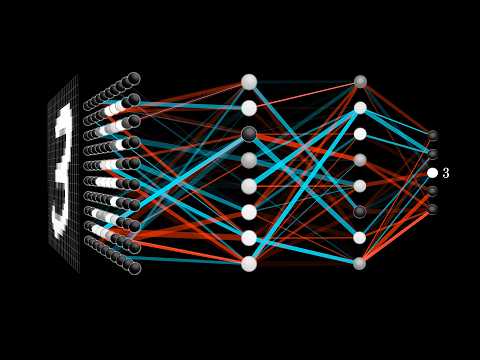
Here's a slightly more in depth video that tries to explain the basic functioning of a neural network: How Machines Learn

tl;dr: training data + trial and error

faceswap (deepfakes/faceswap)

Searching Database…

57.6K ·GitHub
What is this?FaceSwap is a Python tool that uses deep learning to recognize and swap faces in pictures and videos.
Is this a command-line tool or does it have a GUI?It's both: you run scripts like faceswap.py extract/train/convert from the command line, or launch a graphical interface with python faceswap.py gui.
How does the actual face-swapping workflow work?You run three stages in order: python faceswap.py extract pulls faces from your source photos/videos, python faceswap.py train trains a model on two sets of faces, and python faceswap.py convert applies the trained model to produce the swapped output.
What hardware do I need to run this?You need a modern GPU with CUDA support for decent performance; many AMD GPUs are also supported through ROCm, but only on Linux.
Are there restrictions on how I'm allowed to use this?The project enforces a strict ethical policy: it's explicitly not meant for creating inappropriate content or swapping faces without consent, and maintainers say they'll actively discourage unethical uses.
Does it run on Windows and Mac, or only Linux?It runs on Windows, Linux, and MacOS as a Python program, per the official install instructions.
What models come with it?The project ships multiple trainable model architectures contributed by its devs, including Phaze-A, Villain, DFL-H128, DFaker, Unbalanced, and OHR.
Can I process video directly, or only photos?There's a built-in conversion tool for video accessible via python tools.py effmpeg, or you can use ffmpeg externally to turn video into frames, process them, and reassemble the video.
Why does the README spend so much time on ethics?Because early faceswap tech was immediately misused for inappropriate content, the developers wrote a manifesto clarifying the tool is meant for experimentation, VFX, and legitimate uses, with zero tolerance for abuse.
Can reusing an existing model speed up training?Yes, the README notes that reusing existing models trains much faster than starting from nothing, and suggests starting with a similar-looking face if your own training data is limited.
Creator
deepfakes
Size
200.6 MB
Stars
57.6K
Age
8y
Commits · 90 Days