
Overview
Address returns addresses that actually exist instead of randomly assembled strings. Every record comes from an official address register, open map data, or a validated geocoding result, and carries its source, precision, and coordinates. Missing fields stay empty; nothing is invented.
Use it for form and checkout testing, address-format validation, logistics demos, and anywhere an address must look real and be real.
Features
- 27 countries and regions – Region, city, district, and postcode filters that follow each country's real administrative hierarchy. A filter with no data returns an error instead of silently switching to another area.
- Traceable sources – Residential communities for China; premise- and street-level addresses elsewhere, labelled with precision and residential evidence.
- Ten display languages – Native, English, Simplified and Traditional Chinese, Japanese, Korean, German, French, Spanish, and Portuguese.
- Hands-off synchronization – Incremental imports with bounded retries, exponential backoff, quota waits, and source-exhaustion detection, so failing work is never repeated forever.
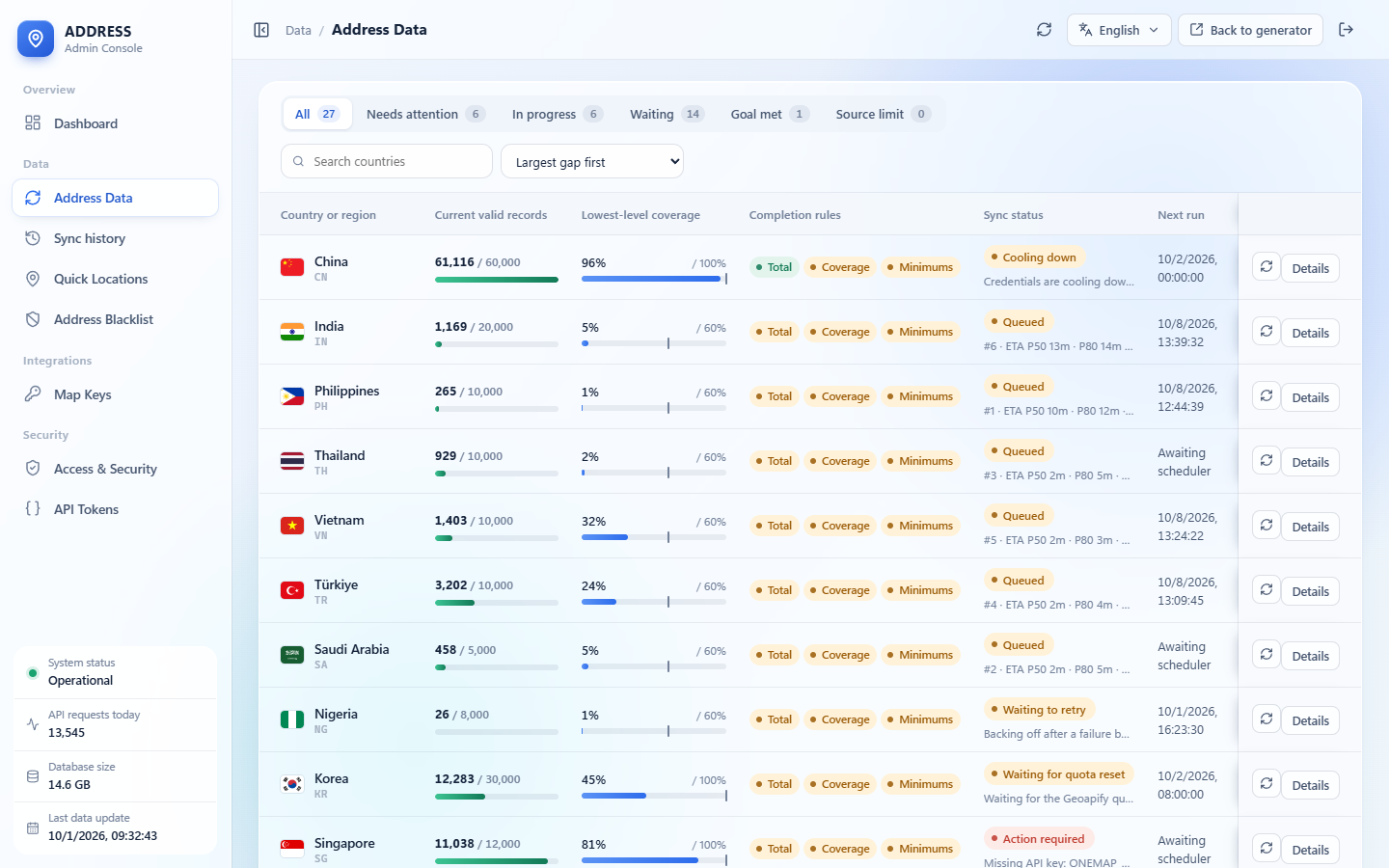
- Admin console – Dashboard, country workspace, sync history, quick locations, provider credentials, translation routing, access control, and API tokens.
- Open API – Bearer-authenticated JSON API for single and batch generation, location search, coverage, and address translation, with an OpenAPI 3.1 document.
- Single-file deployment – One Docker Compose file runs the app, PostgreSQL, migrations, and the sync service; internal secrets are generated and persisted automatically.
Quick start
Requirements
- Linux (AMD64 or ARM64)
- Docker Engine 24+ with Docker Compose v2
- 4 GB RAM (8 GB or more recommended for the first import of large countries)
Deploy with Docker Compose
# 1. Create a deployment directory and download the Compose file
mkdir address && cd address
curl -fsSLo docker-compose.yml https://raw.githubusercontent.com/daimon3332/address/main/docker-compose.yml

# 2. Start all services
docker compose up -d

# 3. Check readiness
docker compose ps
curl -fsS http://127.0.0.1:8787/api/v1/ready
On first start the stack:
- creates persistent
data/ and runtime/ directories next to the Compose file;
- generates the database password, configuration encryption key, and service tokens in
data/secrets/;
- runs database migrations, then starts the API and the sync service.
First sign-in
- Open
http://127.0.0.1:8787/admin/ and sign in with the initial password admin.
- Change the administrator password when prompted.
- Decide under Access & Security whether the public generator needs a password.
- Create an API token under API Tokens for external clients.
To start with your own password, set ADMIN_INITIAL_PASSWORD before the first docker compose up -d.
Go public
The API listens on 127.0.0.1:8787 only. Put it behind an HTTPS reverse proxy and create a .env next to the Compose file:
ALLOWED_ORIGINS=https://address.example.com
TRUST_PROXY=true
COOKIE_SECURE=true
See the deployment guide for Nginx and Caddy examples, upgrades, backups, and restores.
Usage
Web
Open http://127.0.0.1:8787/, pick a country, area, and display language, and generate. Results can be copied, exported, saved to favorites, or opened in Google Maps or AMap.
API
curl -fsS "http://127.0.0.1:8787/api/v1/generate?country=US&city=Seattle" \
  -H "Authorization: Bearer YOUR_API_TOKEN"
{
  "data": {
    "country": "US",
    "filters": { "city": "Seattle" },
    "filterMatchLevel": "exact",
    "result": {
      "address": {
        "formattedAddress": "4019 Aikins Avenue Southwest, Seattle, WA, 98116",
        "matchLevel": "premise",
        "propertyType": "residential",
        "coordinates": { "latitude": 47.567944, "longitude": -122.40706 }
      }
    }
  }
}
The response is abridged. matchLevel is the address precision (street, premise, or subpremise); propertyType is residential only when independent residential evidence exists. See the API reference for every endpoint, parameter, and error code.
Provider keys (optional)
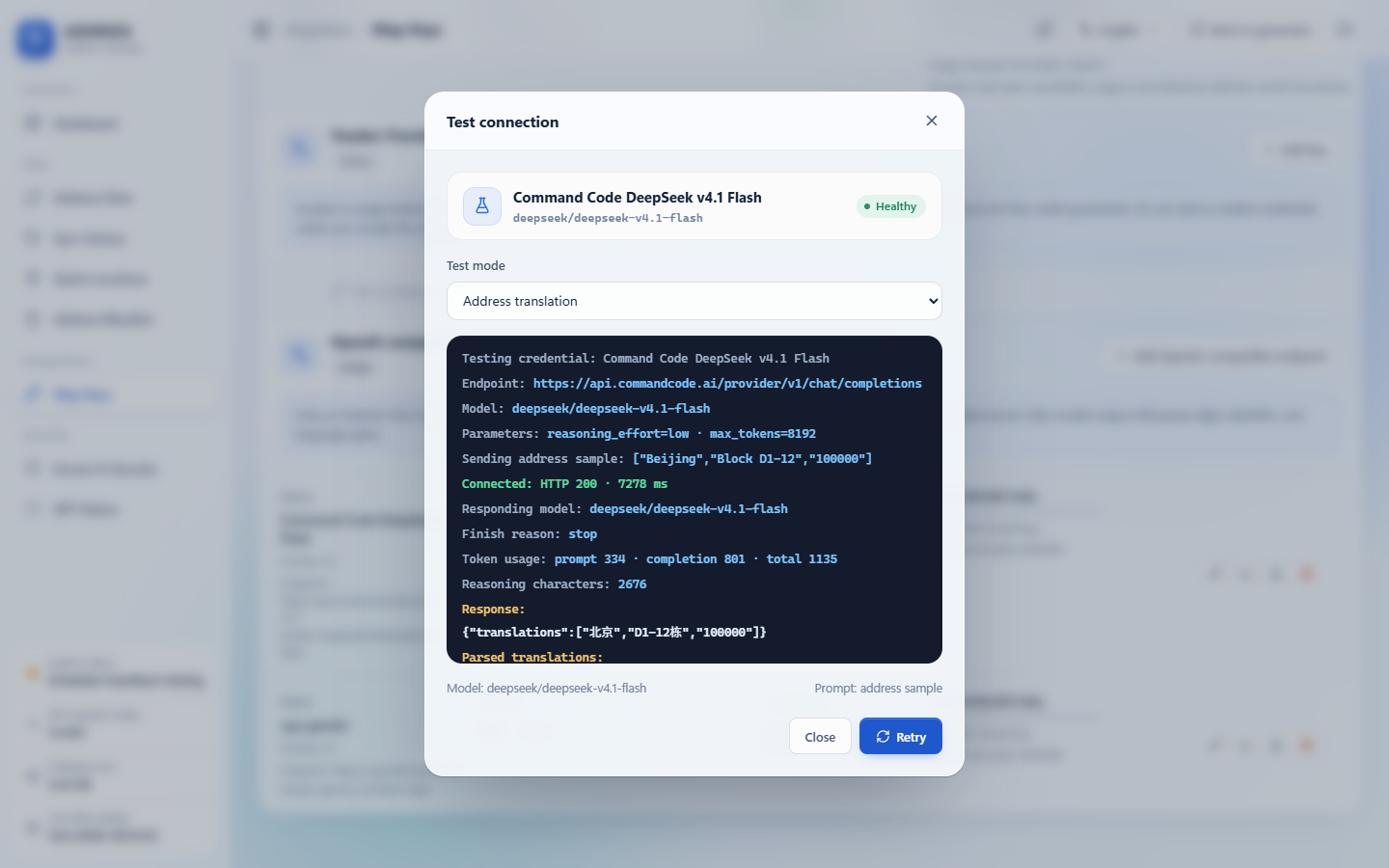
The service runs without any third-party key, using open sources that need no authorization. China map platforms, Google Geocoding, and translation services only extend data for specific countries or enable online translation; add them under Map Keys in the admin console. See API keys for how to obtain each one.
Screenshots
| Admin · Dashboard | Admin · Country workspace |
|---|
 |
 |
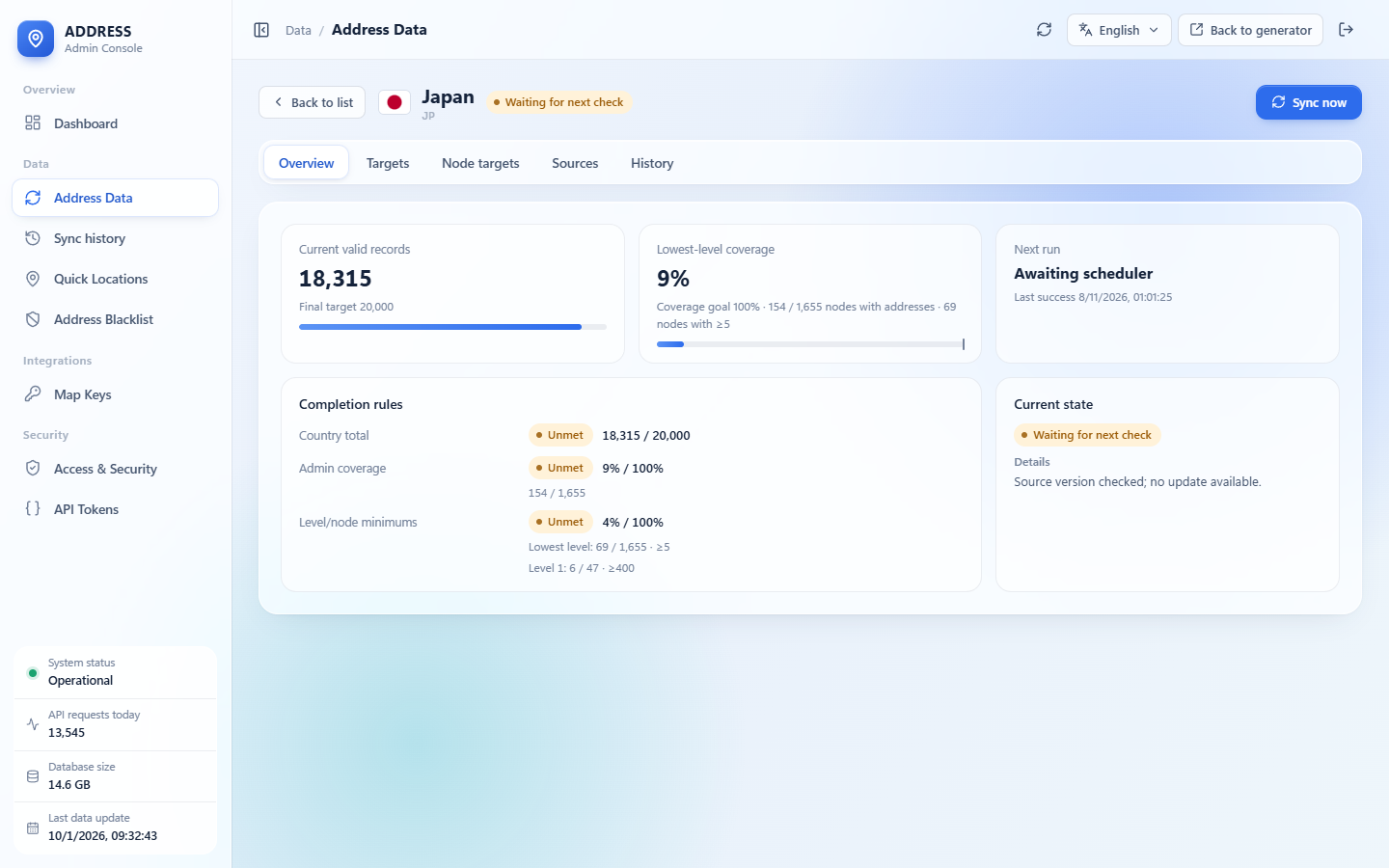
| Country detail | Translation credential test |
|---|
 |
 |
| Public coverage monitor | US address |
|---|
 |
 |
Supported countries and regions
| Region |
Countries and regions |
| North America |
United States US, Canada CA, Mexico MX |
| Europe |
United Kingdom GB, Germany DE, France FR, Italy IT, Spain ES, Netherlands NL, Russia RU |
| East Asia |
China CN, Hong Kong HK, Taiwan TW, Japan JP, South Korea KR |
| Southeast Asia |
Singapore SG, Malaysia MY, Thailand TH, Philippines PH, Vietnam VN |
| South Asia |
India IN |
| Oceania |
Australia AU |
| Middle East |
Türkiye TR, Saudi Arabia SA |
| South America |
Brazil BR |
| Africa |
Nigeria NG, South Africa ZA |
Sources, field provenance, and residential evidence per country are listed in the data sources document.
How it works
Browser ──► Astro + React pages
               │
               ▼
           Hono API ──► PostgreSQL (address pool, admin catalog, control data)
               │
               └─ prebuilt random/filter indexes, local formatting and translation

Sync service ──► official registers / OpenStreetMap / Overture / map platforms
               │  validates source, administrative area, language, coordinates
               ▼
           per-country transactional publish ──► PostgreSQL
A country is complete only when three rules hold at once: the valid-address total, the lowest-level administrative coverage, and the per-level node minimums. When a source is proven to have nothing new, the country shows Source limit reached and stops re-entering the queue until the source changes.
Documentation
| Document |
Contents |
| Deployment |
Docker Compose, reverse proxy, upgrades, backup and restore, troubleshooting |
| API |
Authentication, endpoints, parameters, batch generation, errors |
| API keys |
What each provider is for, how to obtain keys, admin setup |
| Development |
Local setup, project layout, tests, release checks |
| Data sources |
Sources, publication rules, synchronization flow (Chinese) |
| Country strategies |
Per-country fields, coordinates, deduplication, validation (Chinese) |
License
Source code is released under the MIT License. Upstream datasets keep their own licenses and attribution requirements; see the data sources document.








 一个可自行部署的地址生成器,生成的地址真实存在,来源于官方登记机构和开放地图数据,同时也可生成合成的测试档案。覆盖 27 个国家和地区。