12.3K ·GitHub
这是什么?
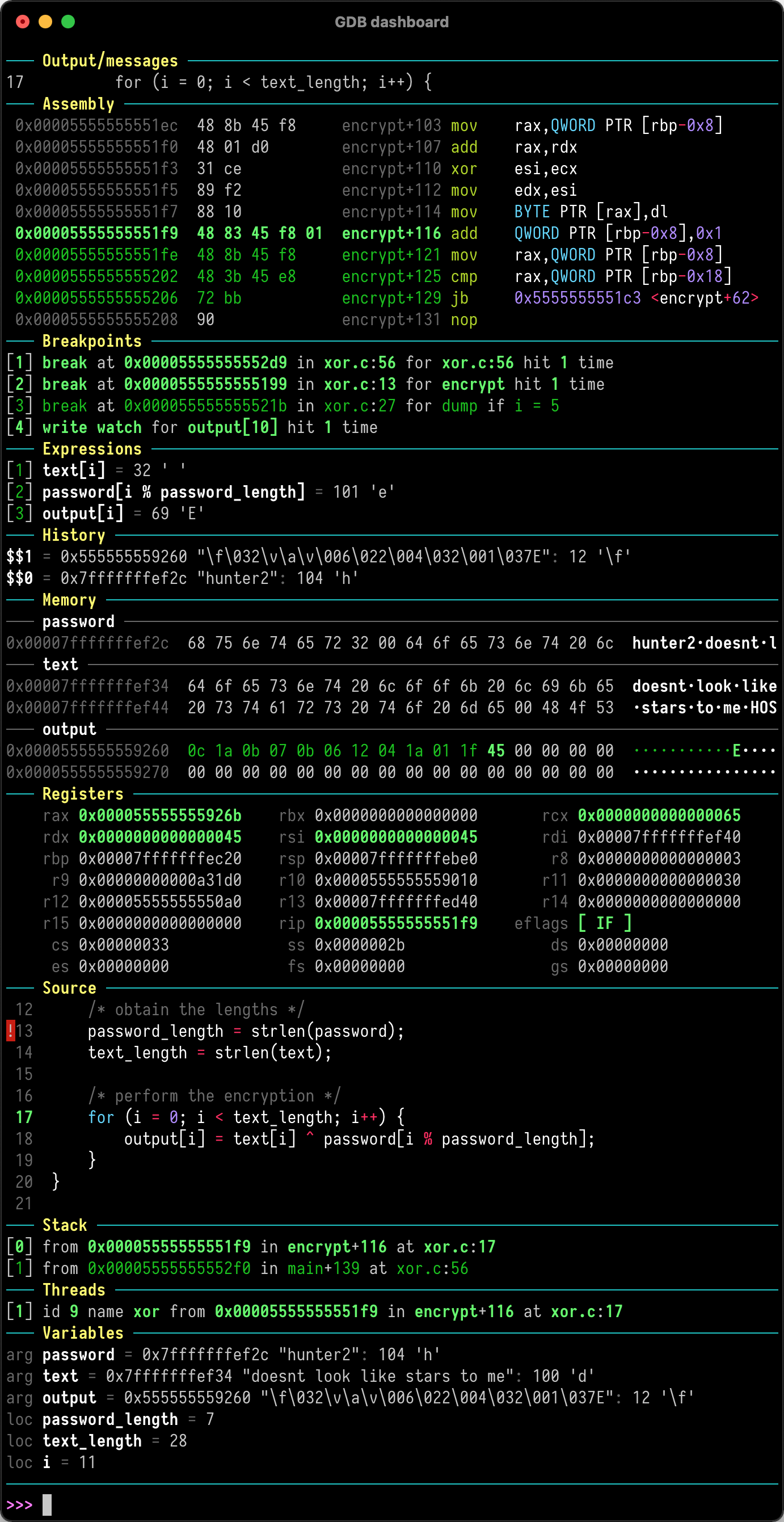
 这是一个独立的 .gdbinit 文件,它为 GDB 提供一个模块化的可视化仪表盘。每次程序暂停时,仪表盘都会自动显示程序的状态(寄存器、栈、源代码等),因此你需要输入的查看命令更少。
这是一个独立的 .gdbinit 文件,它为 GDB 提供一个模块化的可视化仪表盘。每次程序暂停时,仪表盘都会自动显示程序的状态(寄存器、栈、源代码等),因此你需要输入的查看命令更少。这是一个单独的应用,还是仅仅是 GDB 的配置文件?它不是独立的程序,而是一个基于 GDB Python API 编写的 .gdbinit 脚本,用来扩展 GDB 本身,而不是需要单独启动的工具。
它不是独立的程序,而是一个基于 GDB Python API 编写的 .gdbinit 脚本,用来扩展 GDB 本身,而不是需要单独启动的工具。我该如何让仪表盘运行起来?将项目中的 .gdbinit 文件放在你的主目录中,然后像平常一样运行 gdb 即可。只要被调试的程序停止,仪表盘就会自动出现。
将项目中的 .gdbinit 文件放在你的主目录中,然后像平常一样运行 gdb 即可。只要被调试的程序停止,仪表盘就会自动出现。除了 GDB 本身,我还需要其他东西吗?你需要带有 Python API 的 GDB。安装 Pygments 是可选的,它只会为显示的代码添加语法高亮。
你需要带有 Python API 的 GDB。安装 Pygments 是可选的,它只会为显示的代码添加语法高亮。它会改变我现有的 GDB 命令吗?不会。它不会改动任何标准 GDB 命令,而是通过单独的 'dashboard' 命令提供其全部功能。
不会。它不会改动任何标准 GDB 命令,而是通过单独的 'dashboard' 命令提供其全部功能。为什么它能减少我需要输入的 GDB 命令?每次程序停止后,它都会自动显示相关程序状态的概览,因此开发者可以专注于控制程序的执行流程,而无需手动运行查看命令。
每次程序停止后,它都会自动显示相关程序状态的概览,因此开发者可以专注于控制程序的执行流程,而无需手动运行查看命令。我能自定义仪表盘面板的外观吗?项目提供了可设置样式的属性,并允许你将终端划分为多个独立的面板,因此你可以调整仪表盘的布局和外观。
项目提供了可设置样式的属性,并允许你将终端划分为多个独立的面板,因此你可以调整仪表盘的布局和外观。如果我不安装 Pygments 会怎样?仪表盘仍然可以正常工作,只是在源代码和反汇编等视图中会失去语法高亮。
仪表盘仍然可以正常工作,只是在源代码和反汇编等视图中会失去语法高亮。