

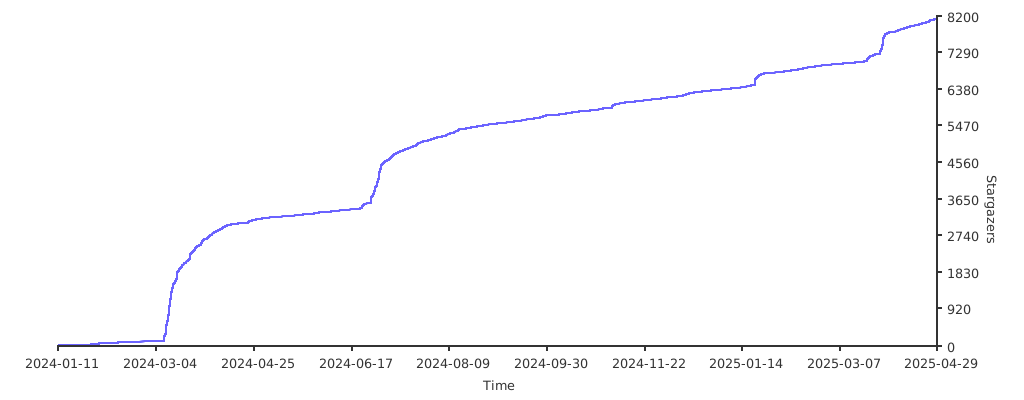
What is this?
 Earthworm is an open-source web app for learning English by constructing sentences with conjunctions — you build sentences step by step instead of memorizing word lists.
Earthworm is an open-source web app for learning English by constructing sentences with conjunctions — you build sentences step by step instead of memorizing word lists.Is it a hosted site, or do I run it myself?You run it yourself: a full-stack monorepo with a client and an API, whose Postgres, Redis and Logto auth services come up via Docker Compose — then you use the app in the browser.
You run it yourself: a full-stack monorepo with a client and an API, whose Postgres, Redis and Logto auth services come up via Docker Compose — then you use the app in the browser.What does getting it running involve?Eight steps: install deps with pnpm, copy apps/api/.env.example to .env, unzip Logto init data into .volumes/, start Docker Compose, run db:init, upload course data, then start the backend and frontend.
Eight steps: install deps with pnpm, copy apps/api/.env.example to .env, unzip Logto init data into .volumes/, start Docker Compose, run db:init, upload course data, then start the backend and frontend.What do I need installed before I start?pnpm >= 8, Node.js >= v20, Docker installed and running, plus Postgres >= 14 and Redis >= 5 — the README lists all five as requirements before you begin.
pnpm >= 8, Node.js >= v20, Docker installed and running, plus Postgres >= 14 and Redis >= 5 — the README lists all five as requirements before you begin.Where do people usually get stuck during setup?Some deps (like argon2) need a C++ toolchain — on Windows, Visual Studio 2015+ with 'Desktop development with C++'; WSL2 users can hit Docker permission errors; db:init may need a rerun if Docker is still starting.
Some deps (like argon2) need a C++ toolchain — on Windows, Visual Studio 2015+ with 'Desktop development with C++'; WSL2 users can hit Docker permission errors; db:init may need a rerun if Docker is still starting.Does it come with ready-made lessons?Yes — course data is created and uploaded once during the initial database initialization; if lessons are later corrected, a dedicated command updates them in the database.
Yes — course data is created and uploaded once during the initial database initialization; if lessons are later corrected, a dedicated command updates them in the database.Does it need an account, and where does my data go?Login goes through a bundled Logto instance that ships with default admin credentials; since Logto, Postgres and Redis all run locally via Docker Compose, your data stays on your own machine.
Login goes through a bundled Logto instance that ships with default admin credentials; since Logto, Postgres and Redis all run locally via Docker Compose, your data stays on your own machine.What is Logto and why does setup need it?Logto is the open-source authentication service Earthworm uses for sign-in. The repo bundles its init data with a default admin account, and it runs next to Postgres and Redis in Docker Compose.
Logto is the open-source authentication service Earthworm uses for sign-in. The repo bundles its init data with a default admin account, and it runs next to Postgres and Redis in Docker Compose.Is it friendly to Chinese speakers?The project is bilingual from the start: the README opens with 'Earthworm English | 中文', and its Windows troubleshooting even covers Chinese-character display issues during compilation.
The project is bilingual from the start: the README opens with 'Earthworm English | 中文', and its Windows troubleshooting even covers Chinese-character display issues during compilation.What are similar projects?open-agents, rankme.fast, StarLive, hey.xyz, logto, gin-vue-admin, remix, next-auth
open-agents, rankme.fast, StarLive, hey.xyz, logto, gin-vue-admin, remix, next-authWhich topics is it in?cypress, vitest, english-learning, language-learning, jest, postgres, pnpm, full-stack, agplv3, monorepo, redis, authentication
cypress, vitest, english-learning, language-learning, jest, postgres, pnpm, full-stack, agplv3, monorepo, redis, authentication