






这是什么?
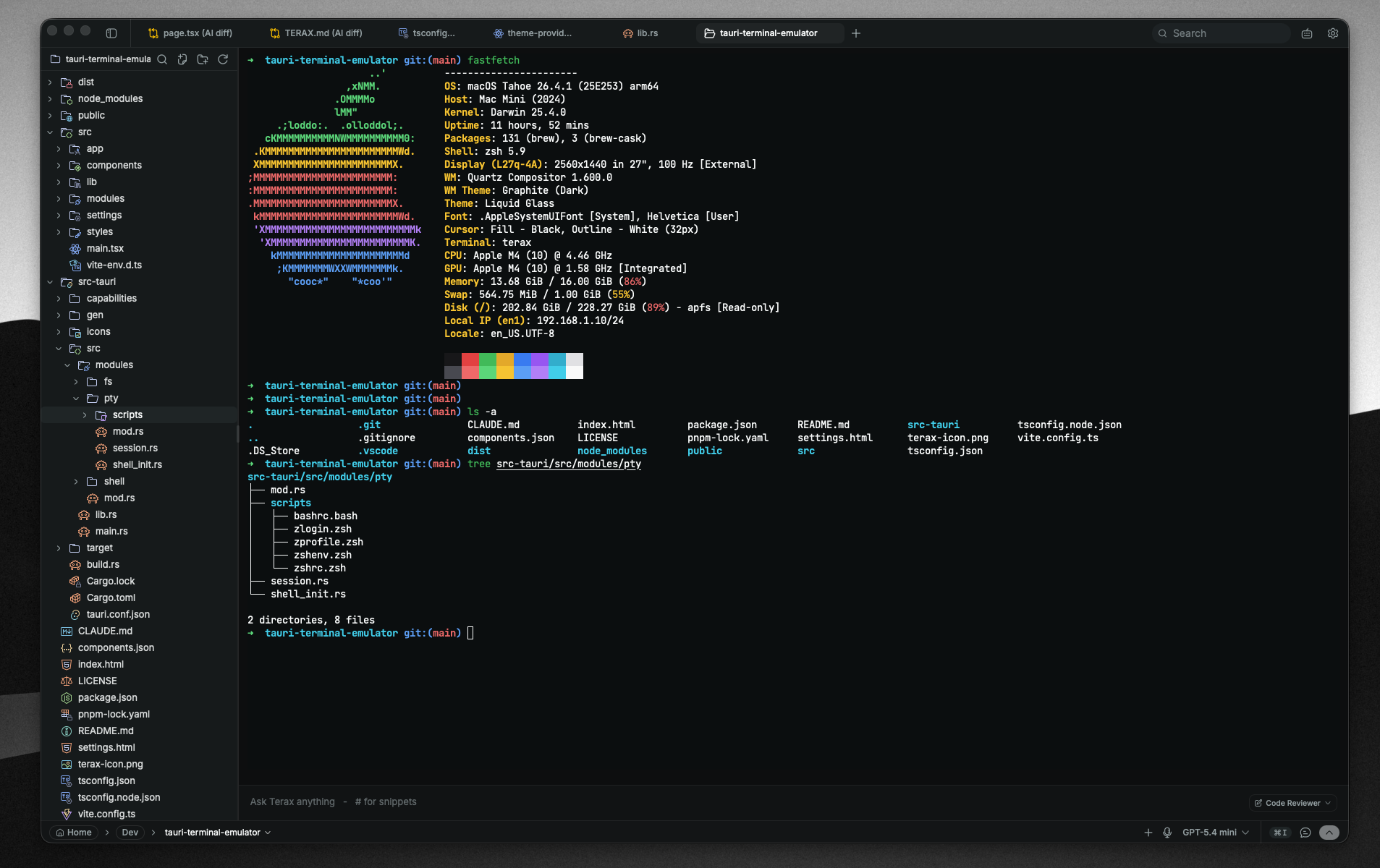
 Terax 是一个轻量级的开源 AI 原生开发环境,以终端为核心,基于 Tauri 2、Rust 和 React 19 构建,磁盘占用仅约 7-8 MB,不收集遥测数据,也无需注册账号。
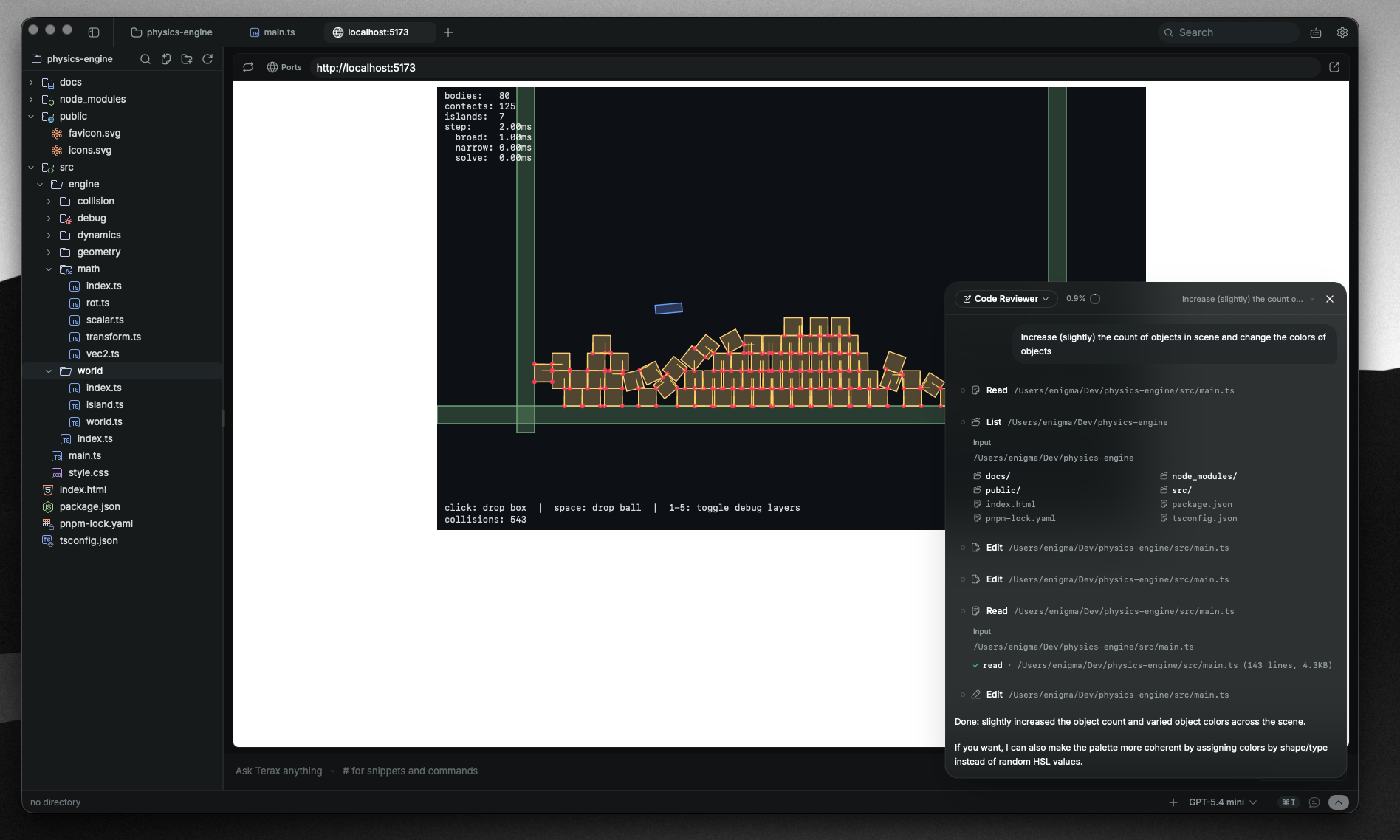
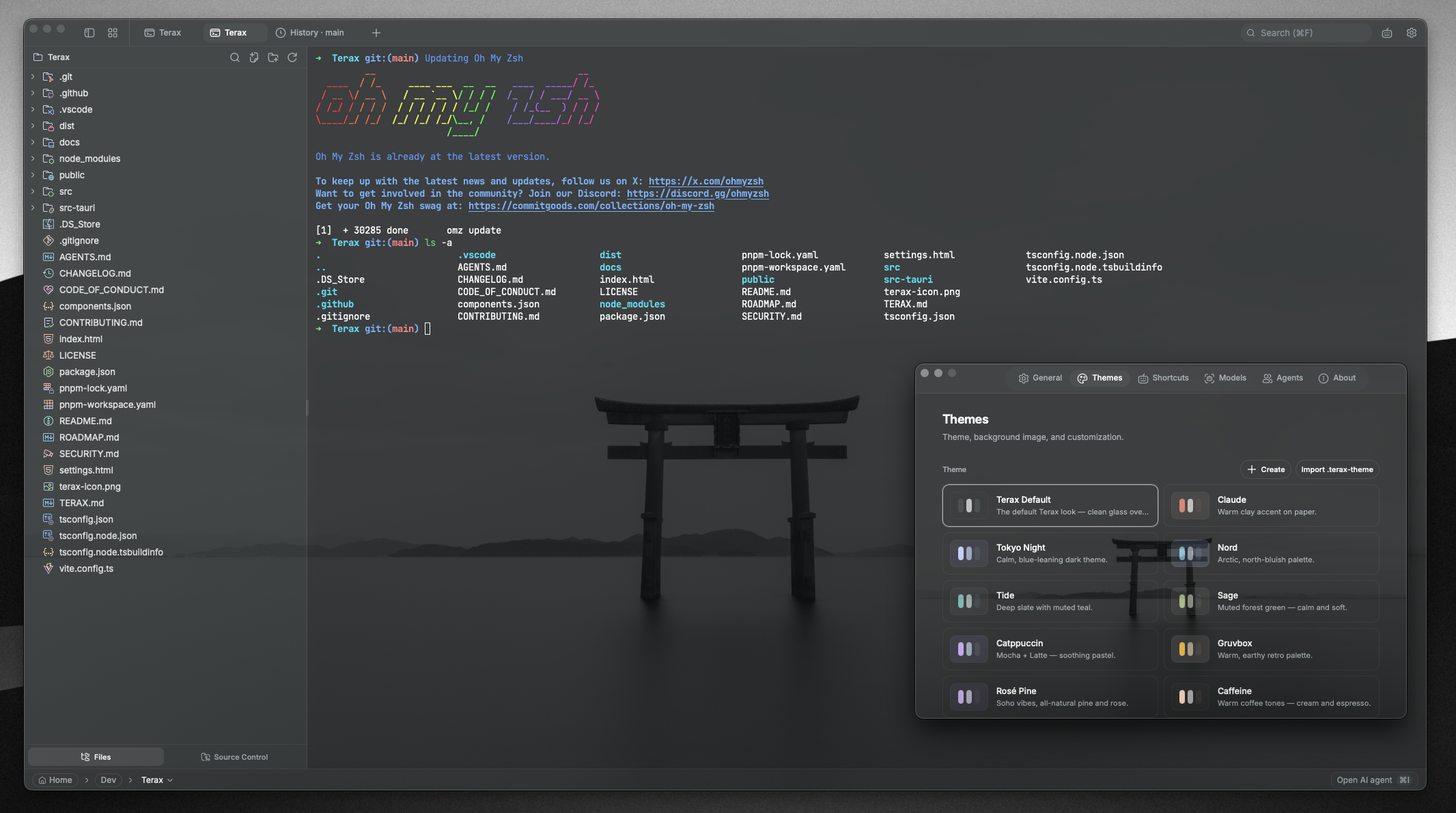
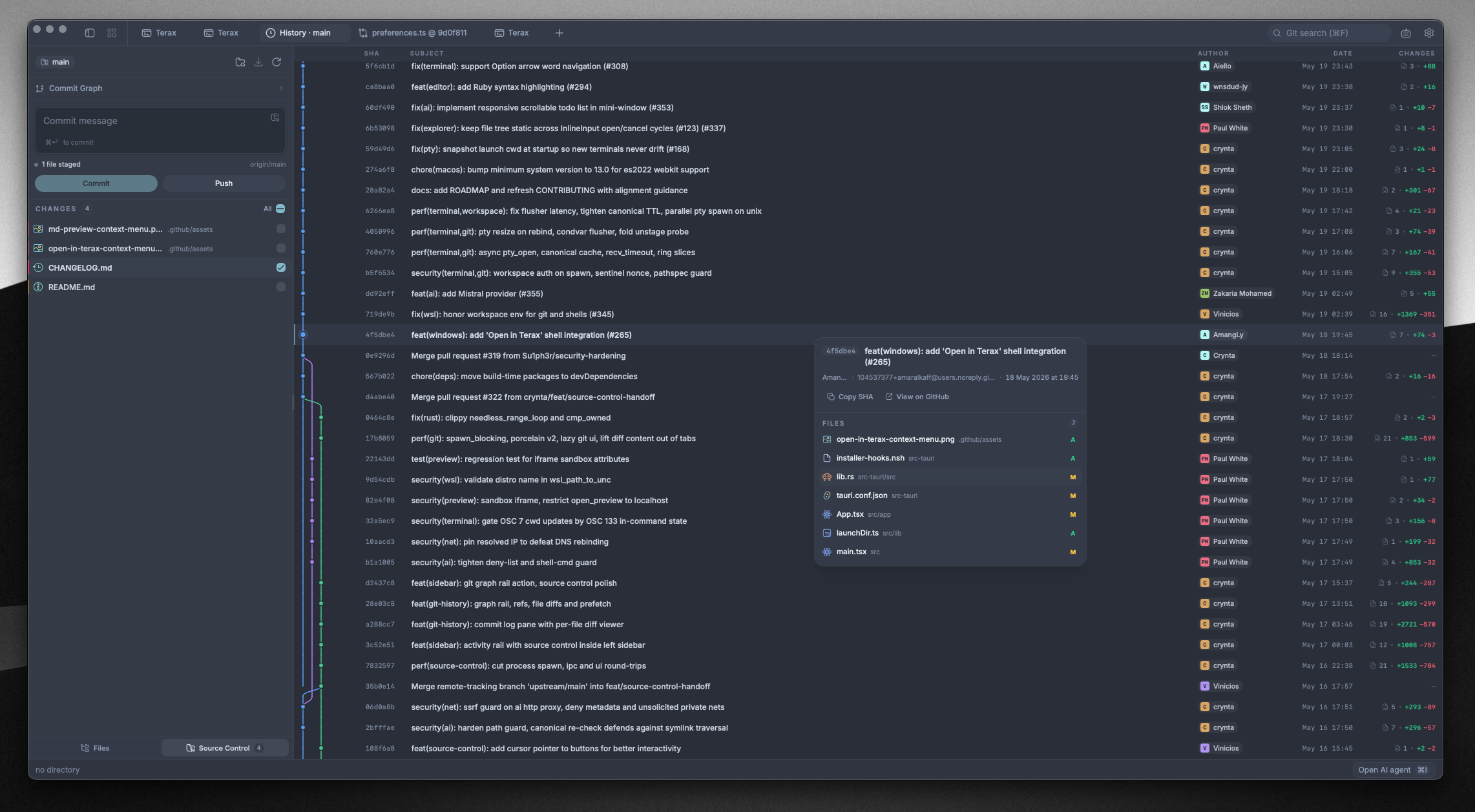
Terax 是一个轻量级的开源 AI 原生开发环境,以终端为核心,基于 Tauri 2、Rust 和 React 19 构建,磁盘占用仅约 7-8 MB,不收集遥测数据,也无需注册账号。它只是一个终端模拟器,还是一套完整的开发环境?是一套完整的桌面应用:内置 GPU 加速的终端、代码编辑器、文件管理器、带 git 提交图的版本控制、网页预览面板,外加一个 AI 助手侧边栏。
是一套完整的桌面应用:内置 GPU 加速的终端、代码编辑器、文件管理器、带 git 提交图的版本控制、网页预览面板,外加一个 AI 助手侧边栏。我去哪里下载——安装包、包管理器,还是从源码编译?从 Releases 页面下载安装包,应用会从那里自动更新。Arch 上用 yay -S terax-bin,Nix 上用 nix profile install github:crynta/terax-ai,另有 .deb/.rpm/AppImage 包。从源码编译需要 Rust、Node 20+(配合 pnpm)以及 Tauri 所需的依赖环境。
从 Releases 页面下载安装包,应用会从那里自动更新。Arch 上用 yay -S terax-bin,Nix 上用 nix profile install github:crynta/terax-ai,另有 .deb/.rpm/AppImage 包。从源码编译需要 Rust、Node 20+(配合 pnpm)以及 Tauri 所需的依赖环境。AI 功能需要我自己准备 API 密钥吗,还是可以完全在本地运行?自带密钥即可:支持 OpenAI、Anthropic、Gemini、Groq、xAI、Cerebras、OpenRouter、DeepSeek、Mistral 或任何兼容 OpenAI 的接口——也可以连接 LM Studio、MLX 或 Ollama,用完全本地离线的模型。
自带密钥即可:支持 OpenAI、Anthropic、Gemini、Groq、xAI、Cerebras、OpenRouter、DeepSeek、Mistral 或任何兼容 OpenAI 的接口——也可以连接 LM Studio、MLX 或 Ollama,用完全本地离线的模型。在 Linux 上安装有什么需要注意的?AppImage 需要 FUSE,如果没有,可以用 ./Terax.AppImage --appimage-extract-and-run 来运行。在 Wayland 下若出现渲染问题,可通过设置 WEBKITDISABLEDMABUFRENDERER=1 来规避,而且 .deb/.rpm 版本通常运行得更顺畅。
AppImage 需要 FUSE,如果没有,可以用 ./Terax.AppImage --appimage-extract-and-run 来运行。在 Wayland 下若出现渲染问题,可通过设置 WEBKITDISABLEDMABUFRENDERER=1 来规避,而且 .deb/.rpm 版本通常运行得更顺畅。它会偷偷把我的代码或 API 密钥上传出去吗?不会。它不收集遥测数据,也无需注册账号。API 密钥通过 keyring 写入系统密钥链,不会落盘,也不会写入 localStorage;使用本地模型即可完全离线工作。
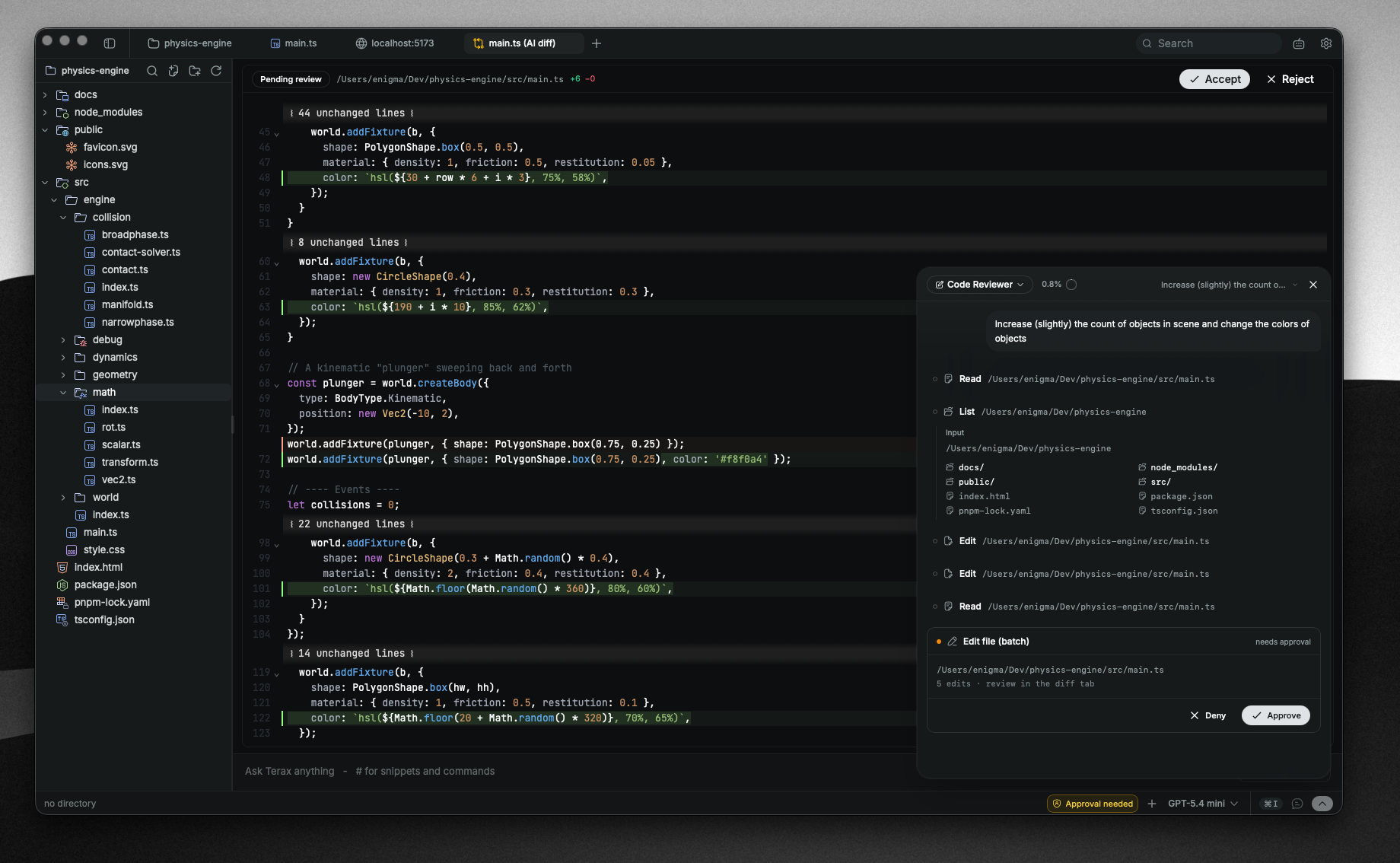
不会。它不收集遥测数据,也无需注册账号。API 密钥通过 keyring 写入系统密钥链,不会落盘,也不会写入 localStorage;使用本地模型即可完全离线工作。这个 AI 智能体在我的项目里具体能做些什么?它能规划多步骤任务、派生子智能体、把项目记忆保存在 TERAX.md 文件里,并配有文件读取/写入/编辑/多处编辑/grep/glob 等工具,外加需要审批确认的 bash。计划模式会先生成方案并经你确认,然后才动手执行。
它能规划多步骤任务、派生子智能体、把项目记忆保存在 TERAX.md 文件里,并配有文件读取/写入/编辑/多处编辑/grep/glob 等工具,外加需要审批确认的 bash。计划模式会先生成方案并经你确认,然后才动手执行。它能调度 Claude Code 这类外部编程智能体吗?可以——你可以在终端里启动 Claude Code,查看它的输出,并通过需要审批的工具给它追加后续任务。
可以——你可以在终端里启动 Claude Code,查看它的输出,并通过需要审批的工具给它追加后续任务。终端支持哪些 shell?原生 PTY 后端(portable-pty)支持 zsh、bash、pwsh、fish 和 cmd;在 Windows 上,任何已安装的 WSL 发行版都可以作为正式的工作区环境。Spaces 能在多次启动之间恢复标签页、目录和分屏布局。
原生 PTY 后端(portable-pty)支持 zsh、bash、pwsh、fish 和 cmd;在 Windows 上,任何已安装的 WSL 发行版都可以作为正式的工作区环境。Spaces 能在多次启动之间恢复标签页、目录和分屏布局。内置的代码编辑器有哪些功能?它基于 CodeMirror 6,支持主流语言(TS/JS、Rust、Python、Go、C/C++、Java 等),配合本地模型可实现行内 AI 自动补全,能逐块接受或拒绝 AI 修改的差异,可选语言服务器,还有 Vim 模式、Markdown 和媒体预览,以及 Kanagawa、Catppuccin、Dracula 等主题。
它基于 CodeMirror 6,支持主流语言(TS/JS、Rust、Python、Go、C/C++、Java 等),配合本地模型可实现行内 AI 自动补全,能逐块接受或拒绝 AI 修改的差异,可选语言服务器,还有 Vim 模式、Markdown 和媒体预览,以及 Kanagawa、Catppuccin、Dracula 等主题。What are similar projects?laya, lapce, pi-gui, desktop-cc-gui, atlas, skills-manager, open-pencil, EnvoyMesh
laya, lapce, pi-gui, desktop-cc-gui, atlas, skills-manager, open-pencil, EnvoyMesh