







690 ·GitHub
Что это такое?
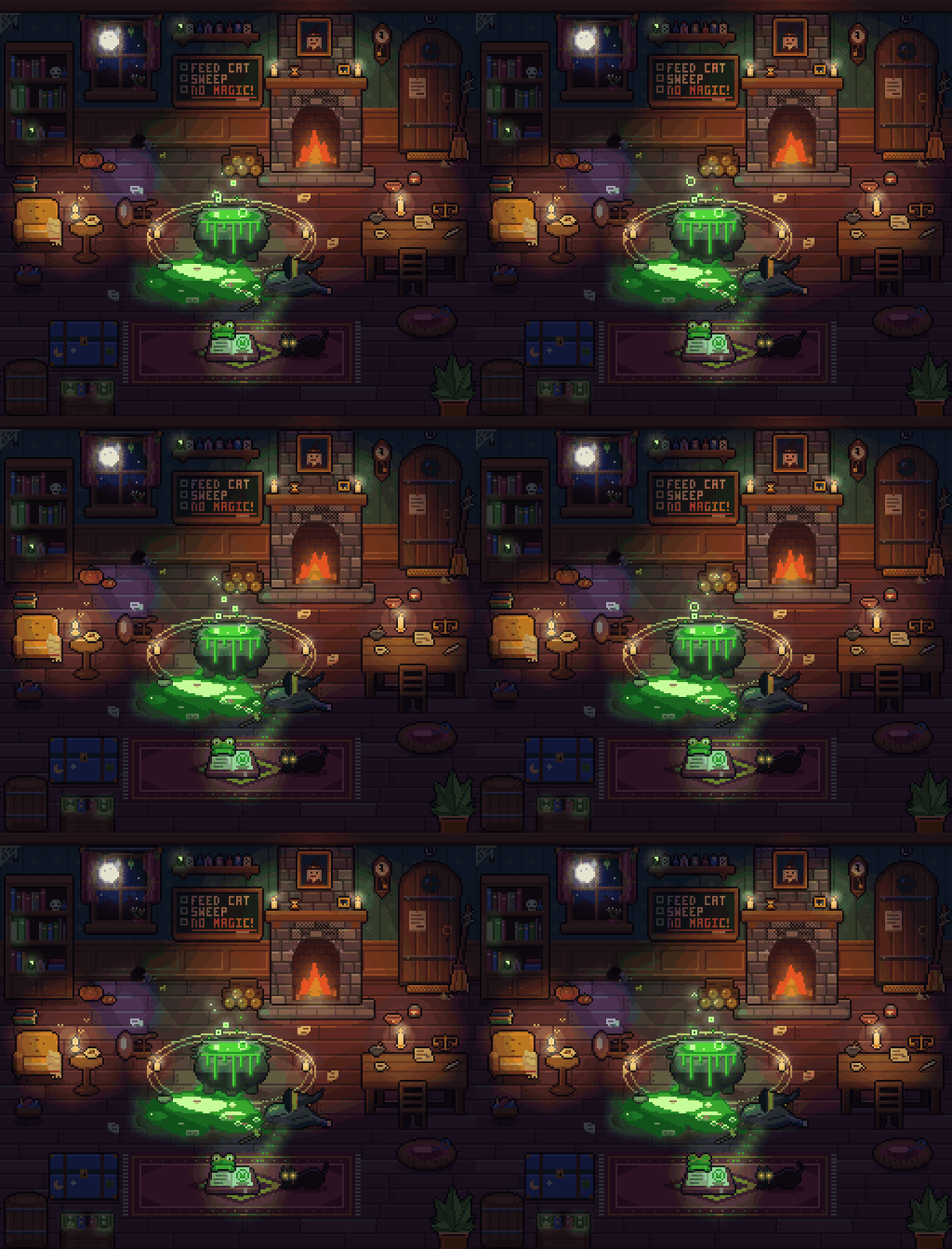
 pxl позволяет писать пиксельную графику как код: компактный файл .px.js компилируется в PNG, спрайт-листы с JSON, анимированные GIF и живой браузерный просмотрщик, который воспроизводит процесс рисования шаг за шагом.
Это библиотека или CLI-инструмент?Это инструмент командной строки, построенный на предметно-ориентированном языке (DSL) на JS/TS для описания пиксельной графики, а в том же репозитории есть готовый навык для агентов (SKILL.md) для ИИ-агентов в программировании.
Это инструмент командной строки, построенный на предметно-ориентированном языке (DSL) на JS/TS для описания пиксельной графики, а в том же репозитории есть готовый навык для агентов (SKILL.md) для ИИ-агентов в программировании.Как это запустить?Запустите без клонирования командой `npx github:crsolver/claude-pxl` или клонируйте репозиторий и выполните `node bin/pxl.js`; создайте файл art.px.js и используйте `pxl serve art.px.js`, чтобы увидеть живой просмотрщик.
Запустите без клонирования командой `npx github:crsolver/claude-pxl` или клонируйте репозиторий и выполните `node bin/pxl.js`; создайте файл art.px.js и используйте `pxl serve art.px.js`, чтобы увидеть живой просмотрщик.Нужно ли что-то кроме установленного Node?Нет, у pxl нет зависимостей времени выполнения и нет этапа сборки — достаточно Node 22.18 или новее.
Нет, у pxl нет зависимостей времени выполнения и нет этапа сборки — достаточно Node 22.18 или новее.Есть ли подводные камни при установке как пакета по сравнению с клонированием?В клоне CLI запускает исходники на TypeScript напрямую; после установки как пакета он работает из скомпилированной папки dist/, которую создают npm install или npm pack через scripts/build.js, поскольку Node не может убирать типы внутри node_modules.
В клоне CLI запускает исходники на TypeScript напрямую; после установки как пакета он работает из скомпилированной папки dist/, которую создают npm install или npm pack через scripts/build.js, поскольку Node не может убирать типы внутри node_modules.Какие агенты для программирования могут использовать это как навык?Claude Code может загрузить его, клонировав в папку skills; другим агентам, например Codex или Cursor, можно указать SKILL.md и сообщить, что CLI — это `node bin/pxl.js`.
Claude Code может загрузить его, клонировав в папку skills; другим агентам, например Codex или Cursor, можно указать SKILL.md и сообщить, что CLI — это `node bin/pxl.js`.Что на самом деле может нарисовать DSL .px.js?Он поддерживает палитры и цветовые переходы, спрайты с отражением, автоматическим контуром, заменой палитры, а также отзеркаливанием и поворотами; примитивы — прямоугольники, линии, окружности, многоугольники, градиенты, дизеринг, шум, встроенный пиксельный шрифт, кисти-рассыпухи и тайлмапы; многослойные сцены с тенями и источниками света, а также покадровую анимацию, экспортируемую в виде лент, JSON-тегов и GIF.
Он поддерживает палитры и цветовые переходы, спрайты с отражением, автоматическим контуром, заменой палитры, а также отзеркаливанием и поворотами; примитивы — прямоугольники, линии, окружности, многоугольники, градиенты, дизеринг, шум, встроенный пиксельный шрифт, кисти-рассыпухи и тайлмапы; многослойные сцены с тенями и источниками света, а также покадровую анимацию, экспортируемую в виде лент, JSON-тегов и GIF.Что именно показывает живой просмотрщик?Команда `pxl serve art.px.js` открывает браузерный просмотрщик, который пересобирается при каждом сохранении и воспроизводит изменённый ресурс операция за операцией, так что можно наблюдать, как рисуется картинка (или как её рисует ИИ-агент), шаг за шагом.
Команда `pxl serve art.px.js` открывает браузерный просмотрщик, который пересобирается при каждом сохранении и воспроизводит изменённый ресурс операция за операцией, так что можно наблюдать, как рисуется картинка (или как её рисует ИИ-агент), шаг за шагом.Для чего нужен SKILL.md?SKILL.md обучает ИИ-агента рабочему процессу pxl: написать, собрать, посмотреть и исправить; reference.md описывает полный API, а lighting.md рассказывает о необязательных возможностях освещения и загружается только при необходимости.
SKILL.md обучает ИИ-агента рабочему процессу pxl: написать, собрать, посмотреть и исправить; reference.md описывает полный API, а lighting.md рассказывает о необязательных возможностях освещения и загружается только при необходимости.Можно ли писать файлы с графикой на TypeScript?Да, файлы с графикой могут быть .js или .ts, а types/pxl.d.ts обеспечивает автодополнение в редакторе для DSL.
Да, файлы с графикой могут быть .js или .ts, а types/pxl.d.ts обеспечивает автодополнение в редакторе для DSL.Какие есть похожие проекты?claude-pxl, agent-sprite-forge, anidoodle, git-koi, threejs-architecture-effects, procedural-film, Alvarmethod, huashu-art-motion
claude-pxl, agent-sprite-forge, anidoodle, git-koi, threejs-architecture-effects, procedural-film, Alvarmethod, huashu-art-motionВ каких он темах?npx, pixel-art, gif, generative-art, zero-dependency, creative-coding, game-development, image-generation, skill, animation, cursor, agents
npx, pixel-art, gif, generative-art, zero-dependency, creative-coding, game-development, image-generation, skill, animation, cursor, agents