




10.3K ·GitHub
这是什么?
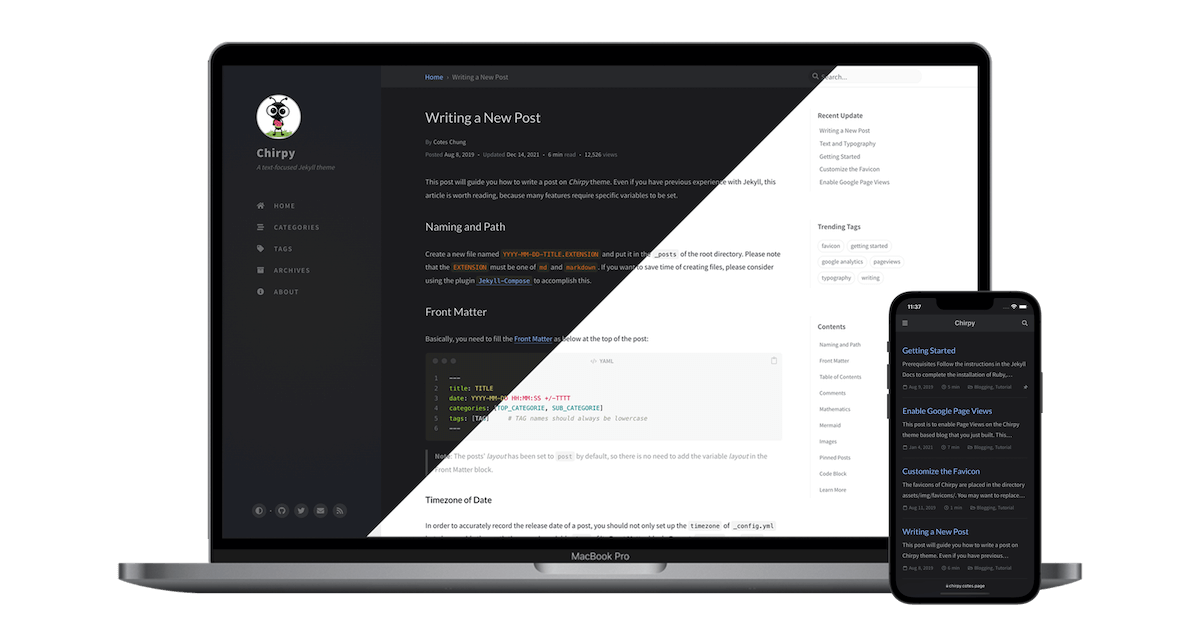
 Chirpy 是一个简约、响应式、功能丰富的 Jekyll 主题,专为技术写作打造——为静态博客提供现成的设计和功能集合。
Chirpy 是一个简约、响应式、功能丰富的 Jekyll 主题,专为技术写作打造——为静态博客提供现成的设计和功能集合。它是一个现成的博客产品,还是我在其上搭建网站的设计模板?它是 Jekyll 静态网站生成器的一个主题:你在它之上搭建自己的网站,由 Jekyll 渲染出静态页面;该主题以 Ruby gem 的形式发布。
它是 Jekyll 静态网站生成器的一个主题:你在它之上搭建自己的网站,由 Jekyll 渲染出静态页面;该主题以 Ruby gem 的形式发布。我怎么用它把博客跑起来?项目 Wiki 是使用、开发和升级主题的权威指南;README 里还提供“Open in Dev Containers”一键安装方式。
项目 Wiki 是使用、开发和升级主题的权威指南;README 里还提供“Open in Dev Containers”一键安装方式。要在本地构建和预览网站,我需要安装哪些东西?需要带 Jekyll 的 Ruby 来构建网站,另外还需要 Node.js 处理前端资源(rollup 打包 JS,PurgeCSS 精简 CSS);底层的 UI 框架是 Bootstrap。
需要带 Jekyll 的 Ruby 来构建网站,另外还需要 Node.js 处理前端资源(rollup 打包 JS,PurgeCSS 精简 CSS);底层的 UI 框架是 Bootstrap。开始之前有什么需要做好心理准备的?没有一条命令就能完成的安装:你要自己搭好 Ruby/Jekyll 和 Node 的构建环境,而且定制意味着直接修改模板和 SCSS,而不是改改设置就行。
没有一条命令就能完成的安装:你要自己搭好 Ruby/Jekyll 和 Node 的构建环境,而且定制意味着直接修改模板和 SCSS,而不是改改设置就行。做好的网站可以放在哪里?任何能托管静态文件的地方都可以:Jekyll 输出的是纯静态网站(项目采用 jamstack 方案),在任何现代浏览器里都能运行。
任何能托管静态文件的地方都可以:Jekyll 输出的是纯静态网站(项目采用 jamstack 方案),在任何现代浏览器里都能运行。读者开箱即用能获得哪些功能?内置搜索、多种评论系统可选、Atom 订阅源都已预置好,同时还带有 PWA 支持、集成的网站统计,以及出色的 SEO 表现。
内置搜索、多种评论系统可选、Atom 订阅源都已预置好,同时还带有 PWA 支持、集成的网站统计,以及出色的 SEO 表现。我可以在文章里放哪些内容?支持代码语法高亮、数学公式、Mermaid 图表和流程图,以及内嵌媒体;在内容组织方面,提供置顶文章、多级分类、热门标签、自动生成的目录和最后更新日期。
支持代码语法高亮、数学公式、Mermaid 图表和流程图,以及内嵌媒体;在内容组织方面,提供置顶文章、多级分类、热门标签、自动生成的目录和最后更新日期。它支持非英文博客和深色模式吗?支持——界面语言可以本地化,主题自带深色和浅色两种模式,还提供适配深色模式的图片。
支持——界面语言可以本地化,主题自带深色和浅色两种模式,还提供适配深色模式的图片。What are similar projects?minimal-mistakes, al-folio, beautiful-jekyll, tailwind-nextjs-starter-blog, academicpages.github.io, tabler, hugo-PaperMod, NotionNext
minimal-mistakes, al-folio, beautiful-jekyll, tailwind-nextjs-starter-blog, academicpages.github.io, tabler, hugo-PaperMod, NotionNextWhich topics is it in?jekyll-theme, responsive-web-design, jekyll, jamstack, bootstrap, sass, blog, seo, html5, syntax-highlighting, static-site-generator, dark-mode
jekyll-theme, responsive-web-design, jekyll, jamstack, bootstrap, sass, blog, seo, html5, syntax-highlighting, static-site-generator, dark-mode