





What is this?
 DeepEval is an open-source LLM evaluation framework: a simple-to-use way to evaluate large-language model systems with research-backed metrics like G-Eval, answer relevancy, and hallucination checks.
DeepEval is an open-source LLM evaluation framework: a simple-to-use way to evaluate large-language model systems with research-backed metrics like G-Eval, answer relevancy, and hallucination checks.How is it different from just using pytest?It mirrors pytest's unit-testing style but is purpose-built for LLM apps — test cases are Python objects combining inputs, outputs, and eval metrics instead of generic asserts, and you run them with DeepEval's own CLI.
It mirrors pytest's unit-testing style but is purpose-built for LLM apps — test cases are Python objects combining inputs, outputs, and eval metrics instead of generic asserts, and you run them with DeepEval's own CLI.How do I get started testing my own app?pip install the package (Python 3.9+), write a test file with an input, your app's actual_output and a metric like GEval at a threshold, then run 'deepeval test run' in the CLI. Scores range 0-1 and the threshold decides pass or fail.
pip install the package (Python 3.9+), write a test file with an input, your app's actual_output and a metric like GEval at a threshold, then run 'deepeval test run' in the CLI. Scores range 0-1 and the threshold decides pass or fail.Do I need an OpenAI API key to run the evals?The quickstart sets an OPENAI_API_KEY environment variable, but you're not locked in: metrics can be powered by any LLM of your choice or by NLP models running locally, and you can evaluate with your own custom model.
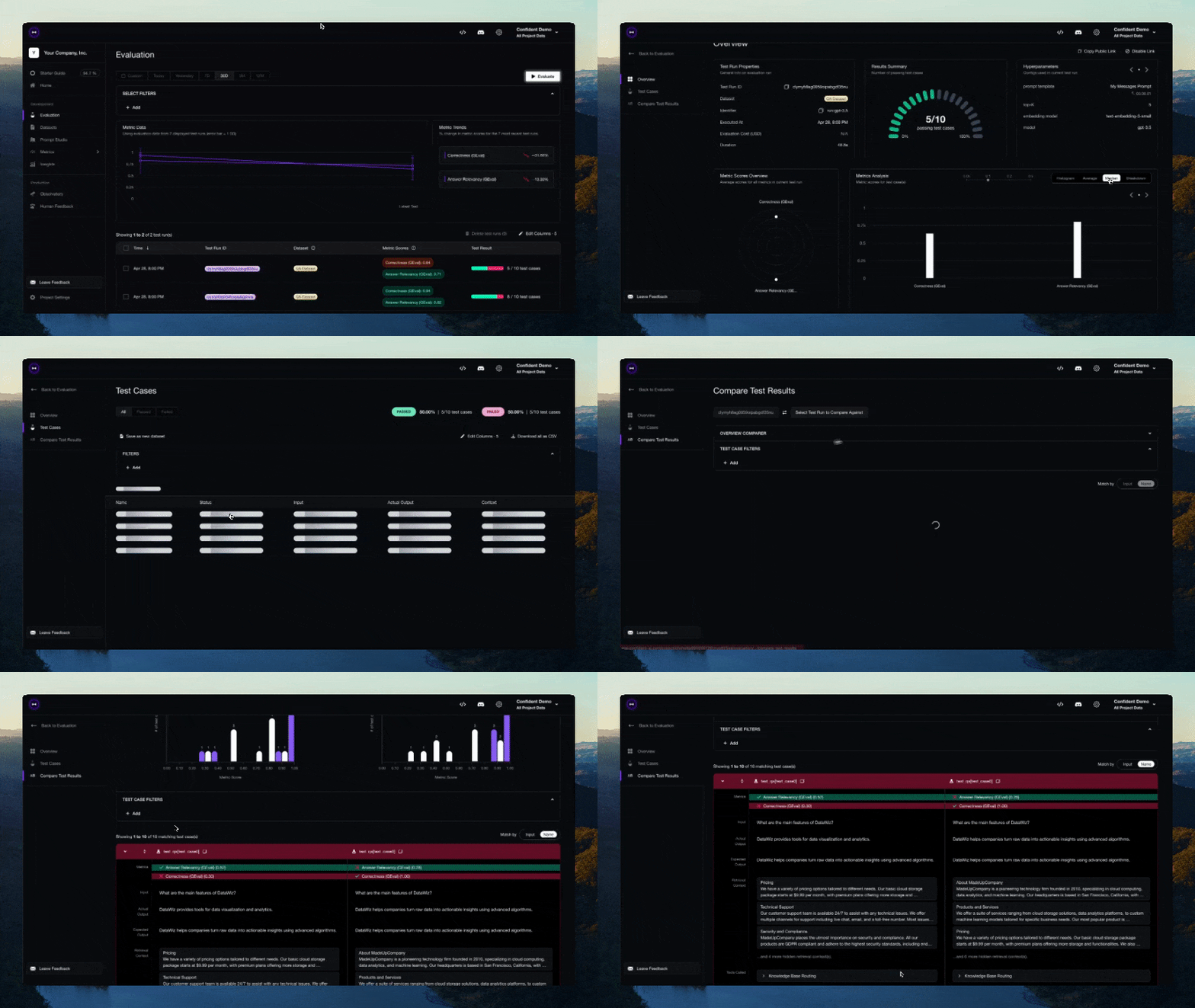
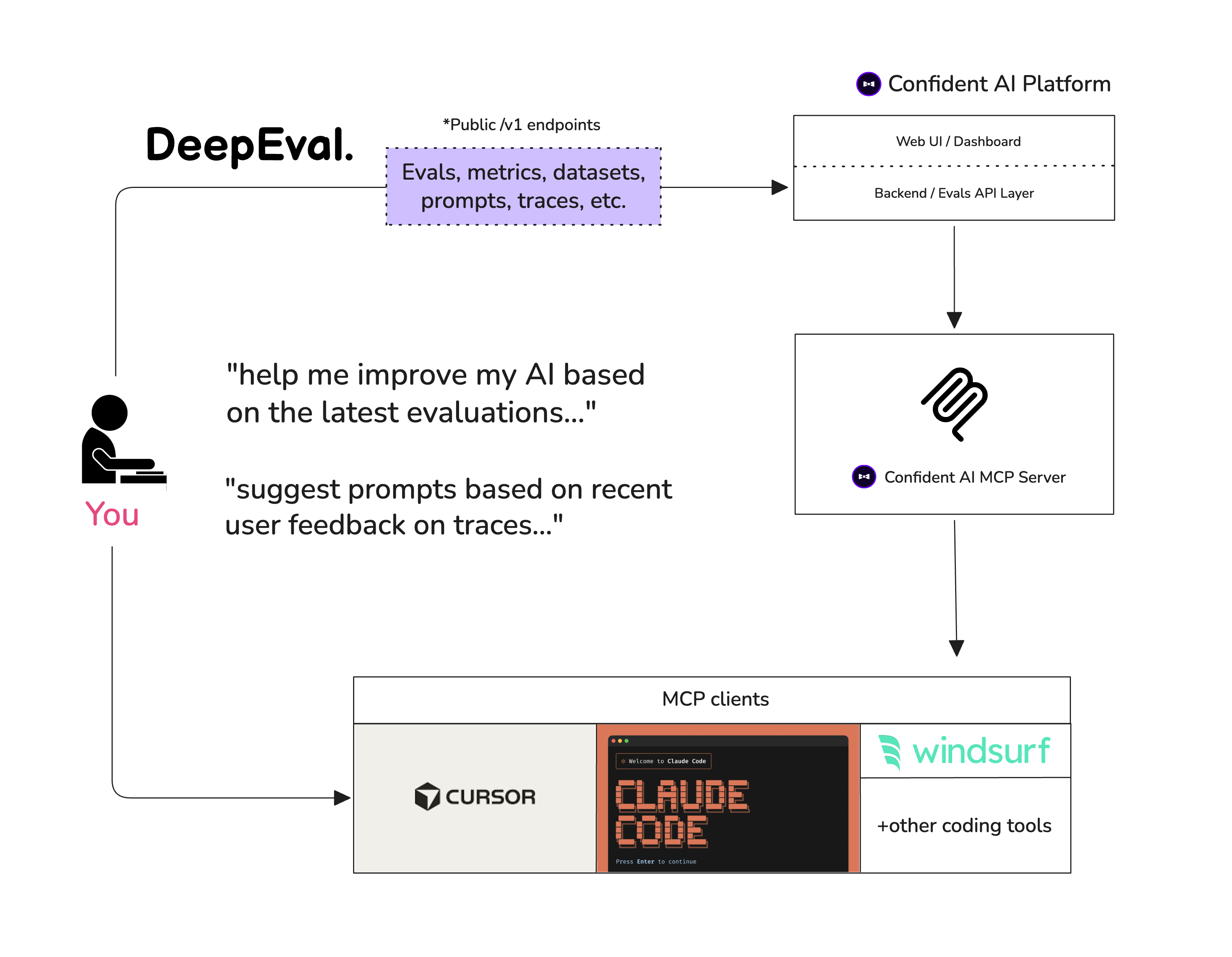
The quickstart sets an OPENAI_API_KEY environment variable, but you're not locked in: metrics can be powered by any LLM of your choice or by NLP models running locally, and you can evaluate with your own custom model.Do I have to sign up for the Confident AI cloud?No — the framework is open-source and runs locally on its own. The Confident AI platform is an optional free signup that adds sharable cloud testing reports on top of your runs.
No — the framework is open-source and runs locally on its own. The Confident AI platform is an optional free signup that adds sharable cloud testing reports on top of your runs.Who is it built for — agents, RAG apps, chatbots?Developers building AI agents, RAG pipelines, or chatbots — it evaluates apps end-to-end as black boxes or at component level, down to individual agent steps like tool calls, retrieval, and sub-agent handoffs.
Developers building AI agents, RAG pipelines, or chatbots — it evaluates apps end-to-end as black boxes or at component level, down to individual agent steps like tool calls, retrieval, and sub-agent handoffs.Does it work on Windows, or is it Mac and Linux only?It's a pip-installable Python package with a CLI, so it runs anywhere Python 3.9+ does — Windows, macOS, and Linux.
It's a pip-installable Python package with a CLI, so it runs anywhere Python 3.9+ does — Windows, macOS, and Linux.Does it send my test data anywhere?Only if you opt in: once you log in to the Confident AI platform, all your test cases are automatically logged to the cloud, and data privacy is documented separately.
Only if you opt in: once you log in to the Confident AI platform, all your test cases are automatically logged to the cloud, and data privacy is documented separately.Can it generate evaluation datasets for me?Yes — it can generate both single-turn and multi-turn synthetic datasets, so you don't have to hand-write every test input.
Yes — it can generate both single-turn and multi-turn synthetic datasets, so you don't have to hand-write every test input.What is G-Eval?A research-backed LLM-as-a-judge metric for scoring outputs on any custom criteria you define, with human-like accuracy — the quickstart uses it to check correctness against an expected answer.
A research-backed LLM-as-a-judge metric for scoring outputs on any custom criteria you define, with human-like accuracy — the quickstart uses it to check correctness against an expected answer.Can it benchmark raw LLMs, not just my app?Yes — it can benchmark any LLM on popular benchmarks like MMLU, HellaSwag, DROP, BIG-Bench Hard, TruthfulQA, HumanEval, and GSM8K in under 10 lines of code.
Yes — it can benchmark any LLM on popular benchmarks like MMLU, HellaSwag, DROP, BIG-Bench Hard, TruthfulQA, HumanEval, and GSM8K in under 10 lines of code.Does it help improve my app, or only score it?It optimizes prompts automatically based on evaluation results, so beyond pass/fail verdicts it helps you iterate toward better outputs.
It optimizes prompts automatically based on evaluation results, so beyond pass/fail verdicts it helps you iterate toward better outputs.What are similar projects?promptfoo, jevals, mlflow, ragas, Tracely-ai, opik, phoenix, ParseBench
promptfoo, jevals, mlflow, ragas, Tracely-ai, opik, phoenix, ParseBenchWhich topics is it in?evaluation-framework, llmops, llm-evaluation, unit-testing, ci-cd, langchain, multimodal, chatbot, rag, testing, anthropic, agents
evaluation-framework, llmops, llm-evaluation, unit-testing, ci-cd, langchain, multimodal, chatbot, rag, testing, anthropic, agents