




opik README

The project's README from github.com/comet-ml/opik. As one markdown file: README.md.

English | 简体中文 | Español | Français | Deutsch | 日本語

Comet Opik logo
Opik: Open-Source LLM Observability, Evaluation & AI Agent Tracing

Opik is the open-source LLM observability and evaluation platform for AI agent tracing, LLM evaluation, prompt management, and production monitoring. Built by Comet. Apache-2.0 licensed, free to self-host the full platform, with 20,000+ GitHub stars.

Python SDK License Build

Website • Slack Community • Twitter • Changelog • Documentation

Last updated: 2026-07-17

🚀 What is Opik? • ⚡ Quick Start • 📊 How Does Opik Compare? • ❓ FAQ • 🛠️ Opik Server Installation • 💻 Opik Client SDK • 📝 Logging Traces
🧑‍⚖️ LLM as a Judge • 🔍 Evaluating your Application • ⭐ Star Us • 🤝 Contributing

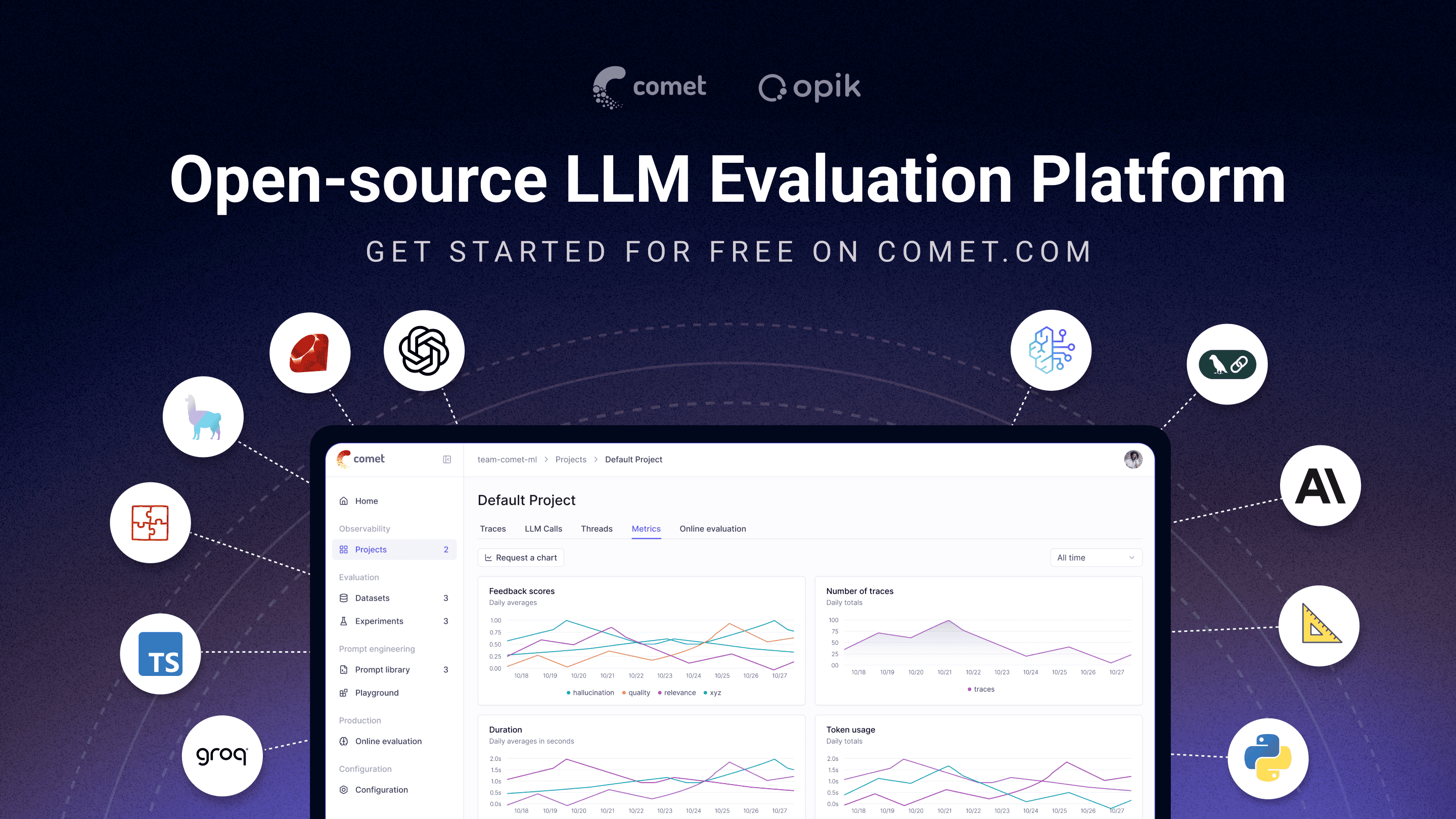
Opik platform screenshot (thumbnail)

🚀 What is Opik?

Opik covers the full LLM application lifecycle, from the first trace in development to production monitoring, for teams building LLM apps and AI agents. Key offerings include:


Key capabilities include:

Who it's for: ML engineers building LLM-powered agents, AI teams moving from prototype to production, and engineering teams that need open-source, self-hostable observability they can run in their own environment.

Why open source matters here: Opik is Apache-2.0 licensed and free to self-host: the full platform, backend included, not just a client SDK. The repository includes the server backend, web application, tracing, datasets, experiments, evaluations, prompt management, online evaluation, and agent optimization components, all under Apache-2.0. You can run LLM observability inside your own infrastructure with no data leaving your environment and no Enterprise sales conversation required.

[!TIP] If you are looking for features that Opik doesn't have today, please raise a new Feature request 🚀


⚡ Quick Start

Install the Python SDK and configure it:

pip install opik
opik configure

Wrap any function with the @track decorator to start logging traces:

from opik import track

@track
def my_function(input: str) -> str:
    return input

Every call to my_function is now logged to Opik, including nested calls, so this works for full agent and pipeline traces, not just single LLM calls. See the Quickstart guide for the TypeScript SDK and other setup options.

Connect your coding agent

Let Claude Code, Cursor, VS Code Copilot, Codex or opencode read your traces, score outputs and run evaluations from chat. One command sets it up. It needs uv and no SDK:

uvx opik mcp configure

Add to Cursor Install in VS Code

The badges and the add-mcp fallback below target Opik Cloud; the command above also handles self-hosted deployments. Other MCP clients on Opik Cloud: npx add-mcp https://www.comet.com/opik/api/v1/mcp --name opik-mcp. Details, troubleshooting and FAQ are in the MCP server guide.


📊 How Does Opik Compare?

Opik competes in the LLM observability / AI agent evaluation category alongside LangSmith, Arize (Phoenix and Arize AX), Weights & Biases (Weave), Langfuse, and Braintrust.

Capability Opik LangSmith Phoenix Arize AX Weights & Biases (Weave) Langfuse Braintrust
Open source Yes, Apache-2.0 (full platform) No Source-available (Elastic License 2.0, not OSI-approved) No Open-source SDK/toolkit; self-managed platform requires a commercial license MIT-licensed core platform; commercial enterprise modules No
Self-hosted deployment Yes Enterprise only Yes Enterprise only Enterprise only for Weave itself Yes, core Enterprise only
Free tier available (cloud or self-hosted) Yes, both Yes, cloud Yes, self-hosted Yes, cloud Yes, cloud Yes, both Yes, cloud
Agent / multi-step tracing Yes Yes Yes Yes Yes Yes Yes
LLM-as-a-judge evaluation Yes Yes Yes Yes Yes Yes Yes
Prompt management Yes Yes Partly Partly Partly Yes Yes
Framework-agnostic Yes Partly, built around LangChain Yes Yes Yes Yes Yes

When teams choose Opik: Opik's full observability, evaluation, and optimization platform is Apache-2.0 licensed and free to self-host. Unlike closed platforms whose self-hosted deployment requires an Enterprise plan, Opik can be deployed without a commercial license, and it's framework-agnostic so it won't lock you into a single agent ecosystem. See the table above for where self-hosting and licensing differ across alternatives.


❓ Frequently Asked Questions

Is Opik open source?

Opik is licensed under Apache 2.0. Its server, web application, and core observability and evaluation capabilities can be self-hosted without a commercial license.

Can I self-host Opik?

Yes. Opik can be deployed locally or in your own infrastructure using the documented self-hosting options.

Does Opik support AI agent tracing?

Yes. Opik captures multi-step traces containing LLM calls, tool executions, retrieval steps, and other agent activity.

Does Opik support LLM evaluation?

Yes. Opik supports datasets, experiments, code-based metrics, LLM-as-a-judge evaluation, and online evaluation.

Is Opik tied to a specific agent framework?

No. Opik is framework-agnostic and supports its SDK, OpenTelemetry, and framework-specific integrations.


🛠️ Opik Server Installation

Get your Opik server running in minutes. Choose the option that best suits your needs:

Access Opik instantly without any setup. Ideal for quick starts and hassle-free maintenance.

👉 Create your free Comet account

Option 2: Self-Host Opik for Full Control

Deploy Opik in your own environment. Choose between Docker for local setups or Kubernetes for scalability.

Self-Hosting with Docker Compose (for Local Development & Testing)

This is the simplest way to get a local Opik instance running. Note the new ./opik.sh installation script:

On Linux or Mac Environment:

# Clone the Opik repository
git clone https://github.com/comet-ml/opik.git

# Navigate to the repository
cd opik

# Start the Opik platform
./opik.sh

On Windows Environment:

# Clone the Opik repository
git clone https://github.com/comet-ml/opik.git

# Navigate to the repository
cd opik

# Start the Opik platform
powershell -ExecutionPolicy ByPass -c ".\\opik.ps1"

Installation Script Options

The opik.sh and opik.ps1 scripts support the following options:

# Start full Opik suite (default behavior)
./opik.sh

# Start only infrastructure services (databases, caches etc.)
./opik.sh --infra

# Start infrastructure + backend services
./opik.sh --backend

# Enable guardrails with any profile
./opik.sh --guardrails # Guardrails with full Opik suite
./opik.sh --backend --guardrails # Guardrails with infrastructure + backend

# Build the containers from source before starting
./opik.sh --build

# Check that all containers are healthy
./opik.sh --verify

# Stop all containers
./opik.sh --stop

# Stop all containers and remove all Opik data volumes
# WARNING: ALL OPIK DATA WILL BE LOST
./opik.sh --clean

# Show all available options
./opik.sh --help

Use the --help or --info options to troubleshoot issues. Dockerfiles now ensure containers run as non-root users for enhanced security. Once all is up and running, you can now visit localhost:5173 on your browser! For detailed instructions, see the Local Deployment Guide.

Self-Hosting with Kubernetes & Helm (for Scalable Deployments)

For production or larger-scale self-hosted deployments, Opik can be installed on a Kubernetes cluster using our Helm chart. Click the badge for the full Kubernetes Installation Guide using Helm.

Kubernetes

💻 Opik Client SDK

Opik provides a suite of client libraries and a REST API to interact with the Opik server. This includes SDKs for Python and TypeScript, plus first-party OpenTelemetry support: any language with an OpenTelemetry SDK — including Java, Ruby, and .NET — can send traces to Opik. For detailed API and SDK references, see the Opik Client Reference Documentation.

Python SDK Quick Start

To get started with the Python SDK:

Install the package:

# install using pip
pip install opik

# or install with uv
uv pip install opik

Configure the python SDK by running the opik configure command, which will prompt you for your Opik server address (for self-hosted instances) or your API key and workspace (for Comet.com):

opik configure

[!TIP] You can also call opik.configure(use_local=True) from your Python code to configure the SDK to run on a local self-hosted installation, or provide API key and workspace details directly for Comet.com. Refer to the Python SDK documentation for more configuration options.

You are now ready to start logging traces using the Python SDK.

📝 Logging Traces with Integrations

The easiest way to log traces is to use one of our direct integrations. Opik supports a wide array of frameworks, including recent additions like Google ADK, Autogen, AG2, and Flowise AI:

Integration Description Documentation
ADK Log traces for Google Agent Development Kit (ADK) Documentation
AG2 Log traces for AG2 LLM calls Documentation

opik (comet-ml/opik)

kubernetes
Searching Database…

22.7K ·GitHub
What is this?Opik is an open-source platform for debugging, evaluating, and monitoring LLM applications, RAG systems, and agentic workflows, with tracing, automated evaluation, and production dashboards.
Is this just a client SDK or a full server platform?Both: it ships Python/TypeScript client SDKs for instrumenting code plus a complete self-hostable server backend and web dashboard, so you either call Comet's cloud or run the whole stack yourself.
How do I start tracing my LLM app?Install the Python SDK, then wrap any function with the @track decorator to log every call (including nested agent/pipeline calls) to Opik; a TypeScript SDK is also available.
Do I need to run my own server, or can I skip that?You can skip infrastructure entirely by using Comet.com Cloud, or self-host with Docker Compose (via the included opik.sh/opik.ps1 scripts) or Kubernetes with Helm for larger deployments.
Is self-hosting the full platform actually free, unlike competitors?Yes — unlike LangSmith, Arize AX, or Weave where self-hosted deployment requires an Enterprise plan, Opik's full observability, evaluation, and optimization platform is Apache-2.0 and self-hostable with no commercial license needed.
Who is this built for?ML engineers building LLM-powered agents, AI teams moving from prototype to production, and teams needing open-source, self-hostable observability they can run in their own infrastructure.
How does Opik compare to LangSmith or Langfuse?Opik is fully Apache-2.0 and self-hostable including the server, while LangSmith and Arize AX require an Enterprise plan to self-host; Langfuse's core is also open (MIT) but with commercial enterprise modules.
Can Claude Code or Cursor use Opik directly?Yes, a single setup command (needs uv, no SDK) lets coding agents like Claude Code, Cursor, VS Code Copilot, Codex, or opencode read traces and run evaluations straight from chat via an MCP server.
Is Opik tied to a specific agent framework like LangChain?No, Opik is framework-agnostic and supports its own SDK, OpenTelemetry, and native integrations for many frameworks including LangChain, LlamaIndex, Google ADK, and Autogen.
Can non-Python/TypeScript languages send traces to Opik?Yes, because Opik has first-party OpenTelemetry support, any language with an OpenTelemetry SDK — including Java, Ruby, and .NET — can send traces to it.
Creator
comet-ml
Size
812.2 MB
Stars
22.7K
Age
3y
Commits · 90 Days