






Что это такое?
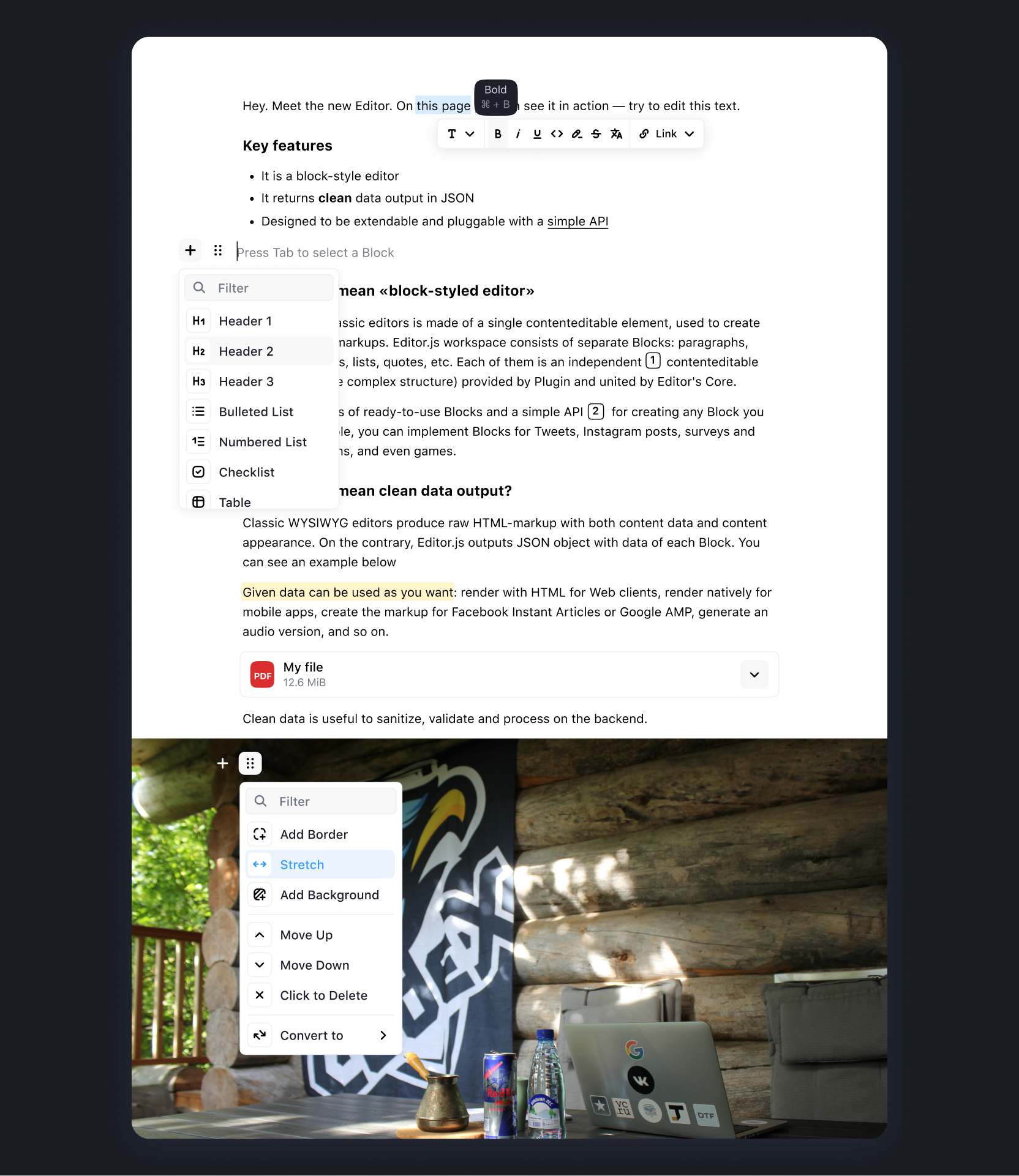
 Бесплатный редактор с открытым исходным кодом для веба, работающий по блочному принципу: автор собирает контент из блоков — текста, картинок, списков, цитат, — а на выходе получается аккуратный JSON вместо тяжёлой HTML-разметки.
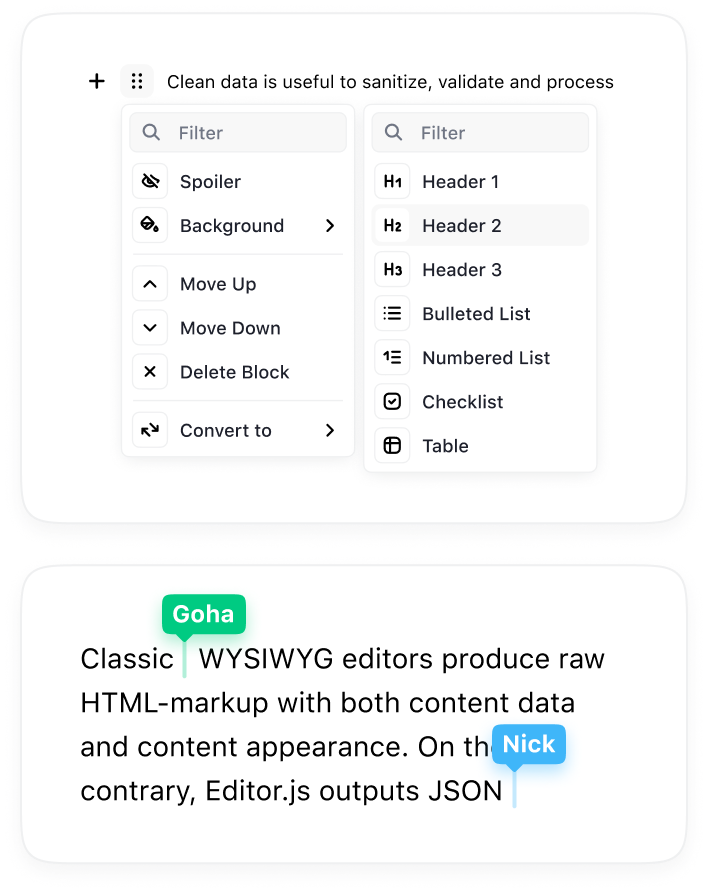
Бесплатный редактор с открытым исходным кодом для веба, работающий по блочному принципу: автор собирает контент из блоков — текста, картинок, списков, цитат, — а на выходе получается аккуратный JSON вместо тяжёлой HTML-разметки.Чем блочный редактор отличается от обычного WYSIWYG-поля?Контент — это не один сплошной документ, а набор независимых блоков (Blocks), и каждый блок предоставляет отдельный плагин (tool). Поэтому вы сами решаете, какие типы блоков будут доступны, и можете расширять редактор своими.
Контент — это не один сплошной документ, а набор независимых блоков (Blocks), и каждый блок предоставляет отдельный плагин (tool). Поэтому вы сами решаете, какие типы блоков будут доступны, и можете расширять редактор своими.Как подключить его к своему веб-приложению?Установите Editor.js через NPM, Yarn или CDN, поставьте нужные пакеты-инструменты, затем создайте экземпляр Editor на своей странице; в документации подробно разобраны установка и настройка.
Установите Editor.js через NPM, Yarn или CDN, поставьте нужные пакеты-инструменты, затем создайте экземпляр Editor на своей странице; в документации подробно разобраны установка и настройка.Блоки контента идут в комплекте?Нет — каждый тип блока это отдельный плагин (tool), который ставится вместе с ядром. Официальные инструменты покрывают заголовки, картинки, таблицы, чек-листы и embeds; сторонние инструменты собраны в списке Awesome Editor.js.
Нет — каждый тип блока это отдельный плагин (tool), который ставится вместе с ядром. Официальные инструменты покрывают заголовки, картинки, таблицы, чек-листы и embeds; сторонние инструменты собраны в списке Awesome Editor.js.Чего пока не хватает или что ещё в работе?Совместное редактирование, менеджер отмены и повтора действий (undo/redo), а также перетаскивание и выделение между блоками — всё это пока в планах, а не в релизе.
Совместное редактирование, менеджер отмены и повтора действий (undo/redo), а также перетаскивание и выделение между блоками — всё это пока в планах, а не в релизе.Где он работает и куда можно отдать сохранённый контент?Он работает в браузере как JavaScript-компонент вашего веб-приложения; поскольку на выходе JSON, один и тот же контент можно отображать в Web, iOS, Android, AMP, Instant Articles, в программах чтения с экрана и в AI-чатботах.
Он работает в браузере как JavaScript-компонент вашего веб-приложения; поскольку на выходе JSON, один и тот же контент можно отображать в Web, iOS, Android, AMP, Instant Articles, в программах чтения с экрана и в AI-чатботах.Это бесплатно, в том числе для коммерческих проектов?Да — лицензия Apache-2.0, бесплатно и с открытым исходным кодом; команда развивает проект на пожертвования и спонсорские взносы, а не берёт деньги с пользователей.
Да — лицензия Apache-2.0, бесплатно и с открытым исходным кодом; команда развивает проект на пожертвования и спонсорские взносы, а не берёт деньги с пользователей.Как получить контент после того, как редактирование закончено?Вызовите editor.save() — он вернёт Promise, который разрешится сохранёнными данными в формате JSON; их можно хранить или отправлять туда, куда нужно вашему приложению.
Вызовите editor.save() — он вернёт Promise, который разрешится сохранёнными данными в формате JSON; их можно хранить или отправлять туда, куда нужно вашему приложению.Могу ли я написать свои собственные типы блоков?Да — каждый Block это плагин на основе API редактора, а в репозитории есть @editorjs/create-tool для быстрого старта новых Tools, так что собственные блоки — полноценный вариант использования.
Да — каждый Block это плагин на основе API редактора, а в репозитории есть @editorjs/create-tool для быстрого старта новых Tools, так что собственные блоки — полноценный вариант использования.Какие сервисы он умеет встраивать?Официальный инструмент Embeds поддерживает YouTube, Twitch, Vimeo, Gfycat, Instagram, Twitter и другие; есть также отдельные инструменты Link embed и Simple Image, которым не нужен бэкенд.
Официальный инструмент Embeds поддерживает YouTube, Twitch, Vimeo, Gfycat, Instagram, Twitter и другие; есть также отдельные инструменты Link embed и Simple Image, которым не нужен бэкенд.What are similar projects?medium-editor, summernote, pell, plate, lexical, wangEditor, milkdown, BlockNote
medium-editor, summernote, pell, plate, lexical, wangEditor, milkdown, BlockNoteWhich topics is it in?rich-text-editor, wysiwyg, cms, content-creation, plugin-system, editor, javascript-library, json, ui-components, plugin, ui, web-development
rich-text-editor, wysiwyg, cms, content-creation, plugin-system, editor, javascript-library, json, ui-components, plugin, ui, web-development