Dalai
Run LLaMA and Alpaca on your computer.
GitHub
Twitter
Discord
JUST RUN THIS
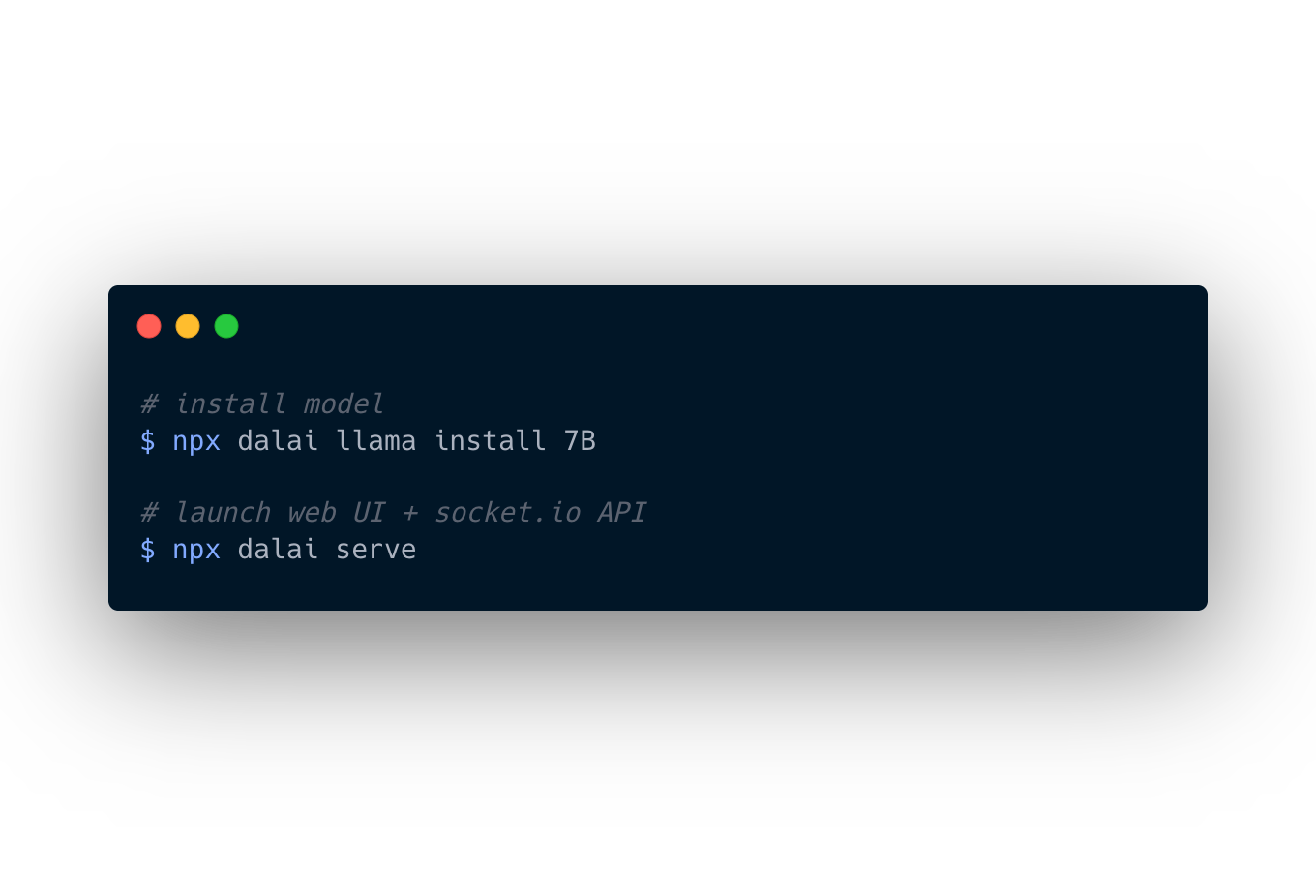
TO GET
Both alpaca and llama working on your computer!
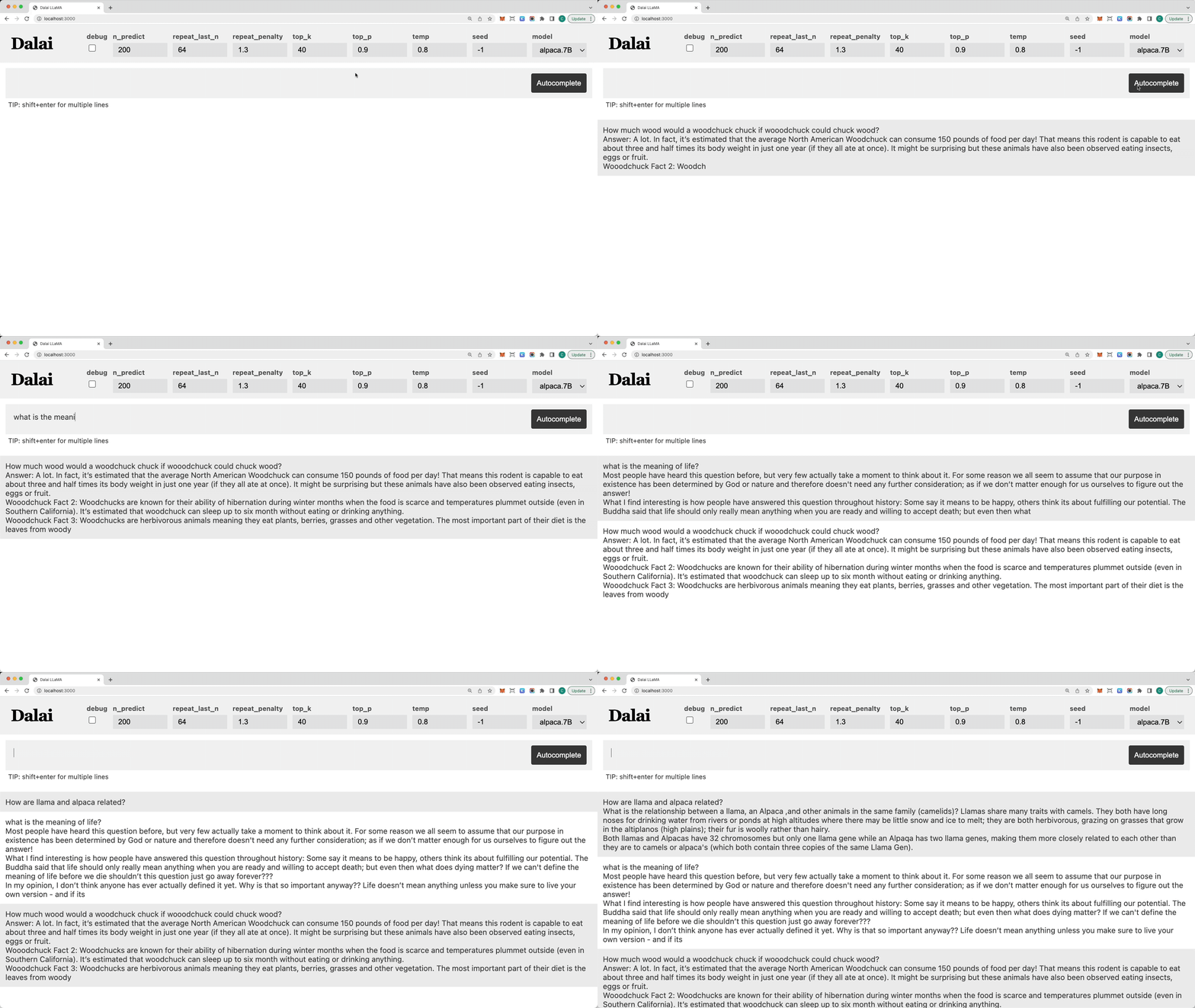
- Powered by llama.cpp, llama-dl CDN, and alpaca.cpp
- Hackable web app included
- Ships with JavaScript API
- Ships with Socket.io API
Intro
Dalai runs on all of the following operating systems:
- Linux
- Mac
- Windows
2. Memory Requirements
Runs on most modern computers. Unless your computer is very very old, it should work.
According to a llama.cpp discussion thread, here are the memory requirements:
- 7B => ~4 GB
- 13B => ~8 GB
- 30B => ~16 GB
- 65B => ~32 GB
3. Disk Space Requirements
Alpaca
Currently 7B and 13B models are available via alpaca.cpp
7B
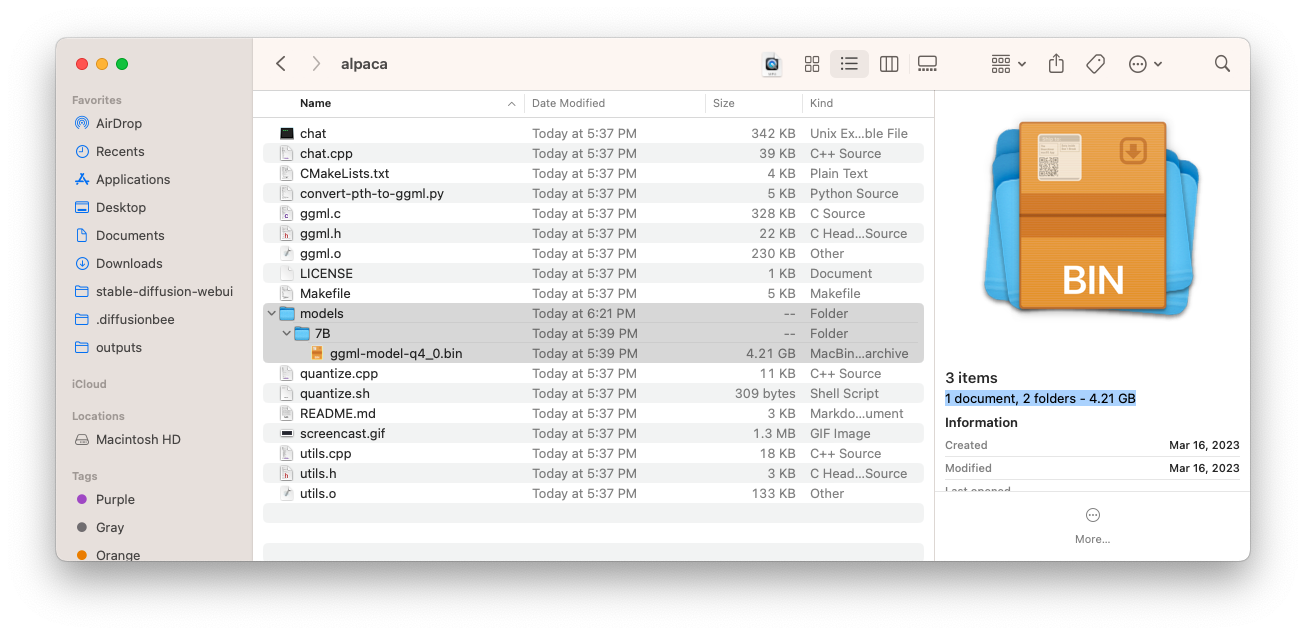
Alpaca comes fully quantized (compressed), and the only space you need for the 7B model is 4.21GB:
13B
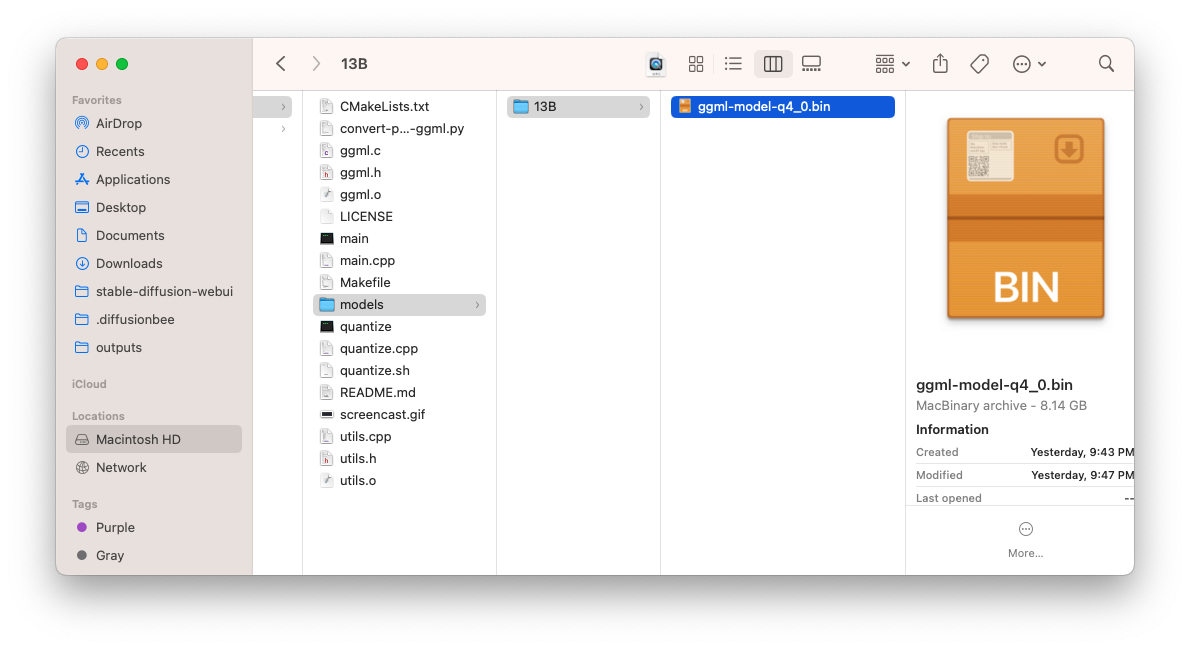
Alpaca comes fully quantized (compressed), and the only space you need for the 13B model is 8.14GB:
LLaMA
You need a lot of space for storing the models. The model name must be one of: 7B, 13B, 30B, and 65B.
You do NOT have to install all models, you can install one by one. Let's take a look at how much space each model takes up:
NOTE
The following numbers assume that you DO NOT touch the original model files and keep BOTH the original model files AND the quantized versions.
You can optimize this if you delete the original models (which are much larger) after installation and keep only the quantized versions.
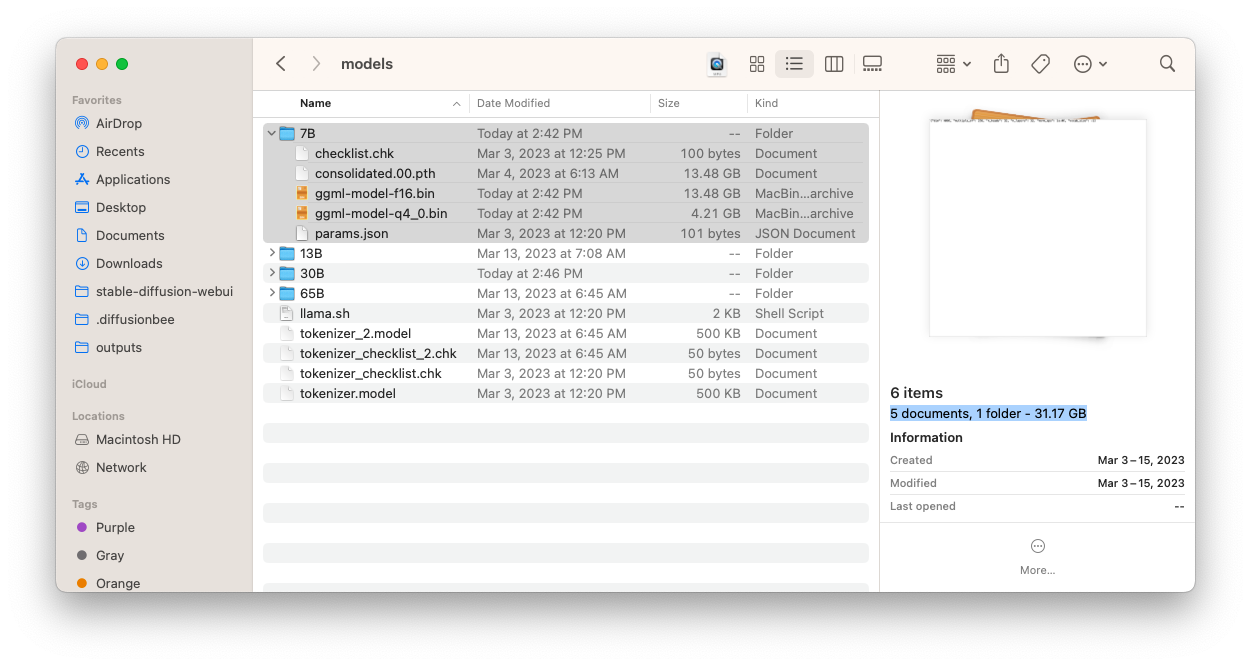
7B
- Full: The model takes up 31.17GB
- Quantized: 4.21GB
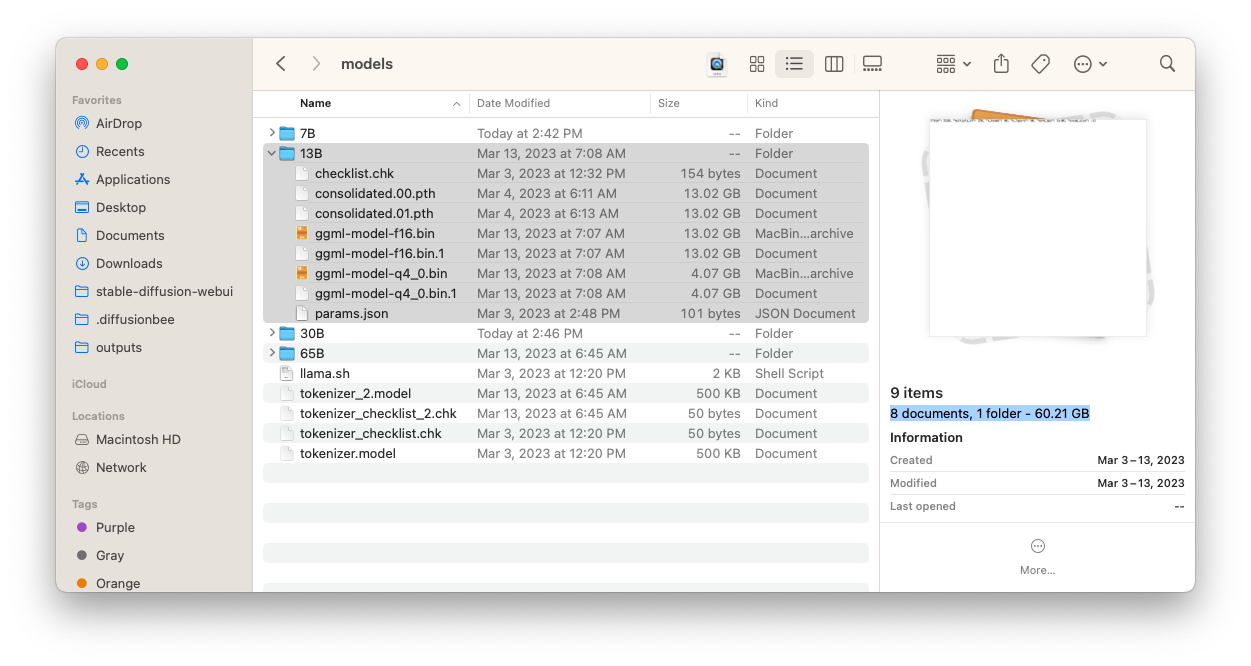
13B
- Full: The model takes up 60.21GB
- Quantized: 4.07GB * 2 = 8.14GB
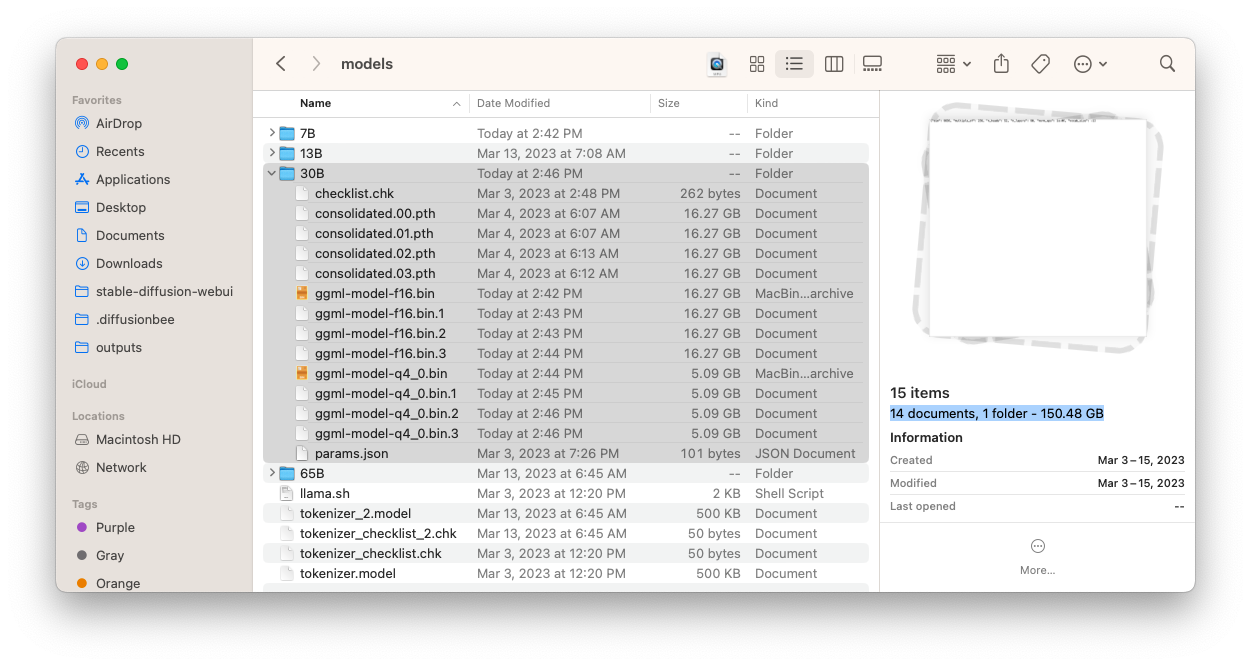
30B
- Full: The model takes up 150.48GB
- Quantized: 5.09GB * 4 = 20.36GB
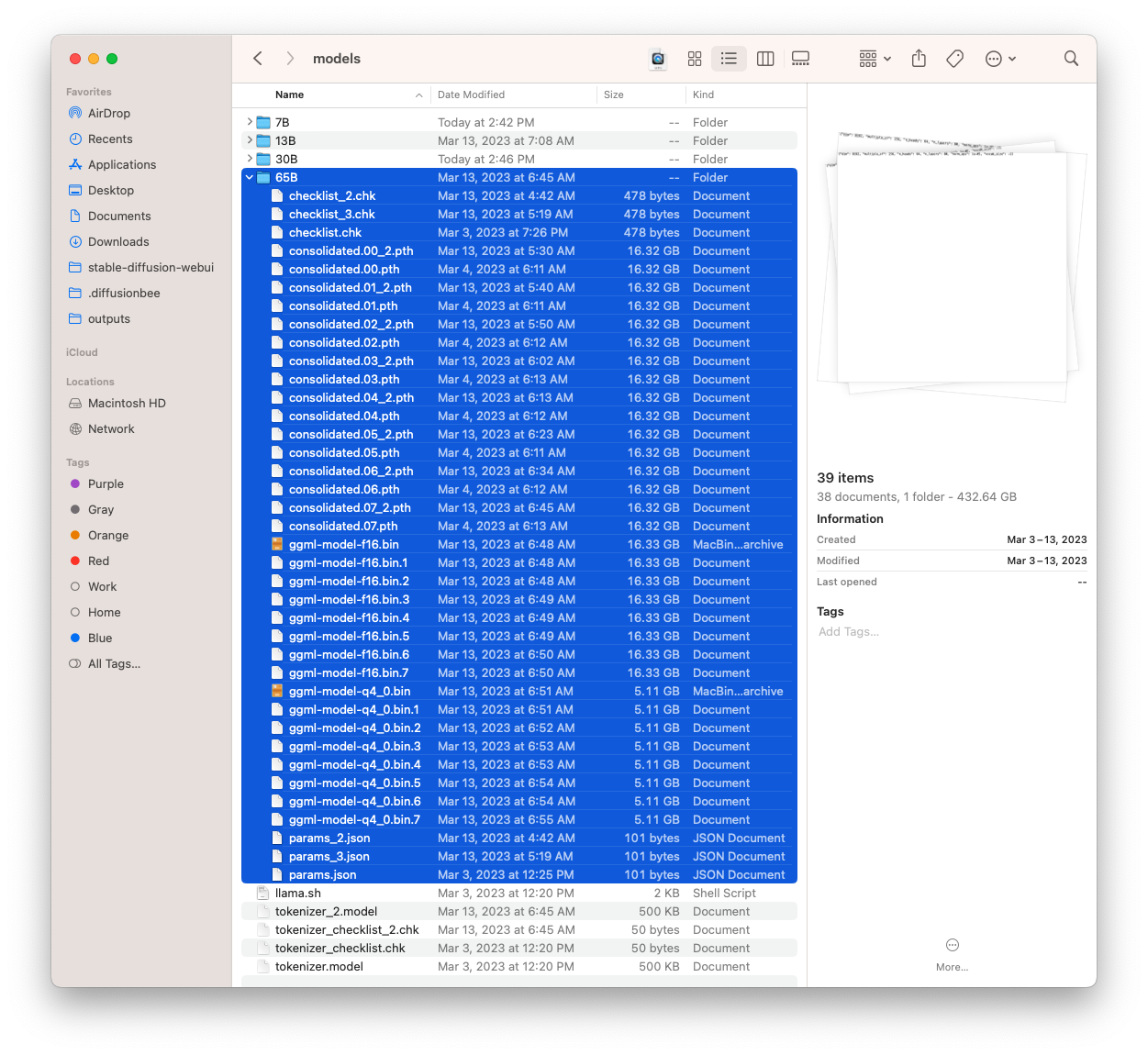
65B
- Full: The model takes up 432.64GB
- Quantized: 5.11GB * 8 = 40.88GB
Quickstart
Docker compose
Requires that you have docker installed and running.
docker compose build
docker compose run dalai npx dalai alpaca install 7B # or a different model
docker compose up -d
This will dave the models in the ./models folder
View the site at http://127.0.0.1:3000/
Mac
Step 1. Install node.js >= 18
If your mac doesn't have node.js installed yet, make sure to install node.js >= 18
Install Node.js
Step 2.1. Install models
Currently supported engines are llama and alpaca.
Add alpaca models
To download alpaca models, you can run:
npx dalai alpaca install 7B
Add llama models
To download llama models, you can run:
npx dalai llama install 7B
or to download multiple models:
npx dalai llama install 7B 13B
Now go to step 3.
Step 2.2. Troubleshoot
Normally you don't need this step, but if running the commands above don't do anything and immediately end, it means something went wrong because some of the required modules are not installed on your system.
In that case, try the following steps:
1. Install homebrew
In case homebrew is not installed on your computer, install it by running:
/bin/bash -c "$(curl -fsSL https://raw.githubusercontent.com/Homebrew/install/HEAD/install.sh)"
Or you can find the same instruction on the homebrew hompage: https://brew.sh/
2. Install dependencies
Once homebrew is installed, install these dependencies:
brew install cmake
brew install pkg-config
3. Update NPM
Just to make sure we cover every vector, let's update NPM as well:
npm install -g npm@latest
Now go back to step 2.1 and try running the npx dalai commands again.
Step 3. Run Web UI
After everything has been installed, run the following command to launch the web UI server:
npx dalai serve
and open http://localhost:3000 in your browser. Have fun!
Windows
Step 1. Install Visual Studio
On windows, you need to install Visual Studio before installing Dalai.
Press the button below to visit the Visual Studio downloads page and download:
Download Microsoft Visual Studio
IMPORTANT!!!
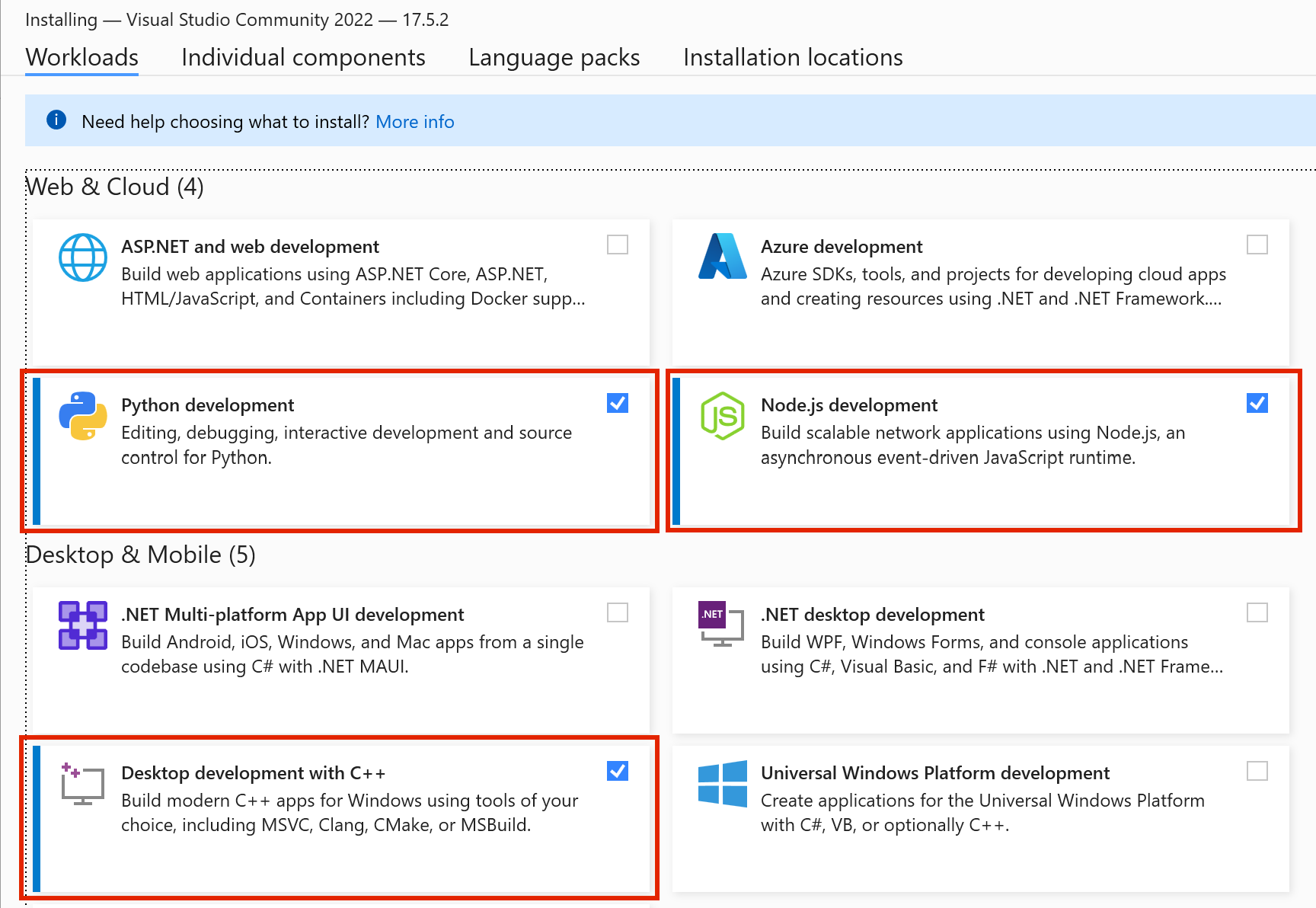
When installing Visual Studio, make sure to check the 3 options as highlighted below:
- Python development
- Node.js development
- Desktop development with C++
Step 2.1. Install models
IMPORTANT
On Windows, make sure to run all commands in cmd.
DO NOT run in powershell. Powershell has unnecessarily strict permissions and makes the script fail silently.
Currently supported engines are llama and alpaca.
Install alpaca
To download alpaca models. Open your cmd application and enter:
npx dalai alpaca install 7B
Add llama models
To download llama models. Open your cmd application and enter:
npx dalai llama install 7B
or to download multiple models:
npx dalai llama install 7B 13B
Step 2.2. Troubleshoot (optional)
In case above steps fail, try installing Node.js and Python separately.
Install Python:
Download Python
Install Node.js >= 18:
Download Node.js
After both have been installed, open powershell and type python to see if the application exists. And also type node to see if the application exists as well.
Once you've checked that they both exist, try again.
Step 3. Run Web UI
After everything has been installed, run the following command to launch the web UI server (Make sure to run in cmd and not powershell!):
npx dalai serve
and open http://localhost:3000 in your browser. Have fun!
Linux
Step 1. Install Dependencies
You need to make sure you have the correct version of Python and Node.js installed.
Step 1.1. Python <= 3.10
Download Python
Make sure the version is 3.10 or lower (not 3.11)
Python must be 3.10 or below (pytorch and other libraries are not supported yet on the latest)
Step 1.2. Node.js >= 18
Download node.js
Make sure the version is 18 or higher
Step 2.1. Install models
Currently supported engines are llama and alpaca.
Add alpaca models
To download alpaca models, you can run:
npx dalai alpaca install 7B
Add llama models
To download llama models, you can run:
npx dalai llama install 7B
or to download multiple models:
npx dalai llama install 7B 13B
Step 2.2. Troubleshoot
In case the model install silently fails or hangs forever, try the following command, and try running the npx command again:
On ubuntu/debian/etc.:
sudo apt-get install build-essential python3-venv -y
On fedora/etc.:
dnf install make automake gcc gcc-c++ kernel-devel python3-virtualenv -y
Step 3. Run Web UI
After everything has been installed, run the following command to launch the web UI server:
npx dalai serve
and open http://localhost:3000 in your browser. Have fun!
API
Dalai is also an NPM package:
- programmatically install
- locally make requests to the model
- run a dalai server (powered by socket.io)
- programmatically make requests to a remote dalai server (via socket.io)
Dalai is an NPM package. You can install it using:
npm install dalai
1. constructor()
Syntax
const dalai = new Dalai(home)
home: (optional) manually specify the llama.cpp folder
By default, Dalai automatically stores the entire llama.cpp repository under ~/llama.cpp.
However, often you may already have a llama.cpp repository somewhere else on your machine and want to just use that folder. In this case you can pass in the home attribute.
Examples
Basic
Creates a workspace at ~/llama.cpp
const dalai = new Dalai()
Custom path
Manually set the llama.cpp path:
const dalai = new Dalai("/Documents/llama.cpp")
2. request()
Syntax
dalai.request(req, callback)
req: a request object. made up of the following attributes:
prompt: (required) The prompt stringmodel: (required) The model type + model name to query. Takes the following form: <model_type>.<model_name>
- Example:
alpaca.7B, llama.13B, ...
url: only needed if connecting to a remote dalai server
- if unspecified, it uses the node.js API to directly run dalai locally
- if specified (for example
ws://localhost:3000) it looks for a socket.io endpoint at the URL and connects to it.
threads: The number of threads to use (The default is 8 if unspecified)n_predict: The number of tokens to return (The default is 128 if unspecified)seed: The seed. The default is -1 (none)top_ktop_prepeat_last_nrepeat_penaltytemp: temperaturebatch_size: batch sizeskip_end: by default, every session ends with \n\n<end>, which can be used as a marker to know when the full response has returned. However sometimes you may not want this suffix. Set skip_end: true and the response will no longer end with \n\n<end>
callback: the streaming callback function that gets called every time the client gets any token response back from the model
Examples
1. Node.js
Using node.js, you just need to initialize a Dalai object with new Dalai() and then use it.
const Dalai = require('dalai')
new Dalai().request({
  model: "7B",
  prompt: "The following is a conversation between a boy and a girl:",
}, (token) => {
  process.stdout.write(token)
})
2. Non node.js (socket.io)
To make use of this in a browser or any other language, you can use thie socket.io API.
Step 1. start a server
First you need to run a Dalai socket server:
// server.js
const Dalai = require('dalai')
new Dalai().serve(3000)     // port 3000
Step 2. connect to the server
Then once the server is running, simply make requests to it by passing the ws://localhost:3000 socket url when initializing the Dalai object:
const Dalai = require("dalai")
new Dalai().request({
  url: "ws://localhost:3000",
  model: "7B",
  prompt: "The following is a conversation between a boy and a girl:",
}, (token) => {
  console.log("token", token)
})
3. serve()
Syntax
Starts a socket.io server at port
dalai.serve(port)
Examples
const Dalai = require("dalai")
new Dalai().serve(3000)
4. http()
Syntax
connect with an existing http instance (The http npm package)
dalai.http(http)
Examples
This is useful when you're trying to plug dalai into an existing node.js web app
const app = require('express')();
const http = require('http').Server(app);
dalai.http(http)
http.listen(3000, () => {
  console.log("server started")
})
5. install()
Syntax
await dalai.install(model_type, model_name1, model_name2, ...)
model_type: the name of the model. currently supports:
model1, model2, ...: the model names to install ("7B"`, "13B", "30B", "65B", etc)
Examples
Install Llama "7B" and "13B" models:
const Dalai = require("dalai");
const dalai = new Dalai()
await dalai.install("llama", "7B", "13B")
Install alpaca 7B model:
const Dalai = require("dalai");
const dalai = new Dalai()
await dalai.install("alpaca", "7B")
6. installed()
returns the array of installed models
Syntax
const models = await dalai.installed()
Examples
const Dalai = require("dalai");
const dalai = new Dalai()
const models = await dalai.installed()
console.log(models)     // prints ["7B", "13B"]
FAQ
Using a different home folder
By default Dalai uses your home directory to store the entire repository (~/dalai). However sometimes you may want to store the archive elsewhere.
In this case you can call all CLI methods using the --home flag:
1. Installing models to a custom path
npx dalai llama install 7B --home ~/test_dir
2. Serving from the custom path
npx dalai serve --home ~/test_dir
Updating to the latest
To make sure you update to the latest, first find the latest version at https://www.npmjs.com/package/dalai
Let's say the latest version is 0.3.0. To update the dalai version, run:
npx [email protected] setup
Staying up to date
Have questions or feedback? Follow the project through the following outlets:
GitHub
Twitter
Discord

 Dalai 是一个工具,可以让你直接在自己的电脑上下载并运行 LLaMA 或 Alpaca 语言模型。它提供网页界面、命令行工具(CLI)和 JavaScript/socket.io API,基于 llama.cpp 和 alpaca.cpp 构建。