
$ qrcp
Transfer files over Wi-Fi from your computer to a mobile device by scanning a QR code without leaving the terminal.

Join the Telegram channel qrcp_dev or the @qrcp_dev Twitter account for news about the development.
How does it work?
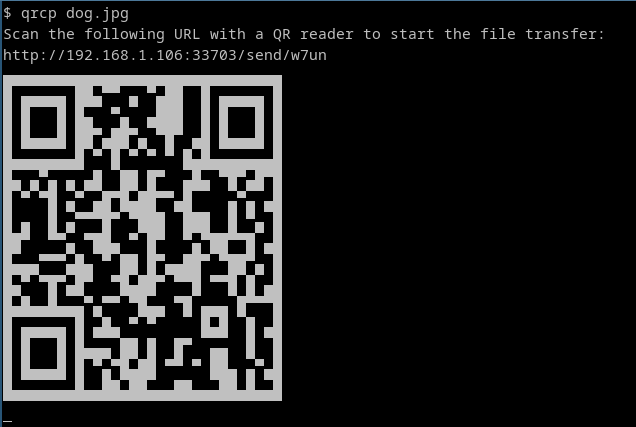
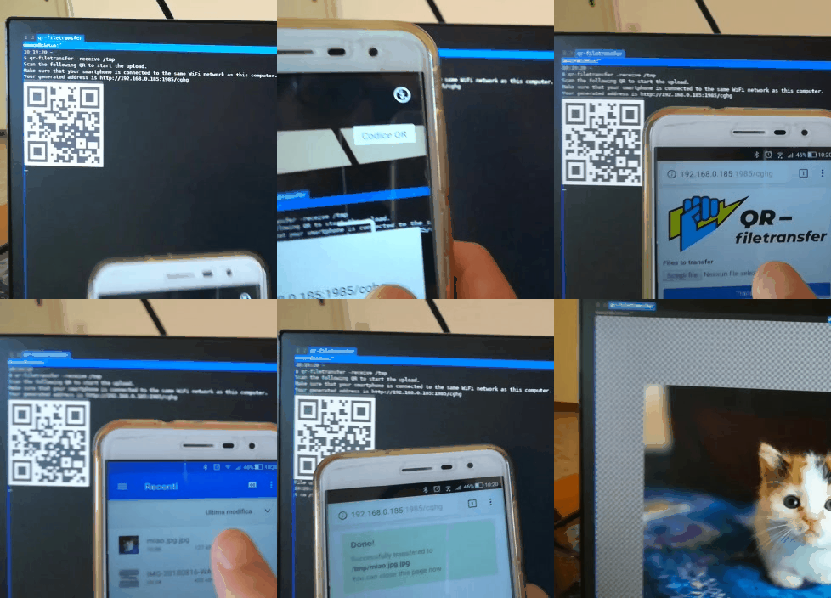
qrcp binds a web server to the address of your Wi-Fi network interface on a random port and creates a handler for it. The default handler serves the content and exits the program when the transfer is complete. When used to receive files, qrcp serves an upload page and handles the transfer.
The tool prints a QR code that encodes the text:
http://{address}:{port}/{random_path}
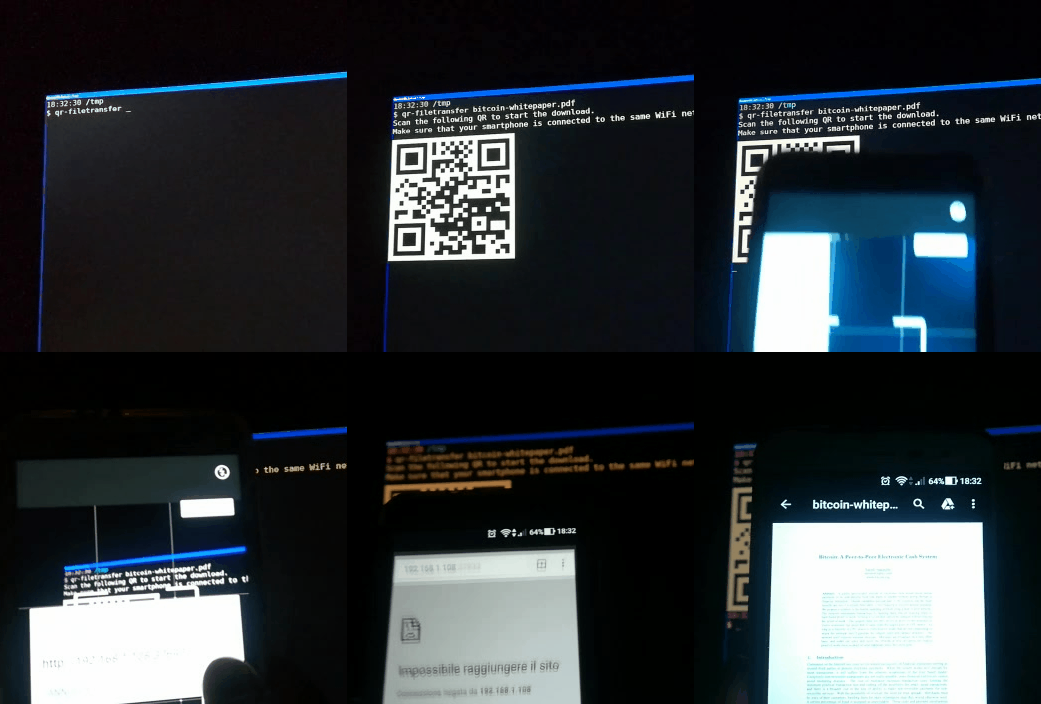
Most QR apps can detect URLs in decoded text and act accordingly (i.e., open the decoded URL with the default browser), so when the QR code is scanned, the content will begin downloading by the mobile browser.
Demo
Send files to mobile:
Receive files from mobile:
Installation
Using Go (Latest Development Version)
Requires Go 1.18 or later:
go install github.com/claudiodangelis/qrcp@latest
Prebuilt Binaries
Download the latest release for your platform from the Releases page.
| Platform |
Instructions |
| Linux |
Extract the .tar.gz archive, move the binary to /usr/local/bin, and set permissions. |
| Windows |
Extract the .tar.gz archive and place the .exe file in a directory in your PATH. |
| macOS |
Extract the .tar.gz archive, move the binary to /usr/local/bin, and set permissions. |
Package Managers
| Platform |
Package Manager |
Command |
| Linux |
ArchLinux (AUR) |
yay -S qrcp-bin or yay -S qrcp |
| Linux |
Debian/Ubuntu |
sudo dpkg -i qrcp_<version>_linux_x86_64.deb |
| Linux |
CentOS/Fedora |
sudo rpm -i qrcp_<version>_linux_x86_64.rpm |
| Windows |
WinGet |
winget install --id=claudiodangelis.qrcp -e |
| Windows |
Scoop |
scoop install qrcp |
| Windows |
Chocolatey |
choco install qrcp |
| macOS |
Homebrew |
brew install qrcp |
Confirm Installation
After installation, verify that qrcp is working:
qrcp --help
Usage
Send Files
| Action |
Command Example |
| Send a file |
qrcp MyDocument.pdf |
| Send multiple files |
qrcp MyDocument.pdf IMG0001.jpg |
| Send a folder |
qrcp Documents/ |
| Zip before transferring |
qrcp --zip LongVideo.avi |
Receive Files
| Action |
Command Example |
| Receive to current directory |
qrcp receive |
| Receive to a specific directory |
qrcp receive --output=/tmp/dir |
Configuration
qrcp works without prior configuration, but you can customize it using a configuration file or environment variables.
Configuration File
The default configuration file is stored in $XDG_CONFIG_HOME/qrcp/config.yml. You can specify a custom location using the --config flag:
qrcp --config /tmp/qrcp.yml MyDocument.pdf
Configuration Options
| Key |
Type |
Description |
interface |
String |
Network interface to bind the web server to. Use any to bind to 0.0.0.0. |
bind |
String |
Address to bind the web server to. Overrides interface. |
port |
Integer |
Port to use. Defaults to a random port. |
path |
String |
Path to use in the URL. Defaults to a random string. |
output |
String |
Default directory to receive files. Defaults to the current working directory. |
fqdn |
String |
Fully qualified domain name to use in the URL instead of the IP address. |
keep-alive |
Bool |
Keep the server alive after transferring files. Defaults to false. |
secure |
Bool |
Use HTTPS instead of HTTP. Defaults to false. |
tls-cert |
String |
Path to the TLS certificate. Used only when secure: true. |
tls-key |
String |
Path to the TLS key. Used only when secure: true. |
Environment Variables
All configuration parameters can also be set via environment variables prefixed with QRCP_:
$QRCP_INTERFACE$QRCP_PORT$QRCP_KEEPALIVE
Advanced Usage
Network Interface
To use a specific network interface:
qrcp -i tun0 MyDocument.pdf
To bind the web server to all interfaces:
qrcp -i any MyDocument.pdf
HTTPS
Enable secure transfers with HTTPS by providing a TLS certificate and key:
qrcp --tls-cert /path/to/cert.pem --tls-key /path/to/cert.key MyDocument.pdf
Shell Completion
qrcp provides shell completion scripts for Bash, Zsh, and Fish.
| Shell |
Command Example |
| Bash |
source <(qrcp completion bash) |
| Zsh |
qrcp completion zsh > "${fpath[1]}/_qrcp" |
| Fish |
`qrcp completion fish |
Authors and Credits
Clones and Similar Projects
| Project Name |
Description |
| qr-fileshare |
A similar idea executed in NodeJS with a React interface. |
| instant-file-transfer (Uncredited) |
Node.js project similar to this. |
| qr-filetransfer |
Python clone of this project. |
| qr-filetransfer |
Another Node.js clone of this project. |
| qr-transfer-node |
Another Node.js clone of this project. |
| QRDELIVER |
Node.js project similar to this. |
| qrfile |
Transfer files by scanning a QR code. |
| quick-transfer |
Node.js clone of this project. |
| share-file-qr |
Python re-implementation of this project. |
| share-files (Uncredited) |
Yet another Node.js clone of this project. |
| ezshare |
Another Node.js two-way file sharing tool supporting folders and multiple files. |
| local_file_share |
"Share local file to other people, OR smartphone download files which is in PC." |
| qrcp |
A desktop app clone of qrcp, written with C# and .NET Core, works for Windows. |
| swift_file |
Rust project inspired by qrcp. |
| qrcp-android |
Android app inspired by qrcp. |
License
MIT. See LICENSE.

 qrcp 是一个终端工具,可以通过 Wi-Fi 把电脑上的文件发到手机:它会打印一个二维码,你扫码后,下载就直接在手机浏览器里开始了。