Chocolatey - like yum or apt-get, but for Windows
You can just call me choco.





Build Status
| GitHub Action |
 |
Chat Room
Come join in the conversation about Chocolatey in our Community Chat Room.

Please make sure you've read over and agree with the etiquette regarding communication.
Support Chocolatey!
See Chocolatey In Action
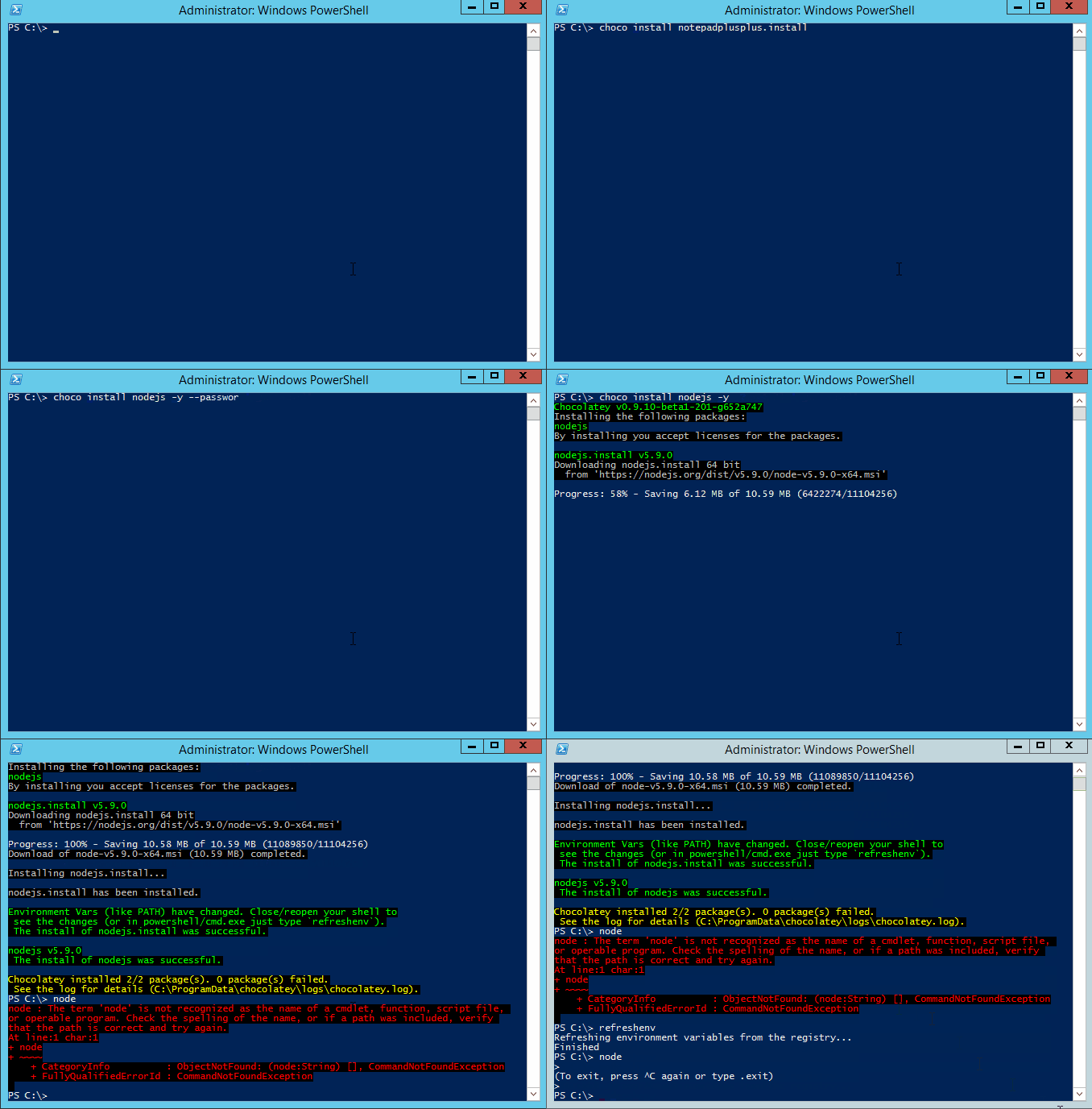
Chocolatey FOSS install showing tab completion and refreshenv (a way to update environment variables without restarting your shell):
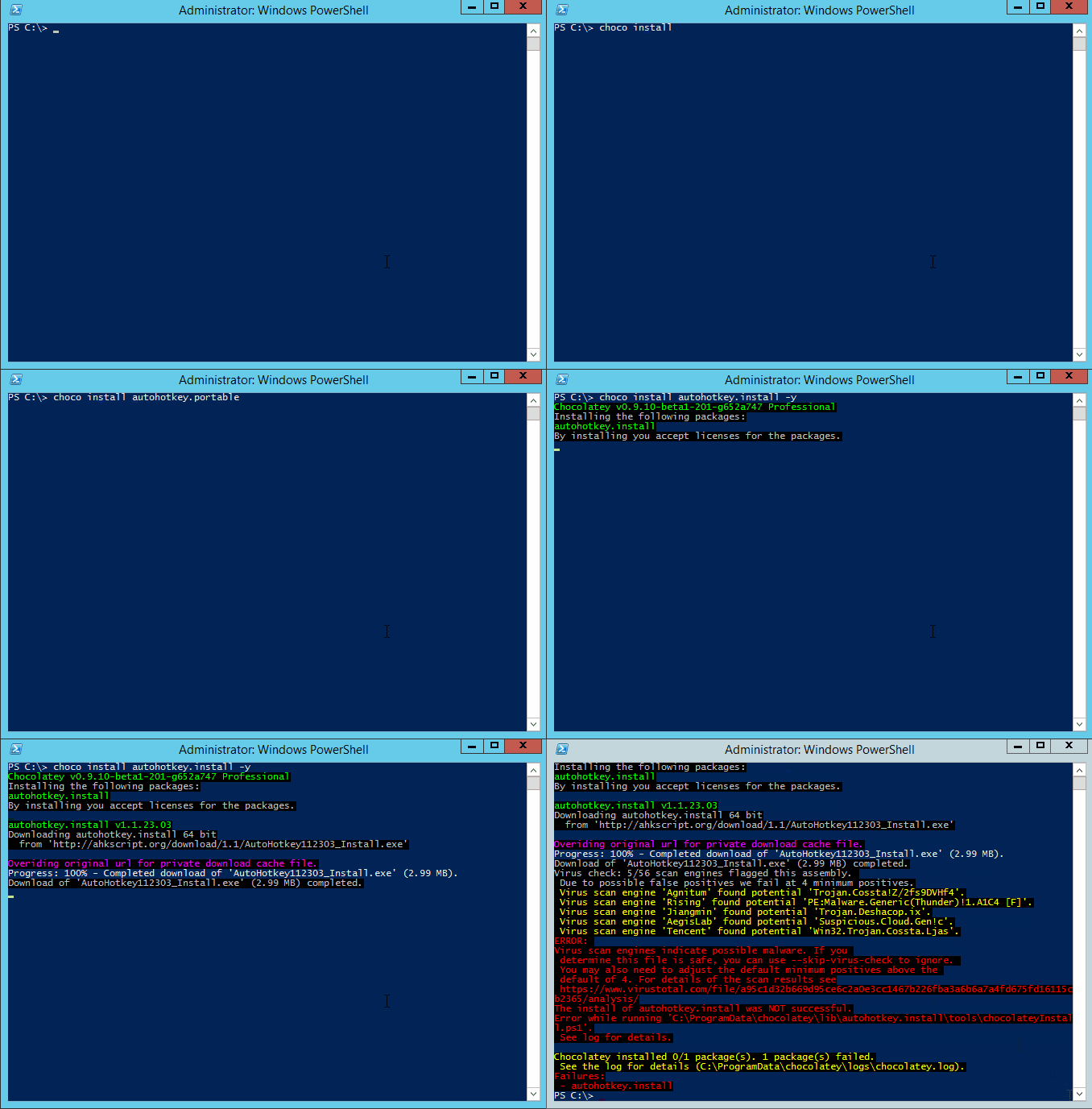
Chocolatey Pro showing private CDN download cache and virus scan protection:
Etiquette Regarding Communication
If you are an open source user requesting support, please remember that most folks in the Chocolatey community are volunteers that have lives outside of open source and are not paid to ensure things work for you, so please be considerate of others' time when you are asking for things. Many of us have families that also need time as well and only have so much time to give on a daily basis. A little consideration and patience can go a long way. After all, you are using a pretty good tool without cost. It may not be perfect (yet), and we know that.
If you are using a commercial edition of Chocolatey, you have different terms! Please see support.
Documentation
Please see the docs
Give choco.exe --help a shot (or choco.exe -h). For specific commands, add the command and then the help switch e.g. choco.exe install --help.
Requirements
- .NET Framework 4.8+
- PowerShell 2.0+
- Windows Server 2008 R2+ / Windows 10+
License / Credits
Apache 2.0 - see LICENSE and NOTICE files.
Submitting Issues

- Start with Troubleshooting and the FAQ to see if your question or issue already has an answer.
- If not found or resolved, please follow one of the following avenues:
- If you are a licensed customer, please see support. You can also log an issue to Licensed Issues and we will submit issues to all other places on your behalf. Another avenue is to use email support to have us submit tickets and other avenues on your behalf (allowing you to maintain privacy).
- If it is an enhancement request or issue with the website (the community package repository aka https://community.chocolatey.org), please submit the issue to the Chocolatey.org repo.
- If you have found an issue with the GUI (Chocolatey GUI) or you want to submit an enhancement, please see the ChocolateyGUI repository.
- If you have found an issue with the client (choco.exe), you are in the right place. Keep reading below.
Observe the following help for submitting an issue:
Prerequisites:
- The issue has to do with choco itself and is not a package or website issue.
- Please check to see if your issue already exists with a quick search of the issues. Start with one relevant term and then add if you get too many results.
- You are not submitting an "Enhancement". Enhancements should observe CONTRIBUTING guidelines.
- You are not submitting a question - questions are better served as emails or Community Chat questions.
- Please make sure you've read over and agree with the etiquette regarding communication.
Submitting a ticket:
- We'll need debug and verbose output, so please run and capture the log with
-dv or --debug --verbose. You can submit that with the issue or create a gist and link it.
- Please note that the debug/verbose output for some commands may have sensitive data (passwords or API keys) related to Chocolatey, so please remove those if they are there prior to submitting the issue.
- choco.exe logs to a file in
$env:ChocolateyInstall\log\. You can grab the specific log output from there so you don't have to capture or redirect screen output. Please limit the amount included to just the command run (the log is appended to with every command).
- Please save the log output in a gist (save the file as
log.sh) and link to the gist from the issue. Feel free to create it as secret so it doesn't fill up against your public gists. Anyone with a direct link can still get to secret gists. If you accidentally include secret information in your gist, please delete it and create a new one (gist history can be seen by anyone) and update the link in the ticket (issue history is not retained except by email - deleting the gist ensures that no one can get to it). Using gists this way also keeps accidental secrets from being shared in the ticket in the first place as well.
- We'll need the entire log output from the run, so please don't limit it down to areas you feel are relevant. You may miss some important details we'll need to know. This will help expedite issue triage.
- It's helpful to include the version of choco, the version of the OS, and the version of PowerShell (Posh) - the debug script should capture all of those pieces of information.
- Include screenshots and/or animated gifs whenever possible, they help show us exactly what the problem is.
Contributing
If you would like to contribute code or help squash a bug or two, that's awesome. Please familiarize yourself with CONTRIBUTING.
This project uses an .editorconfig file in order to help maintain consistency of code.
Errors and warnings produced by not following these defined conventions will in future be enforced at build time, so ensure your contributions adhere to the rules defined in it and produce no warnings or errors in Visual Studio.
Committers
Committers, you should be very familiar with COMMITTERS.
Compiling / Building Source
There is a build.bat/build.sh file that creates a necessary generated file named SolutionVersion.cs. It must be run at least once before Visual Studio will build.
Windows
Prerequisites:
The following are a minimum set of requirements to successfully complete the build process:
- .NET Framework 4.8
- .NET Framework 4.8 Dev Pack
- Visual Studio 2019 or Visual Studio 2019 Build Tools
- .NET SDK (i.e. ability to install .NET Global tools using
dotnet tool install)
There is a setup.ps1 file at the root of this repository, which can be used to install all of the above.
Build Process:
[!IMPORTANT]
It is assumed that Chocolatey CLI is installed on the machine where you are running the build, as this is required to generate the final Chocolatey package.
If required, you can skip the creation of the Chocolatey packages using the --shouldRunChocolatey option, i.e. .\build.bat --shouldRunChocolatey=false
Running the build on Windows should produce an artifact that is tested and ready to be used.
Prerequisites:
- Install and configure Mono. Mono 6.6 or newer should work, see
docker/Dockerfile.linux for the currently recommended version of Mono.
- Install .NET 6.0 SDK or newer. This is used in the build scripts.
- Linux systems; see Install .NET on Linux
- Mac systems; see Install .NET on macOS
- This is required for some Dotnet Global Tools used during the Cake build. The .NET Frameworks equivalent builds do not work on Mono.
- If building from Git, then having Git 2.22+ installed is required.
- MonoDevelop is helpful for working on source.
Before building:
- Consider adding the following to your
~/.profile (or other relevant dot source file):
# Mono
# http://www.michaelruck.de/2010/03/solving-pkg-config-and-mono-35-profile.html
# https://cloudgen.wordpress.com/2013/03/06/configure-nant-to-run-under-mono-3-06-beta-for-mac-osx/
export PKG_CONFIG_PATH=/opt/local/lib/pkgconfig:/Library/Frameworks/Mono.framework/Versions/Current/lib/pkgconfig:$PKG_CONFIG_PATH
- Set your permissions correctly:
chmod +x *.sh
Build Process:
Running the build on Mono produces an artifact similar to Windows but may have more rough edges. You may get a failure or two in the build script that can be safely ignored.
Testing
The Chocolatey CLI codebase contains a number of different tests, including unit, integration, and end-to-end tests.
These are all documented in the TESTING.md file.
The unit and integration tests are NUnit tests, which can be executed directly within Visual Studio, or as part of the build process.
The end-to-end tests use Pester as the test framework. Since these tests have the potential to actually make changes to your system, we recommend using the provided Vagrant file to run these tests in a dedicated virtual machine.
- Get a copy of the source code and build.
- Copy (or link) the contents of
./code_drop/temp/_PublishedApps/choco to your preferred install directory. On Linux, the preferred directory is /opt/chocolatey
- Export the
ChocolateyInstall environment variable, pointing to the install directory the build output was copied too.
- Copy
./docker/choco_wrapper to a directory on the $PATH, rename to choco, and if the install directory is something else than /opt/chocolatey, then edit it to point to the correct path.
Credits
Chocolatey is brought to you by quite a few people and frameworks. See CREDITS (just LEGAL/Credits.md in the zip folder).

 Chocolatey(choco)是一款适用于 Windows 的命令行软件包管理器,类似于 apt-get 或 yum,但用于管理 Windows 软件。