


2.3K ·GitHub
Что это?
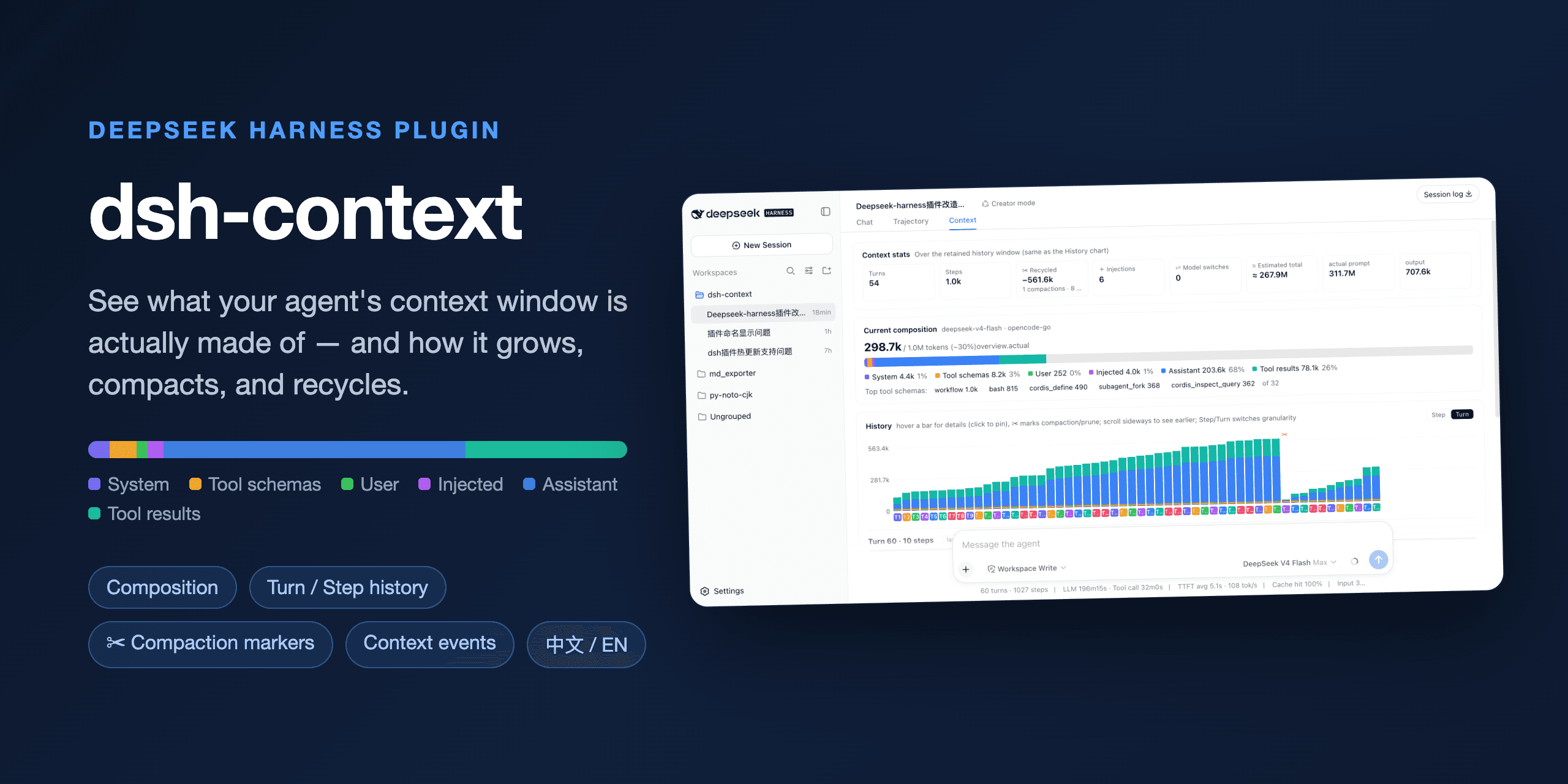
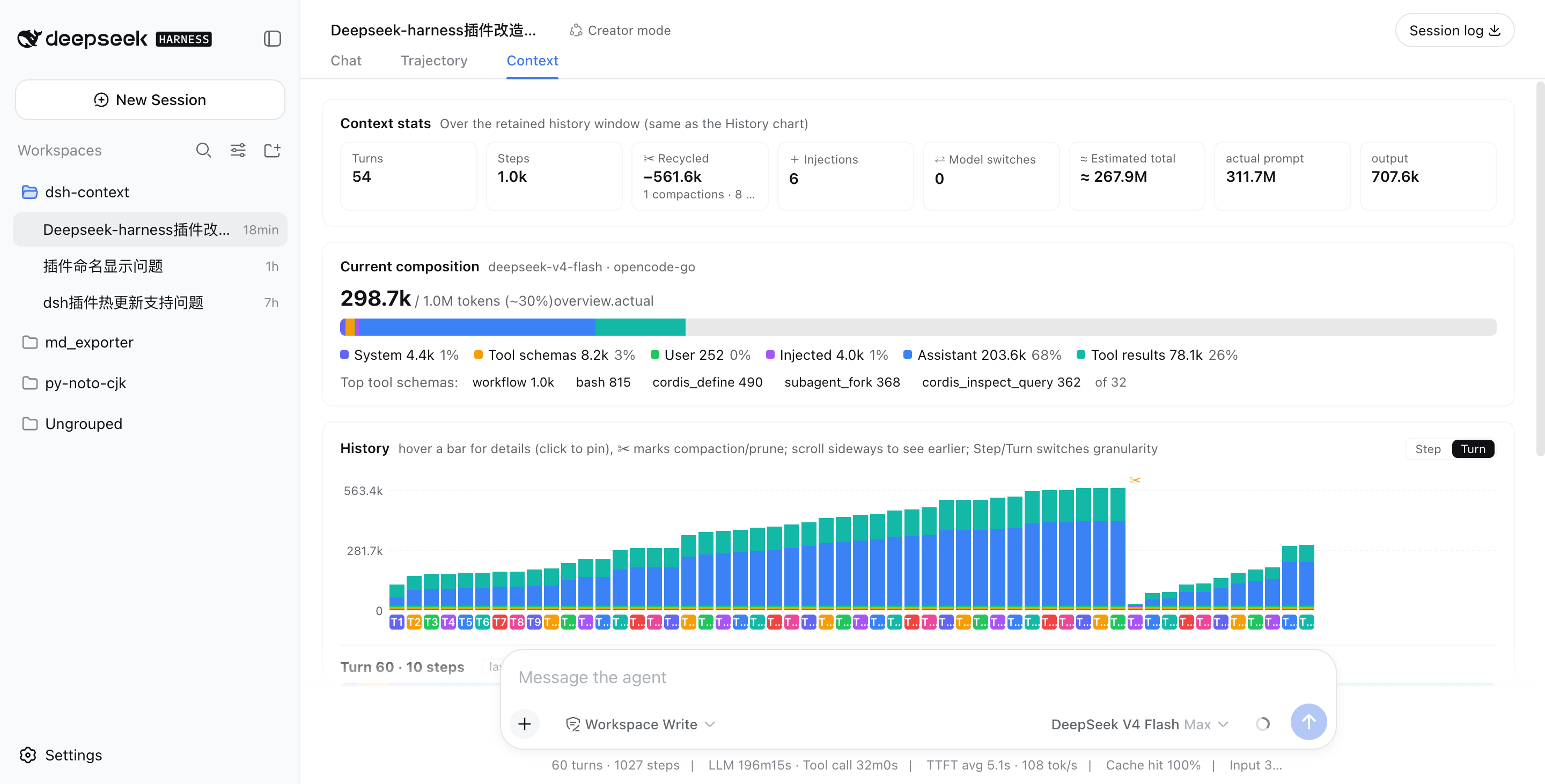
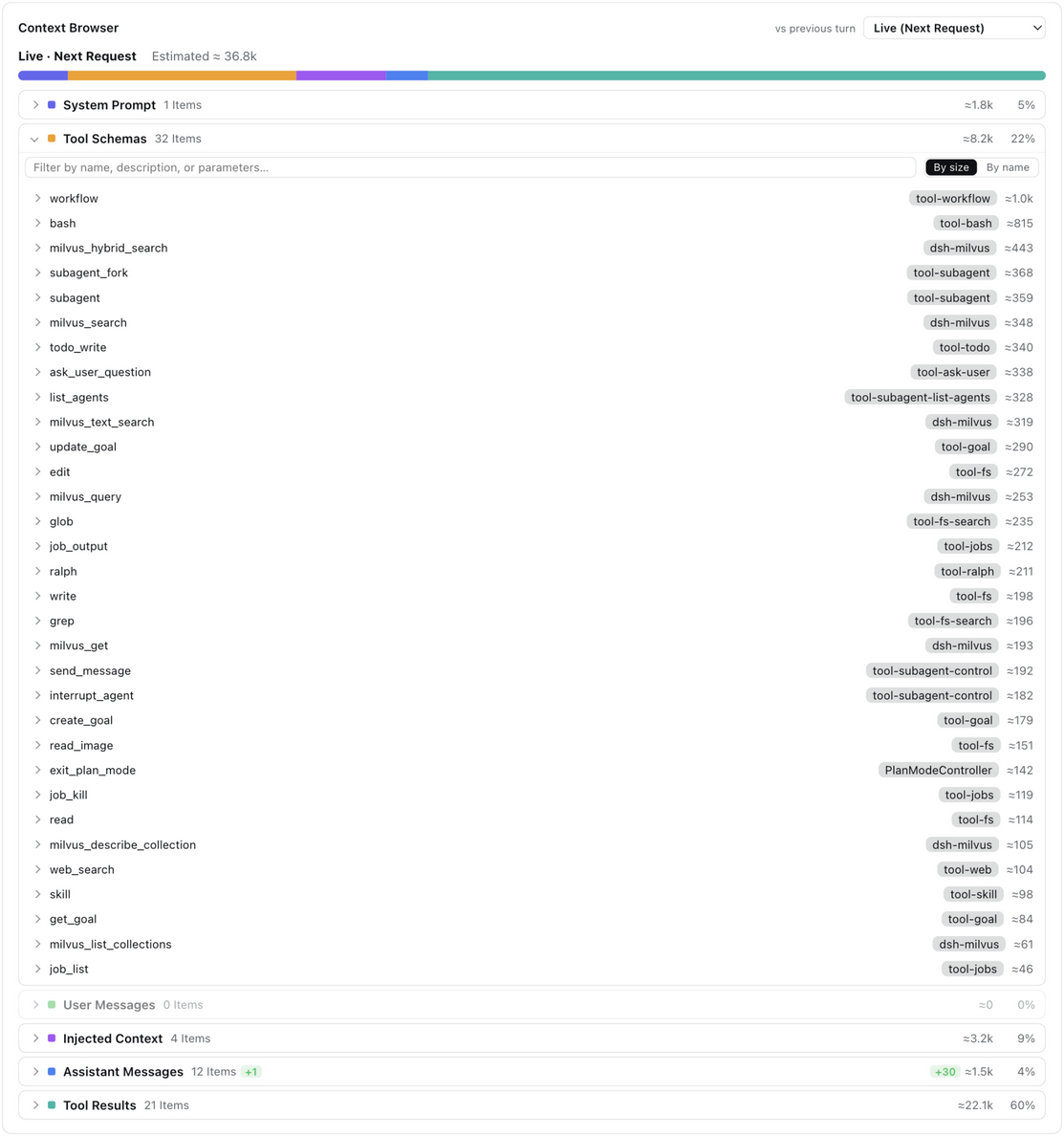
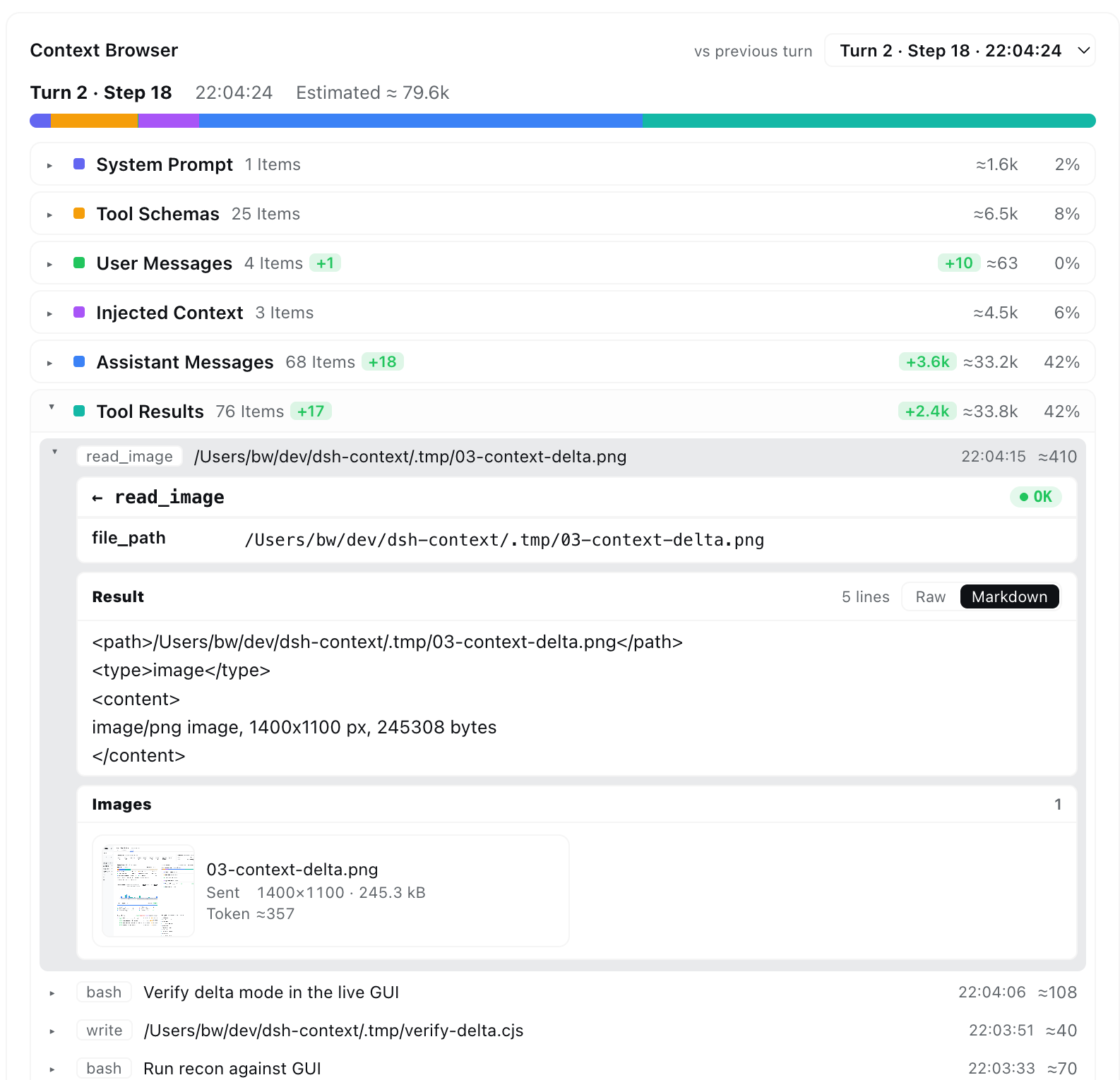
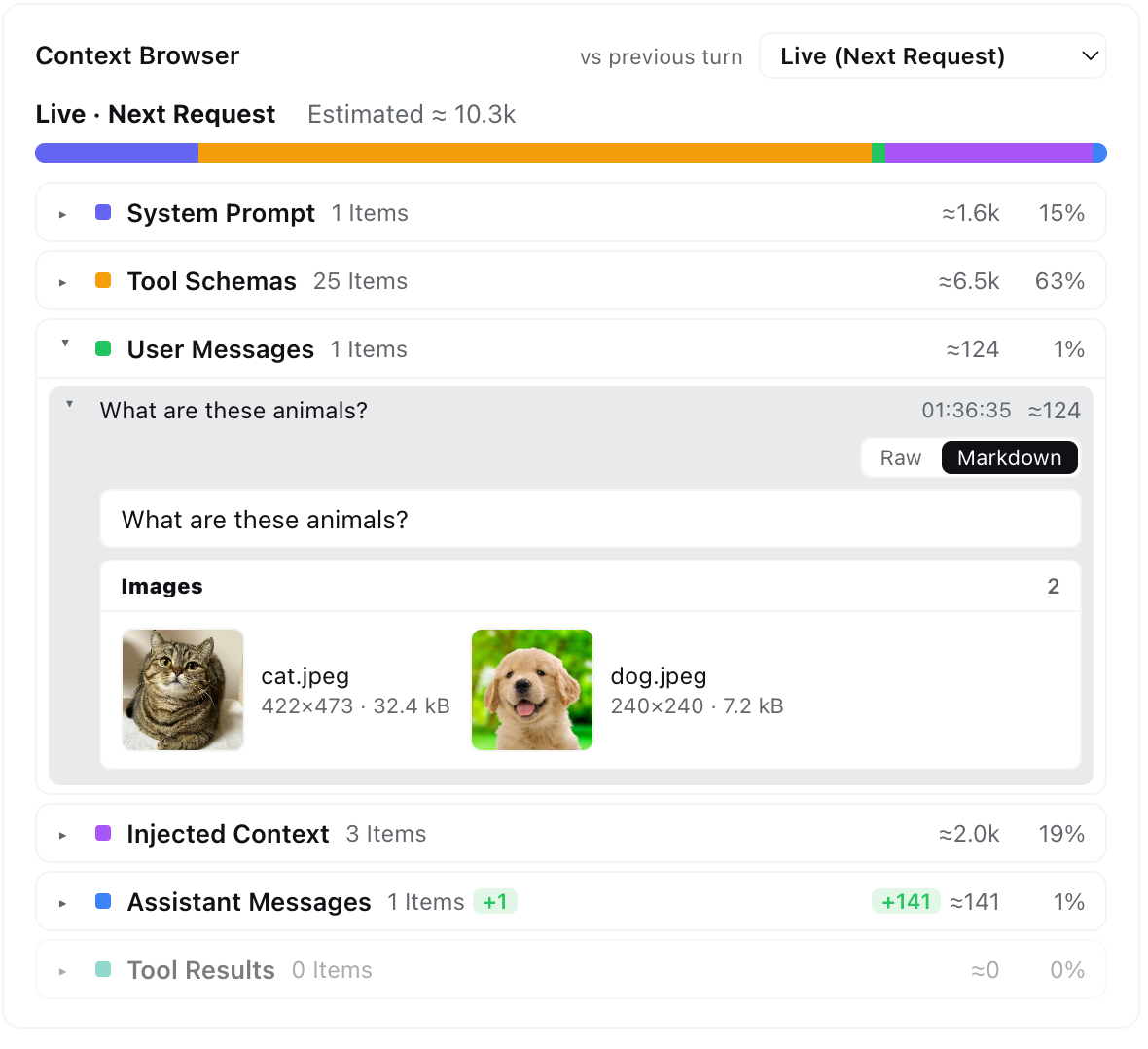
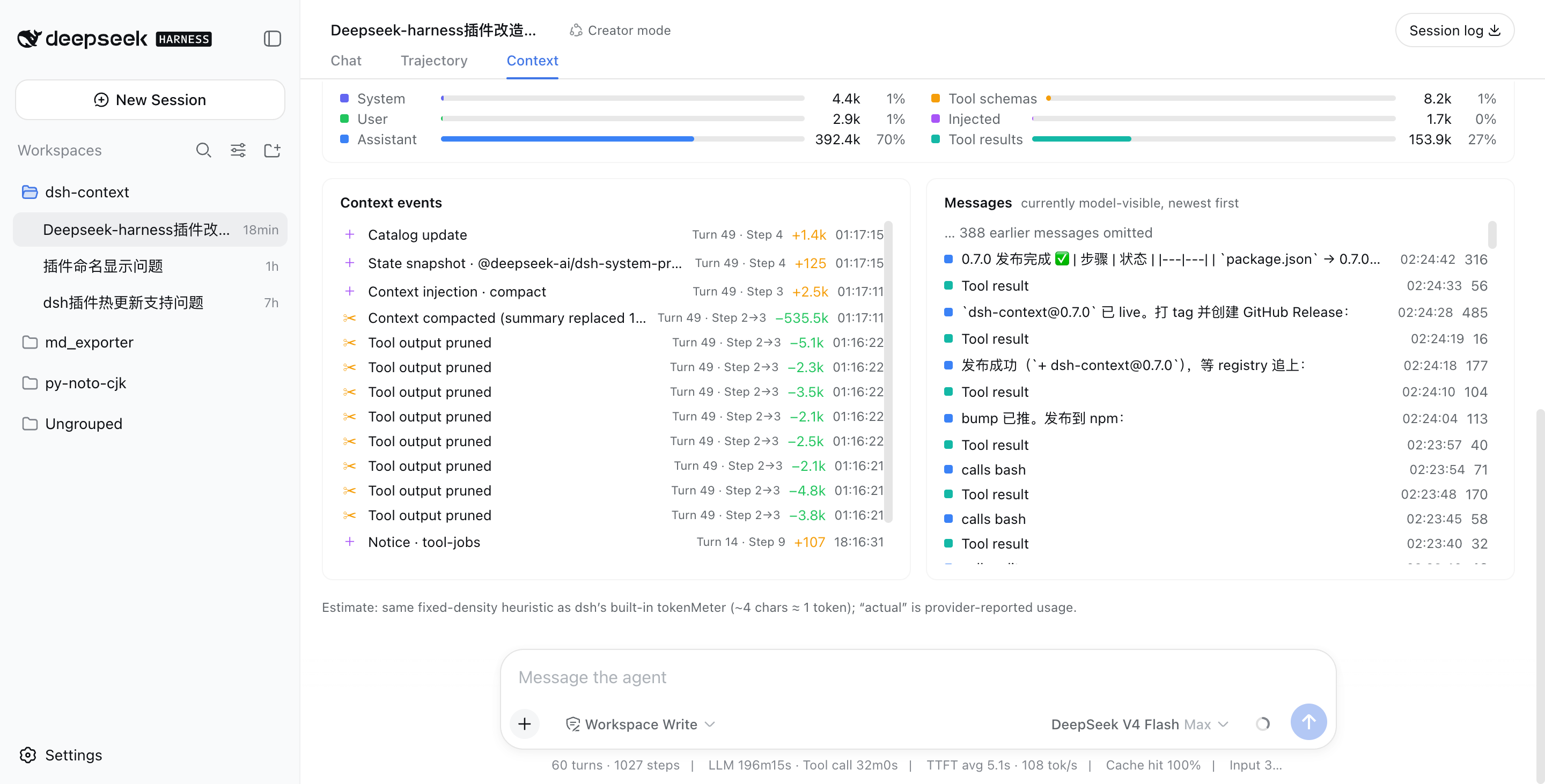
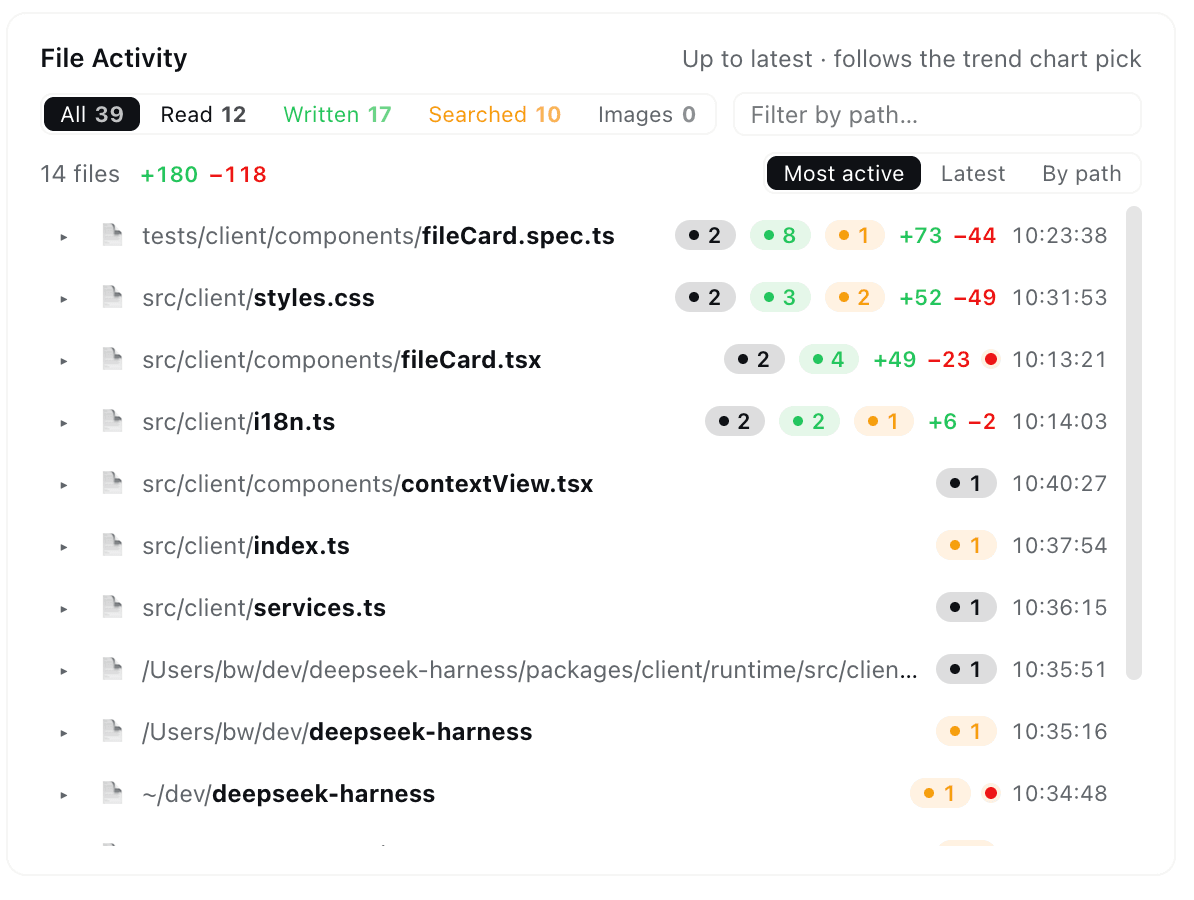
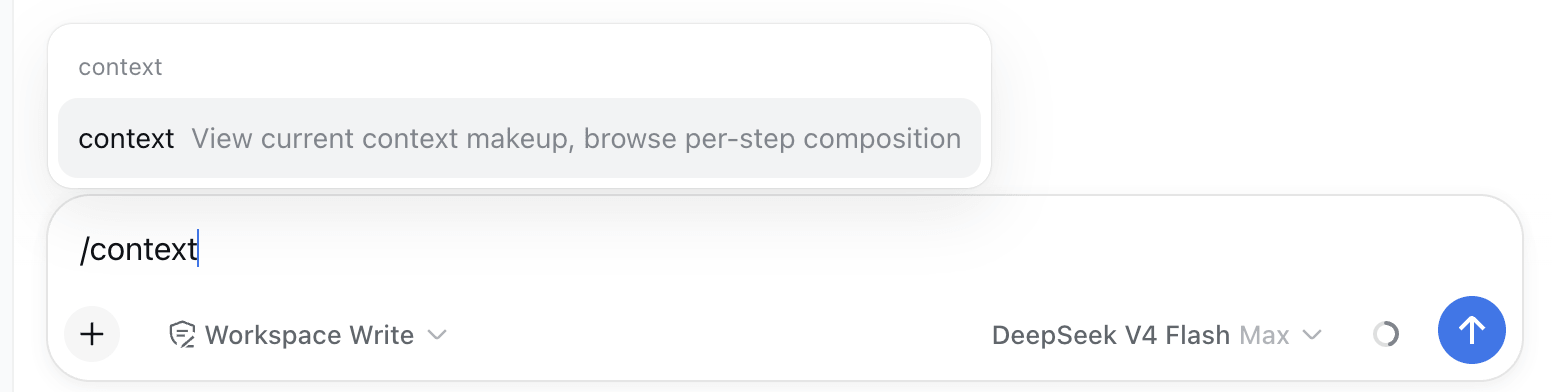
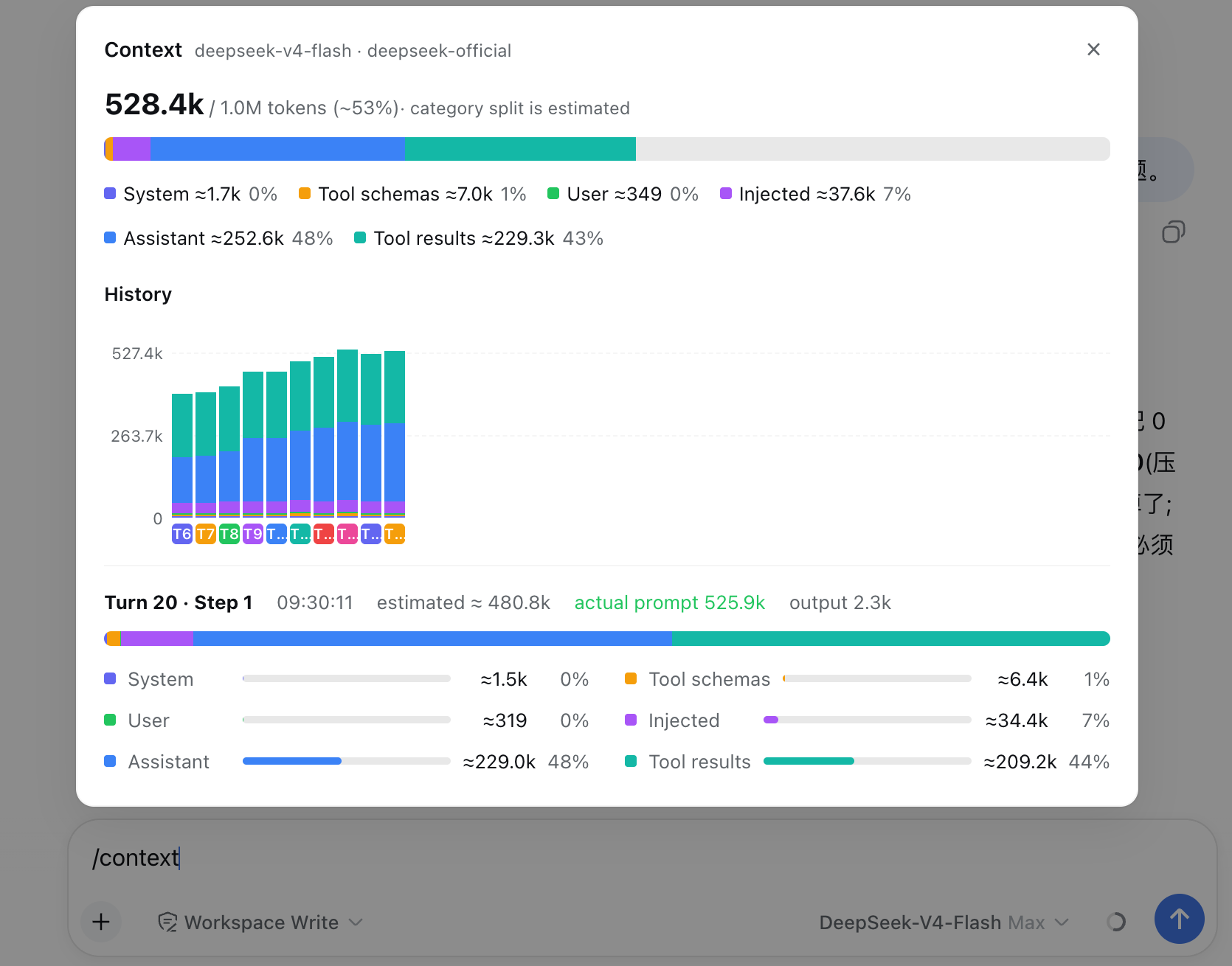
 dsh-context — плагин для DeepSeek Harness (dsh), дающий полную видимость контекстного окна AI-агента: вкладку на дашборде, боковую панель и слэш-команду /context, показывающие статистику токенов, состав контекста, тренды, события compaction/prune, активность по файлам и генеалогическое дерево агентов.
dsh-context — плагин для DeepSeek Harness (dsh), дающий полную видимость контекстного окна AI-агента: вкладку на дашборде, боковую панель и слэш-команду /context, показывающие статистику токенов, состав контекста, тренды, события compaction/prune, активность по файлам и генеалогическое дерево агентов.Это отдельное приложение или плагин к чему-то?Это плагин, расширяющий собственный веб-интерфейс DeepSeek Harness — добавляющий вкладку Context, панель в правой боковой колонке и слэш-команду /context, — а не отдельное приложение.
Это плагин, расширяющий собственный веб-интерфейс DeepSeek Harness — добавляющий вкладку Context, панель в правой боковой колонке и слэш-команду /context, — а не отдельное приложение.Нужно, чтобы DeepSeek Harness уже был настроен?Да — это чисто плагин для DeepSeek Harness, и ему требуется @deepseek-ai/dsh версии 0.1.2-rc1 или новее.
Да — это чисто плагин для DeepSeek Harness, и ему требуется @deepseek-ai/dsh версии 0.1.2-rc1 или новее.Показанные цифры токенов точны?Большинство разбивок по категориям использует собственную эвристику оценки токенов фиксированной плотности из dsh (ту же, что у встроенного счётчика токенов), тогда как фактические значения prompt/output/cache, сообщаемые провайдером, показываются рядом с закреплёнными деталями трендов для сравнения.
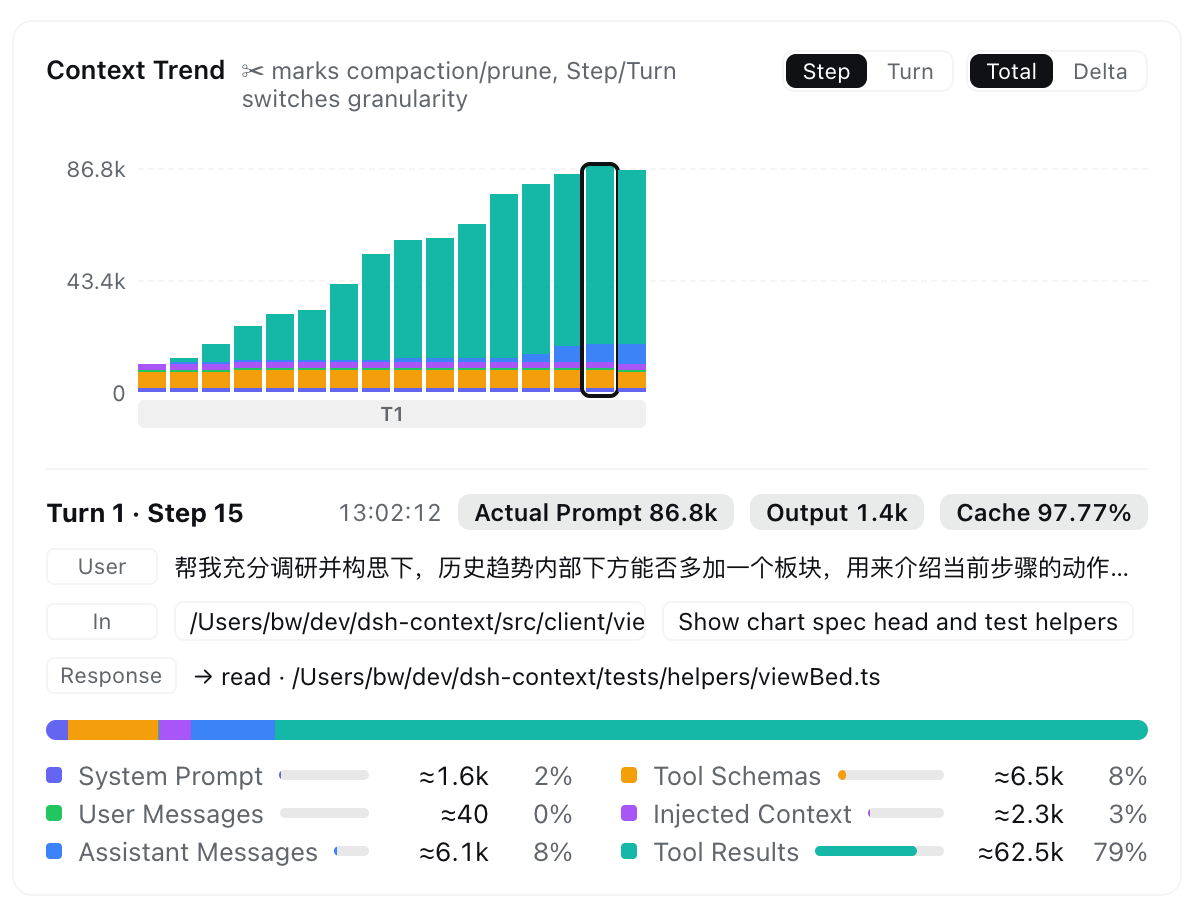
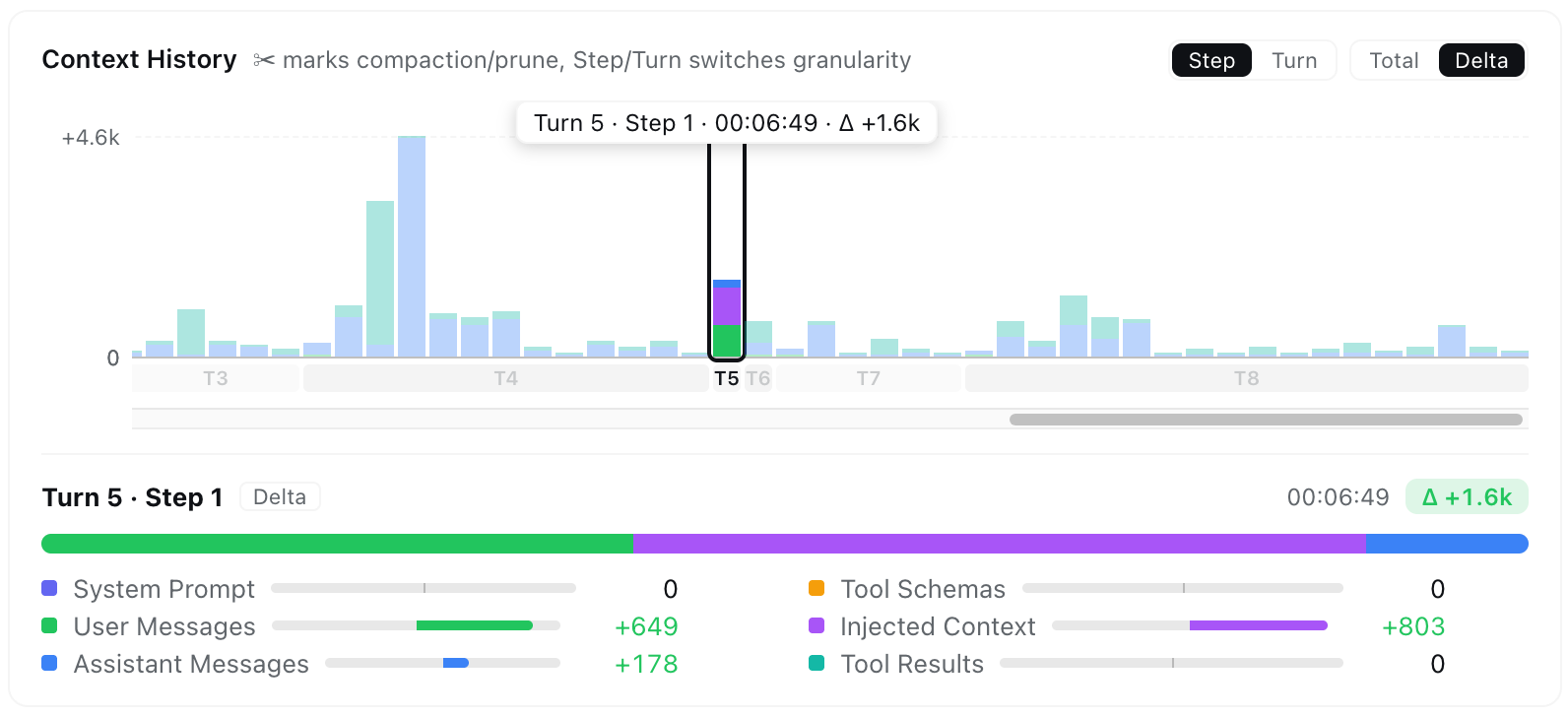
Большинство разбивок по категориям использует собственную эвристику оценки токенов фиксированной плотности из dsh (ту же, что у встроенного счётчика токенов), тогда как фактические значения prompt/output/cache, сообщаемые провайдером, показываются рядом с закреплёнными деталями трендов для сравнения.Что показывает график Context Trend?По одному накопительному столбцу на каждый запрос к модели, показывающему, как контекстное окно росло или сжималось ход за ходом, с событиями compaction и prune, закреплёнными ровно там, где они произошли, плюс простое пошаговое пояснение, что входило и выходило.
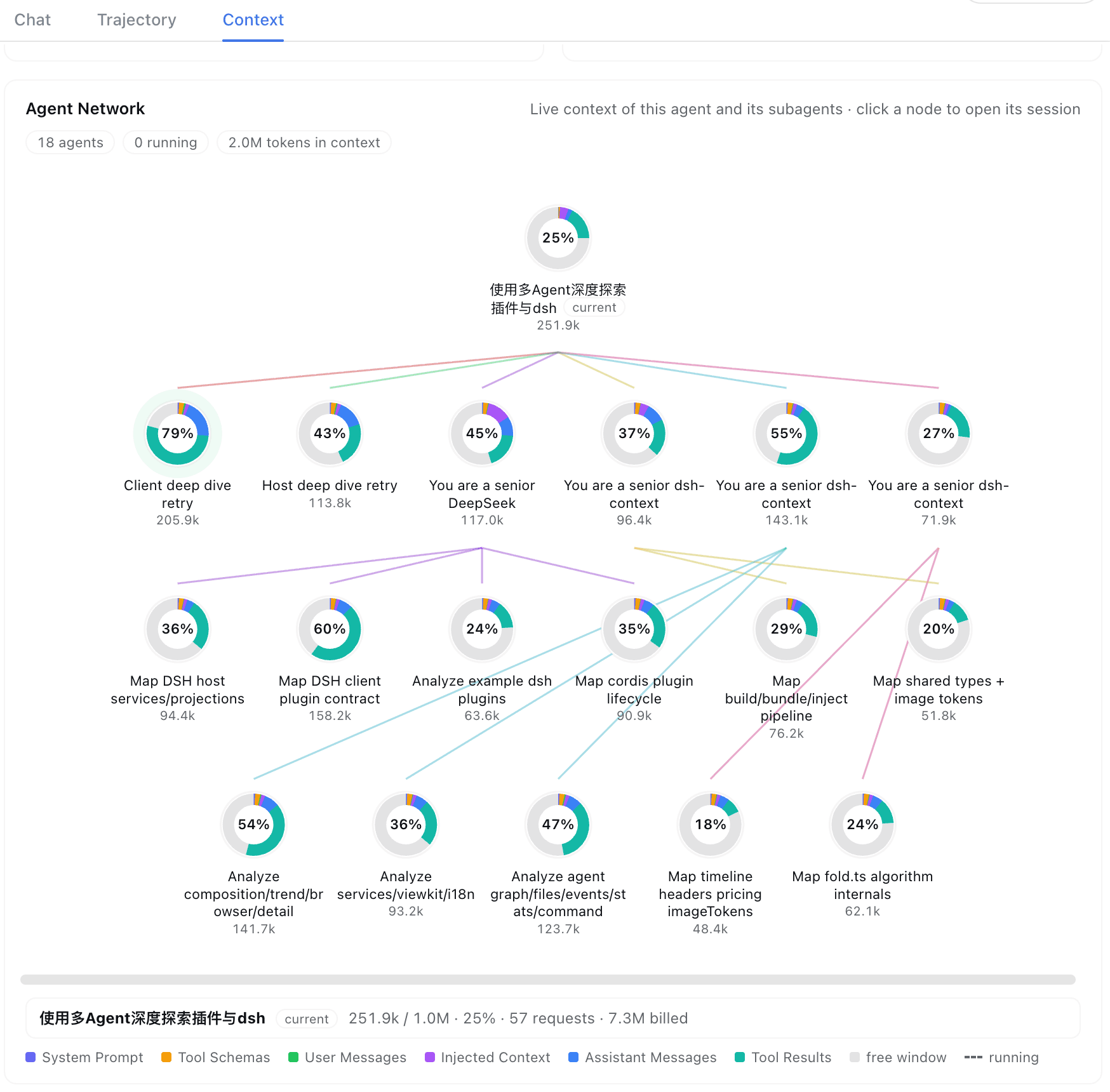
По одному накопительному столбцу на каждый запрос к модели, показывающему, как контекстное окно росло или сжималось ход за ходом, с событиями compaction и prune, закреплёнными ровно там, где они произошли, плюс простое пошаговое пояснение, что входило и выходило.Для чего нужен вид Agent Network?Он отображает текущего агента вместе с его родителями и всеми сабагентами в виде генеалогического дерева, где живые кольца показывают для каждой сессии расход токенов, запросы, биллинг и активное время — так делегирование между агентами видно с первого взгляда.
Он отображает текущего агента вместе с его родителями и всеми сабагентами в виде генеалогического дерева, где живые кольца показывают для каждой сессии расход токенов, запросы, биллинг и активное время — так делегирование между агентами видно с первого взгляда.Можно ли пользоваться интерфейсом на китайском?Да, dsh-context поставляется с переводами на английский и упрощённый китайский (简体中文).
Да, dsh-context поставляется с переводами на английский и упрощённый китайский (简体中文).Зачем это нужно вместо встроенного контекстного кольца?Встроенное кольцо композера показывает лишь общую заполненность, а dsh-context раскладывает те же данные по запросам, вызовам инструментов и файлам и добавляет историю (тренды, события, диффы), чтобы было видно, что именно вызвало изменение контекста.
Встроенное кольцо композера показывает лишь общую заполненность, а dsh-context раскладывает те же данные по запросам, вызовам инструментов и файлам и добавляет историю (тренды, события, диффы), чтобы было видно, что именно вызвало изменение контекста.What are similar projects?dsh-cost-meter, dsh-usage-stats, dsh-agent-team-gui, dsh-gitbash-preset, clearai-dsh, dsh-plugin-agent-workflow, dsh-univer-office, deepseek-harness-for-vscode
dsh-cost-meter, dsh-usage-stats, dsh-agent-team-gui, dsh-gitbash-preset, clearai-dsh, dsh-plugin-agent-workflow, dsh-univer-office, deepseek-harness-for-vscodeWhich topics is it in?context-window, deepseek-harness-plugin, dsh-plugins, token-usage, context-engineering, visualization, dsh-plugin, deepseek-harness, i18n, monitoring, dashboard, plugin
context-window, deepseek-harness-plugin, dsh-plugins, token-usage, context-engineering, visualization, dsh-plugin, deepseek-harness, i18n, monitoring, dashboard, plugin