





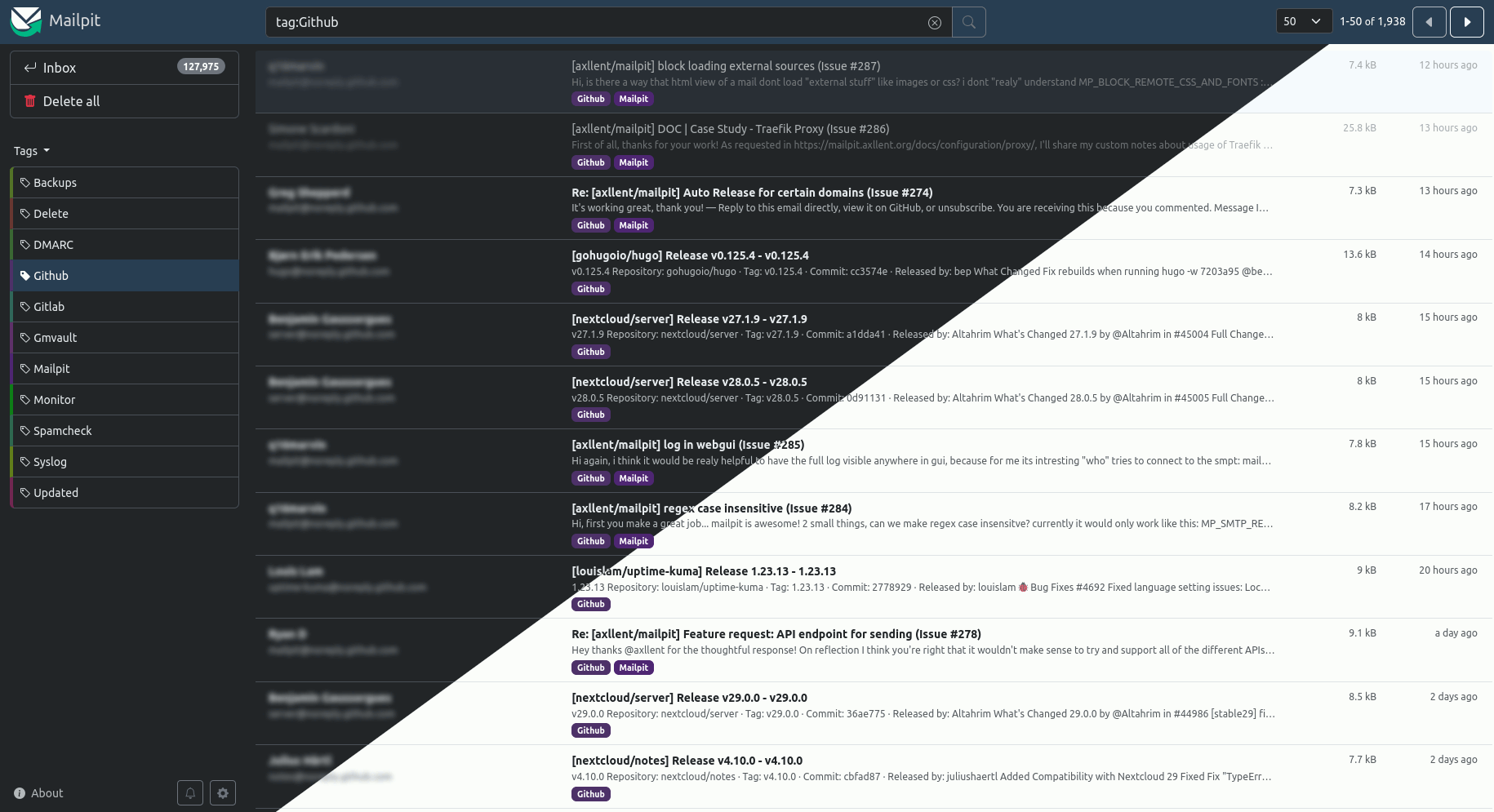
这是什么?
 Mailpit 是一款小巧、快速、低内存占用的邮件测试工具和 API,面向开发者。它相当于一个本地 SMTP 服务器,能捕获你的应用发出的每一封邮件,在网页界面中展示,并提供 REST API 用于自动化集成测试。
Mailpit 是一款小巧、快速、低内存占用的邮件测试工具和 API,面向开发者。它相当于一个本地 SMTP 服务器,能捕获你的应用发出的每一封邮件,在网页界面中展示,并提供 REST API 用于自动化集成测试。这是需要注册使用的托管服务,还是我自己在本地运行的?是你自己运行的:它以单个静态二进制文件或支持多种架构的 Docker 镜像的形式发布,在哪里启动就在哪里开启一个 SMTP 服务器、一个网页界面和一个 REST API。不涉及任何账号或外部服务。
是你自己运行的:它以单个静态二进制文件或支持多种架构的 Docker 镜像的形式发布,在哪里启动就在哪里开启一个 SMTP 服务器、一个网页界面和一个 REST API。不涉及任何账号或外部服务。怎么把它跑起来?在 macOS 上运行 brew install mailpit(用 brew services start mailpit 可以让它在后台持续运行);在 Linux/Mac 上,一行安装脚本就能把它装到 /usr/local/bin。releases 页面提供 Windows/Linux/Mac 的静态二进制文件,也有 Docker 镜像(386/amd64/arm64)。
在 macOS 上运行 brew install mailpit(用 brew services start mailpit 可以让它在后台持续运行);在 Linux/Mac 上,一行安装脚本就能把它装到 /usr/local/bin。releases 页面提供 Windows/Linux/Mac 的静态二进制文件,也有 Docker 镜像(386/amd64/arm64)。要让应用的邮件通过它发送,我需要改动多少东西?只需把应用的 SMTP 设置指向 Mailpit 即可,它默认监听 0.0.0.0:1025。如果你的应用通过 sendmail 发送邮件,Mailpit 也可以代替 sendmail。二进制文件本身没有任何依赖。
只需把应用的 SMTP 设置指向 Mailpit 即可,它默认监听 0.0.0.0:1025。如果你的应用通过 sendmail 发送邮件,Mailpit 也可以代替 sendmail。二进制文件本身没有任何依赖。它能存多少邮件,多久之后旧邮件会开始消失?它每秒能接收 200-300 封邮件,轻松处理数万封,但存储会自动清理——默认只保留最近的 500 封邮件。你可以按容量或邮件时限调整清理规则。
它每秒能接收 200-300 封邮件,轻松处理数万封,但存储会自动清理——默认只保留最近的 500 封邮件。你可以按容量或邮件时限调整清理规则。在网页界面里,我可以对捕获的邮件做什么?可以以格式化 HTML、高亮显示的 HTML 源码、纯文本、邮件头或原始源码的形式查看邮件,还支持 MIME 附件和图片缩略图。此外还有高级邮件搜索、手动或自动打标签、HTML 截图、移动设备/平板预览切换,外加一个评估邮件客户端兼容性的 HTML 检查、链接检查,以及通过运行中的 SpamAssassin 服务器进行的垃圾邮件检查。
可以以格式化 HTML、高亮显示的 HTML 源码、纯文本、邮件头或原始源码的形式查看邮件,还支持 MIME 附件和图片缩略图。此外还有高级邮件搜索、手动或自动打标签、HTML 截图、移动设备/平板预览切换,外加一个评估邮件客户端兼容性的 HTML 检查、链接检查,以及通过运行中的 SpamAssassin 服务器进行的垃圾邮件检查。它能用于自动化集成测试吗?可以——Mailpit 自带专为自动化集成测试设计的 REST API,新邮件还会通过 web socket 实时出现。你还可以设置一个可选的 webhook,在收到邮件时触发;也可以开启 chaos 功能,注入可配置的 SMTP 错误,用来测试应用如何处理故障。
可以——Mailpit 自带专为自动化集成测试设计的 REST API,新邮件还会通过 web socket 实时出现。你还可以设置一个可选的 webhook,在收到邮件时触发;也可以开启 chaos 功能,注入可配置的 SMTP 错误,用来测试应用如何处理故障。我能把捕获的邮件转到真实收件箱或其他服务器吗?可以。SMTP 中继让你通过另一台 SMTP 服务器发出邮件,还可以设置可选的收件人允许列表;SMTP 转发则会自动把邮件副本发送到预设地址。另外,你还可以启用可选的 POP3 服务器,直接把捕获的邮件下载到你的邮件客户端里。
可以。SMTP 中继让你通过另一台 SMTP 服务器发出邮件,还可以设置可选的收件人允许列表;SMTP 转发则会自动把邮件副本发送到预设地址。另外,你还可以启用可选的 POP3 服务器,直接把捕获的邮件下载到你的邮件客户端里。为什么用它而不是 MailHog?Mailpit 最初受 MailHog 启发,而 README 指出 MailHog 已不再维护,好几年没有活跃开发或安全更新了。Mailpit 是持续活跃开发的替代方案:一个零依赖的二进制文件,每秒可接收 200-300 封邮件。
Mailpit 最初受 MailHog 启发,而 README 指出 MailHog 已不再维护,好几年没有活跃开发或安全更新了。Mailpit 是持续活跃开发的替代方案:一个零依赖的二进制文件,每秒可接收 200-300 封邮件。