












What is this?
 Apache Airflow is a platform to programmatically author, schedule, and monitor workflows, defined as code using Python.
Apache Airflow is a platform to programmatically author, schedule, and monitor workflows, defined as code using Python.Is this a library or a standalone application?It's both: Airflow is distributed as a Python package (apache-airflow on PyPI) but behaves like a full application with a scheduler, workers, database, and web UI that you deploy and run.
It's both: Airflow is distributed as a Python package (apache-airflow on PyPI) but behaves like a full application with a scheduler, workers, database, and web UI that you deploy and run.How do I get it running?Install it from PyPI with pip (or uv) using the official constraint files for a repeatable install, or run it via the community Docker images / Helm Chart on Kubernetes; the INSTALLING.md file covers full local setup.
Install it from PyPI with pip (or uv) using the official constraint files for a repeatable install, or run it via the community Docker images / Helm Chart on Kubernetes; the INSTALLING.md file covers full local setup.What do I need before installing it — specific Python, database, OS?You need Python 3.10–3.14, a supported database (PostgreSQL 14-18, MySQL 8.0/8.4, or SQLite for local testing only), and a POSIX-compliant OS — officially Linux in production, with macOS fine for development.
You need Python 3.10–3.14, a supported database (PostgreSQL 14-18, MySQL 8.0/8.4, or SQLite for local testing only), and a POSIX-compliant OS — officially Linux in production, with macOS fine for development.Any install or platform pitfalls I should know about?Plain pip install apache-airflow can produce a broken install because dependencies are kept open rather than pinned, so you must use Airflow's constraint files; also Windows isn't natively supported — you need WSL2 or containers, and SQLite must never be used in production.
Plain pip install apache-airflow can produce a broken install because dependencies are kept open rather than pinned, so you must use Airflow's constraint files; also Windows isn't natively supported — you need WSL2 or containers, and SQLite must never be used in production.Who is this built for — what kind of workflows fit best?It's aimed at data/ML engineers running mostly static, slowly-changing pipelines; it's also increasingly used to orchestrate ML training/retraining and agentic/LLM pipeline steps, but it's not meant for streaming or passing large data volumes between tasks.
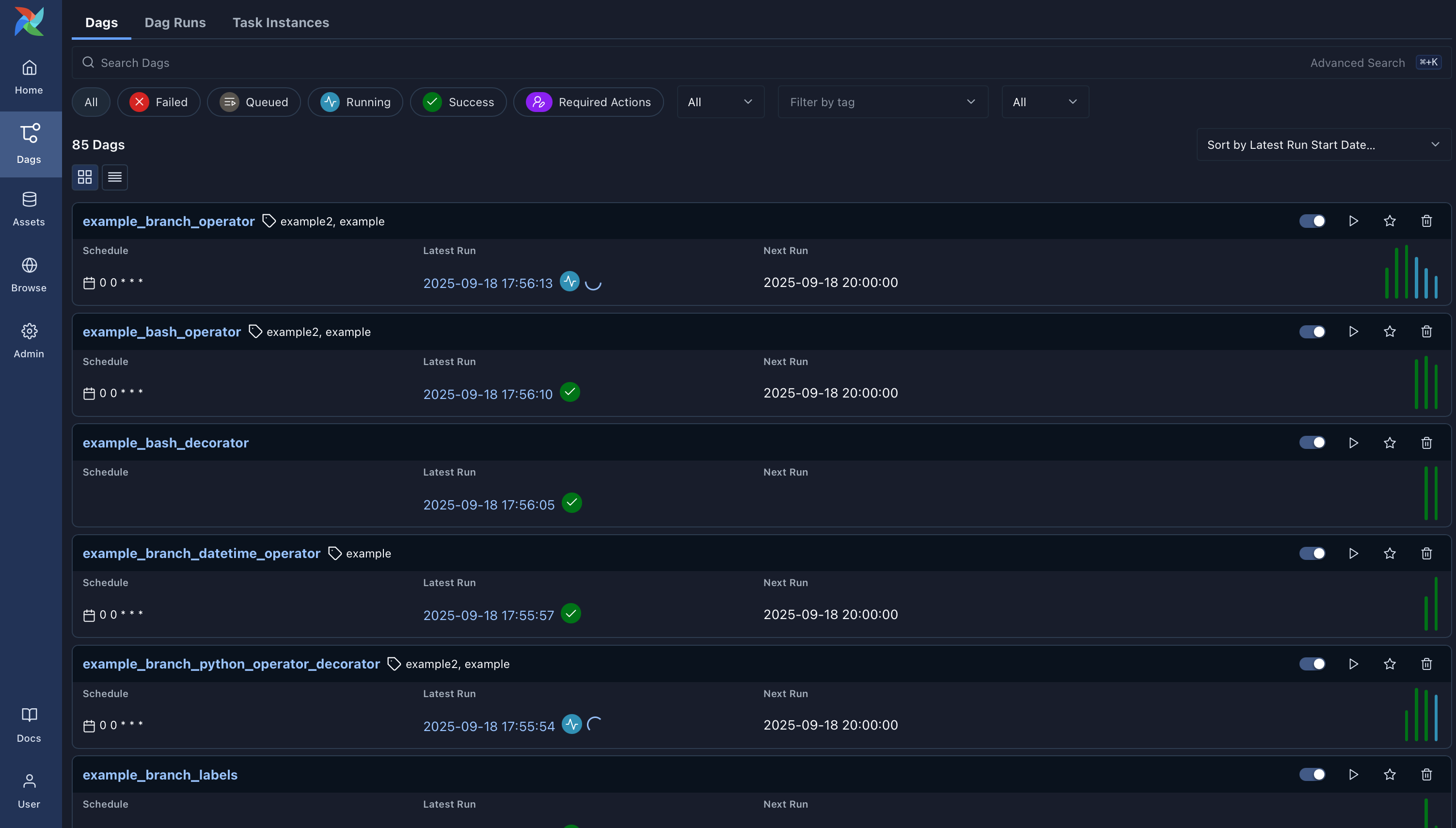
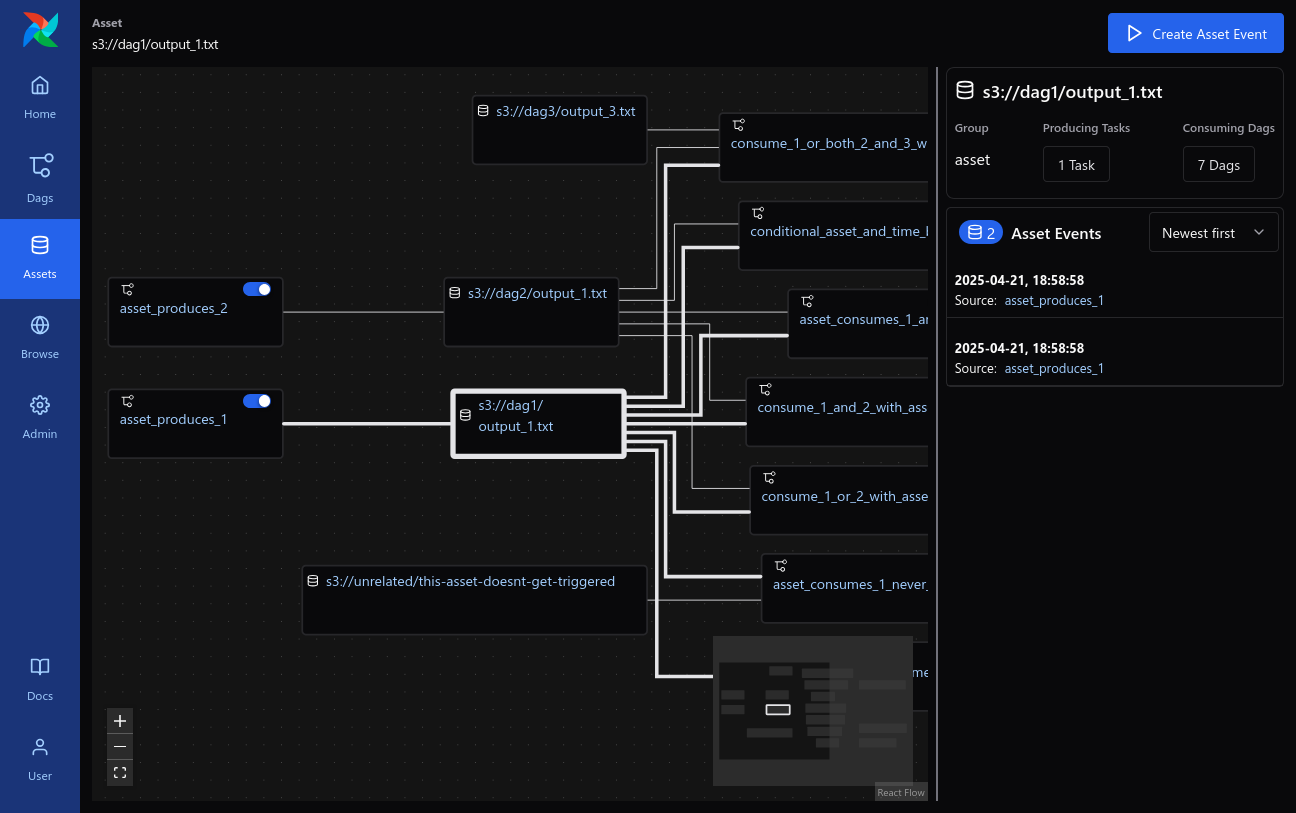
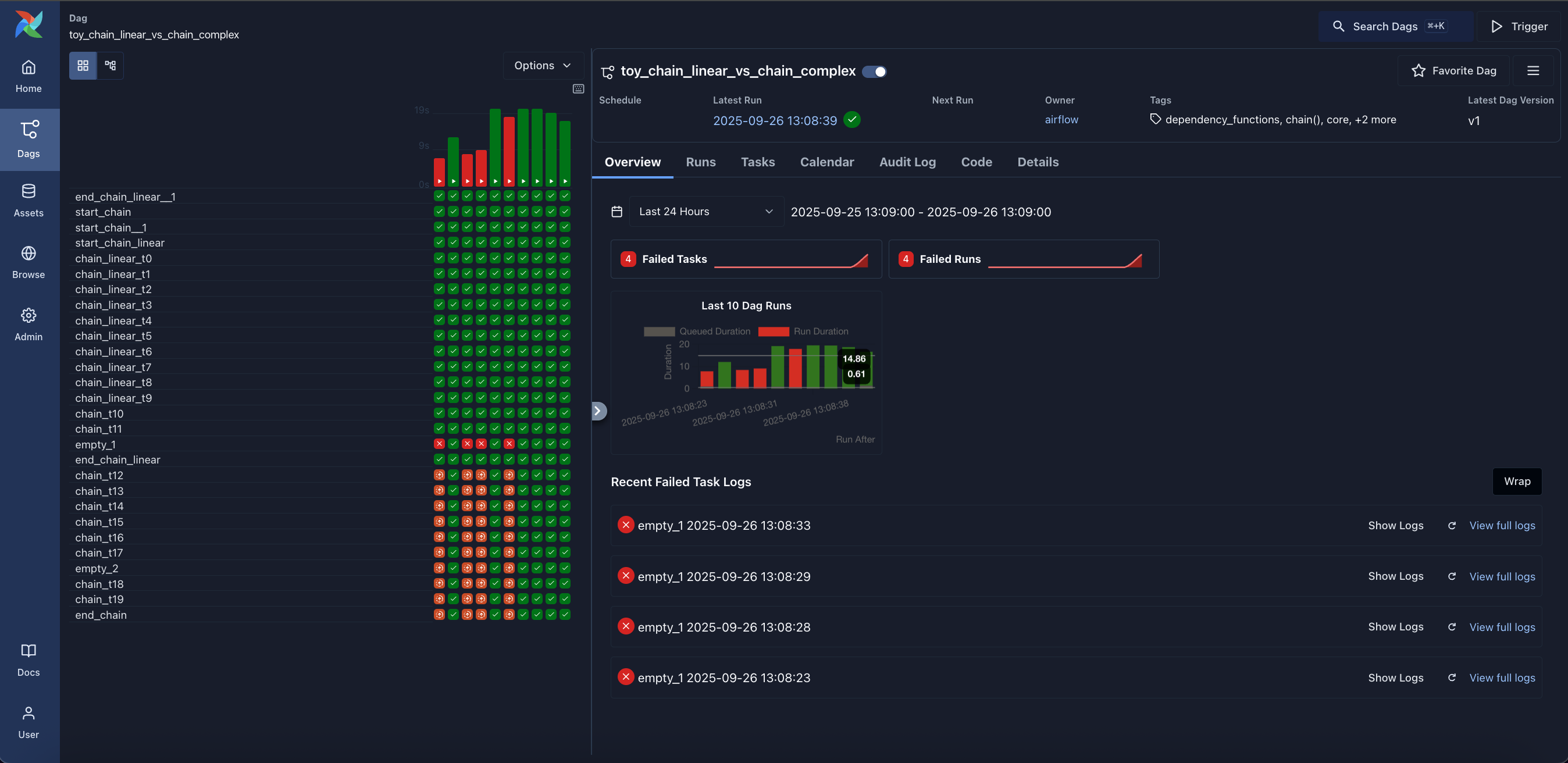
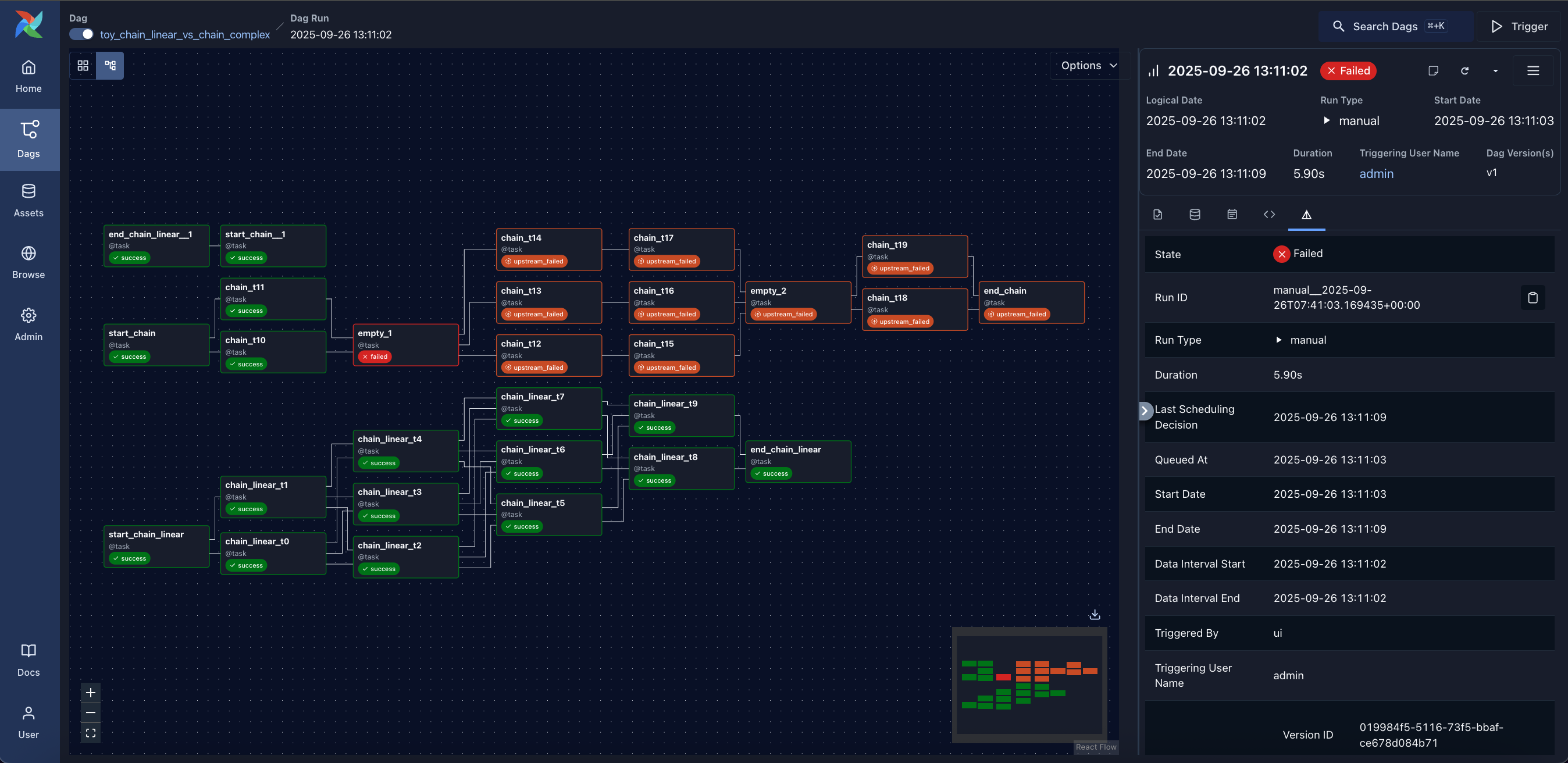
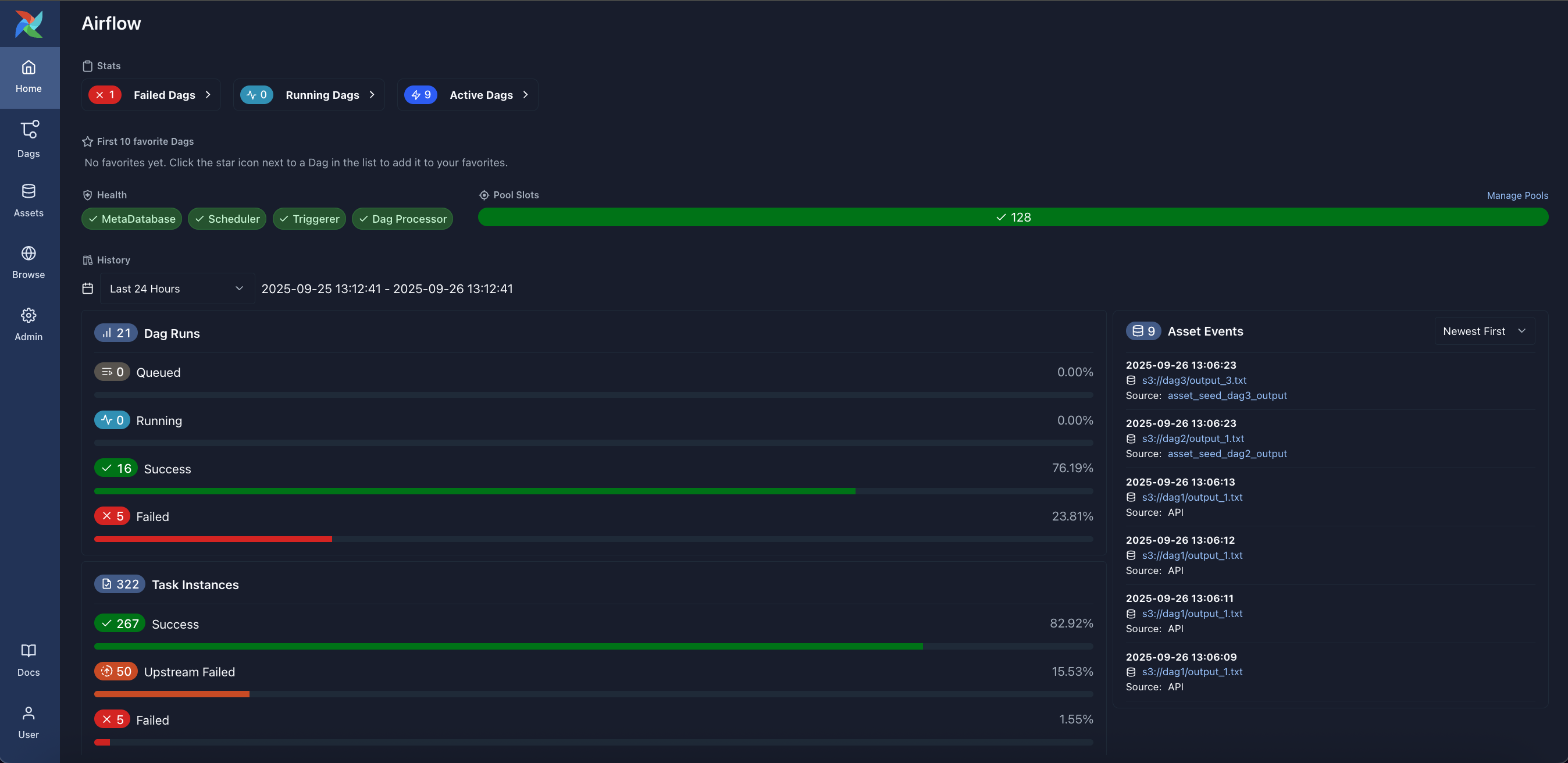
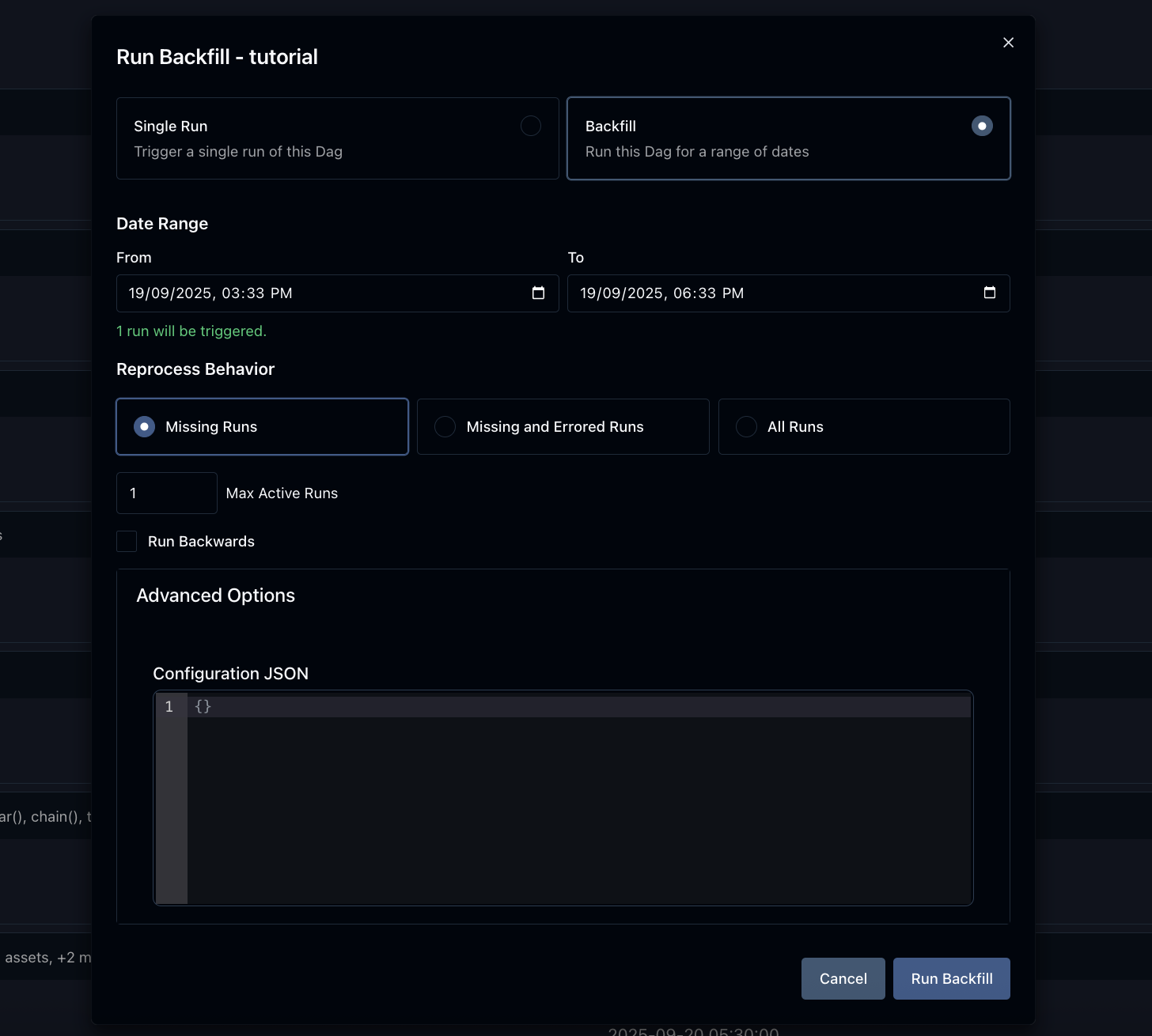
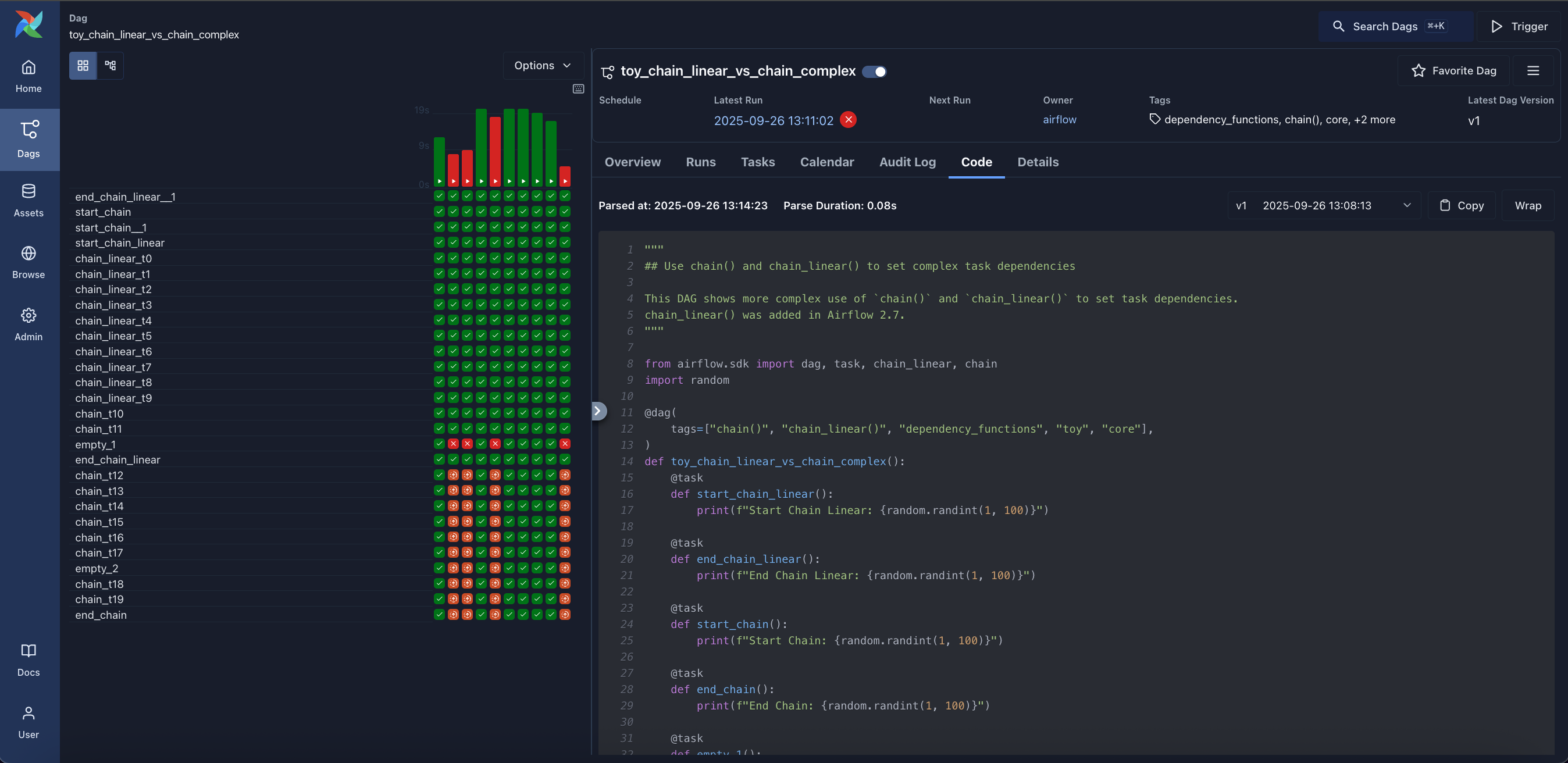
It's aimed at data/ML engineers running mostly static, slowly-changing pipelines; it's also increasingly used to orchestrate ML training/retraining and agentic/LLM pipeline steps, but it's not meant for streaming or passing large data volumes between tasks.How do I visualize and debug a running pipeline?The web UI provides Dags, Grid, and Graph views to see run status over time and per-run dependency graphs, plus a Home page with environment summary stats and a Backfill view for rerunning historical date ranges.
The web UI provides Dags, Grid, and Graph views to see run status over time and per-run dependency graphs, plus a Home page with environment summary stats and a Backfill view for rerunning historical date ranges.Can tasks pass data between each other?Tasks are meant to be idempotent and shouldn't pass large data volumes directly; Airflow's XCom feature lets tasks exchange small amounts of metadata instead, with heavy data processing delegated to external systems.
Tasks are meant to be idempotent and shouldn't pass large data volumes directly; Airflow's XCom feature lets tasks exchange small amounts of metadata instead, with heavy data processing delegated to external systems.How does Airflow compare to Luigi or Oozie?Airflow is listed alongside Luigi, Oozie, and Azkaban as a similar workflow orchestration tool, distinguished by its code-defined Dags, rich CLI, and web UI for monitoring.
Airflow is listed alongside Luigi, Oozie, and Azkaban as a similar workflow orchestration tool, distinguished by its code-defined Dags, rich CLI, and web UI for monitoring.What release channels are available besides PyPI?Besides pip-installable PyPI releases, Airflow offers convenience Docker images (for Kubernetes, Helm, docker-compose, docker swarm) and tagged GitHub source, though only the official ASF source packages are formal releases.
Besides pip-installable PyPI releases, Airflow offers convenience Docker images (for Kubernetes, Helm, docker-compose, docker swarm) and tagged GitHub source, though only the official ASF source packages are formal releases.What are similar projects?dagster, argo-workflows, kestra, dolphinscheduler, airbyte, full-stack-data-engineering, taipy, prefect
dagster, argo-workflows, kestra, dolphinscheduler, airbyte, full-stack-data-engineering, taipy, prefectWhich topics is it in?data-integration, workflow-orchestration, data-pipelines, dag, etl, workflow-engine, apache, mlops, scheduler, data-engineering, workflow, orchestration
data-integration, workflow-orchestration, data-pipelines, dag, etl, workflow-engine, apache, mlops, scheduler, data-engineering, workflow, orchestration