Get dynamically generated GitHub stats on your READMEs!
Love the project? Please consider donating to support the original creator!
[!CAUTION]
This repository is no longer maintained. Please use the successor project GitHub Stats Extended instead! GitHub Stats Extended is an actively maintained fork of this repository with additional features and improved stability. Alternatively you can also use GitHub Readme Stats Action.
Click here to view the outdated documentation. Kept for reference only.
The public Vercel instance at https://github-readme-stats.vercel.app/api is best-effort and can be unreliable due to rate limits and traffic spikes (see #1471). We use caching to improve stability (see common options), but for reliable cards we recommend self-hosting (Vercel or other) or using the GitHub Actions workflow to generate cards in your profile repository.
⚠️Warning
We're a small team, and to prioritize, we rely on upvotes :+1:. We use the Top Issues dashboard for tracking community demand (see #1935). Do not hesitate to upvote the issues and pull requests you are interested in. We will work on the most upvoted first.
GitHub Stats Card
Copy and paste this into your markdown, and that's it. Simple!
Change the ?username= value to your GitHub username.
By default, the stats card only shows statistics like stars, commits, and pull requests from public repositories. To show private statistics on the stats card, you should deploy your own instance using your own GitHub API token.
ℹ️Note
Available ranks are S (top 1%), A+ (12.5%), A (25%), A- (37.5%), B+ (50%), B (62.5%), B- (75%), C+ (87.5%) and C (everyone). This ranking scheme is based on the Japanese academic grading system. The global percentile is calculated as a weighted sum of percentiles for each statistic (number of commits, pull requests, reviews, issues, stars, and followers), based on the cumulative distribution function of the exponential and the log-normal distributions. The implementation can be investigated at src/calculateRank.js. The circle around the rank shows 100 minus the global percentile.
Hiding individual stats
You can pass a query parameter &hide= to hide any specific stats with comma-separated values.
GitHub Readme Stats comes with several built-in themes (e.g. dark, radical, merko, gruvbox, tokyonight, onedark, cobalt, synthwave, highcontrast, dracula).
You can look at a preview for all available themes or checkout the theme config file. Please note that we paused the addition of new themes to decrease maintenance efforts; all pull requests related to new themes will be closed.
Responsive Card Theme
Since GitHub will re-upload the cards and serve them from their CDN, we can not infer the browser/GitHub theme on the server side. There are, however, four methods you can use to create dynamics themes on the client side.
Use the transparent theme
We have included a transparent theme that has a transparent background. This theme is optimized to look good on GitHub's dark and light default themes. You can enable this theme using the &theme=transparent parameter like so:
Add transparent alpha channel to a themes bg_color
You can use the bg_color parameter to make any of the available themes transparent. This is done by setting the bg_color to a color with a transparent alpha channel (i.e. bg_color=00000000):
You can use GitHub's theme context tags to switch the theme based on the user GitHub theme automatically. This is done by appending #gh-dark-mode-only or #gh-light-mode-only to the end of an image URL. This tag will define whether the image specified in the markdown is only shown to viewers using a light or a dark GitHub theme:
You can use GitHub's new media feature in HTML to specify whether to display images for light or dark themes. This is done using the HTML <picture> element in combination with the prefers-color-scheme media feature.
Hides the rank and automatically resizes the card width.
boolean
false
rank_icon
Shows alternative rank icon (i.e. github, percentile or default).
enum
default
show_icons
Shows icons near all stats.
boolean
false
include_all_commits
Count total commits instead of just the current year commits.
boolean
false
line_height
Sets the line height between text.
integer
25
exclude_repo
Excludes specified repositories.
string (comma-separated values)
null
custom_title
Sets a custom title for the card.
string
<username> GitHub Stats
text_bold
Uses bold text.
boolean
true
disable_animations
Disables all animations in the card.
boolean
false
ring_color
Color of the rank circle.
string (hex color)
2f80ed
number_format
Switches between two available formats for displaying the card values short (i.e. 6.6k) and long (i.e. 6626).
enum
short
number_precision
Enforce the number of digits after the decimal point for short number format. Must be an integer between 0 and 2. Will be ignored for long number format.
Что это такое?Это сервис, который генерирует динамические карточки статистики в формате SVG (коммиты, звёзды, PR, ранг) и карточку «Top Languages» с основными языками. Их можно встроить в README профиля GitHub.
Это приложение, которое нужно установить, или просто ссылка на картинку?По сути это API для генерации картинок: вы вставляете в README картинку в формате markdown, которая ведёт на эндпоинт с вашим именем пользователя. Для базового использования никакое клиентское ПО не нужно.
Как добавить карточку статистики в README?Вставьте готовый фрагмент картинки в формате markdown в README и замените значение ?username= на ваше имя пользователя GitHub. Всё работает сразу на публичном сервере.
Нужен ли мне токен GitHub, чтобы пользоваться сервисом?Для общедоступной статистики — нет. Но чтобы показывать статистику приватных репозиториев или надёжно развернуть сервис у себя, нужен собственный персональный токен доступа GitHub (Personal Access Token).
Проект всё ещё поддерживается?Нет, официально он больше не поддерживается. В README авторы советуют использовать активно поддерживаемый форк «GitHub Stats Extended» или GitHub Readme Stats Action.
Какие ещё карточки есть, кроме карточки статистики?Помимо основной карточки статистики, есть карточка «Top Languages» в нескольких вариантах отображения (компактный, кольцевой, круговой), карточка времени программирования WakaTime, а также карточки закреплённых репозиториев и Gists.
Как рассчитывается ранг пользователя?Ранг — это взвешенный перцентиль, который учитывает коммиты, PR, ревью, issues, звёзды и подписчиков. Оценка выставляется по японской шкале от S (топ 1%) до C.
Как развернуть свою собственную копию сервиса?Разверните репозиторий на Vercel или на другом хостинге, который поддерживает Node.js, и укажите свой GitHub PAT как переменную окружения. Также можно использовать workflow GitHub Actions, который будет пересоздавать карточку внутри репозитория вашего профиля.
Как сделать так, чтобы цвета карточек выглядели одинаково в светлой и тёмной темах GitHub?Используйте встроенную прозрачную тему, прозрачный bgcolor или URL-теги GitHub #gh-dark-mode-only и #gh-light-mode-only. Можно также использовать трюк с медиа-функцией HTML. Так картинка будет меняться в зависимости от темы.







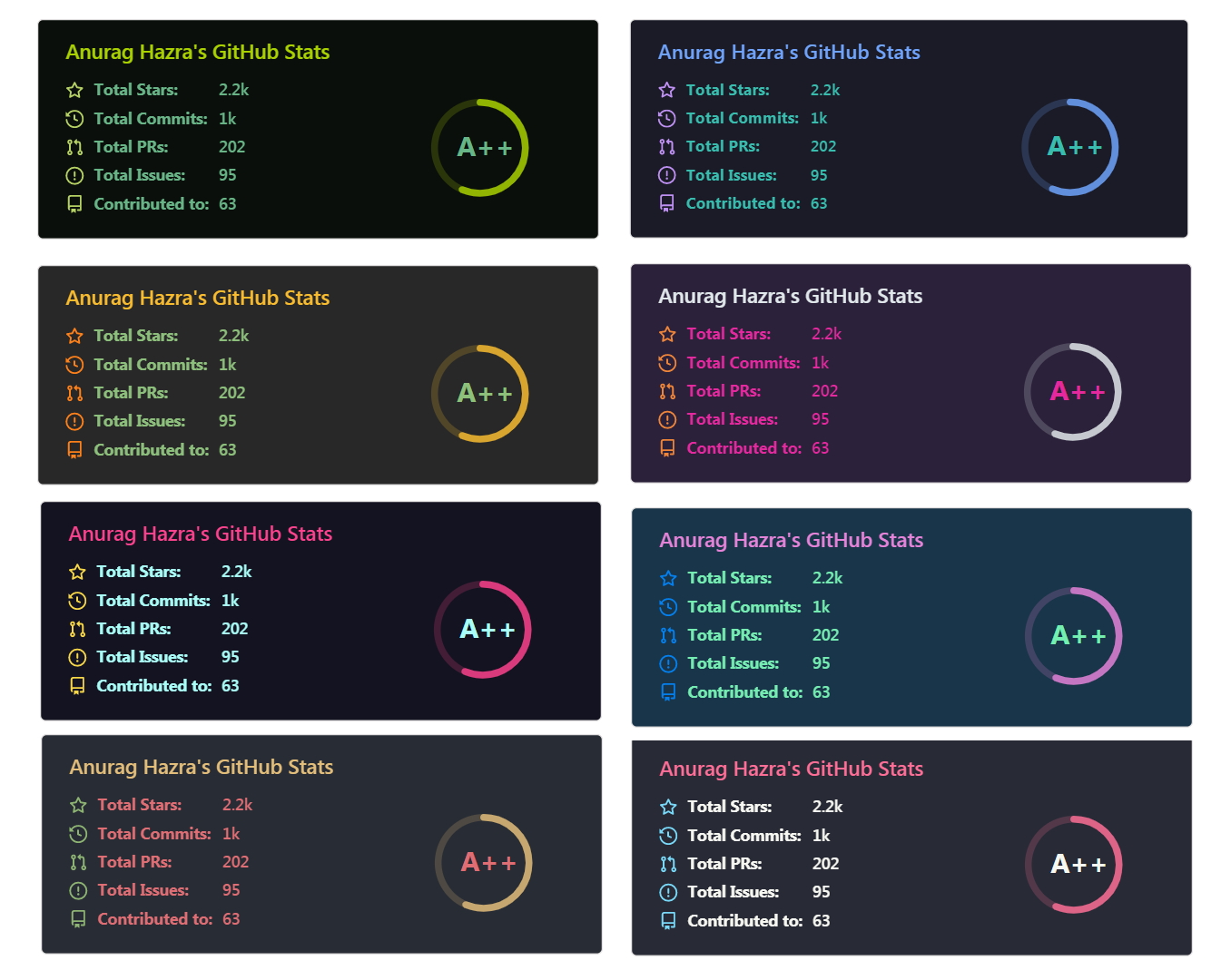

 Это сервис, который генерирует динамические карточки статистики в формате SVG (коммиты, звёзды, PR, ранг) и карточку «Top Languages» с основными языками. Их можно встроить в README профиля GitHub.