Want to automatically find and fix performance issues? Check out Million Lint.

What is Million.js?
Million.js is an extremely fast and lightweight optimizing compiler that make components up to 70% faster.
Oh man... Another /virtual dom|javascript/gi framework? I'm fine with React already, why do I need this?
Million.js works with React and makes reconciliation faster. By using a fine-tuned, optimized virtual DOM, Million.js reduces the overhead of diffing (try it out here)
TL;DR: Imagine React components running at the speed of raw JavaScript.
Installation
The Million.js CLI will automatically install the package and configure your project for you.
npx million@latest
Once your down, just run your project and information should show up in your command line!
Having issues installing? → View the installation guide
Why Million.js?
To understand why to use Million.js, we need to understand how React updates interfaces. When an application's state or props change, React undergoes an update in two parts: rendering and reconciliation.
To show this, let's say this is our App:
function App() {
  const [count, setCount] = useState(0);
  const increment = () => setCount(count + 1);
  return (
    <div>
      <p>Count: {count}</p>
      <button onClick={increment}>Increment</button>
    </div>
  );
}
In this App, when I click on the button, the count state will update and the <p> tag will update to reflect the new value. Let's break this down.
Rendering
The first step is rendering. Rendering is the process of generating a snapshot of the current component. You can imagine it as simply "calling" the App function and storing the output in a variable. This is what the App snapshot would look like:
const snapshot = App();

// snapshot =
<div>
  <p>Count: 1</p>
  <button onClick={increment}>Increment</button>
</div>;
Reconciliation
In order to update the interface to reflect the new state, React needs to compare the previous snapshot to the new snapshot (called "diffing"). React's reconciler will go to each element in the previous snapshot and compare it to the new snapshot. If the element is the same, it will skip it. If the element is different, it will update it.
- The
<div> tag is the same, so it doesn't need to be updated. ✅
- The
<p> tag is the same, so it doesn't needs to be updated. ✅
- The text inside the
<p> tag is different, so it needs to be updated. ⚠ ️
- The
<button> tag is the same, so it doesn't need to be updated. ✅
- The
onClick prop is the same, so it doesn't need to be updated. ✅
- The text inside the
<button> tag is the same, so it doesn't need to be updated. ✅
(total: 6 diff checks)
<div>
-  <p>Count: 0</p>
+  <p>Count: 1</p>
  <button onClick={increment}>Increment</button>
</div>
From here, we can see that the <p> tag needs to be updated. React will then update the <p> DOM node to reflect the new value.
<p>.innerHTML = `Count: ${count}`;
How Million.js makes this faster
React is slow.
The issue with React's reconciliation it becomes exponentially slower the more JSX elements you have. With this simple App, it only needs to diff a few elements. In a real world React app, you can easily have hundreds of elements, slowing down interface updates.
Million.js solves this by skipping the diffing step entirely and directly updating the DOM node.
Here is a conceptual example of how Million.js reconciler works:
function App() {
  const [count, setCount] = useState(0);
  const increment = () => setCount(count + 1);

  // generated by compiler
  if (count !== prevCount) {
    <p>.innerHTML = `Count: ${count}`;
  }

  <button>.onclick = increment;

  // ...
}
Notice how when the count is updated, Million.js will directly update the DOM node. Million.js turns React reconciliation from O(n) (linear time) to O(1) (constant time).
How fast is it? → View the benchmarks
Resources & Contributing Back
Looking for the docs? Check the documentation or the Contributing Guide out. We also recommend reading Virtual DOM: Back in Block to learn more about Million.js's internals.
Want to talk to the community? Hop in our Discord and share your ideas and what you've build with Million.js.
Find a bug? Head over to our issue tracker and we'll do our best to help. We love pull requests, too!
We expect all Million.js contributors to abide by the terms of our Code of Conduct.
→ Start contributing on GitHub
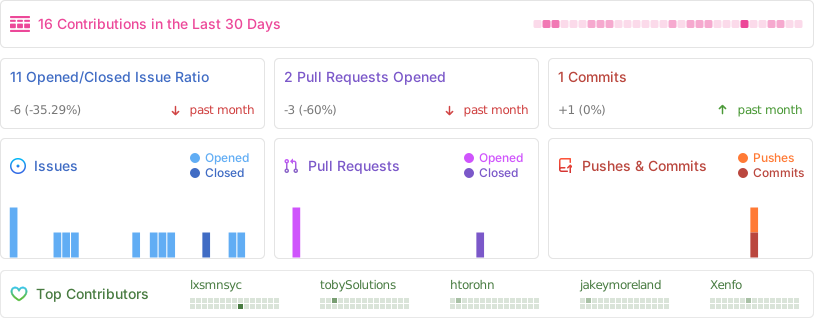
Codebase
This repo is a "mono-repo" with modules. Million.js ships as one NPM package, but has first class modules for more complex, but important extensions. Each module has its own folder in the /packages directory.
You can also track our progress through our Roadmap.
| Module |
Description |
million |
The main Virtual DOM with all of Million.js's core. |
react / react-server |
React compatibility for Million.js. |
compiler |
The compiler for Million.js in React. |
jsx-runtime |
A simple JSX runtime for Million.js core. |
types |
Shared types between packages |

Acknowledgments
Million.js takes heavy inspiration from the following projects:
blockdom (Géry Debongnie)
Thank you to Géry pioneering the concept of "blocks" in the virtual DOM. Many parts of the Million.js codebase either directly or indirectly derive from his work.voby (Fabio Spampinato)
The Million.js "template" concept is derived from Voby's template() API.- Hack the Wave (Melinda Chang) for their homepage.
react and turbo for their documentation. Many parts of the current Million.js documentation are grokked and modified from theirs.ivi, Preact, and more
License
Million.js is MIT-licensed open-source software by Aiden Bai and contributors:





 Million.js 是一个速度极快、非常轻量的 React 优化编译器,通过加快调和(reconciliation)过程,让组件的性能提升最高可达 70%。