


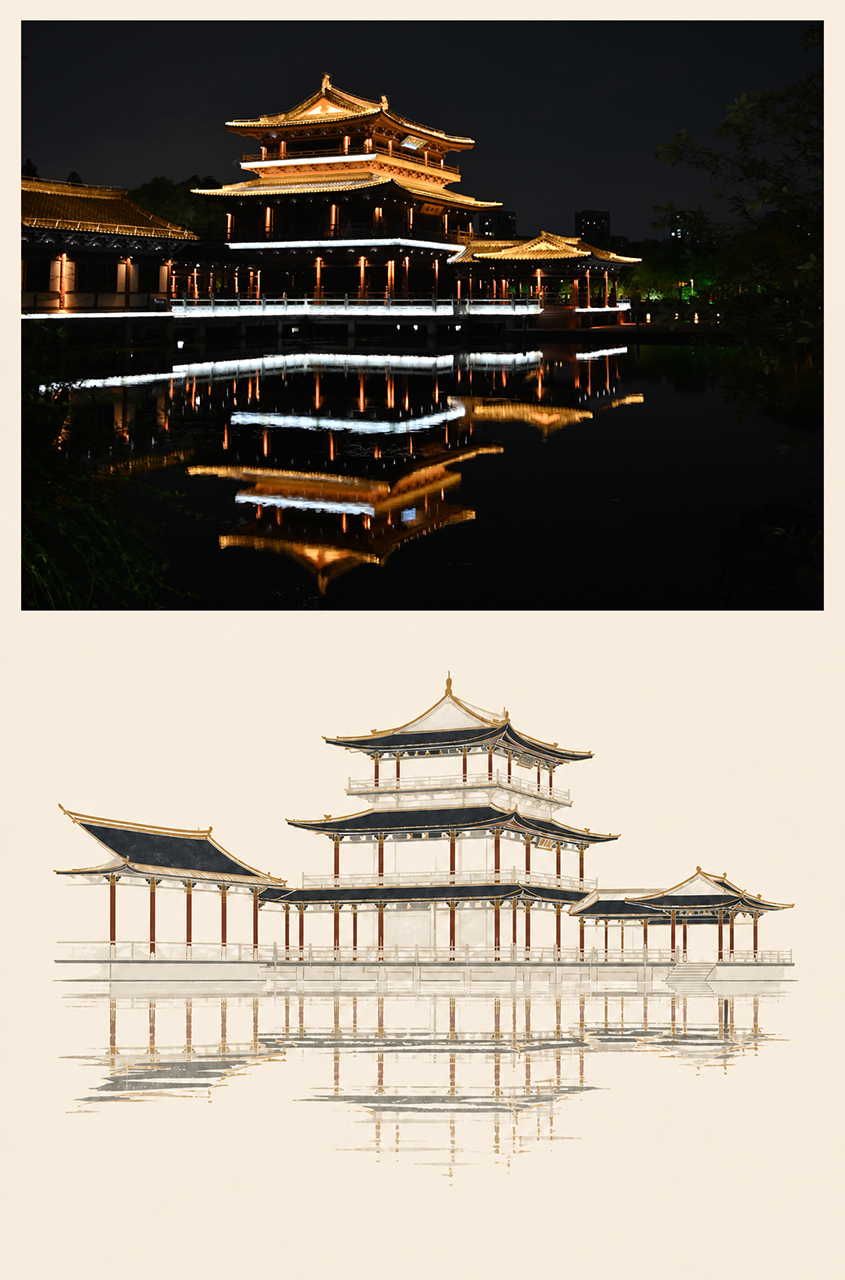
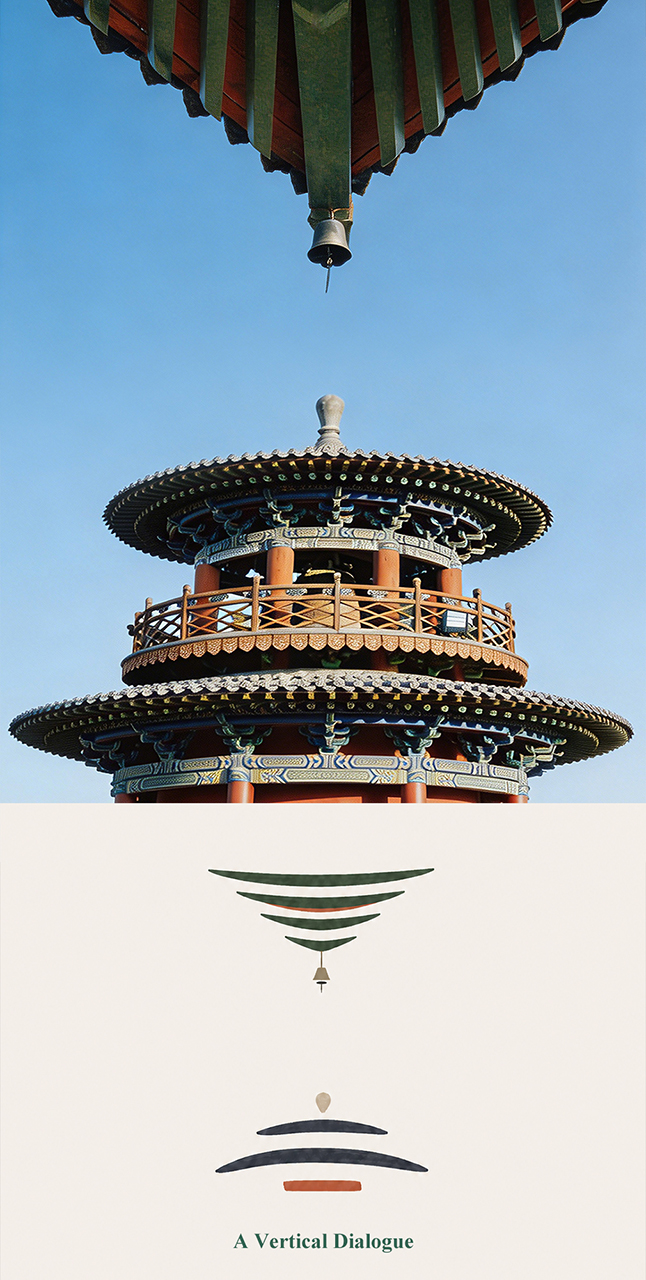


What is this?
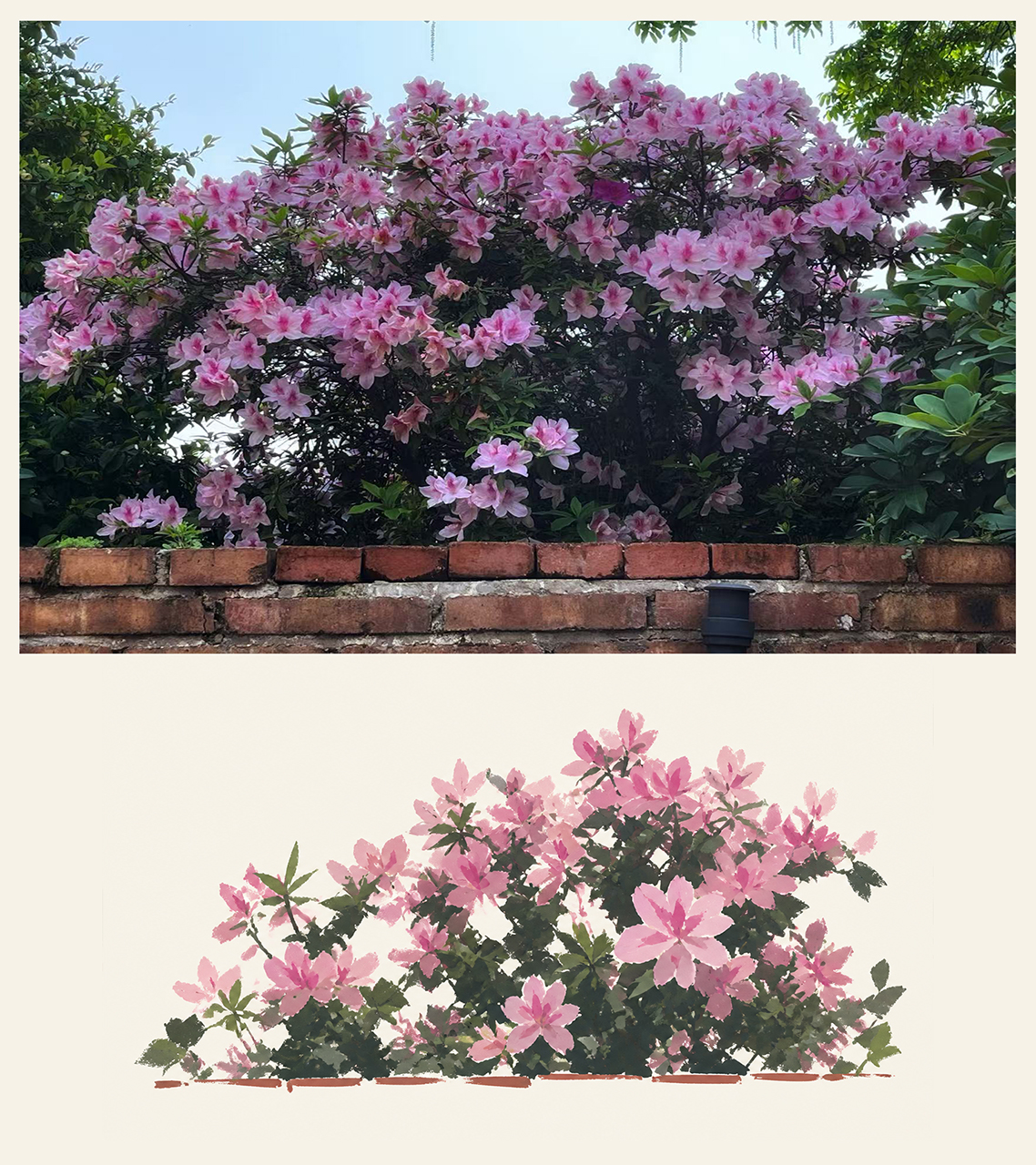
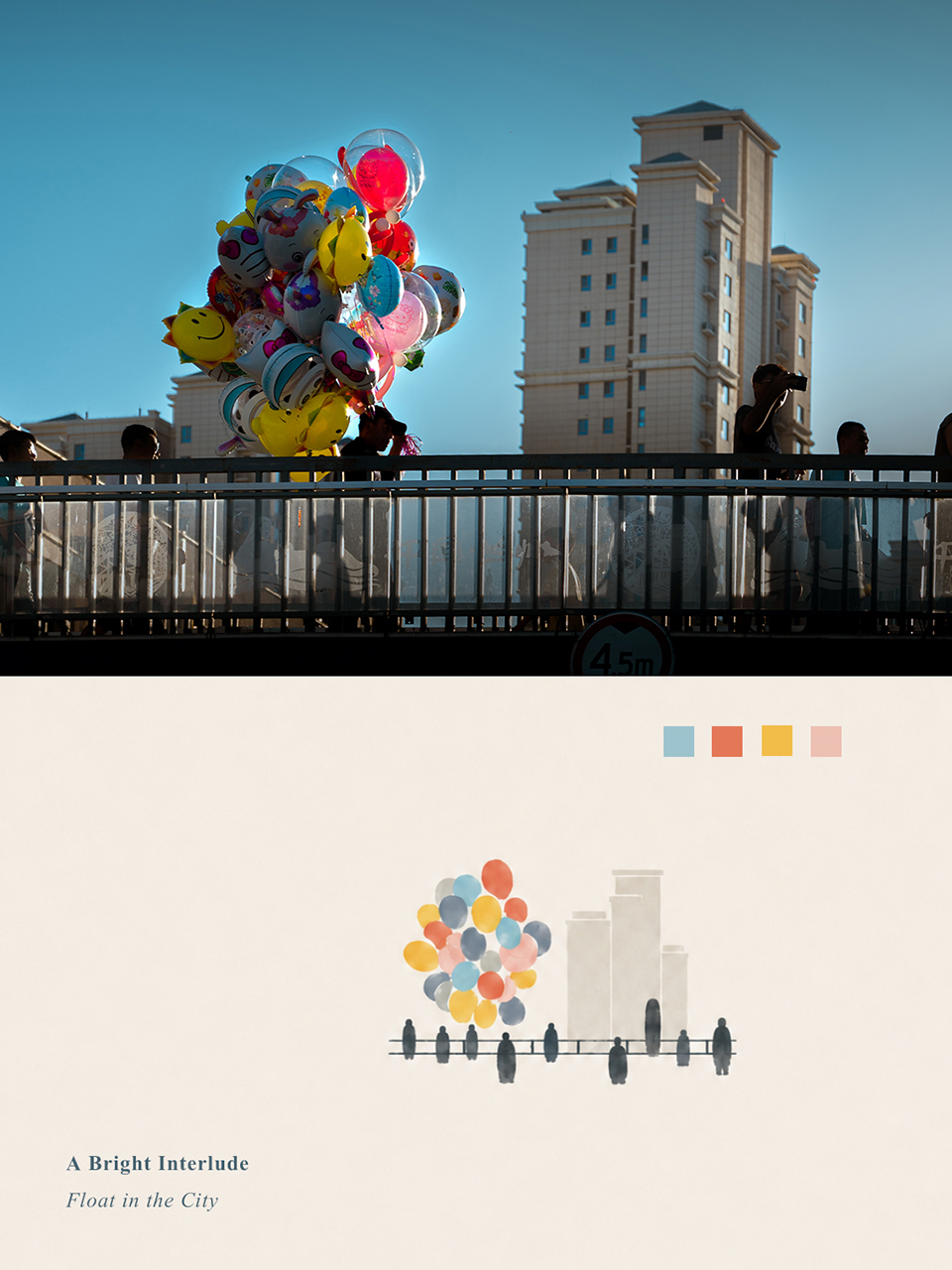
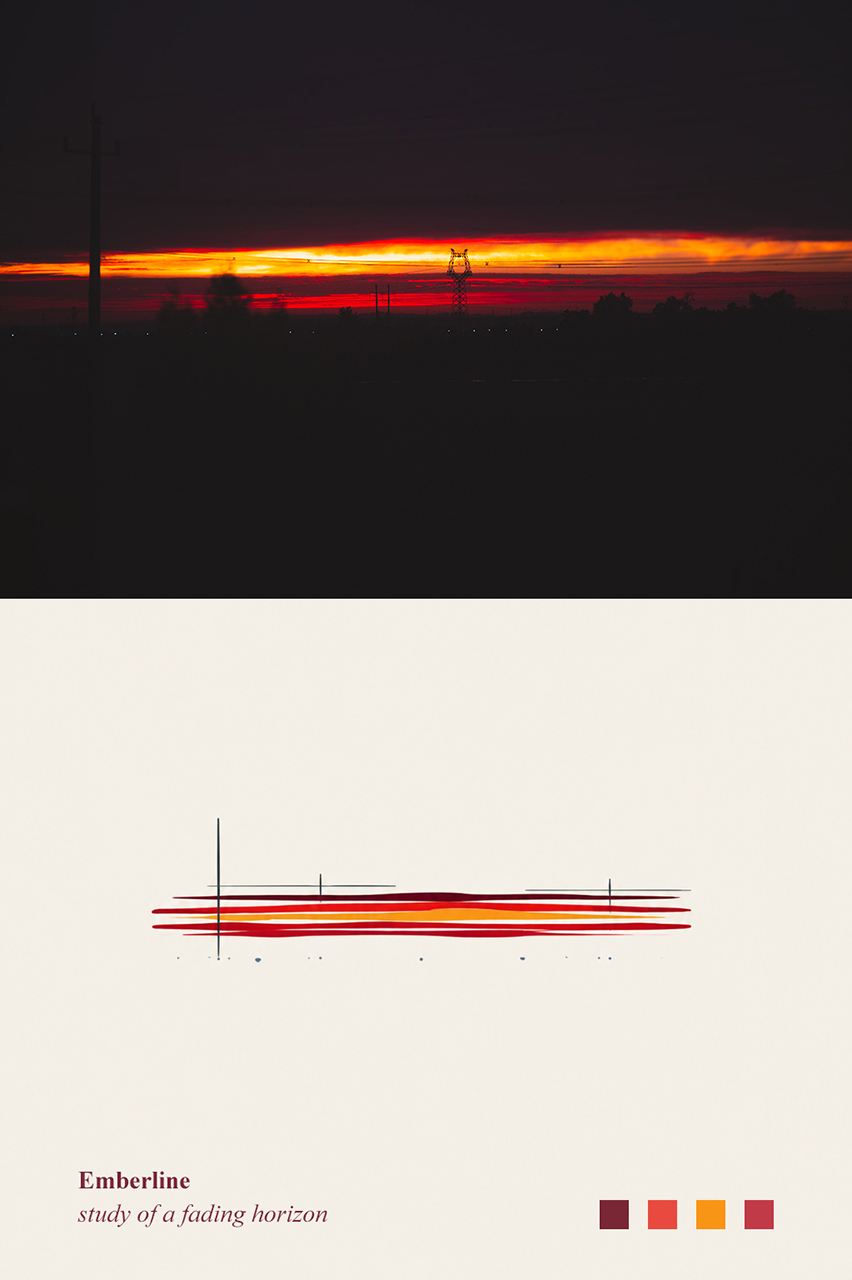
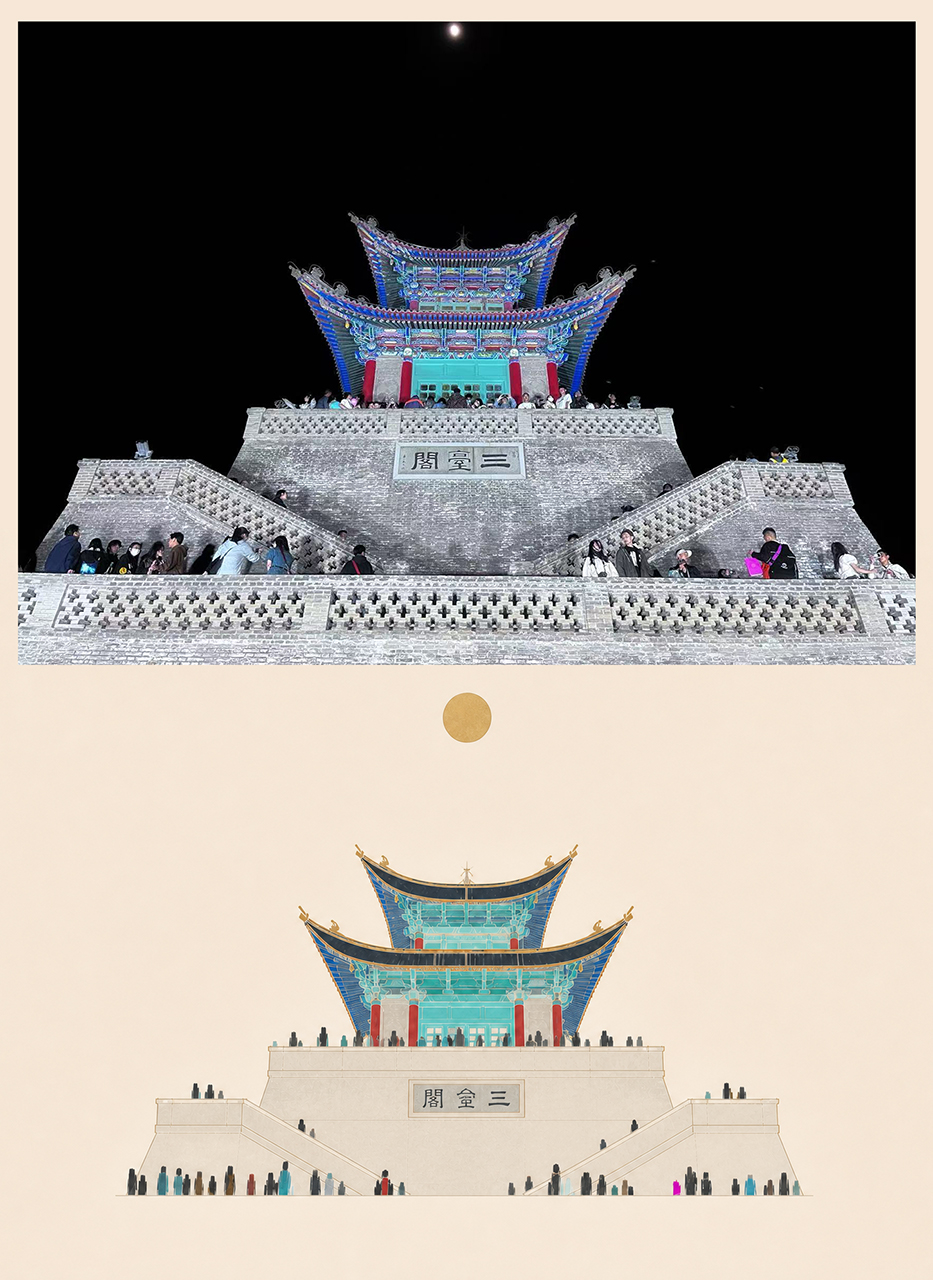
 Photo Abstract Editorial is a Codex Skill that turns a single photo into a vertical editorial artwork made of an original photography area, an abstract memory panel derived from the photo, and a poetic English title.
Photo Abstract Editorial is a Codex Skill that turns a single photo into a vertical editorial artwork made of an original photography area, an abstract memory panel derived from the photo, and a poetic English title.Is this an app, or just a prompt file I use inside Codex?It is a Codex Skill (a prompt package), not standalone software. You can also skip Codex entirely and open the Chinese or English reference file directly as an image-generation prompt.
It is a Codex Skill (a prompt package), not standalone software. You can also skip Codex entirely and open the Chinese or English reference file directly as an image-generation prompt.How do I get it running?Copy the whole photo-abstract-editorial folder into your Codex skills directory (e.g. ~/.codex/skills/), start a new Codex conversation, upload the photo you want processed, and ask it to use the skill.
Copy the whole photo-abstract-editorial folder into your Codex skills directory (e.g. ~/.codex/skills/), start a new Codex conversation, upload the photo you want processed, and ask it to use the skill.Do I need the Codex CLI to use this?You need Codex (with its skills feature) to use it as an installed skill, but it also works without Codex if you just paste the included English or Chinese prompt text into any image-generation tool.
You need Codex (with its skills feature) to use it as an installed skill, but it also works without Codex if you just paste the included English or Chinese prompt text into any image-generation tool.Does it redraw or restyle my photo?No - it is explicitly not a filter, repaint, or style transfer. The uploaded photo stays the single source of content and must never be redrawn, extended, or rewritten; the abstract panel can only reuse real spatial, color, or structural facts from it.
No - it is explicitly not a filter, repaint, or style transfer. The uploaded photo stays the single source of content and must never be redrawn, extended, or rewritten; the abstract panel can only reuse real spatial, color, or structural facts from it.Can I use the output commercially?No - the license allows personal, educational and non-commercial use only; commercial use is not permitted, and attribution to the author (@AM.) is requested if you build on it.
No - the license allows personal, educational and non-commercial use only; commercial use is not permitted, and attribution to the author (@AM.) is requested if you build on it.What parts of the result can I customize?You can freely adjust the photo-to-panel height ratio, canvas ratio, panel colors and saturation, the abstract motif style (color blocks, organic shapes, arcs, strips, line-based marks, etc.), title/subtitle placement and font mood, and how much identity detail (like a landmark's shape) is preserved versus abstracted.
You can freely adjust the photo-to-panel height ratio, canvas ratio, panel colors and saturation, the abstract motif style (color blocks, organic shapes, arcs, strips, line-based marks, etc.), title/subtitle placement and font mood, and how much identity detail (like a landmark's shape) is preserved versus abstracted.Why did the author make this?The author built it as an original composition technique and notes frustration that others have copied and resold the skill without permission, which is why the README explicitly restricts commercial use and asks for attribution.
The author built it as an original composition technique and notes frustration that others have copied and resold the skill without permission, which is why the README explicitly restricts commercial use and asks for attribution.Is there an English version of the prompt?Yes, the skill ships with both a Chinese prompt (references/photo-abstract-editorial-prompt.zh-CN.md) and a full English translation (references/photo-abstract-editorial-prompt.en.md).
Yes, the skill ships with both a Chinese prompt (references/photo-abstract-editorial-prompt.zh-CN.md) and a full English translation (references/photo-abstract-editorial-prompt.en.md).What are similar projects?gathered-scenes-zine-skill, travel-memory-sticker-card, ian-xiaohei-illustrations, guizang-yingzao-skill, xxg-portrait-rebuild-light, mono-color-skill, muyang-illustration-skills, handraw-style
gathered-scenes-zine-skill, travel-memory-sticker-card, ian-xiaohei-illustrations, guizang-yingzao-skill, xxg-portrait-rebuild-light, mono-color-skill, muyang-illustration-skills, handraw-styleWhich topics is it in?photo, photography, art, creative-tools, prompt, codex-skill, agent-skill, image-generation, design, image-processing, prompt-engineering, skill
photo, photography, art, creative-tools, prompt, codex-skill, agent-skill, image-generation, design, image-processing, prompt-engineering, skill