Aurum
See where every dollar comes from. Know where every dollar goes.
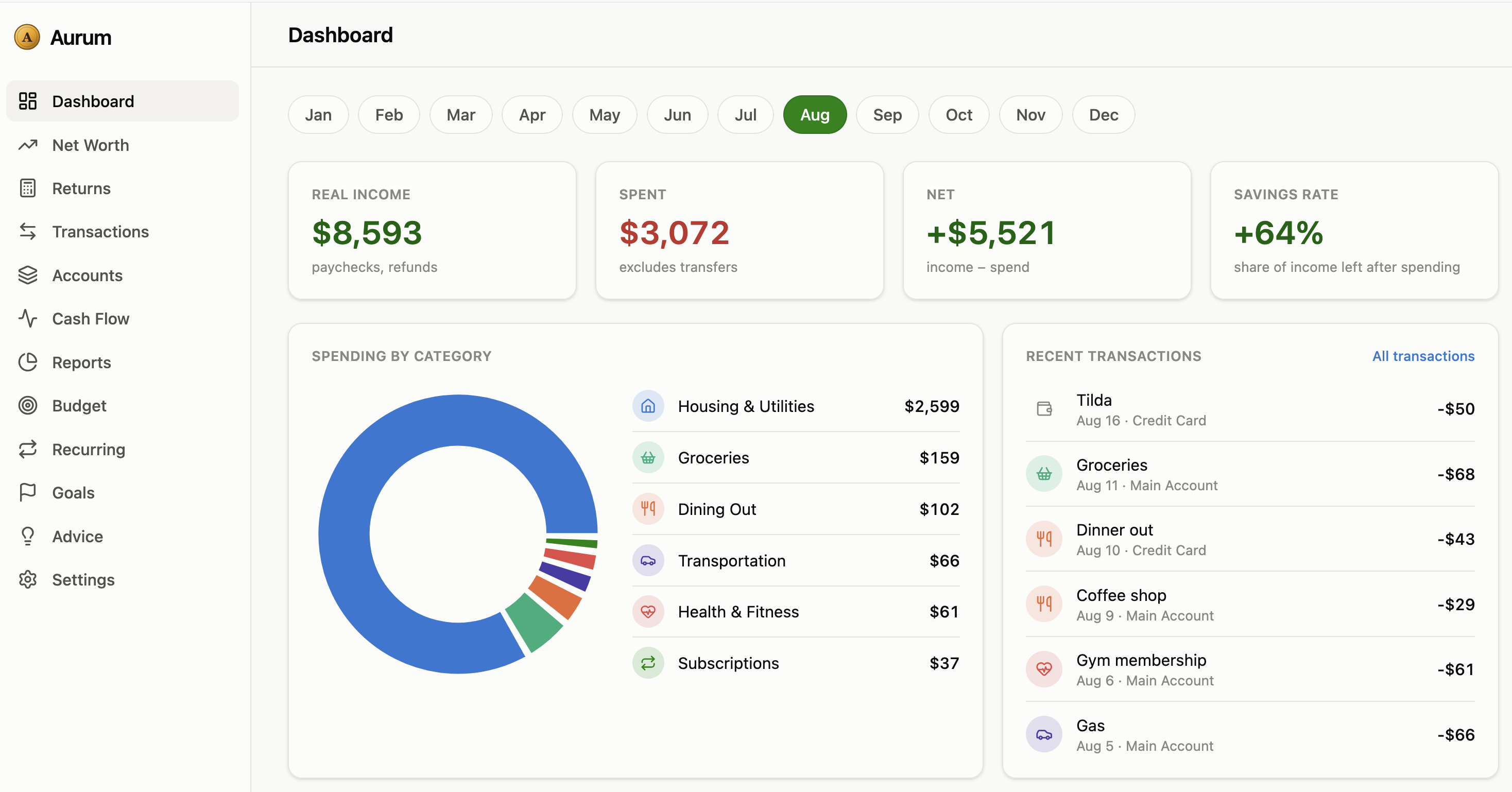
Aurum is a source-available personal finance operating system — a complete, granular, real-time picture of your money: cash flow, net worth, budgets, subscriptions, assets, and every income stream you own.


Features • Screenshots • Getting Started • API Docs • Security • Contributing • License
🖼️ Screenshots
📖 Overview
Most finance apps show you a pie chart of last month's spending and call it a day. Aurum goes further.
It's built for people who don't just want to log transactions — they want to understand the mechanics of their money: how capital grows or shrinks over time, which assets are pulling their weight, which subscriptions are quietly draining them, and which income streams are actually passive versus which just look that way on paper.
Aurum treats your financial life as a system, not a spreadsheet.
💡 Why Aurum
- Fragmentation is the enemy. Bank apps, brokerage apps, crypto wallets, spreadsheets, subscription trackers — your financial picture is scattered across a dozen tools that don't talk to each other.
- Most trackers stop at "what happened." Aurum also flags rising spending categories, unbudgeted expenses, and shifts in your savings rate — before they become a problem.
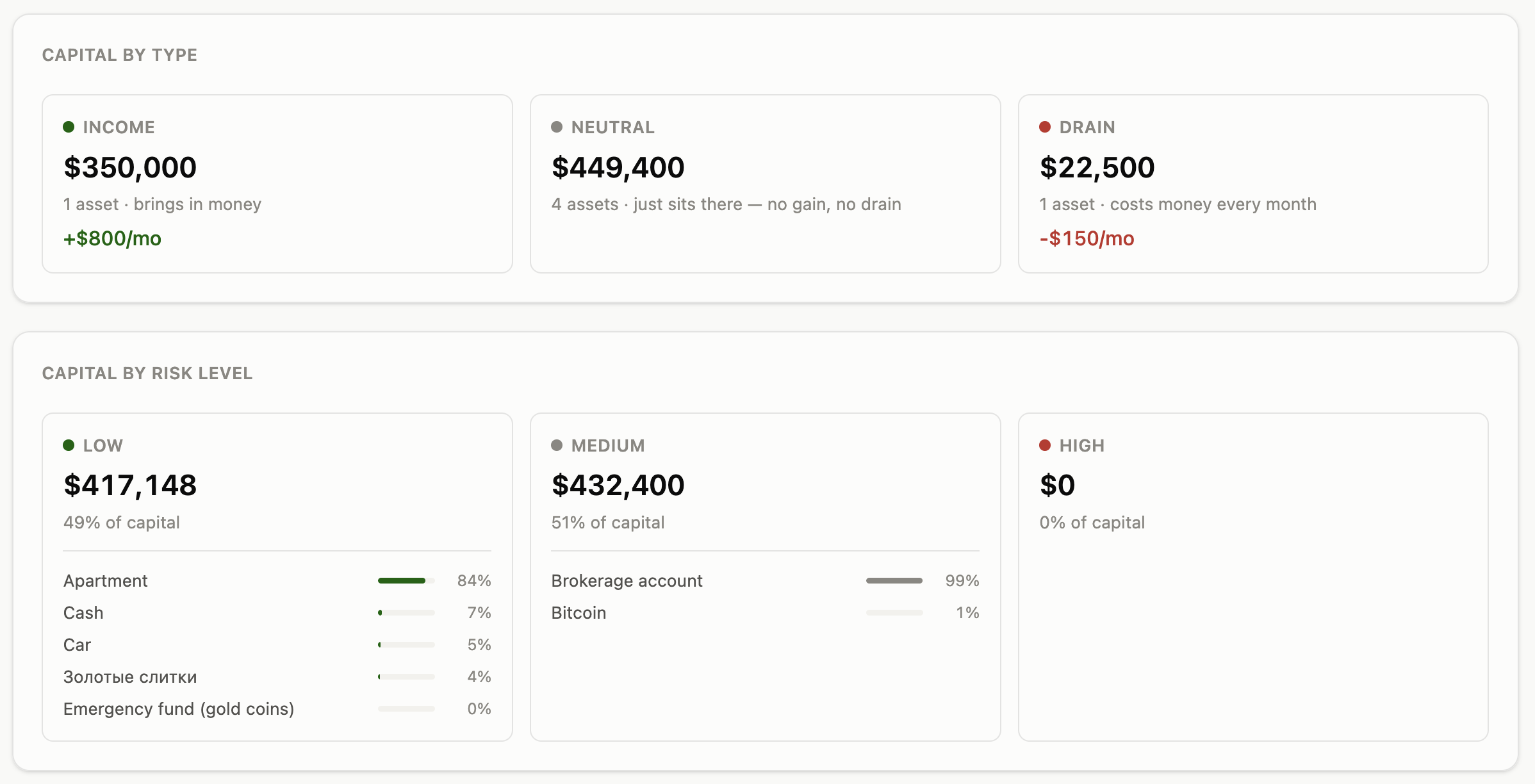
- The 80/20 rule, enforced. Aurum can group your capital by risk level and warn you the moment too much of it is exposed.
- It should be free, forever — for you. Financial clarity shouldn't sit behind a paywall. Aurum is source-available and self-hosted — your data never leaves your own server, and personal use is free forever. (See License — the code is open to read, run, and modify, but not to resell.)
🧩 Core Features
💰 Cash Flow & Transactions
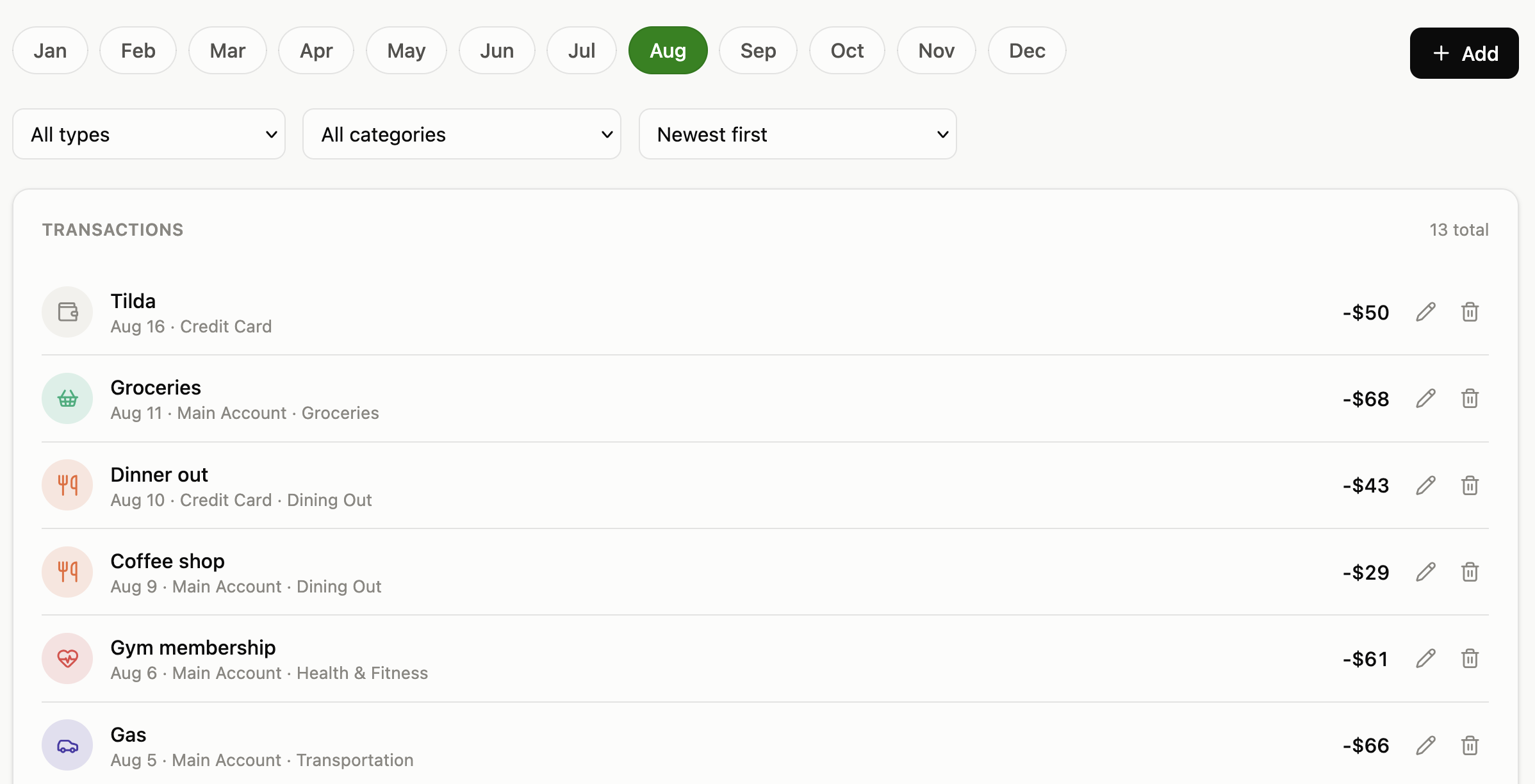
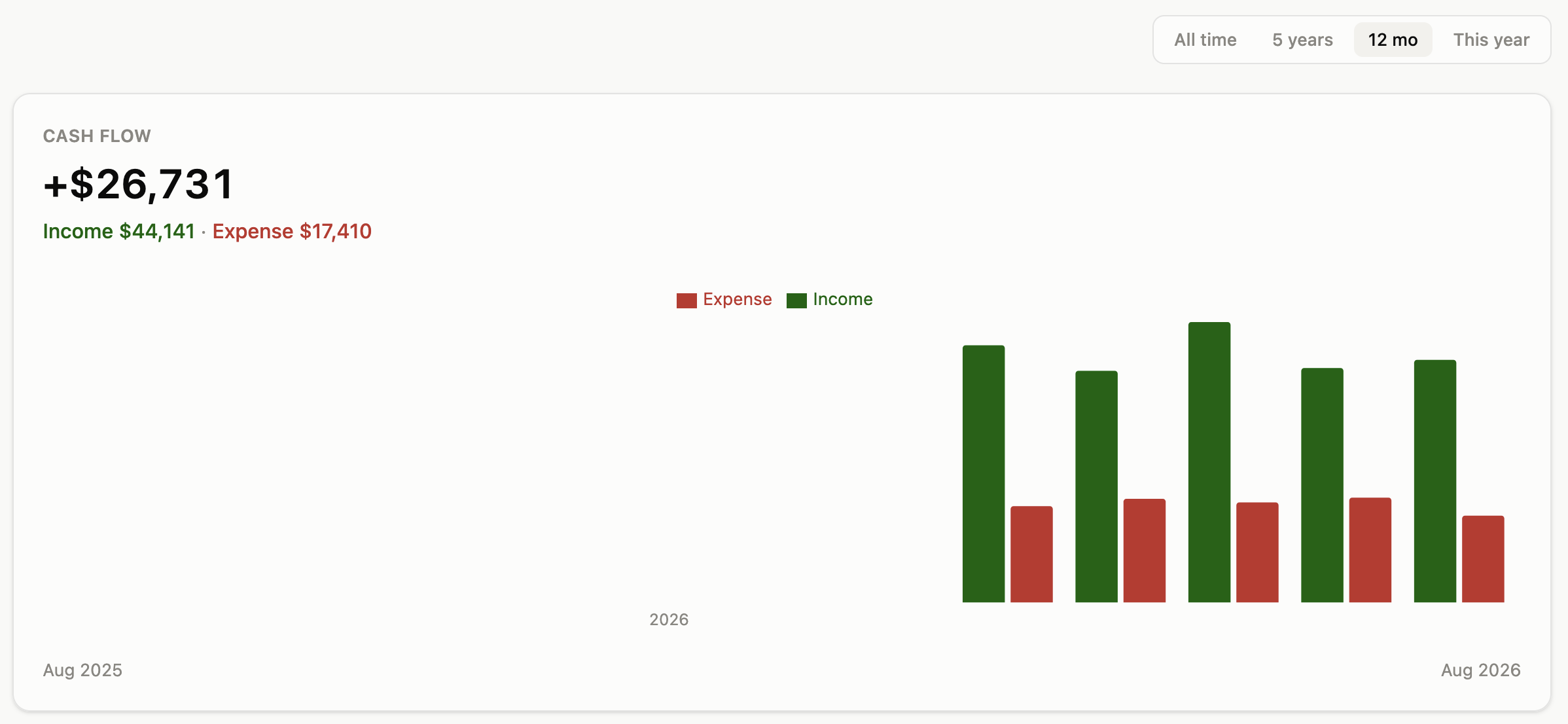
Log income, expenses, and transfers across as many accounts as you want, organized into categories (with one level of subcategories) plus free-form tags, and searchable. One purchase spanning multiple subcategories of the same parent (a grocery receipt part "Sweets", part "Alcohol") can be recorded as a single split transaction instead of several — every report and chart still counts each share under its own category. Already have history elsewhere? Import a bank's CSV export in a guided 3-step wizard instead of typing every line by hand. A dedicated Cash Flow view charts income vs. expense month by month.
📈 Net Worth Engine
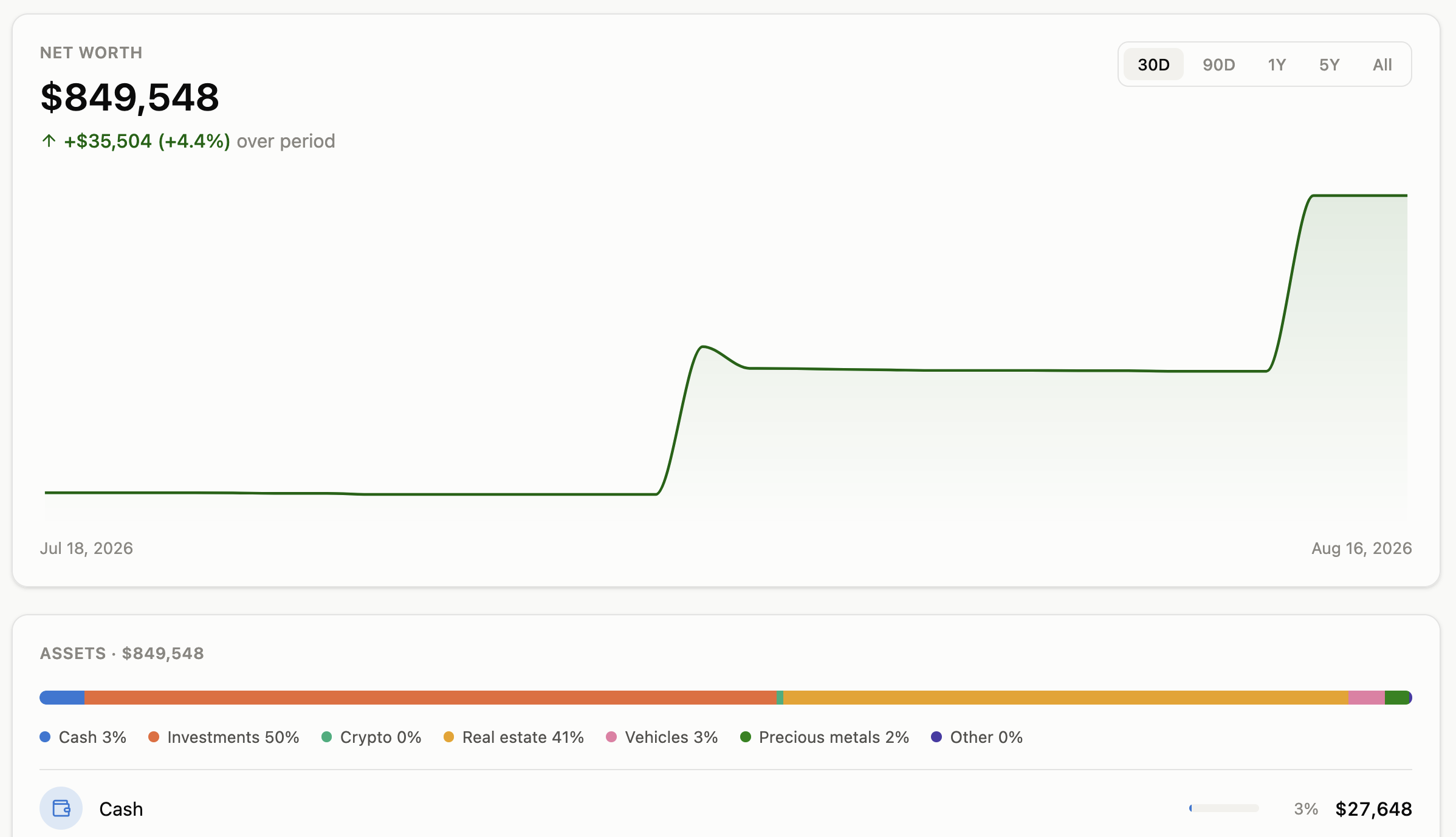
A live net worth timeline (30 days to all-time) aggregating cash and every manually tracked asset — investments, crypto, real estate, vehicles, precious metals — into one number, with a full breakdown by asset class, by how each asset behaves (income / neutral / drain), and by risk level.
🪙 Crypto Tracker
A CoinMarketCap-style portfolio tab for the coins you actually hold: live price plus 1h/24h/7d change, your holdings value, average buy price, and profit/loss — computed from a full buy/sell history, no separate portfolio tracker needed. Refresh on demand with one button, or let it auto-refresh once a day; either way it plugs straight into the Net Worth engine above as just another tracked asset.
🎯 Budgets, Goals & Recurring Payments
Set a monthly limit per category and watch progress bars fill up. Track savings goals with a running contribution log. Register recurring bills and post them with one click when they're due — nothing runs automatically in the background.
📊 Reports & Advice
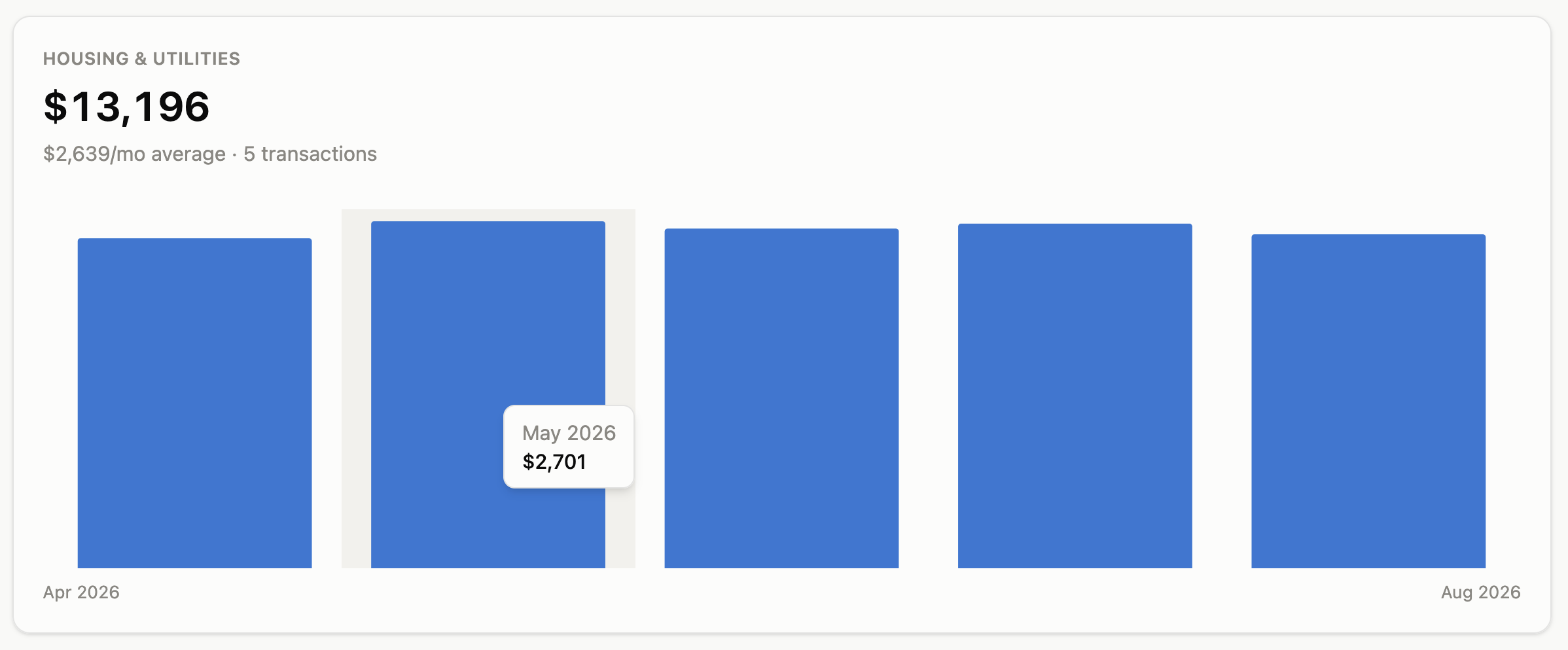
Rank every category by total spend over any custom period to find what's actually eating your budget. A rules-based Advice tab surfaces rising spending categories, unbudgeted top expenses, and month-over-month savings rate trends in plain language.
🧮 Returns Calculator
A standalone ROI calculator: enter what you'd invest and what it would pay you monthly, and see the annual return, payback period, and a compound-interest projection — with a year-by-year comparison chart of compounding vs. just banking the cash — before you commit to a purchase.
🔔 Proactive Alerts
Aurum watches your numbers in the background and surfaces a warning the moment something crosses a threshold you configure: a sustained negative cash flow streak, a declining net worth trend, an over-budget category, too much capital sitting at risk, or cash sitting idle in an account for too long.
🌐 Bilingual, Mobile-First
Full Russian/English UI with a language switch in Settings, a light/dark/system theme toggle, and every screen designed mobile-first from day one.
💾 Full Backup & Restore
Export your entire dataset — accounts, transactions, assets, budgets, goals — to a single JSON file at any time, and restore it later on a fresh install.
🚀 Getting Started
Aurum ships as three containers — Postgres, a FastAPI backend, and an nginx-served frontend — wired together with Docker Compose. No local Python, Node, or Postgres installation needed; Docker is the only requirement.
1. Install Docker
You need Docker Engine and the Docker Compose plugin (the docker compose command, not the older standalone docker-compose).
Confirm both are available:
docker --version
docker compose version
2. Get the code
git clone https://github.com/Zproger/Aurum.git
cd Aurum
Copy the template and open it in an editor:
cp .env.example .env
At minimum, change these two before going any further:
| Variable |
What it does |
AURUM_POSTGRES_PASSWORD |
Password for Aurum's own Postgres container. The template ships with change-me on purpose — replace it with something real. |
AURUM_BASIC_AUTH_USER / AURUM_BASIC_AUTH_PASSWORD |
Aurum has no login screen of its own. Leave these blank and the app has no password at all — fine if it's only reachable from localhost, not fine anywhere else. Set both to put an HTTP Basic Auth prompt in front of the whole app. See Security & Self-Hosting below. |
Everything else in .env (currency, CORS, the port Aurum listens on) has a sensible default and can be left alone for a first run.
4. Start it
docker compose up -d --build
This builds the backend and frontend images, starts Postgres, waits for it to report healthy, then starts the backend (which runs every database migration automatically — nothing to do by hand) and finally the frontend. First run takes a minute or two; after that, images are cached and it's seconds.
5. Open it
Visit http://localhost:3000 (or whatever port you set via AURUM_WEB_PORT in .env). A default account and the standard expense/income categories are seeded automatically — there's nothing to configure before you can add your first transaction.
6. Check it's healthy (optional)
docker compose ps
All three containers (db, backend, web) should show healthy. If web or backend doesn't, check its logs:
docker compose logs backend
docker compose logs web
Everyday operations
docker compose down          # stop everything, keep your data
docker compose up -d         # start it again later
docker compose down -v       # stop AND permanently delete your data — be sure
git pull && docker compose up -d --build   # update to newer code
Your data lives in a Docker named volume (aurum_pgdata), not in the repo folder — it survives docker compose down, image rebuilds, and git pull. It's only gone if you explicitly run docker compose down -v or delete the volume yourself. For anything short of that, use the in-app Settings → Backup & Restore to export a JSON snapshot of everything before making risky changes.
🔌 API
Everything Aurum's UI can do — adding transactions, managing accounts and budgets, importing a CSV,
tracking assets, exporting a backup — is also available as a plain JSON REST API at /api, so you
can script Aurum or connect it to other programs. See DOCS.md for the full reference,
or open /api/docs on your running instance for interactive Swagger docs.
🔒 Security & Self-Hosting
Aurum has no built-in login system. It's built for one person to self-host one private instance of their own financial data — not as a multi-tenant service with per-user accounts. That's a deliberate trade-off, not an oversight, but it means:
- If you leave
AURUM_BASIC_AUTH_USER / AURUM_BASIC_AUTH_PASSWORD unset in .env, anyone who can reach the container can read, edit, and delete all of it — no password prompt at all. This is fine if Aurum is only reachable from localhost or your own private network.
- Set both variables before exposing your instance beyond your own machine (a VPS, a subdomain, a Tailscale/VPN endpoint someone else might share). This turns on an HTTP Basic Auth prompt in front of the entire app, UI and API alike.
- For anything beyond that — a reverse proxy with TLS (Caddy, Traefik, nginx + Let's Encrypt) is on you; Aurum doesn't terminate HTTPS itself.
If you find a security issue, please open a private report via GitHub's Security tab rather than a public issue.
🛠️ Tech Stack
- Frontend: React 19, TypeScript, Vite, Tailwind CSS, React Router, TanStack Query, Recharts
- Backend: FastAPI, SQLAlchemy 2.0 (async), Alembic, Pydantic v2
- Database: PostgreSQL
- Deployment: Docker Compose (Postgres + FastAPI + nginx-served SPA)
🤝 Contributing
Aurum is built in the open, for everyone. Contributions of all kinds are welcome — code, design, documentation, ideas, and bug reports. See CONTRIBUTING.md for how to get a dev environment running and what a good pull request looks like.
📄 License
Aurum is released under the PolyForm Noncommercial License 1.0.0.
In plain terms: you can read the code, self-host it, modify it, and use it for any personal, educational, or noncommercial purpose, for free, forever. What you can't do is take it (or a modified version of it) and sell it, host it as a paid service for others, or otherwise build a commercial product on top of it. This is not an OSI-approved open source license — it's source-available. See the LICENSE file for the exact terms, and open an Issue if you have a use case you're not sure is covered.
❤️ Support Aurum
Aurum is free and always will be for personal use. If it's helped you get a handle on your money and you'd like to help it keep growing, a donation goes a long way: Donate via Lava.
If Aurum helps you understand your money better, consider giving it a ⭐ — it genuinely helps the project grow.

 Aurum 是一个可自托管的个人财务操作系统,在一个实时仪表盘里追踪现金流、净值、预算、订阅、资产和加密货币持仓。