



159 ·GitHub
What is this?
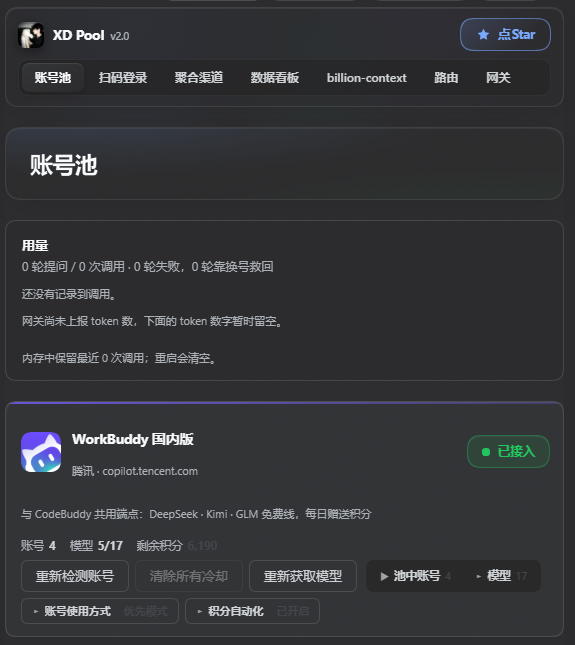
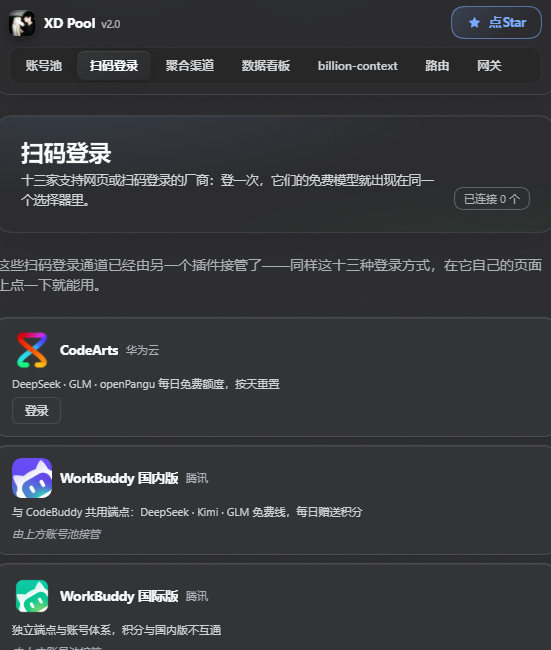
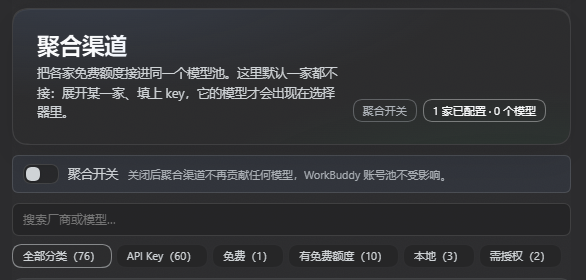
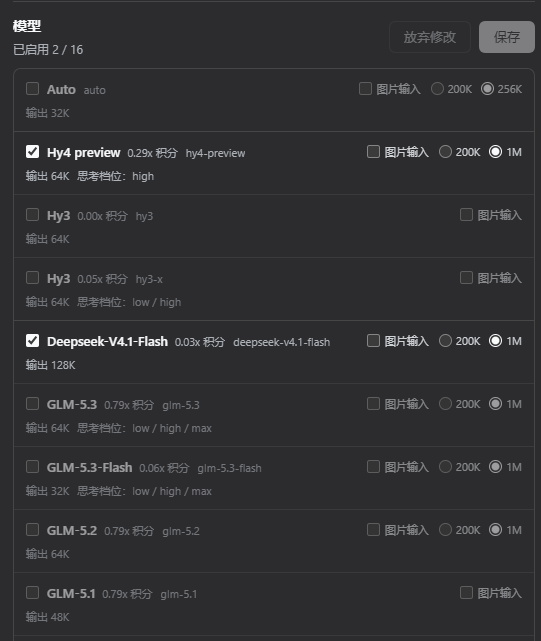
 XD Pool is a DSH plugin that merges every free model quota you can get your hands on into one shared pool: it auto-pools your WorkBuddy desktop accounts with failover, lets you QR-login to 13 extra vendors, aggregates free quotas from 76 vendors, and adds a usage dashboard, a model router, and a local OpenAI-compatible gateway on top.
XD Pool is a DSH plugin that merges every free model quota you can get your hands on into one shared pool: it auto-pools your WorkBuddy desktop accounts with failover, lets you QR-login to 13 extra vendors, aggregates free quotas from 76 vendors, and adds a usage dashboard, a model router, and a local OpenAI-compatible gateway on top.Is this a standalone app or a plugin I add to something else?It's a plugin for the DSH (DeepSeek Harness) host application, opened from DSH's own settings panel; it is not something you launch or run on its own.
It's a plugin for the DSH (DeepSeek Harness) host application, opened from DSH's own settings panel; it is not something you launch or run on its own.How do I install and start using it?Install the npm package 'dsh-xdpool' (recommended, it pulls almost no extra dependencies), then open the DSH settings panel and switch to the 'XD Pool' tab to see pool health, accounts and token/credit status.
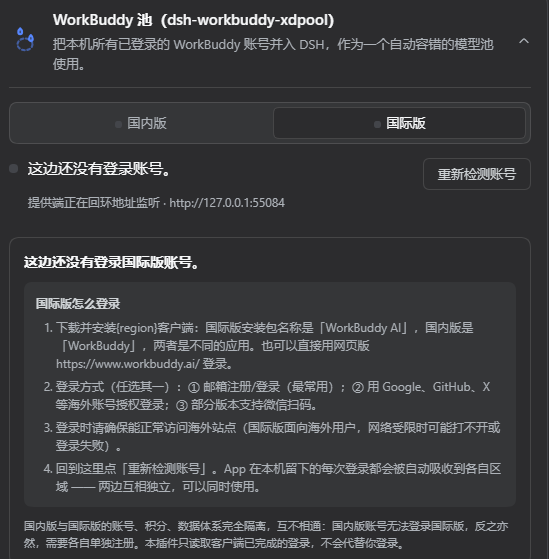
Install the npm package 'dsh-xdpool' (recommended, it pulls almost no extra dependencies), then open the DSH settings panel and switch to the 'XD Pool' tab to see pool health, accounts and token/credit status.Do I need the WorkBuddy desktop app already set up?Yes — you must install and log into the WorkBuddy desktop app first; the plugin reuses its local login state and automatically pools every account you've logged into there.
Yes — you must install and log into the WorkBuddy desktop app first; the plugin reuses its local login state and automatically pools every account you've logged into there.Can this log me into WorkBuddy by itself?No. The main WorkBuddy account login still goes through the desktop app's Tencent SSO and is tied to the device; XD Pool only initiates QR logins for its own 13 extra vendor channels and never logs you into WorkBuddy itself.
No. The main WorkBuddy account login still goes through the desktop app's Tencent SSO and is tied to the device; XD Pool only initiates QR logins for its own 13 extra vendor channels and never logs you into WorkBuddy itself.Who actually benefits from this plugin?Mainly people running DSH with the WorkBuddy desktop app who juggle several free accounts; the aggregated free-quota pool and local OpenAI-compatible gateway also suit anyone who wants one endpoint spanning many free LLM vendors.
Mainly people running DSH with the WorkBuddy desktop app who juggle several free accounts; the aggregated free-quota pool and local OpenAI-compatible gateway also suit anyone who wants one endpoint spanning many free LLM vendors.Does it still work if WorkBuddy is on Windows but DSH runs under WSL/Linux?Yes, but if the Windows and Linux usernames differ and Windows environment variables aren't passed into WSL, you need to point it at the real auth file path manually via the WORKBUDDYAUTHFILE variable or the authFile setting.
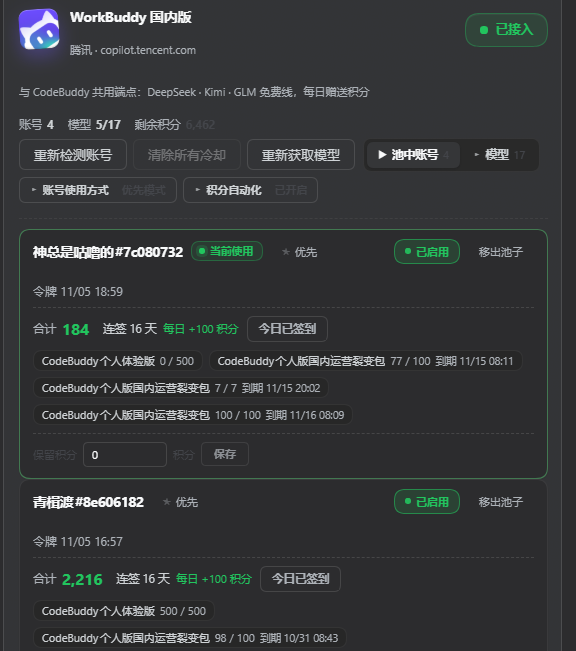
Yes, but if the Windows and Linux usernames differ and Windows environment variables aren't passed into WSL, you need to point it at the real auth file path manually via the WORKBUDDYAUTHFILE variable or the authFile setting.How does automatic account failover work?Each pooled account tracks its own rate-limit cooldown; when one gets a 429 it is cooled down and the next healthy account takes over automatically, with four assignment strategies available — priority, round-robin, balanced, and sticky (keeps one conversation on one account to preserve upstream prompt cache).
Each pooled account tracks its own rate-limit cooldown; when one gets a 429 it is cooled down and the next healthy account takes over automatically, with four assignment strategies available — priority, round-robin, balanced, and sticky (keeps one conversation on one account to preserve upstream prompt cache).What does the points automation feature actually do?On a schedule it runs five WorkBuddy growth-center chores per account — daily check-in, activity report, task-reward claiming, consecutive-login rewards, and the cat-travel mini-game — so you don't have to click through them manually every day.
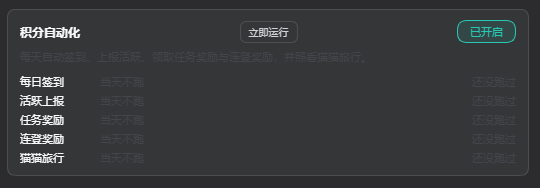
On a schedule it runs five WorkBuddy growth-center chores per account — daily check-in, activity report, task-reward claiming, consecutive-login rewards, and the cat-travel mini-game — so you don't have to click through them manually every day.What happens to my settings if I'm upgrading from the old package name?Nothing is lost: on first run it copies your old ~/.dsh/.workbuddy-xdpool directory (API keys, ignore list, account pins) into the new ~/.dsh/.xdpool location without deleting the original, so you can still roll back if needed.
Nothing is lost: on first run it copies your old ~/.dsh/.workbuddy-xdpool directory (API keys, ignore list, account pins) into the new ~/.dsh/.xdpool location without deleting the original, so you can still roll back if needed.What are similar projects?dsh-our-free-model, dsh-workbuddy-connect, workbuddy2api-hub, workbuddy2api-panel, workbuddy-switch, bifrost, cockpit-tools, cocode
dsh-our-free-model, dsh-workbuddy-connect, workbuddy2api-hub, workbuddy2api-panel, workbuddy-switch, bifrost, cockpit-tools, cocodeWhich topics is it in?account-switcher, failover, codebuddy, multi-account, workbuddy, model-router, rate-limiting, qr-code, dsh-plugin, deepseek-harness, openai-compatible, proxy
account-switcher, failover, codebuddy, multi-account, workbuddy, model-router, rate-limiting, qr-code, dsh-plugin, deepseek-harness, openai-compatible, proxy