





 |
|  |
| 
 |
|  |
| 13.6K ·GitHub
Что это такое?
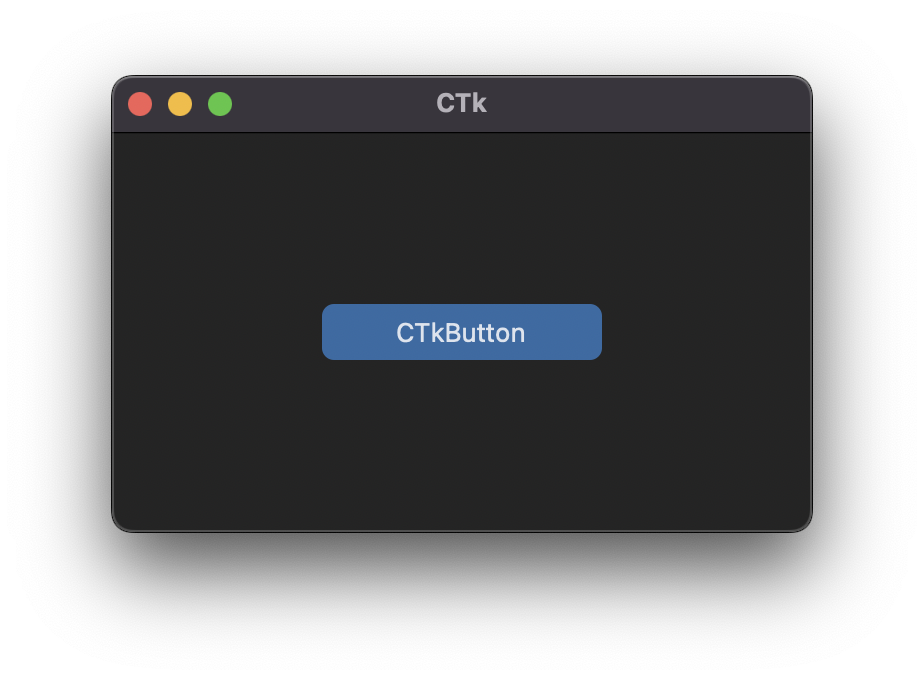
 CustomTkinter — это Python-библиотека для интерфейсов, построенная на основе Tkinter. Она даёт современные и полностью настраиваемые виджеты, чтобы у десктопных приложений был единый актуальный внешний вид на Windows, macOS и Linux.
CustomTkinter — это Python-библиотека для интерфейсов, построенная на основе Tkinter. Она даёт современные и полностью настраиваемые виджеты, чтобы у десктопных приложений был единый актуальный внешний вид на Windows, macOS и Linux.Так это замена Tkinter или надстройка над ним?Это надстройка, а не замена: виджеты создаются и используются точно так же, как обычные виджеты Tkinter, и их можно свободно смешивать с обычными элементами Tkinter в одном приложении.
Это надстройка, а не замена: виджеты создаются и используются точно так же, как обычные виджеты Tkinter, и их можно свободно смешивать с обычными элементами Tkinter в одном приложении.Как добавить её в проект?Устанавливается с PyPI через pip: pip install customtkinter. В README советуют почаще обновлять библиотеку (тоже через pip), потому что она активно развивается.
Устанавливается с PyPI через pip: pip install customtkinter. В README советуют почаще обновлять библиотеку (тоже через pip), потому что она активно развивается.Нужно ли что-то особенное, кроме обычного Python?Нет, достаточно Python. Единственный нюанс — macOS: чтобы получить тёмный заголовок окна, нужен Python 3.10 или выше либо версия от Anaconda, так как требуется Tcl/Tk >= 8.6.9.
Нет, достаточно Python. Единственный нюанс — macOS: чтобы получить тёмный заголовок окна, нужен Python 3.10 или выше либо версия от Anaconda, так как требуется Tcl/Tk >= 8.6.9.Приложения будут чётко выглядеть на экранах с высоким разрешением (HiDPI) на любой ОС?Масштабирование HiDPI подтверждено для Windows и macOS — только эти две платформы названы в README. В Linux внешний вид такой же современный, но поддержки масштабирования там не заявлено.
Масштабирование HiDPI подтверждено для Windows и macOS — только эти две платформы названы в README. В Linux внешний вид такой же современный, но поддержки масштабирования там не заявлено.Она подстраивается под тёмную тему моей системы?Да. Цвета виджетов и окна автоматически подстраиваются под оформление системы, а можно задать режим вручную — 'light' или 'dark', включая тёмную тему Windows 10/11.
Да. Цвета виджетов и окна автоматически подстраиваются под оформление системы, а можно задать режим вручную — 'light' или 'dark', включая тёмную тему Windows 10/11.Насколько внешний вид можно настраивать, кроме тёмной темы?Виджеты полностью настраиваемые, и есть темы — в примерах из README используется стандартная тема 'blue', а в документации описаны режим оформления, масштабирование, темы и каждый виджет.
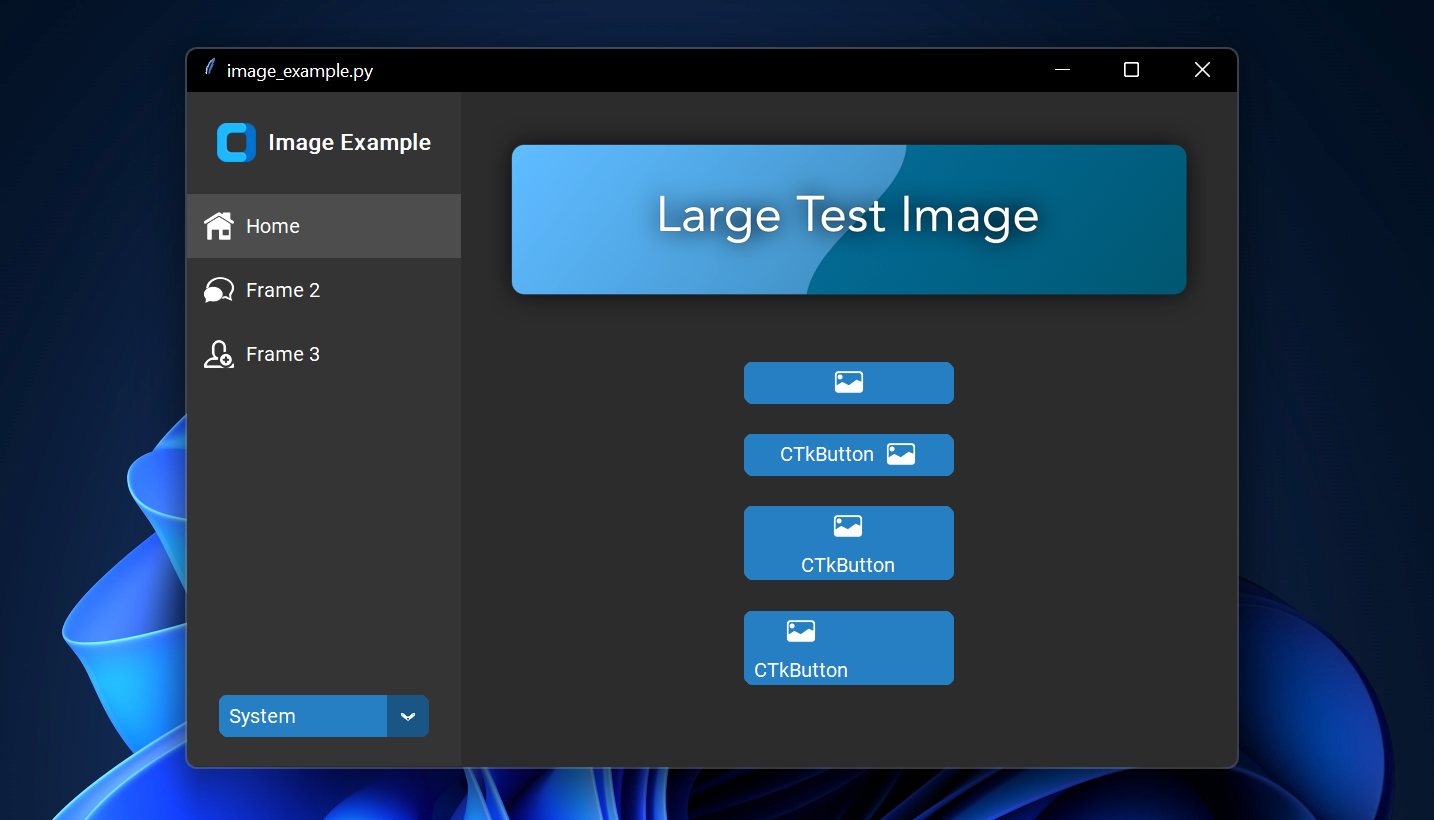
Виджеты полностью настраиваемые, и есть темы — в примерах из README используется стандартная тема 'blue', а в документации описаны режим оформления, масштабирование, темы и каждый виджет.Можно ли вставить картинку на кнопку?Да — передайте объект PhotoImage в CTkButton через аргумент image. Задайте text='', чтобы сделать кнопку только с картинкой, или используйте опцию compound, чтобы управлять тем, как текст и картинка располагаются вместе.
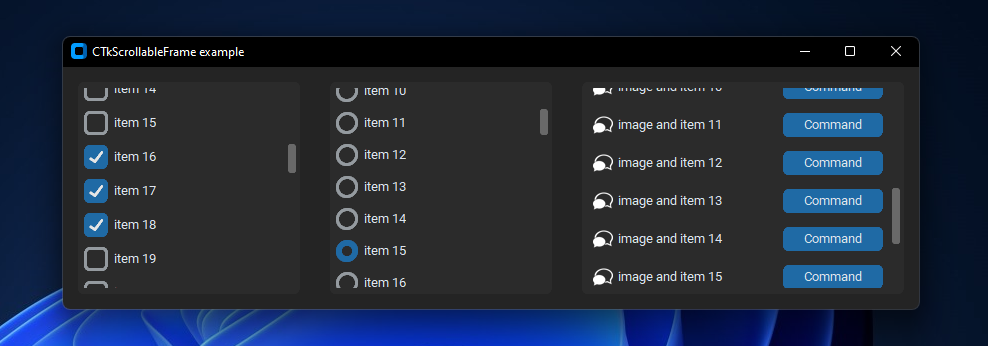
Да — передайте объект PhotoImage в CTkButton через аргумент image. Задайте text='', чтобы сделать кнопку только с картинкой, или используйте опцию compound, чтобы управлять тем, как текст и картинка располагаются вместе.Там есть прокручиваемые фреймы?Да, и вертикальные, и горизонтальные, причём прокручиваемые фреймы можно сочетать с любыми другими виджетами.
Да, и вертикальные, и горизонтальные, причём прокручиваемые фреймы можно сочетать с любыми другими виджетами.Можно ли встроить карту в приложение?Встроенной нет, но библиотека автора TkinterMapView хорошо сочетается с CustomTkinter — это виджет карты на основе тайлов, который показывает OpenStreetMap и другие тайловые карты.
Встроенной нет, но библиотека автора TkinterMapView хорошо сочетается с CustomTkinter — это виджет карты на основе тайлов, который показывает OpenStreetMap и другие тайловые карты.What are similar projects?PySimpleGUI, Tkinter-Designer, ExplorerPatcher, Seelen-UI, plexo, DevToys, vscode-dark-islands, iced
PySimpleGUI, Tkinter-Designer, ExplorerPatcher, Seelen-UI, plexo, DevToys, vscode-dark-islands, icedWhich topics is it in?modern, dark-theme, user-interface, ui-design, windows-10, windows-11, python3, dark-mode, python-library, theme, ui, desktop
modern, dark-theme, user-interface, ui-design, windows-10, windows-11, python3, dark-mode, python-library, theme, ui, desktop