






这是什么?
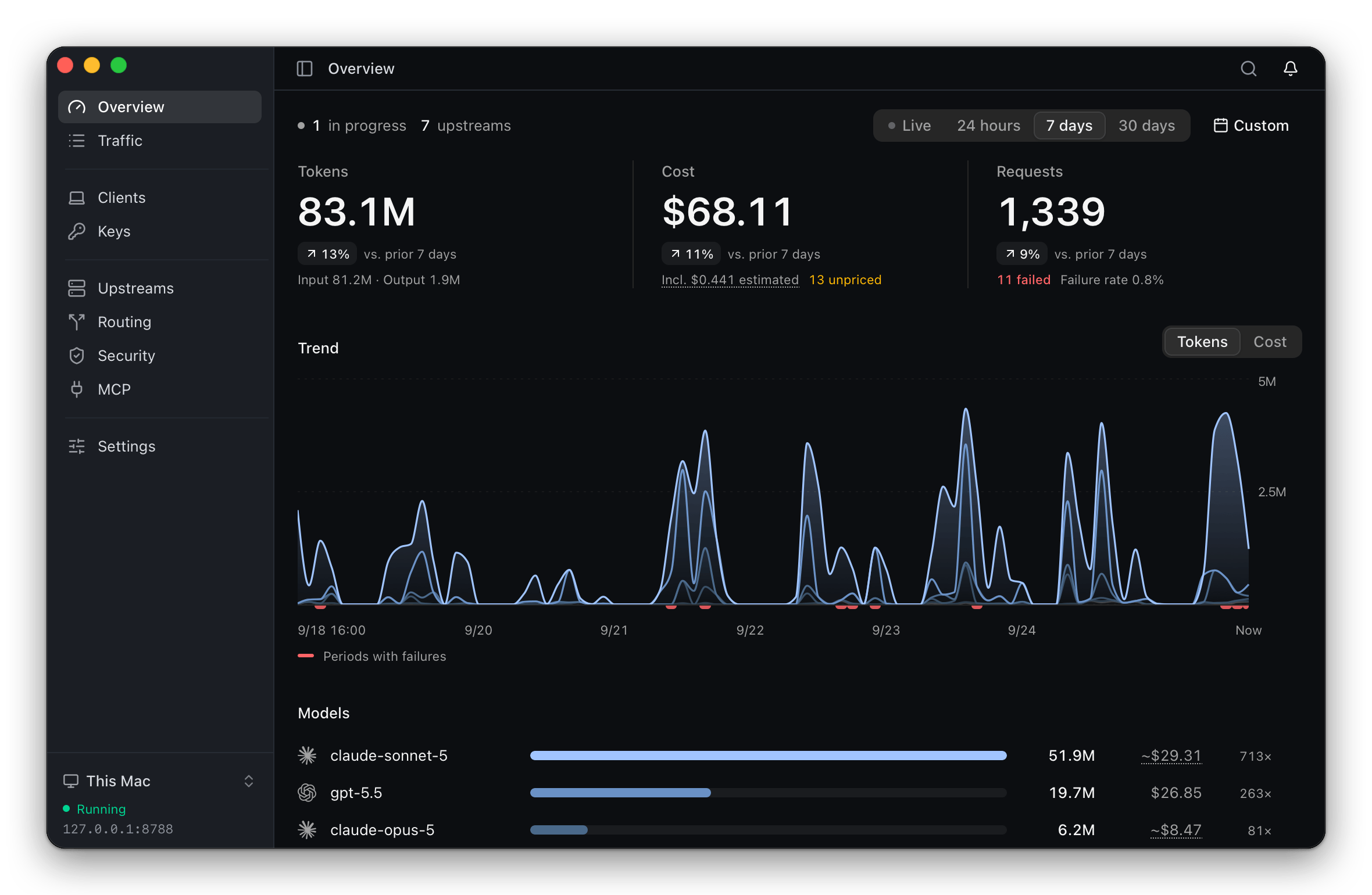
 ThinkWatch Lite 是一个本地网关,位于 AI 编程客户端(Claude Code、Codex 等)与其上游服务商之间,让你无需逐个重新配置客户端就能切换服务商和模型,同时跟踪请求成本并拦截恶意工具调用。
ThinkWatch Lite 是一个本地网关,位于 AI 编程客户端(Claude Code、Codex 等)与其上游服务商之间,让你无需逐个重新配置客户端就能切换服务商和模型,同时跟踪请求成本并拦截恶意工具调用。这是云服务,还是运行在我自己的机器上?它是一个带系统托盘图标的桌面应用;网关(ThinkWatch Core)随应用捆绑内置。核心也可以远程运行在 Linux 服务器上,由应用通过加密控制通道连接它。
它是一个带系统托盘图标的桌面应用;网关(ThinkWatch Core)随应用捆绑内置。核心也可以远程运行在 Linux 服务器上,由应用通过加密控制通道连接它。我该怎么安装它并把 AI 客户端接到上面?在 macOS 上通过 Homebrew cask 安装,Windows 用 .exe 安装程序,Linux 用 curl 脚本/.AppImage。之后可一步把 Claude Code、Codex、Zed、Aider 等受支持的客户端指向网关,配置更改会先预览,原始文件会备份以便轻松还原。
在 macOS 上通过 Homebrew cask 安装,Windows 用 .exe 安装程序,Linux 用 curl 脚本/.AppImage。之后可一步把 Claude Code、Codex、Zed、Aider 等受支持的客户端指向网关,配置更改会先预览,原始文件会备份以便轻松还原。我还需要自己的服务商 API 密钥吗?需要——你要自带上游账号,无论是 API 密钥、Amazon Bedrock、ChatGPT、Z.ai、OpenRouter 之类的中转,还是本地模型,网关会按需在 Anthropic、OpenAI 和 Gemini 的 API 格式之间转换。
需要——你要自带上游账号,无论是 API 密钥、Amazon Bedrock、ChatGPT、Z.ai、OpenRouter 之类的中转,还是本地模型,网关会按需在 Anthropic、OpenAI 和 Gemini 的 API 格式之间转换。安装包开箱即用吗?不完全:应用未经 Apple 或微软签名,首次启动需要按安装指南多做一步手动操作;之后它会自行更新(如果通过 Homebrew 安装则由 Homebrew 更新)。
不完全:应用未经 Apple 或微软签名,首次启动需要按安装指南多做一步手动操作;之后它会自行更新(如果通过 Homebrew 安装则由 Homebrew 更新)。中转会看到我真实的 API 密钥吗?不会——在请求离开你的机器之前,出站脱敏会把 API 密钥、私钥、JWT、连接字符串密码和其他敏感值替换为占位符,因此中转永远不会持有真实凭据。
不会——在请求离开你的机器之前,出站脱敏会把 API 密钥、私钥、JWT、连接字符串密码和其他敏感值替换为占位符,因此中转永远不会持有真实凭据。“上游体检”功能是做什么的?它把服务同一模型的各个上游相互比较,标记出那些自称是另一个模型、报告的输入 token 数远高于或低于常态、或提示缓存读取率偏低的回答,并附上样本量供参考。
它把服务同一模型的各个上游相互比较,标记出那些自称是另一个模型、报告的输入 token 数远高于或低于常态、或提示缓存读取率偏低的回答,并附上样本量供参考。它能扫描我的 MCP 服务器和技能的风险吗?可以。它并排列出十三个客户端的 MCP 服务器并标记第三方服务器,还会扫描客户端配置、技能、钩子和项目指令,检查隐藏字符、提示注入、危险命令和过宽的权限。
可以。它并排列出十三个客户端的 MCP 服务器并标记第三方服务器,还会扫描客户端配置、技能、钩子和项目指令,检查隐藏字符、提示注入、危险命令和过宽的权限。我能把核心跑在远程服务器而不是本地吗?可以。网关核心可以运行在 Linux 服务器上,你笔记本电脑上的桌面应用通过加密控制通道连接它。
可以。网关核心可以运行在 Linux 服务器上,你笔记本电脑上的桌面应用通过加密控制通道连接它。哪些 AI 客户端开箱即受支持?Claude Code、Claude Desktop、Codex、opencode、Pi、oh-my-pi、Grok Build、Qwen Code、Hermes Agent、Zed、Aider 和 DeepSeek Harness 可一步自动完成配置;Cursor、Continue 和 Antigravity CLI 需要按提供的说明手动设置。
Claude Code、Claude Desktop、Codex、opencode、Pi、oh-my-pi、Grok Build、Qwen Code、Hermes Agent、Zed、Aider 和 DeepSeek Harness 可一步自动完成配置;Cursor、Continue 和 Antigravity CLI 需要按提供的说明手动设置。What are similar projects?casbin-gateway, bifrost, OmniRoute, 9router, opencodex, busbar, headroom, evenfire
casbin-gateway, bifrost, OmniRoute, 9router, opencodex, busbar, headroom, evenfireWhich topics is it in?usage-tracking, llm-observability, llm-proxy, prompt-injection, cost-tracking, ai-gateway, llm-gateway, token-usage, api-gateway, tauri, openai-compatible, model-context-protocol
usage-tracking, llm-observability, llm-proxy, prompt-injection, cost-tracking, ai-gateway, llm-gateway, token-usage, api-gateway, tauri, openai-compatible, model-context-protocol