BetterVoice
Voice dictation with the screen context you point at.
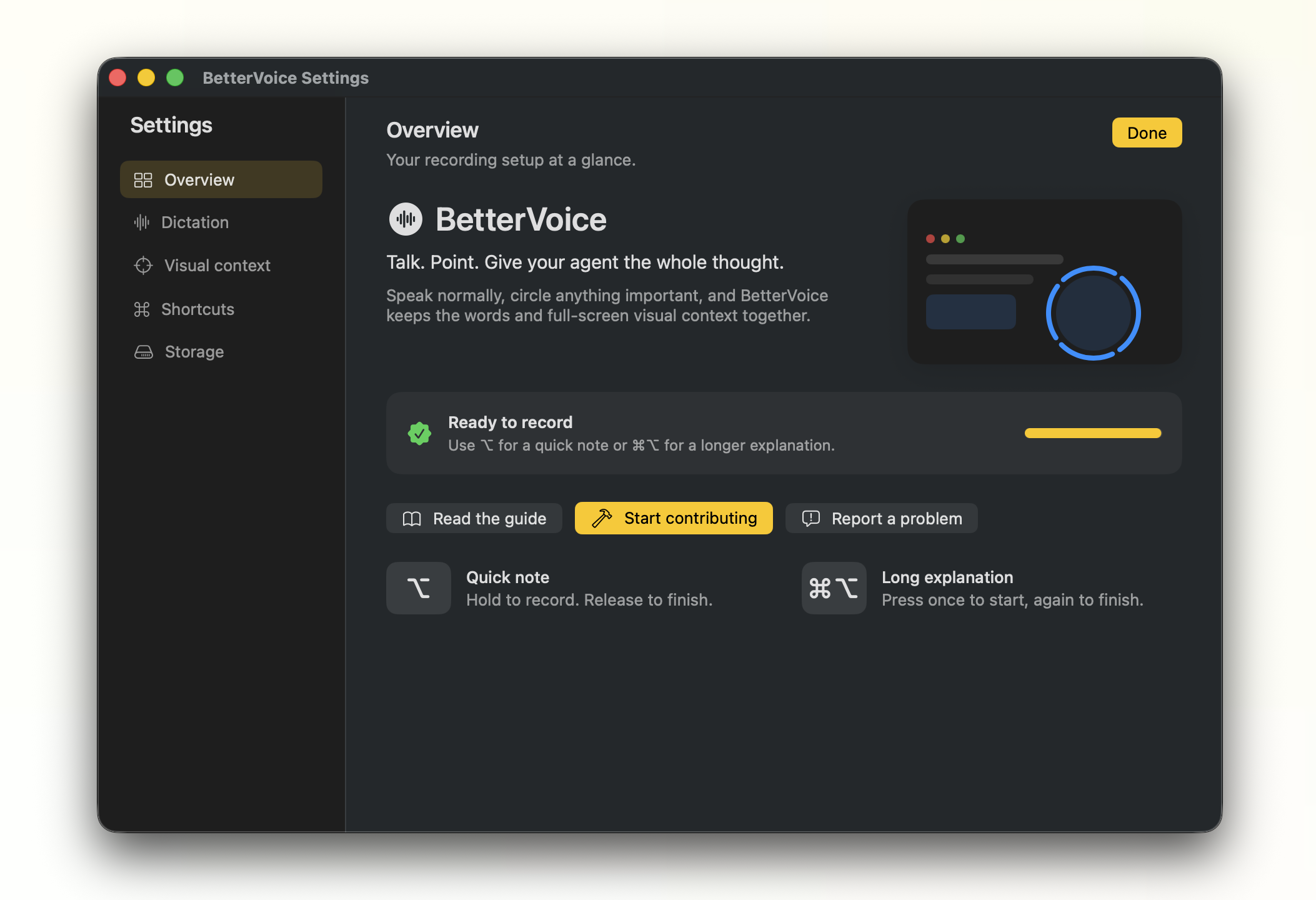
BetterVoice is an experimental, open-source macOS menu-bar app. It transcribes speech locally and captures the full screen whenever you circle something with your pointer, leaving a restrained blue highlight around the referenced area.
Use it
- Hold
⌥ for a quick note. Recording starts after a short hold and finishes when you release.
- Press
⌘⌥ for a long explanation. Press it again to finish.
- A soft native sound confirms when listening starts and when it stops.
- While recording, circle any important UI with the pointer. A blue trail follows your movement and a pulse confirms each capture.
- BetterVoice inserts the transcript into the selected text field when macOS allows it, then pastes captured images into that same field when both transcript and screen context exist. Long explanations leave the captured images on the clipboard; quick notes restore your previous clipboard afterward.
Each circle captures the complete display beneath the pointer. Multiple circles produce screenshots in the same order you referenced them.
Open Settings… from the menu-bar icon to choose a microphone, change the dictation language, tune the circle threshold, and customize the shortcuts. In Shortcuts, click the current key, wait for Listening…, and press the exact combination you want. It appears in place immediately; click Done when finished. Reset shortcuts to defaults restores both shortcut bindings and trigger styles. Quick notes support hold, tap-to-toggle, and double-tap-to-toggle when the shortcut is modifier-only; long explanations support press-to-toggle and double-tap-to-toggle for modifier-only shortcuts. Hold delay is adjustable from 50–500 ms (140 ms by default). The defaults are 340° for circle detection, hold ⌥ for quick notes, and press ⌘⌥ for long explanations.
Dictation language
BetterVoice dictates in English by default and nothing about that flow changed. Pick another language under Dictation Language in the menu bar, or in Settings….
English keeps the English-only Parakeet model it has always used, so an existing install downloads nothing new and its transcription is unchanged. Choosing any other language pulls the multilingual model instead, a separate one-time download of roughly the same size. Switching back to English returns to the model already on disk.
Two things follow from the language you pick:
- Grammar cleanup stays English only, and is skipped and greyed out while another language is selected. The model behind it is trained on English; run over another language it rewrites correct sentences into broken ones rather than declining.
- A script hint goes to the decoder, which keeps a Cyrillic or Greek transcript from picking up stray Latin tokens. Between two Latin-script languages the hint does nothing, which is also why English technical terms still come through while you dictate in another Latin-script language.
Grammar cleanup (Beta)
Grammar cleanup is off by default. To try the beta, open Settings…, turn on Grammar cleanup (Beta), and press Download. BetterVoice then runs each transcript through the tiny, English-focused t5-tiny-gec-hone model. Its quantized ONNX weights and tokenizer are about 36 MB, stored in ~/Library/Application Support/BetterVoice, and run locally. When enabled, BetterVoice preloads the cached model in the background after launch so the first recording does not pay the initialization cost. The status bar shows “Polishing transcript locally…” while this step runs. If the model cannot download, exceeds its context limit, or returns an incomplete result, BetterVoice keeps the raw transcript so recording still completes.
This is intentionally experimental: the model fixes capitalization, punctuation, and sentence structure, and it can occasionally change wording. Delete the t5-tiny-gec-hone folder to force a fresh download.
Developer vocabulary (Beta)
BetterVoice also includes a fast, zero-download developer pass inspired by WhisperDictation and Dictate. It fixes common casing such as github → GitHub, javascript → JavaScript, and json → JSON, and recognizes spoken acronyms such as “n p m” in terminals and editors. It preserves the transcript’s wording and runs locally in milliseconds. The pass is enabled by default and can be turned off from Settings…. The generic grammar model remains an independent, opt-in beta.
Your own vocabulary
The developer pass ships with a fixed table, and it will never cover kubectl, an internal service name, or a colleague's surname. Those live in a file you edit:
~/Library/Application Support/BetterVoice/vocabulary.json
Open it from the menu bar with Edit Vocabulary…. The key is what the transcript says, the value is what you meant, and phrases of several words work:
{
  "terms": {
    "cube cuttle": "kubectl",
    "engine x": "nginx"
  }
}
Saving is enough; the file is re-read on your next recording. Longer sources are applied first, so a phrase wins over a word inside it, and matching is whole-word and case-insensitive, so filenames, domains, and paths are left alone. A source you list replaces the built-in spelling for that same term.
One rule is worth respecting: never use an ordinary word as a key. Mapping read me to README rewrites every sentence containing "read me". The file ships with no terms for that reason, and it is ignored entirely while Developer vocabulary (Beta) is off. A malformed file is ignored rather than failing the recording.
Download
Download the latest Apple Silicon build from the BetterVoice releases page. Choose BetterVoice-macos-arm64.zip, unzip it, and open BetterVoice.app:
unzip BetterVoice-macos-arm64.zip
open BetterVoice.app
The release targets macOS 14+ on Apple Silicon. This experimental build is signed with an Apple Development certificate and is not notarized with a Developer ID certificate yet. On the first launch, macOS may require you to Control-click the app, choose Open, and confirm. If macOS still blocks it, use System Settings → Privacy & Security → Open Anyway. Then approve Microphone and Accessibility when BetterVoice asks; Screen Recording is optional for visual context. The local speech model downloads once (about 500 MB).
The first launch opens a guided setup: download the local model, grant microphone and Accessibility access, optionally enable Screen Recording for visual context, choose your microphone, and review the shortcut walkthrough. After setup, open Settings… from the menu bar any time to revisit these choices.
BetterVoice stays available in the menu bar and Dock while it is running. Choose Quit BetterVoice from either menu before deleting the app. If the UI is unavailable, run pkill -x BetterVoice, then move BetterVoice.app to the Trash.
Install from source
Requirements: macOS 14+, Swift 6/Xcode command-line tools, and a local Apple code-signing identity.
git clone https://github.com/TarunTomar122/better-voice.git
cd better-voice
./scripts/build-app.sh
The script builds, signs, and opens .build/BetterVoice.app. BetterVoice then walks through:
- The one-time local Parakeet model download (~500 MB)
- Microphone permission
- Accessibility permission for global shortcuts and returning text to the selected field
- Optional Screen Recording permission for circles and visual context
- Microphone selection and the shortcut walkthrough
Automatic microphone selection prefers a connected external input and falls back to the system input. You can choose a specific device during setup or from the menu bar.
To keep macOS permissions attached to the same identity across rebuilds, explicitly select your certificate when needed:
BETTERVOICE_SIGNING_IDENTITY="Apple Development: Your Name (TEAMID)" ./scripts/build-app.sh
If something is not working
Open the menu-bar icon and choose Settings…. It shows the live state of the microphone, Screen Recording, Accessibility, selected input, local transcription model, and the grammar cleanup toggle. Errors stay visible in a small recovery window with a path back to setup instead of disappearing as a system beep.
- Shortcut does nothing: enable Accessibility, confirm the local model says Ready, and make sure only one BetterVoice process is running. The build script closes the previous process before launching a rebuild.
- No screenshot: enable BetterVoice in System Settings → Privacy & Security → Screen Recording, then quit and reopen the app. The setup screen reads the current macOS permission every time; it does not cache an old answer.
- Transcript is not inserted: enable Accessibility. The transcript remains on the clipboard and in the saved session when the target app blocks paste events.
- Wrong microphone: choose the device under Microphone in the menu-bar menu.
- Cannot delete the app: choose Quit BetterVoice from the Dock or menu bar first. If it is still running, run
pkill -x BetterVoice in Terminal, then move BetterVoice.app to the Trash.
- Model download failed: reopen Settings… and retry from the model row.
- Grammar model download failed: reopen Settings… and retry Download on the grammar cleanup row.
- Try grammar cleanup: turn on Grammar cleanup (Beta) in Settings…, then press Download.
- Accidental empty recording: a session shorter than 2.5 seconds with no speech or circles is discarded quietly. Longer empty sessions are saved without opening an error dialog.
Clipboard behavior
macOS lets one clipboard contain text, rich text, and image representations, but each destination decides which representation to accept. For either mode, BetterVoice captures the focused app and field when recording stops, puts the transcript on the clipboard, and sends one ⌘V directly to that captured app. When both transcript and screen context exist, it then puts the captured images on the clipboard and sends a second ⌘V to the same app. Long explanations leave those images available on the clipboard; quick ⌥ notes restore the clipboard you had before recording. If the clipboard changes during the handoff, image insertion is skipped to avoid overwriting user data.
Privacy and storage
- Transcription runs locally through FluidAudio.
- Temporary audio is deleted after transcription.
- Sessions live in
~/Desktop/BetterVoice for at most 7 days.
- Saved sessions are capped at 500 MB, including during an active capture; the oldest are removed first.
- The local speech model is a separate one-time cache of roughly 500 MB.
- Recordings stop safely at 20 minutes, and abandoned temporary audio is removed on launch.
- Use Recent in the menu bar to recover the latest transcript and images, or use Open Saved Sessions and Clear Saved Sessions… for the full local archive.
A session contains:
<timestamp>-<id>/
├── context.md
├── context-1.png
└── context-2.png
Development
swift test -Xswiftc -strict-concurrency=complete
See docs/ARCHITECTURE.md for the implementation map.
Contributing
New to the project? Start with the contribution guide. It covers the local setup, test command, architecture boundaries, and the kinds of changes that are useful to BetterVoice.
Current scope: English transcription by default with other languages behind the picker, Apple Silicon macOS 14+, and an experimental downloadable release. The release is not notarized with a Developer ID certificate yet. Circle recognition is intentionally forgiving; you do not need to draw a perfect circle.
Inspired by the fluidity of Wispr Flow. BetterVoice is not affiliated with Wispr Flow.

 BetterVoice 是一款实验性的开源 macOS 菜单栏语音听写应用。它在本地转录语音,还会在你说话时捕捉用指针圈出的屏幕区域,让转录内容附带视觉上下文。