281 ·GitHub
Что это?
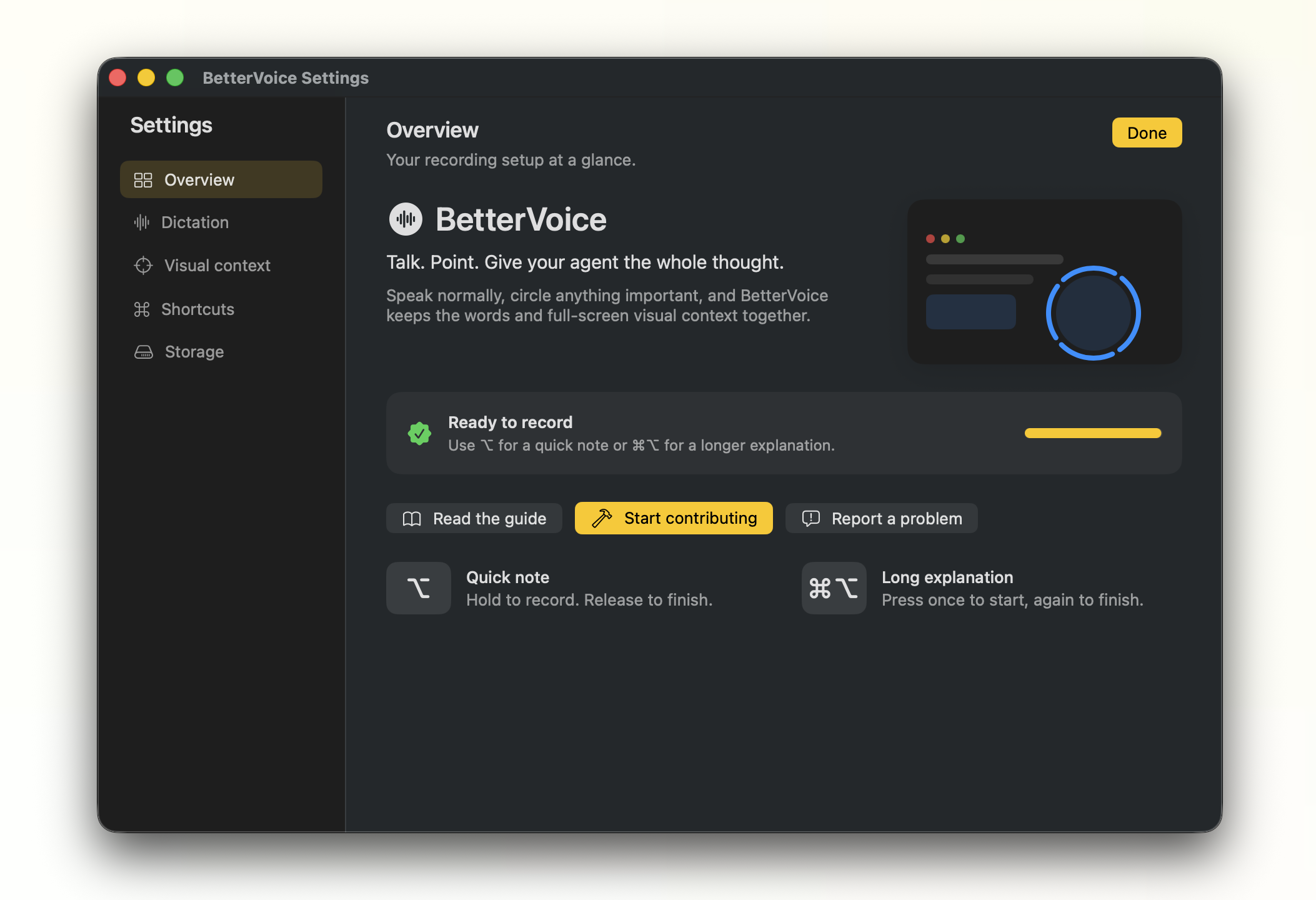
 BetterVoice — экспериментальное open-source приложение для macOS в строке меню для голосового диктования. Оно транскрибирует речь локально и также захватывает область экрана, которую вы обводите указателем во время разговора, так что транскрипт идёт вместе с визуальным контекстом.
BetterVoice — экспериментальное open-source приложение для macOS в строке меню для голосового диктования. Оно транскрибирует речь локально и также захватывает область экрана, которую вы обводите указателем во время разговора, так что транскрипт идёт вместе с визуальным контекстом.Это просто инструмент диктовки, или он умеет ещё и скриншоты?И то и другое: он вставляет голосовой транскрипт в активное текстовое поле, а если вы обвели что-то на экране во время записи, он также вставляет скриншот обведённой области в то же поле.
И то и другое: он вставляет голосовой транскрипт в активное текстовое поле, а если вы обвели что-то на экране во время записи, он также вставляет скриншот обведённой области в то же поле.Как его запустить?Скачайте сборку для Apple Silicon (BetterVoice-macos-arm64.zip) со страницы релизов, распакуйте и откройте BetterVoice.app; первый запуск проведёт вас через пошаговую настройку. Либо соберите из исходников локальным скриптом сборки, которому нужны Swift 6/Xcode command-line tools.
Скачайте сборку для Apple Silicon (BetterVoice-macos-arm64.zip) со страницы релизов, распакуйте и откройте BetterVoice.app; первый запуск проведёт вас через пошаговую настройку. Либо соберите из исходников локальным скриптом сборки, которому нужны Swift 6/Xcode command-line tools.Нужно ли выдавать какие-то особые разрешения macOS?Да — обязательны разрешения Microphone и Accessibility, а Screen Recording необязательно, но нужно, если хотите функцию «обвести — получить скриншот».
Да — обязательны разрешения Microphone и Accessibility, а Screen Recording необязательно, но нужно, если хотите функцию «обвести — получить скриншот».Готов ли релиз к установке без дополнительных шагов?Сборка подписана, но пока не нотаризована сертификатом Developer ID, поэтому macOS может заблокировать её при первом запуске, и понадобится клик с Control и выбор Open либо разрешение через System Settings.
Сборка подписана, но пока не нотаризована сертификатом Developer ID, поэтому macOS может заблокировать её при первом запуске, и понадобится клик с Control и выбор Open либо разрешение через System Settings.Работает ли он и на Mac с Intel?Нет, сейчас поддерживаются только Mac на Apple Silicon с macOS 14 или новее.
Нет, сейчас поддерживаются только Mac на Apple Silicon с macOS 14 или новее.Работает ли диктовка без интернета?Да, после одноразовой локальной загрузки модели (~500 МБ) транскрибация речи полностью работает офлайн, на устройстве.
Да, после одноразовой локальной загрузки модели (~500 МБ) транскрибация речи полностью работает офлайн, на устройстве.Куда уходят мои аудио- и экранные данные?Транскрибация полностью локальна через FluidAudio, временные аудио удаляются сразу после транскрибации, а сохранённые сессии лежат на диске в ~/Desktop/BetterVoice максимум 7 дней (с лимитом 500 МБ).
Транскрибация полностью локальна через FluidAudio, временные аудио удаляются сразу после транскрибации, а сохранённые сессии лежат на диске в ~/Desktop/BetterVoice максимум 7 дней (с лимитом 500 МБ).Можно ли переключить диктовку на другой язык, кроме английского?Да, можно выбрать другой язык в строке меню или в Settings; переключение с английского запускает одноразовую загрузку отдельной многоязычной модели, а английский продолжает использовать оригинальную модель Parakeet.
Да, можно выбрать другой язык в строке меню или в Settings; переключение с английского запускает одноразовую загрузку отдельной многоязычной модели, а английский продолжает использовать оригинальную модель Parakeet.Что такое бета Grammar cleanup?Опциональная функция, прогоняющая транскрипты через крошечную локальную модель t5-tiny-gec-hone (~36 МБ), чтобы исправить заглавные буквы, пунктуацию и структуру предложений в английском тексте; при сбое или таймауте модели используется сырой транскрипт.
Опциональная функция, прогоняющая транскрипты через крошечную локальную модель t5-tiny-gec-hone (~36 МБ), чтобы исправить заглавные буквы, пунктуацию и структуру предложений в английском тексте; при сбое или таймауте модели используется сырой транскрипт.Можно ли научить его своим словам вроде названий внутренних сервисов?Да, есть редактируемый файл словаря (открывается через Edit Vocabulary... в строке меню), который сопоставляет неверно расслышанные фразы транскрипта правильному написанию, с применением целословного сравнения без учёта регистра.
Да, есть редактируемый файл словаря (открывается через Edit Vocabulary... в строке меню), который сопоставляет неверно расслышанные фразы транскрипта правильному написанию, с применением целословного сравнения без учёта регистра.Какие горячие клавиши записи по умолчанию?Зажмите ⌥ для быстрой заметки (остановится при отпускании), а ⌘⌥ нажмите для запуска/остановки более длинного объяснения; и горячие клавиши, и порог распознавания обводки настраиваются в Settings.
Зажмите ⌥ для быстрой заметки (остановится при отпускании), а ⌘⌥ нажмите для запуска/остановки более длинного объяснения; и горячие клавиши, и порог распознавания обводки настраиваются в Settings.What are similar projects?parrot, lipflow, murmur-youtube, tendedero, FluidVoice, course2md, jot-gemini-transcribe-macOS, quill
parrot, lipflow, murmur-youtube, tendedero, FluidVoice, course2md, jot-gemini-transcribe-macOS, quillWhich topics is it in?menubar, transcription, screenshot, speech-to-text, speech-recognition, privacy-first, accessibility, macos-app, apple-silicon, swift, offline, local-first
menubar, transcription, screenshot, speech-to-text, speech-recognition, privacy-first, accessibility, macos-app, apple-silicon, swift, offline, local-first