

AutoGPT README

The project's README from github.com/Significant-Gravitas/AutoGPT. As one markdown file: README.md.

AutoGPT

AutoGPT — AI agents that finish the work

Get 10 hours back every week.
Describe what you want done. AutoGPT builds the agent, runs it, and reports back.

Get started · Tour · Pricing · Docs · Discord · Self-host

Join Discord Read the docs


The open-source platform for AI agents

AutoGPT lets you build, deploy, and run AI agents that carry out complete workflows. Describe an outcome in plain English or shape every step in the visual builder, then run the agent on demand, on a schedule, or from a trigger.

185,000+ GitHub stars. Cited by:

“Next frontier of prompt engineering imo: ‘AutoGPTs’.” Andrej Karpathy, founding member of OpenAI
“If you have a phone you can run AutoGPT. You don't even need to learn how to code.” Amjad Masad, co-founder & CEO of Replit
“AutoGPT might be the next big step in AI.” Lior Alexander, CEO of AlphaSignal

Four surfaces, one platform

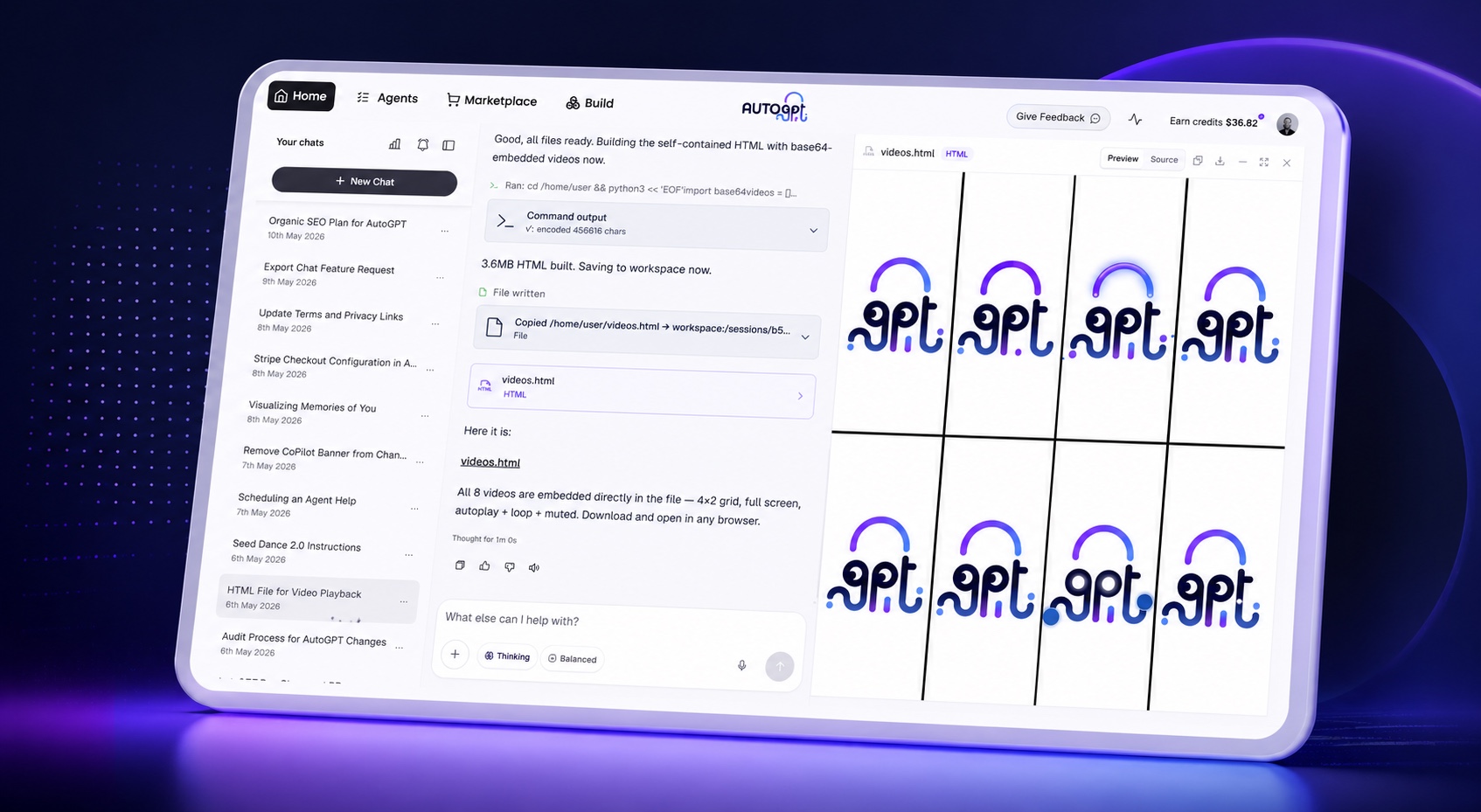
AutoPilot chat creating an AutoGPT agent
AutoPilot
Describe the job in plain English and turn the conversation into a working agent.
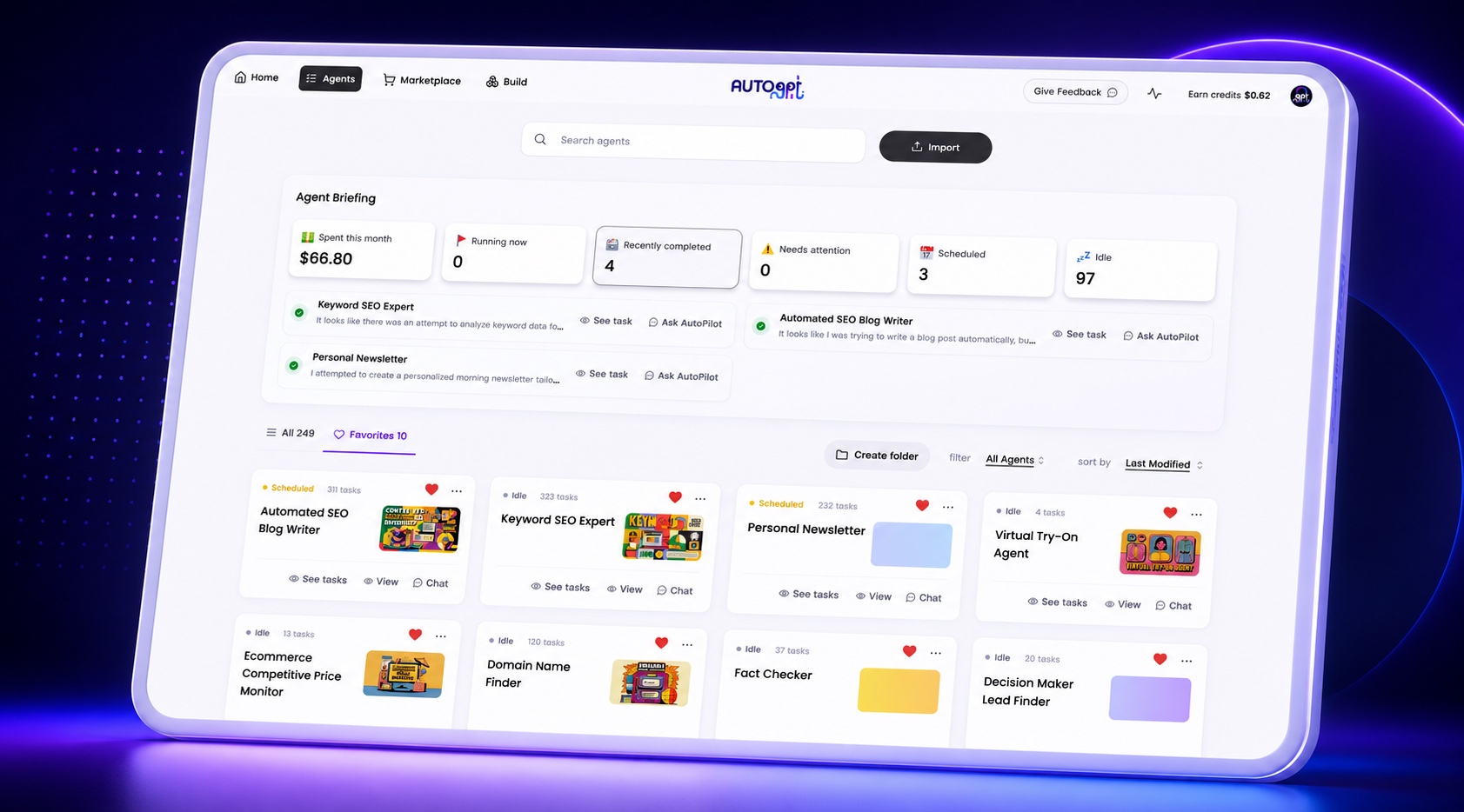
Agents dashboard showing statuses, runs, and costs
Agents
See every agent, run, cost, and action that needs your attention.
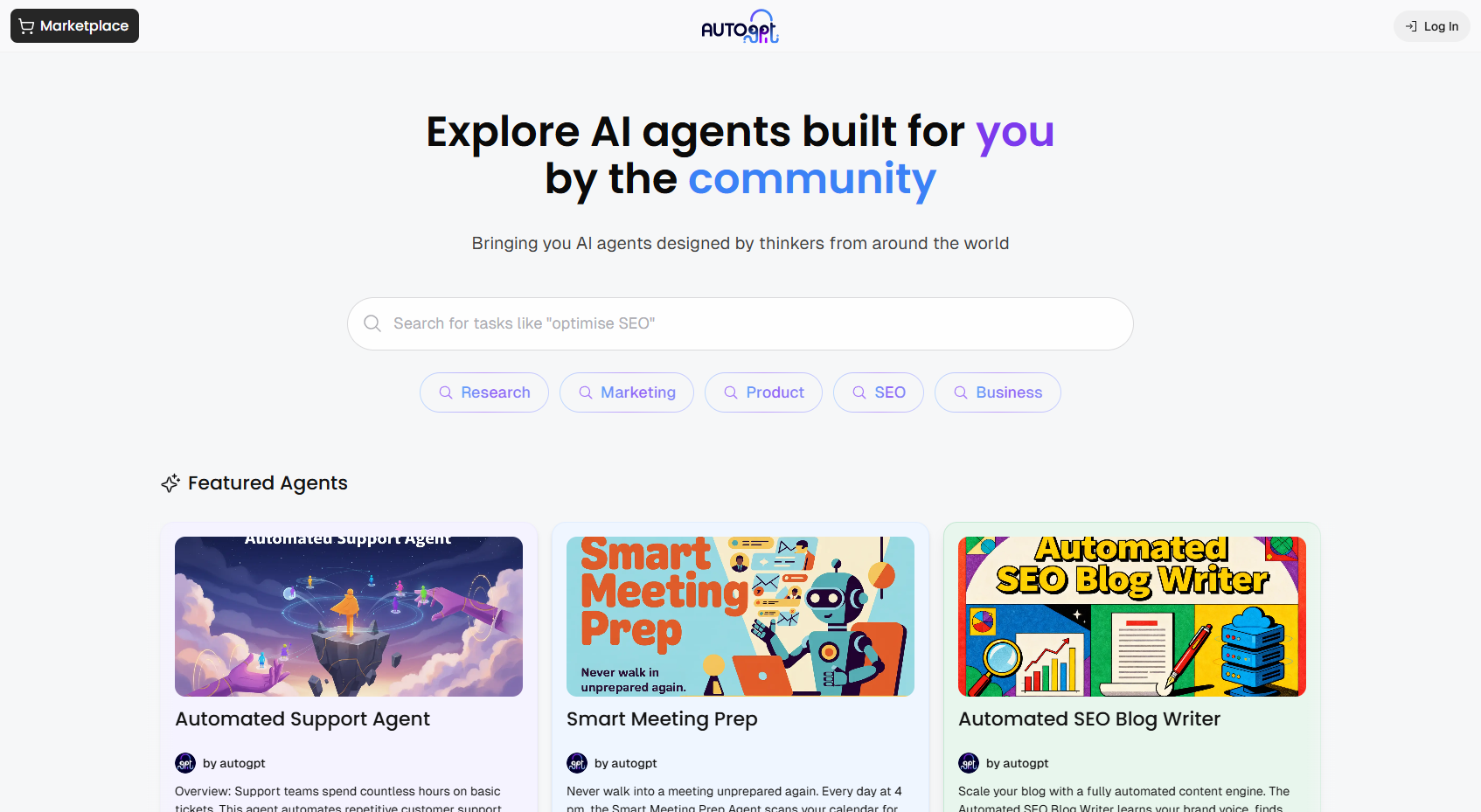
AutoGPT Marketplace showing ready-made community agents
Marketplace
Start from proven agents, add one to your library, and customize it for your work.
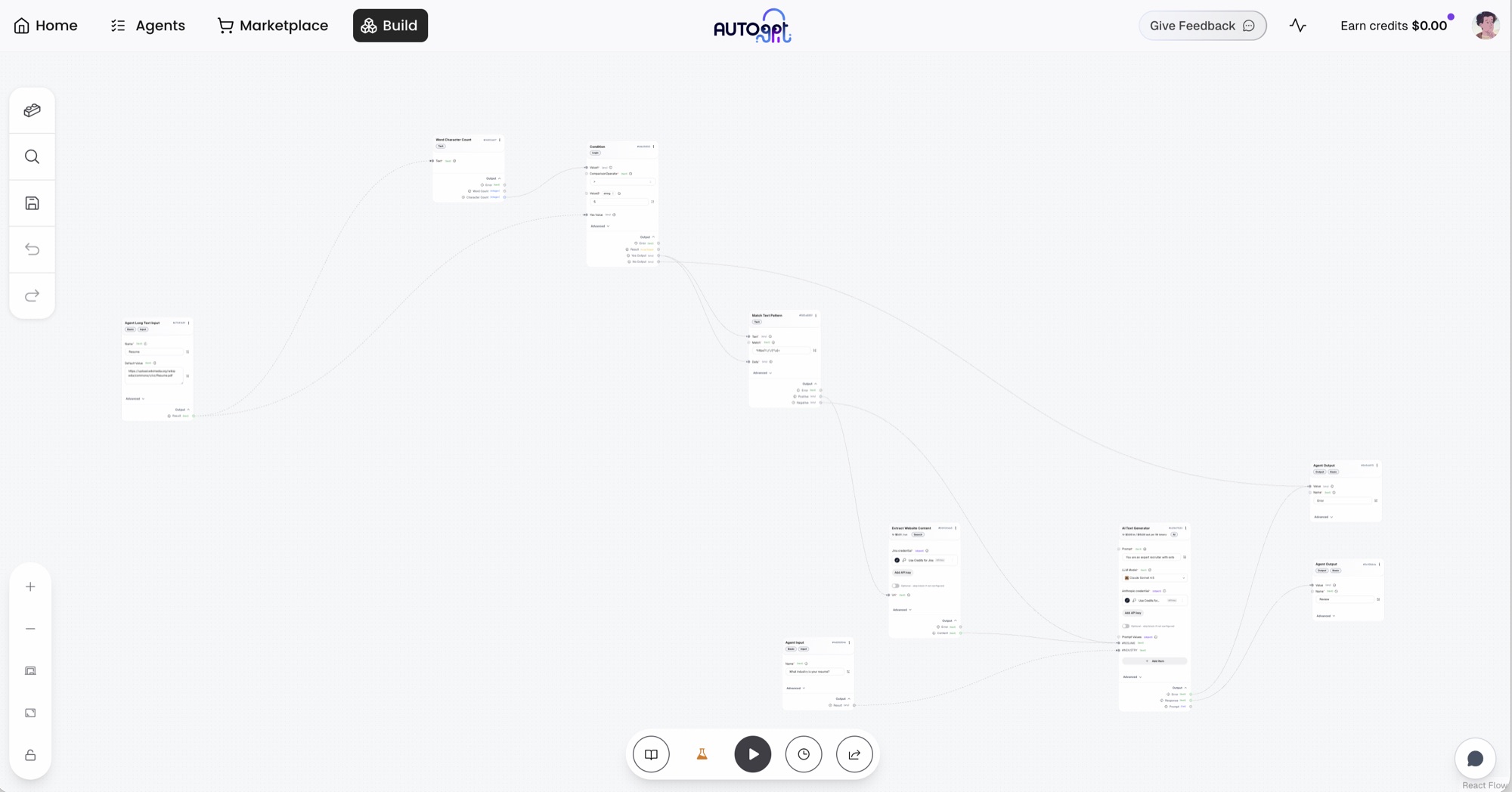
The AutoGPT Build canvas showing a real agent workflow
Build
Drag, connect, branch, and inspect blocks for exact control over every step.

Get started

AutoGPT Platform — public, hosted, and managed

The hosted Platform is publicly available. We manage the infrastructure, model access, credentials, reliability, and updates so you can focus on the work your agents perform.

Get started on AutoGPT Platform →

Take the interactive tour →

The hosted Platform is a paid service with usage-based agent runs. Compare plans and pricing →

Self-host AutoGPT

[!NOTE] Self-hosting is the free path. You provide the infrastructure and model API keys, and you maintain the deployment. If you want zero setup, use the managed Platform.

The Linux and macOS single-container release installer is coming with the next appliance release. Until the public installer endpoint and image tags pass the documented release gates, use the manual self-hosting guide.

The release installer will require an already-running local Docker daemon using Linux containers on amd64 or arm64. It pulls the published appliance and runs its immutable digest; it does not install Docker or build from source. Windows users should continue with the manual self-hosting guide for now.

Read the self-hosting guide →


Managed Platform vs. self-hosting

AutoGPT Platform Self-hosted
Access Public signup Operate the published appliance or a development checkout
Cost Paid plan plus agent usage No license fee; pay your own infrastructure and model providers
Setup Managed Docker and configuration required
Model access Built in Bring your own API keys
Updates and operations Managed by AutoGPT Managed by you
Core builder and agent runtime Included Included
Data and infrastructure control Hosted by AutoGPT Runs on your infrastructure
Support Plan-dependent Community support

Both paths use the same repository. Choose the managed Platform when you want agents running immediately; self-host when infrastructure control matters more than operational convenience.


Why the hosted Platform is paid

Every agent run consumes real model usage, compute, storage, secrets management, and operational support. The managed Platform covers that infrastructure and funds continued development of the open-source project.

Self-hosting remains available without a license fee for people and teams that want to provide and operate those resources themselves.


What you can automate

Area Example
Executive operations Prepare a daily brief from internal and external signals
Sales Research every account before tomorrow's meetings
Marketing Turn a launch brief into campaign drafts across channels
Engineering Triage incidents and start with a likely cause
Customer support Draft replies, collect context, and flag escalations
Research Monitor sources and return structured reports when something changes

Integrations

Connect the apps that are yours. AutoGPT provides access to hundreds of AI models and connects agents to 45+ platforms, including:

Gmail · Google Calendar · Google Docs · Google Sheets · GitHub · Slack · Discord · Notion · HubSpot · Linear · Airtable · Jira · Salesforce · Stripe · Webflow

Explore the integrations →


Community and support

Resource Link
Discord Join the AutoGPT community
Documentation docs.agpt.co
Bug reports GitHub Issues
Feature requests GitHub Issues
Contributing CONTRIBUTING.md

License

Component License What it means
autogpt_platform/ Polyform Shield Free for personal and internal business use; cannot be sold as a competing hosted service
classic/ and everything else MIT Permissive open-source use

AutoGPT Classic

Looking for the original standalone AutoGPT agent? It remains available in classic/ under the MIT License.


Contributors

AutoGPT contributors

Get started with AutoGPT →


Deutsch | Español | français | 日本語 | 한국어 | Português | Русский | 中文

AutoGPT (Significant-Gravitas/AutoGPT)

Searching Database…

187.6K ·GitHub
这是什么?AutoGPT 是一个开源平台,用于构建、部署和运行能够完成完整工作流程的 AI 智能体。你可以用大白话描述想要的结果,也可以在可视化构建器里一步步搭建,然后按需、按计划或由触发器来运行智能体。
这是一个可以导入的代码库,还是带界面的完整平台?它是一个完整的平台,包含四个入口:AutoPilot(用大白话描述任务)、Agents(管理运行和费用)、Marketplace(现成的智能体)和 Build(拖拽连接的可视化积木式编辑器),而不只是一个代码库。
怎么运行起来:用托管版还是自行部署?你可以注册托管版 AutoGPT Platform(付费,无需设置),也可以按照手动自部署指南免费自行部署,但这需要你已经在本地运行 Docker 守护进程。
自行部署前需要准备什么?你需要一个在本地运行、能够运行 amd64 或 arm64 架构 Linux 容器的 Docker 守护进程,以及你自己的模型 API 密钥;而托管版 Platform 自带模型访问,无需任何密钥。
一键安装程序现在可以直接用吗?还不行。适用于 Linux 和 macOS 的单容器发布安装程序仍在开发中;在它通过发布检查之前,你必须使用手动自部署指南,而 Windows 用户无论如何都得使用手动指南。
托管版 Platform 和自行部署分别适合谁?托管版适合希望立即运行智能体、不想做基础设施工作的用户;自行部署适合想完全掌控基础设施,并愿意运行 Docker、自行管理模型 API 密钥的团队。
自行部署的版本究竟在哪里运行?自行部署的一体化方案通过 Docker 运行在 amd64/arm64 架构的 Linux 容器上;Windows 用户目前需要按照手动自部署指南操作,而不是即将推出的一键安装程序。
谁控制我的数据和基础设施?在托管版 Platform 上,AutoGPT 在它自己的基础设施上运行你的智能体;如果你选择自行部署,那么所有内容都运行在你提供并掌控的基础设施上。
我实际能用 AutoGPT 智能体自动化哪些工作?例如:准备每日高管简报、在销售会议前调研客户、根据发布简报起草营销方案、分诊工程事故,以及监控信息源以生成研究报告。
智能体可以连接哪些外部工具?AutoGPT 可以连接 45 个以上的平台,包括 Gmail、Google 日历、Google 文档、Slack、Discord、Notion、GitHub、HubSpot、Linear、Jira、Salesforce 和 Stripe,还可以访问数百种 AI 模型。
什么是 AutoGPT Classic?Classic 是最初的独立版 AutoGPT 智能体,仍以 MIT 许可证形式保存在 classic/ 文件夹中,并附带 Forge(用于构建智能体)和 agbenchmark(用于评测智能体)等工具。
项目是开源的,为什么托管版 Platform 还要收费?每次智能体运行都会消耗真实的模型用量、计算资源、存储空间以及运维支持,因此付费的托管方案用于支撑这些基础设施和项目的持续开发;如果你自己提供资源进行自行部署,则依然免费。
What are similar projects?sim, ruflo, Flowise, mindshub, open-swe, ToolJet, dify, hive
Size
568.2 MB
Stars
187.6K
Age
3y
Commits · 90 Days