iosgpsspoof
Spoof the GPS location of a connected iPhone (iOS 17+) for as long as the
tool runs. The fake location is cleared automatically on exit, and re-applied
automatically if the device disconnects and reconnects.
Ships as two front-ends over a shared core (SpooferCore):
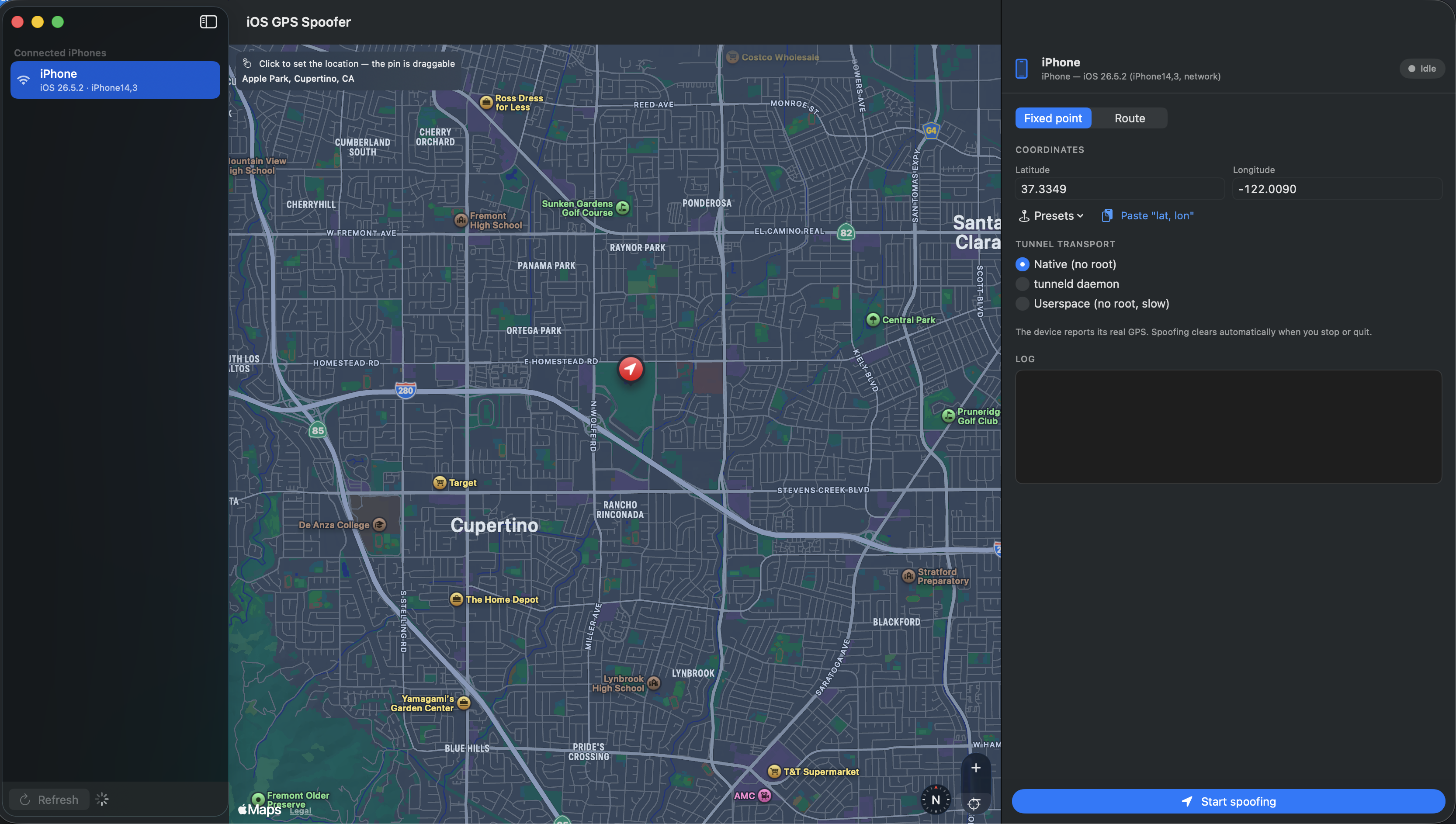
iosgpsspoofer-gui — a SwiftUI macOS app: auto-detected device list with a
refresh button, a map you click to drop the location, coordinate fields,
presets, transport picker, live log, and a Start/Stop toggle.iosgpsspoof — the CLI (spoof, route, list, clear).
It drives Apple's developer location-simulation service — the same mechanism
Xcode's Product ▸ Scheme ▸ Simulate Location uses. On iOS 17+ that service
lives behind the encrypted CoreDevice tunnel, so the actual transport is handled
by pymobiledevice3; this tool is
the user-facing wrapper (CLI, device selection, the "keep it spoofed while
connected" supervision loop, clean teardown).
Download
No build required — grab the DMG from the
Releases page:
Open the DMG, drag iOS GPS Spoofer to Applications. First launch:
right-click ▸ Open (the app is ad-hoc signed, so Gatekeeper asks once). Then
prepare your iPhone — see IPHONE-SETUP.md.
Want to build it yourself instead? See Setup /
Package as a DMG.
Screenshots
Fixed GPS location
Click a spot on the map (or type coordinates / pick a preset) and the connected
iPhone reports that exact location for as long as the tool runs.
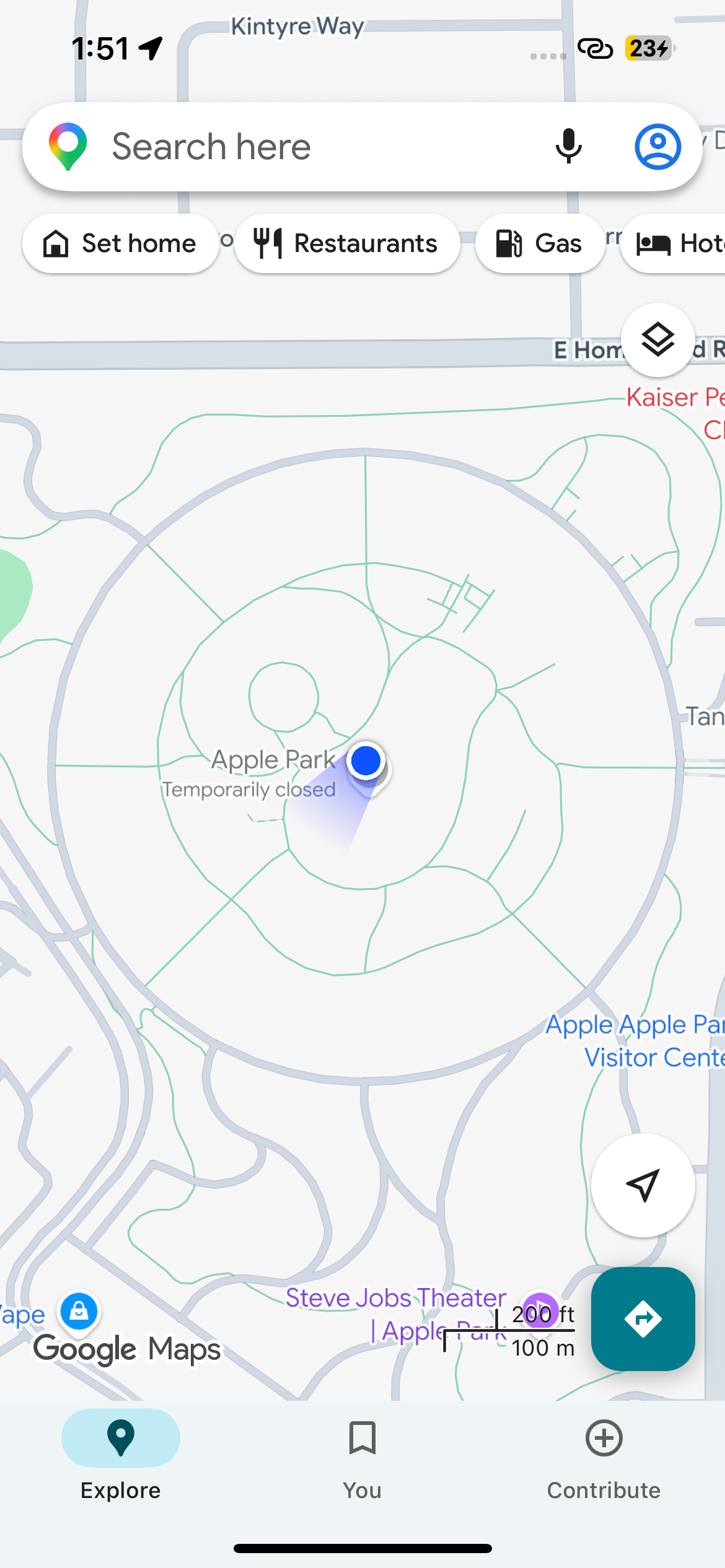
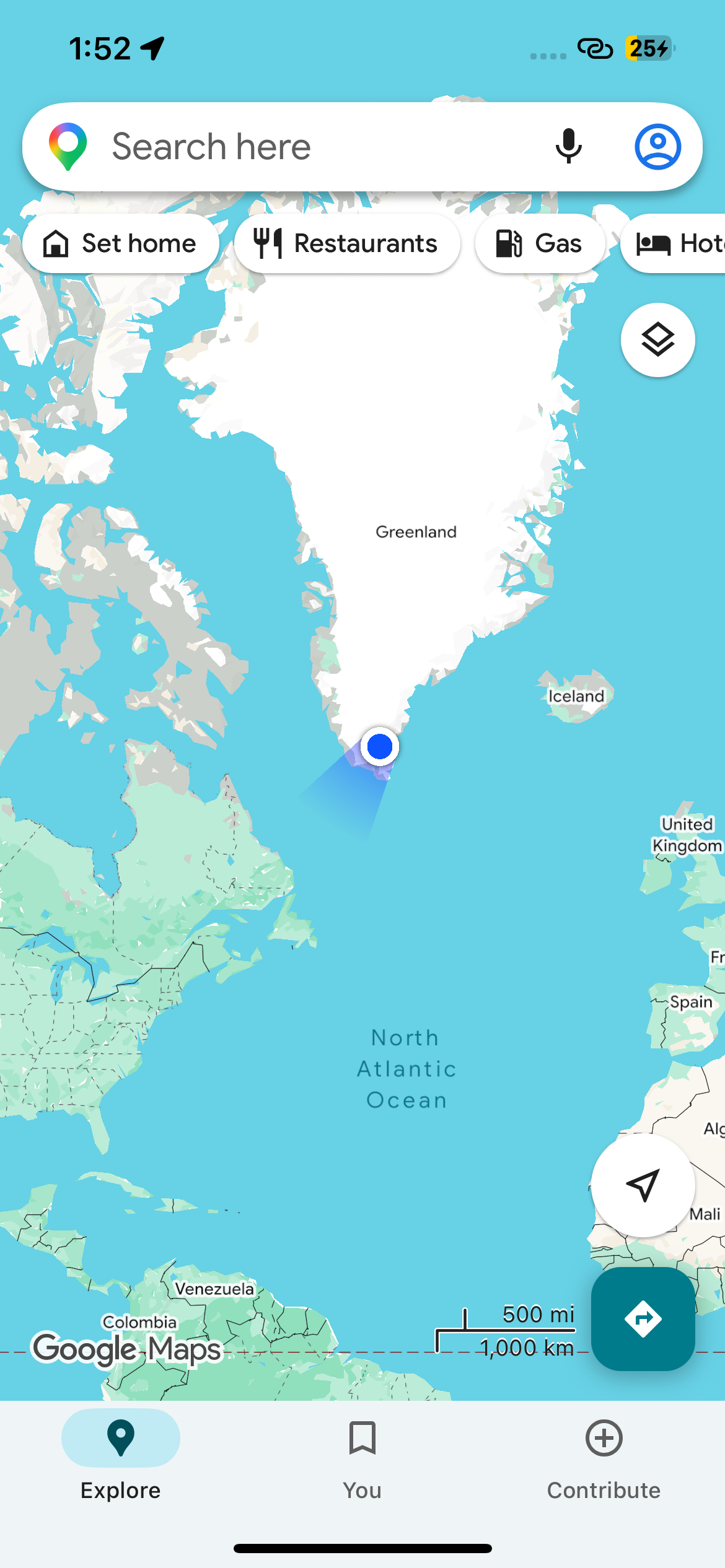
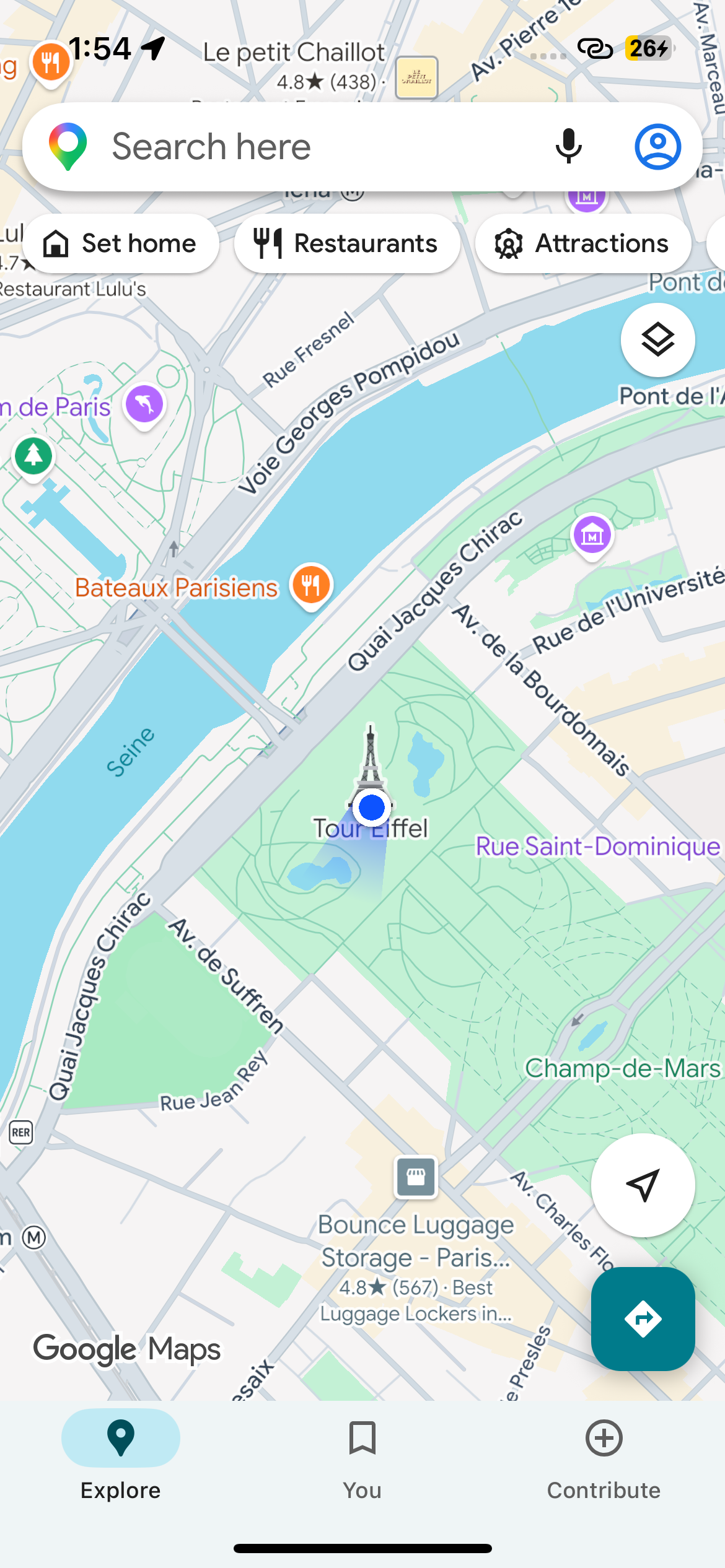
The spoofed position as the iPhone itself sees it — Apple Park, the mid-Atlantic,
and the Eiffel Tower:
| Apple Park |
North Atlantic |
Eiffel Tower |
 |
 |
 |
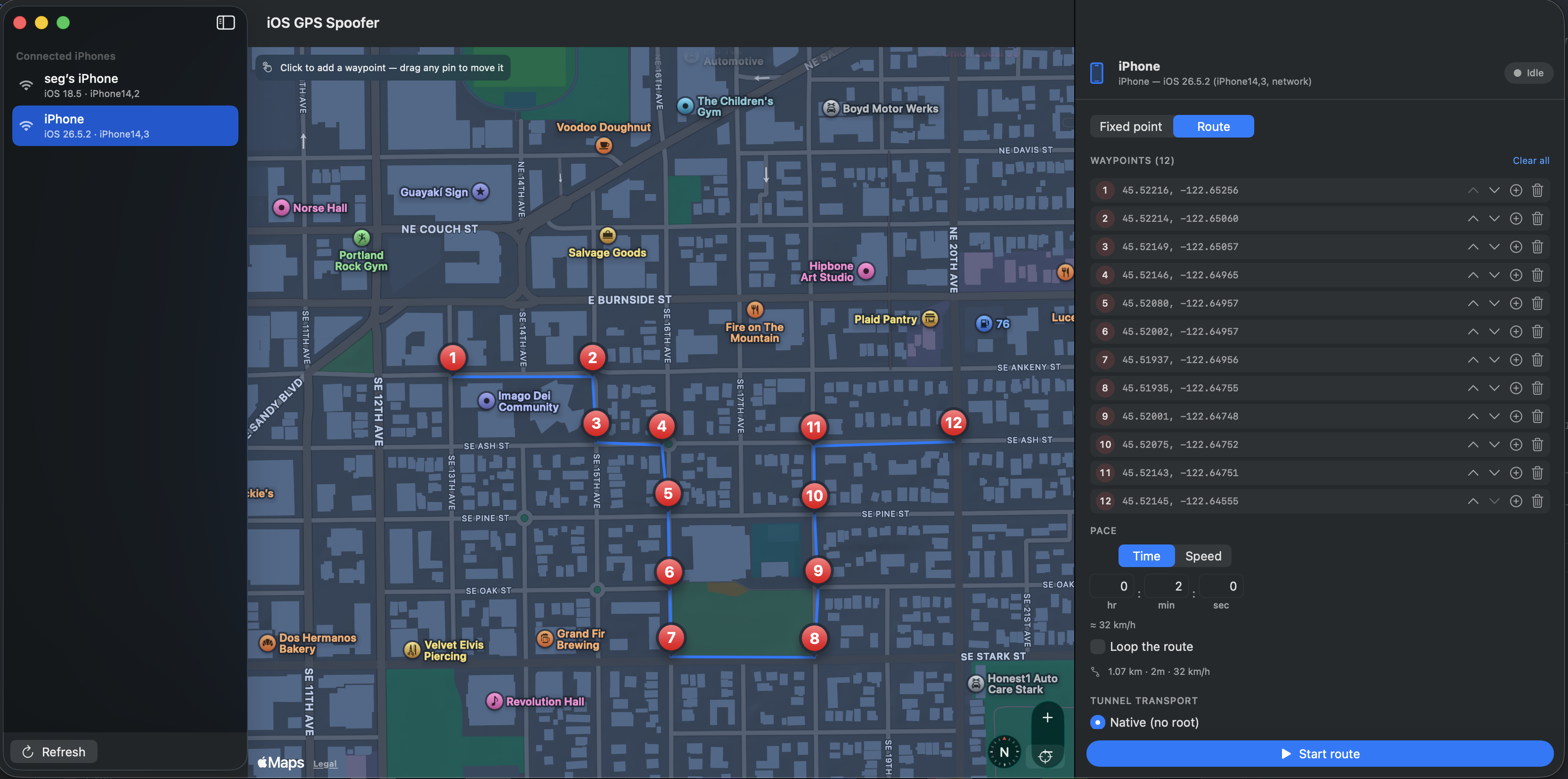
Route
Drop waypoints A → B and any points in between, set a duration (h : m : s) or a
speed (km/h), and the iPhone moves along the path at constant speed. Optionally
loops.
Requirements
- macOS with Xcode / Swift 6 toolchain
- Python 3 (for the bundled
pymobiledevice3 venv)
- An iPhone (iOS 17+) that is paired & trusted and has Developer Mode
enabled — see IPHONE-SETUP.md for the step-by-step
device prep and troubleshooting.
- On the default
--transport native, no root is required — it piggybacks
Apple's own remotepairingd tunnel.
Setup
./setup.sh # creates .venv with pymobiledevice3, builds release binary
The binary lands at .build/release/iosgpsspoof. Copy it onto your PATH if you
like (cp .build/release/iosgpsspoof /usr/local/bin/). It looks for
pymobiledevice3 in ./.venv/bin, then next to the binary, then on $PATH; use
--python-path to point at a specific one.
GUI
./run-gui.sh # or: .build/release/iosgpsspoofer-gui
- The left column lists connected iPhones and auto-refreshes every 3 s; the
Refresh button forces an immediate scan.
- Two modes, switched with the segmented control:
- Fixed point — click the map (draggable pin, fills coordinates, shows the
place name), or type lat/lon, pick a preset, or paste
"lat, lon".
Start spoofing holds the device there; while running, move the pin and
hit Move to new coordinates to relocate without stopping.
- Route — click the map to drop point A, point B, then any points in
between. Pins are draggable; the waypoint list lets you reorder, insert a
midpoint, or delete. Pace it either by time (hr : min : sec) or by
speed (km/h) — the other value is shown live — set Loop if you want,
then Start route. The device moves along the line at constant speed.
Edit waypoints while it runs and hit Apply route changes to restart.
- Stop, or quitting the app, restores the real GPS.
Stopping is immediate, and cleanup is robust: closing the window / Cmd-Q clears
the simulated location; a kill (SIGTERM/SIGINT) still kills the tunnel child;
and if the app is ever kill -9'd, the next launch reaps the orphaned
pymobiledevice3 process automatically.
Automation: set SPOOF_UDID=<udid> and/or SPOOF_START="lat,lon" in the
environment to preselect a device and auto-start spoofing on launch.
Package as a DMG
./package-dmg.sh              # → dist/iOS-GPS-Spoofer-<version>.dmg
./package-dmg.sh --no-venv    # lean build; app expects pymobiledevice3 on PATH
Builds iOS GPS Spoofer.app (generated icon, ad-hoc signed) and a drag-to-install
DMG. By default it bundles ./.venv inside the app, so the app finds
pymobiledevice3 on its own — it looks for Contents/Resources/venv, then
$PYMOBILEDEVICE3, then a .venv beside it, then $PATH.
The bundled venv's Python still references this machine's Homebrew Python, so the
default DMG runs on this Mac and Macs with the same brew install [email protected].
For a portable build use --no-venv and have users install pymobiledevice3
themselves. First launch of an ad-hoc-signed app: right-click ▸ Open.
Publishing a release (maintainer):
VERSION=1.0.0 ./package-dmg.sh
gh release create v1.0.0 "dist/iOS-GPS-Spoofer-1.0.0.dmg" \
  --title "v1.0.0" --notes "iOS GPS Spoofer 1.0.0"
The Download link points at releases/latest, so it always
resolves to the newest published release.
CLI
# list paired devices
iosgpsspoof list

# spoof to a fixed point (Eiffel Tower). Holds until Ctrl-C, then restores real GPS.
iosgpsspoof spoof 48.8584 2.2945
iosgpsspoof spoof "48.8584,2.2945"          # single-token form also works

# choose a device / link explicitly
iosgpsspoof spoof 37.3349 -122.0090 --udid 00008110-000815C10CD1801E --connection usb

# drive the device along a GPX track, looping forever
iosgpsspoof route ./drive.gpx --loop --timing-randomness 200

# manually clear a simulated location (e.g. if a previous run was killed hard)
iosgpsspoof clear
While spoof / route is running it:
- checks the device is still connected; if not, waits and retries
- (re)starts the location-simulation session and holds it open
- on
Ctrl-C (or SIGTERM): stops the session, runs simulate-location clear,
exits. Pass --no-clear-on-exit to leave the fake location in place.
Options (spoof / route)
| option |
default |
meaning |
--udid <id> |
first device |
target device |
--connection any|usb|network |
any |
which link to use / require |
--transport native|tunneld|userspace |
native |
tunnel mechanism. native = no root (macOS). tunneld needs sudo pymobiledevice3 remote tunneld running. userspace = in-process, no root, slower |
--retry-interval <s> |
5 |
delay before re-establishing after a drop |
--no-clear-on-exit |
off |
keep the fake location after exit |
--python-path <path> |
auto |
explicit pymobiledevice3 binary |
Notes / limitations
- iOS 17+ only for the
native/tunneld transports. For iOS ≤ 16 you'd use
pymobiledevice3 developer simulate-location directly over usbmux.
- First run may take a few seconds while the DeveloperDiskImage is mounted and the
tunnel is established.
- Altitude, course and speed aren't set — only latitude/longitude, same as Xcode.
- This is for development and testing of your own apps/devices.

 一个让已连接的 iPhone 在运行期间报告虚假 GPS 定位的工具,停止时会自动恢复真实定位。它调用的是苹果的开发者位置模拟服务——和 Xcode 的 Simulate Location 用的是同一套机制。