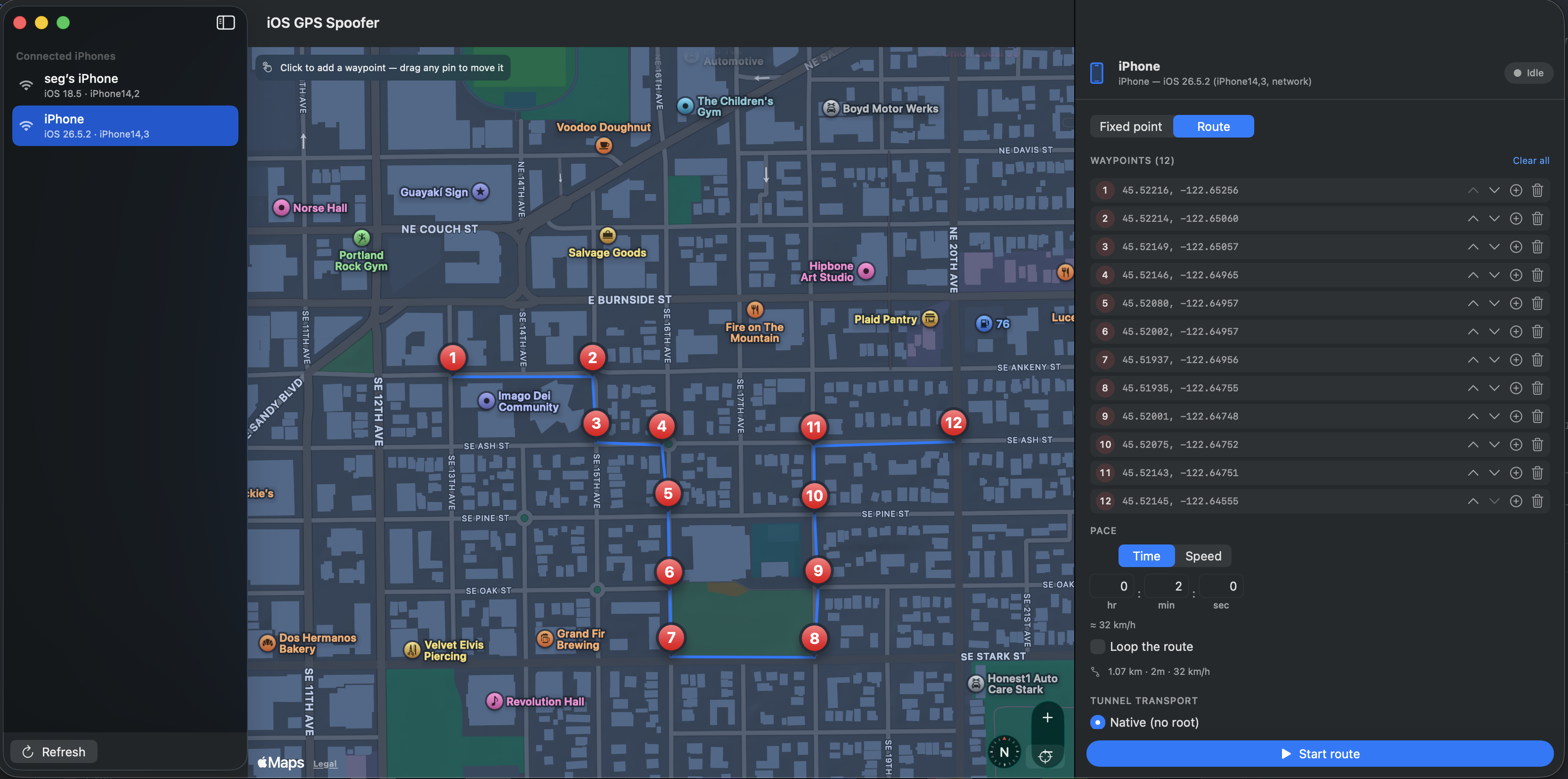
Что это такое?
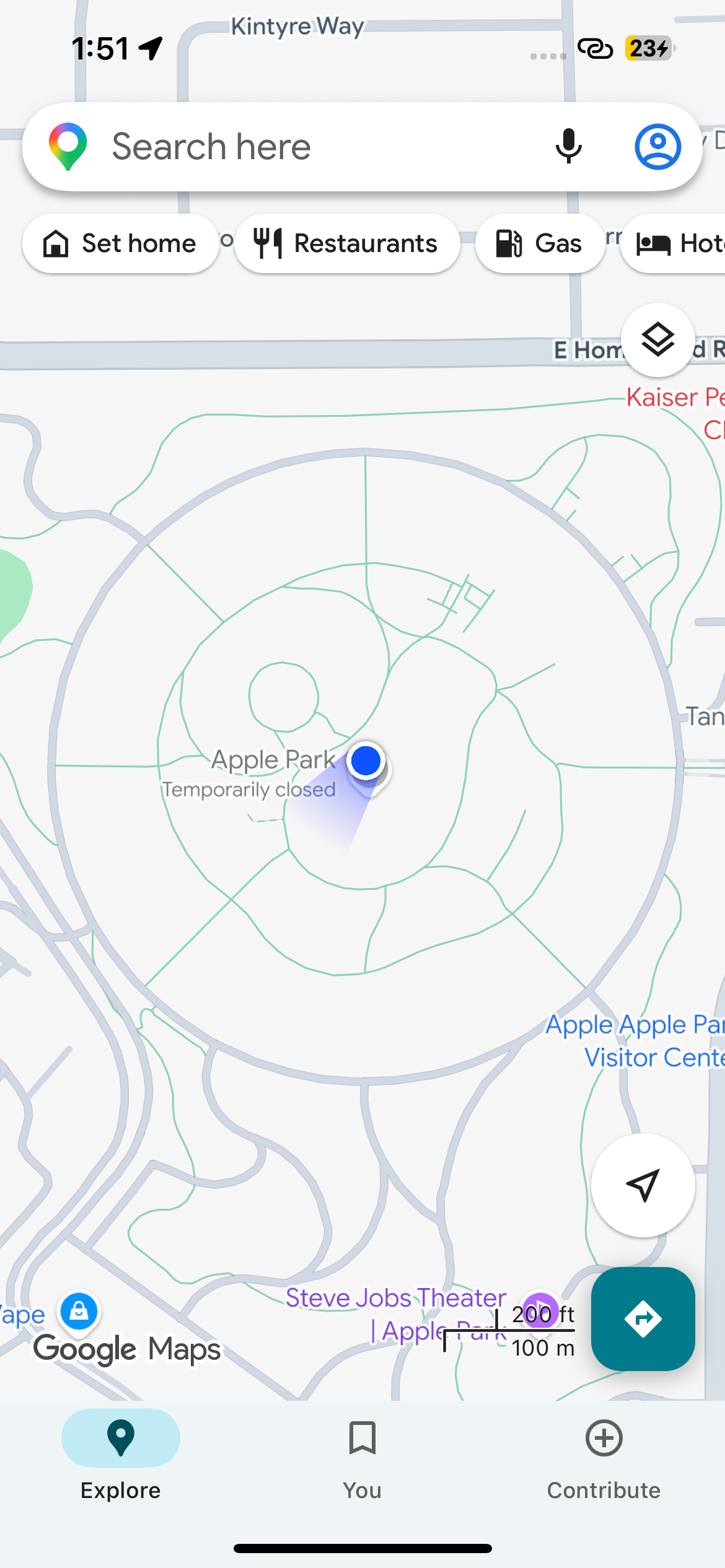
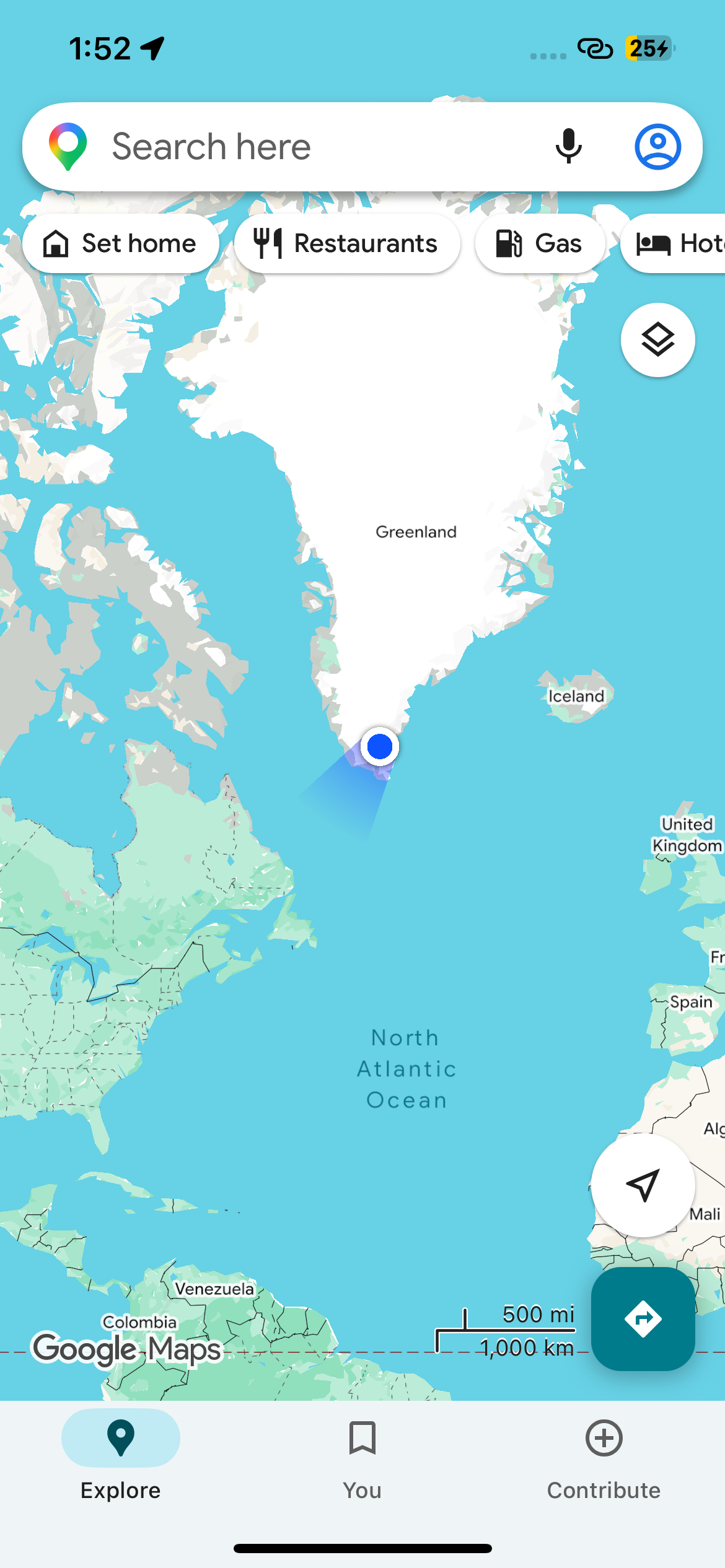
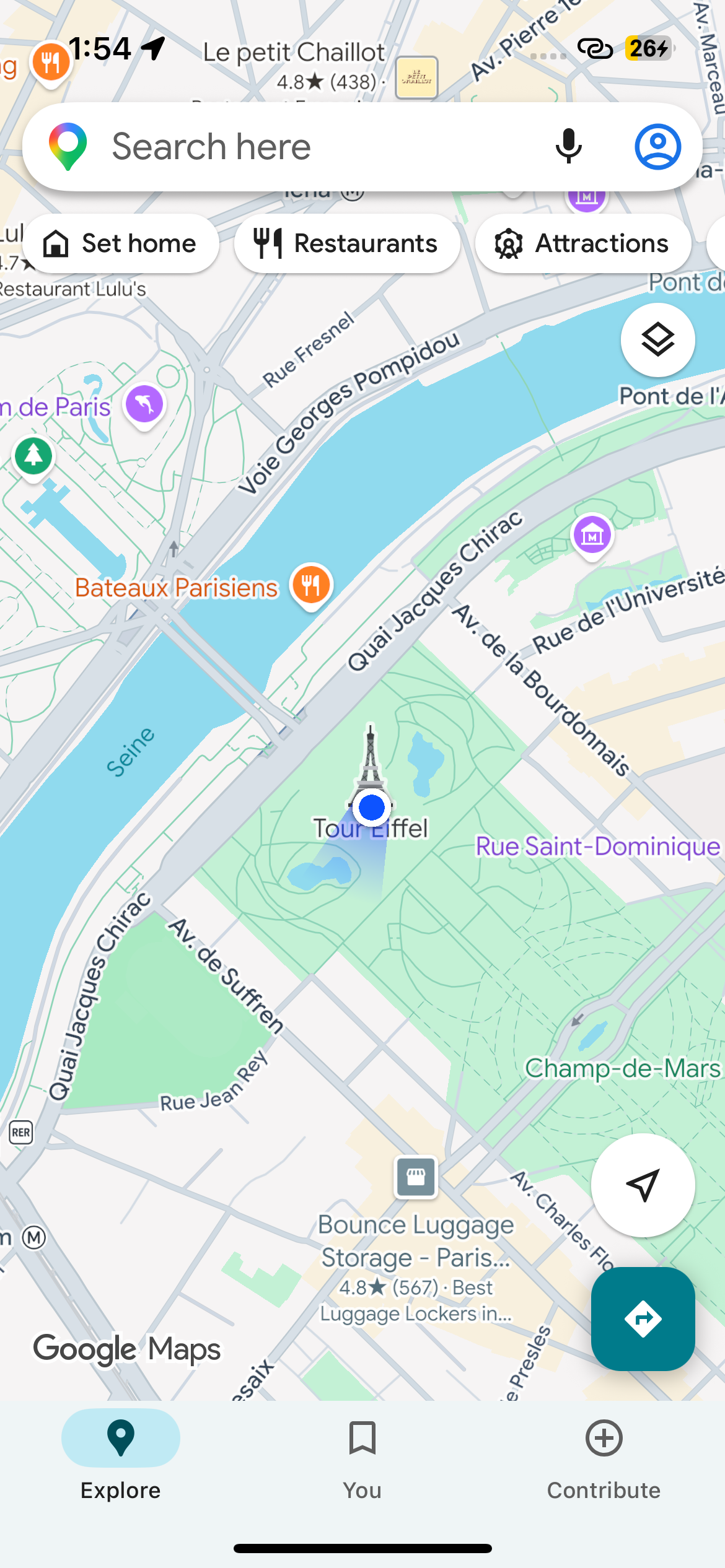
 Инструмент, который заставляет подключённый iPhone сообщать поддельные GPS-координаты, пока он запущен, и автоматически возвращает настоящие, когда вы его останавливаете. Он использует сервис Apple для симуляции местоположения у разработчиков — тот же механизм, что и Simulate Location в Xcode.
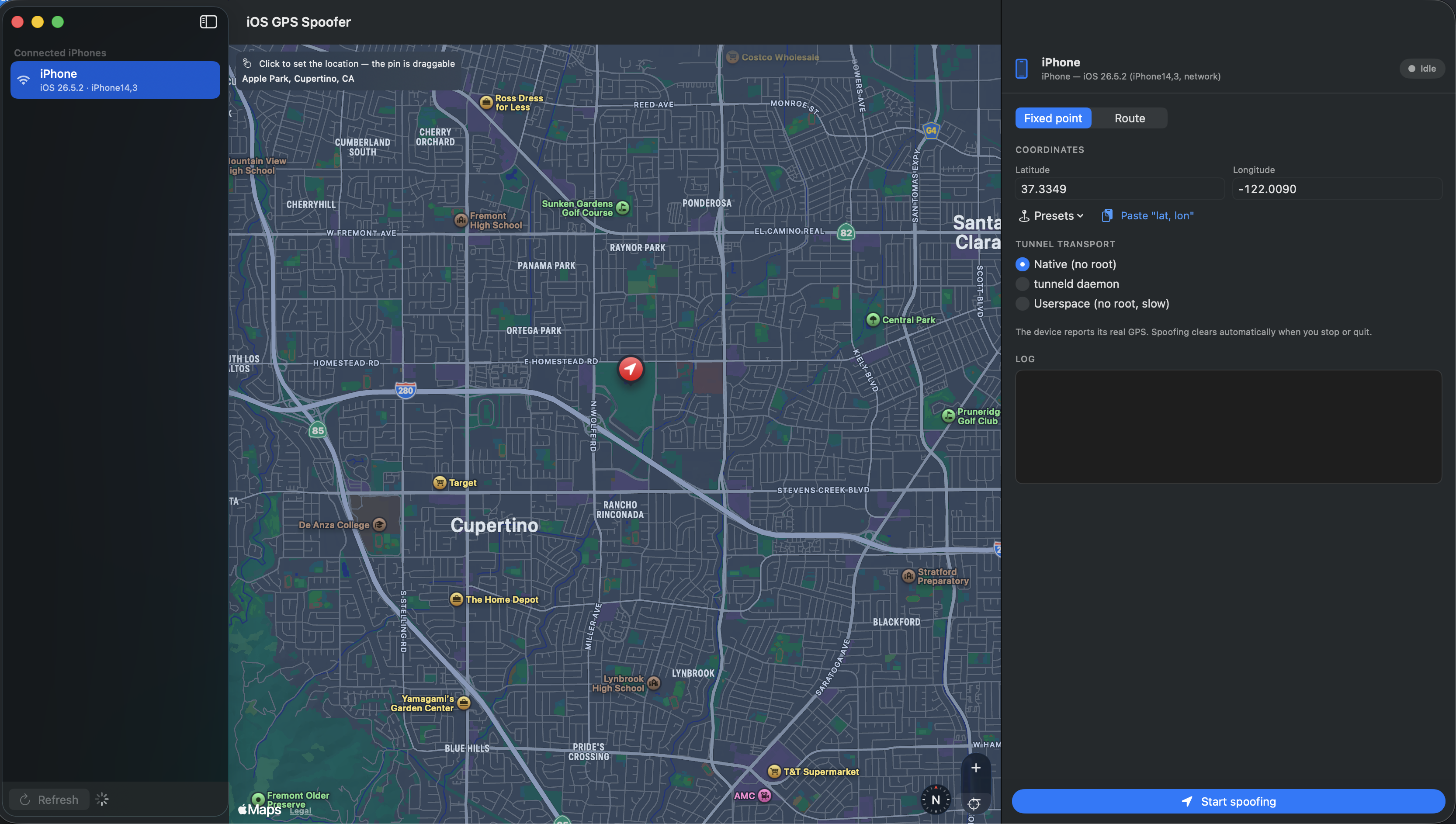
Инструмент, который заставляет подключённый iPhone сообщать поддельные GPS-координаты, пока он запущен, и автоматически возвращает настоящие, когда вы его останавливаете. Он использует сервис Apple для симуляции местоположения у разработчиков — тот же механизм, что и Simulate Location в Xcode.Это приложение для Mac или утилита командной строки?И то и другое, на общем ядре: приложение для macOS на SwiftUI со списком устройств, определяемым автоматически, картой, где точку можно поставить кликом, пресетами и живым логом — плюс CLI с командами spoof, route, list и clear.
И то и другое, на общем ядре: приложение для macOS на SwiftUI со списком устройств, определяемым автоматически, картой, где точку можно поставить кликом, пресетами и живым логом — плюс CLI с командами spoof, route, list и clear.Нужно ли делать джейлбрейк iPhone или запускать что-то с правами root?Нет — на стандартном нативном транспорту Mac не требует root, так как использует собственный туннель Apple remotepairingd. iPhone тоже не взломан: достаточно, чтобы он был сопряжён и доверял Mac, и чтобы был включён Developer Mode.
Нет — на стандартном нативном транспорту Mac не требует root, так как использует собственный туннель Apple remotepairingd. iPhone тоже не взломан: достаточно, чтобы он был сопряжён и доверял Mac, и чтобы был включён Developer Mode.Будет ли работать с iPhone на iOS 16?Нет, не со стандартными нативным и tunneld транспортами — им нужен iOS 17+. Для iOS 16 и старше README отсылает к developer simulate-location из pymobiledevice3 напрямую через usbmux.
Нет, не со стандартными нативным и tunneld транспортами — им нужен iOS 17+. Для iOS 16 и старше README отсылает к developer simulate-location из pymobiledevice3 напрямую через usbmux.Можно запустить с Windows или Linux?Нет — только macOS: графический интерфейс — это приложение для Mac на SwiftUI, и даже чтобы собрать инструмент, нужен macOS с тулчейном Xcode / Swift 6.
Нет — только macOS: графический интерфейс — это приложение для Mac на SwiftUI, и даже чтобы собрать инструмент, нужен macOS с тулчейном Xcode / Swift 6.Он только ставит фейковую точку или умеет имитировать движение?В режиме маршрута на карту ставятся точки A → B и промежуточные между ними, после чего iPhone движется по пути с постоянной скоростью — заданной длительностью (ч:м:с) или скоростью в км/ч, с опциональным повторением по кругу. Точки можно менять местами и редактировать прямо во время движения по маршруту.
В режиме маршрута на карту ставятся точки A → B и промежуточные между ними, после чего iPhone движется по пути с постоянной скоростью — заданной длительностью (ч:м:с) или скоростью в км/ч, с опциональным повторением по кругу. Точки можно менять местами и редактировать прямо во время движения по маршруту.Что произойдёт, когда я его остановлю или телефон отключится?При остановке или закрытии фейковая локация сбрасывается сразу, а если телефон отвалился и переподключился, подмена применяется заново автоматически. Очистка срабатывает даже после kill -9 — осиротевший процесс туннеля подчищается при следующем запуске — а флаг --no-clear-on-exit сохраняет фейковую точку, если нужно, чтобы она осталась.
При остановке или закрытии фейковая локация сбрасывается сразу, а если телефон отвалился и переподключился, подмена применяется заново автоматически. Очистка срабатывает даже после kill -9 — осиротевший процесс туннеля подчищается при следующем запуске — а флаг --no-clear-on-exit сохраняет фейковую точку, если нужно, чтобы она осталась.Зачем ему Python и pymobiledevice3?На iOS 17+ сервис симуляции местоположения Apple спрятан за зашифрованным туннелем CoreDevice, который и обрабатывает pymobiledevice3; этот инструмент оборачивает его, добавляя выбор устройства, цикл удержания подмены и аккуратное завершение. Учтите: встроенный venv из DMG ссылается на Homebrew Python машины сборки — на других Mac соберите с --no-venv и поставьте pymobiledevice3 сами.
На iOS 17+ сервис симуляции местоположения Apple спрятан за зашифрованным туннелем CoreDevice, который и обрабатывает pymobiledevice3; этот инструмент оборачивает его, добавляя выбор устройства, цикл удержания подмены и аккуратное завершение. Учтите: встроенный venv из DMG ссылается на Homebrew Python машины сборки — на других Mac соберите с --no-venv и поставьте pymobiledevice3 сами.Насколько полной получается подменённая локация?Подделываются только широта и долгота — высота, курс и скорость не задаются, как и в simulate-location в Xcode. Первый запуск может занять несколько секунд, пока монтируется DeveloperDiskImage и устанавливается туннель.
Подделываются только широта и долгота — высота, курс и скорость не задаются, как и в simulate-location в Xcode. Первый запуск может занять несколько секунд, пока монтируется DeveloperDiskImage и устанавливается туннель.What are similar projects?omarchy-apple-dev, Roam-Control, CodeEdit, AirCard-macOS, textream, zulu, NetNewsWire, opendisplay
omarchy-apple-dev, Roam-Control, CodeEdit, AirCard-macOS, textream, zulu, NetNewsWire, opendisplay