Why CCB?
- Stable inter-agent communication for complex collaboration graphs such as
A -> B -> C, A,B -> C, and A -> B,C.
- Interactive CLI agents are full native terminals with visible layout control
and direct takeover; service-backed providers keep an explicit managed
host/log surface without pretending it is their request protocol.
- The background daemon keeps project state alive even when the foreground UI is closed.
- Hub capability: run multiple CLI providers concurrently from one command.
- Mobile remote controller: cross-provider voice control, file transfer, and remote terminal access.
How to Install
Install or update an npm-managed CCB with npm:
npm install -g @seemseam/ccb@latest
For GitHub release-package or source installs, use CCB's transactional updater:
ccb update
On an npm-managed install, ccb update prints the equivalent npm command and
does not modify npm's vendored payload in place.
Native Windows x64 beta
The Windows beta artifact is attached to the matching stable CCB GitHub
release. Download ccb-windows-x86_64.zip and its .sha256 sidecar, verify
the digest, extract the ZIP, then run:
.\install.ps1 install -Yes
ccb --print-version
It requires native Windows x64, Python 3.10+, WezTerm, Git Bash, and Herdr
0.8.0 or newer. The installer creates an install-local managed Python runtime.
The binaries are unsigned, and ccb update remains diagnostic-only for this
beta support tier; install a later Windows build by rerunning its validated
install.ps1.
CCB-managed provider panes suppress known provider-native startup update prompts.
After updating CCB—or immediately when CCB is already current—ccb update
checks installed provider CLIs and offers supported updates once. Use
--providers check, --providers all, or --providers none for explicit
report-only, non-interactive update, or skip behavior. Declining prompts again
on the next ccb update; skipping a version hides only that exact version.
CCB never restarts active provider panes during this flow, so an accepted
provider update applies when that pane next starts or is explicitly restarted.
After a release change, the newly installed CCB also retires old
project-scoped Claude/Gemini caches. Manifest-valid caches for deleted projects
are removed immediately. A stopped current project is cleaned immediately;
active or other existing projects are preserved and cleaned after their next
successful ccb kill. Unknown providers, malformed manifests, foreign
symlinks, sessions/auth, and the user-scoped Gemini cache are never removed by
this migration. Use ccb update --no-cache-cleanup to skip it for one update.
To roll back, use the same transactional updater with an older released version,
for example ccb update 8.1.3. CCB rejects a same-version artifact whose build
identity differs from the installed build, and restores the prior local prefix
if the update transaction fails. If restoration itself cannot complete, CCB
retains and reports the external recovery backup path.
GitHub release package and source install fallbacks
If npm is not convenient in your environment, download the matching package from Releases, unpack it, and install:
tar -xzf ccb-*.tar.gz
cd ccb-*
./install.sh install
Source install is intended only for development or temporary fallback:
git clone https://github.com/SeemSeam/claude_codex_bridge.git
cd claude_codex_bridge
./install.sh install
Source install links global ccb / ask back to the checkout. Regular users should prefer the npm package.
Quick Start
1. Launch
Run this from your working directory:
ccb
If startup reports that .ccb cannot be created automatically or that the project anchor is missing, create .ccb manually:
mkdir -p .ccb
A blank project starts light: CCB opens one main window with a single agent named demo, selecting the first supported CLI available on the machine (Codex, Claude, Gemini, then other providers). It no longer mounts a multi-agent team by default.
Click the ⚙ Settings icon at the top-left of the CCB sidebar to open the local configuration control panel. You can also run ccb config ui from the project directory.
Persistent local Config UI access
The Config UI always binds to loopback. To use a stable local port and token, configure a token source in .ccb/ccb.config; never put a literal token in that file:
[config_ui]
port = 43123
token_env = "CCB_CONFIG_UI_TOKEN"
# Or use this instead of token_env:
# token_file = ".ccb/config-ui.token"
--port remains a one-run override. token_file must be project-relative, non-symlinked, and owner-only (chmod 600 .ccb/config-ui.token on POSIX). Without a token source, CCB keeps the existing random token and ephemeral-port behavior. The CLI prints only the loopback URL and token source, never the token value.
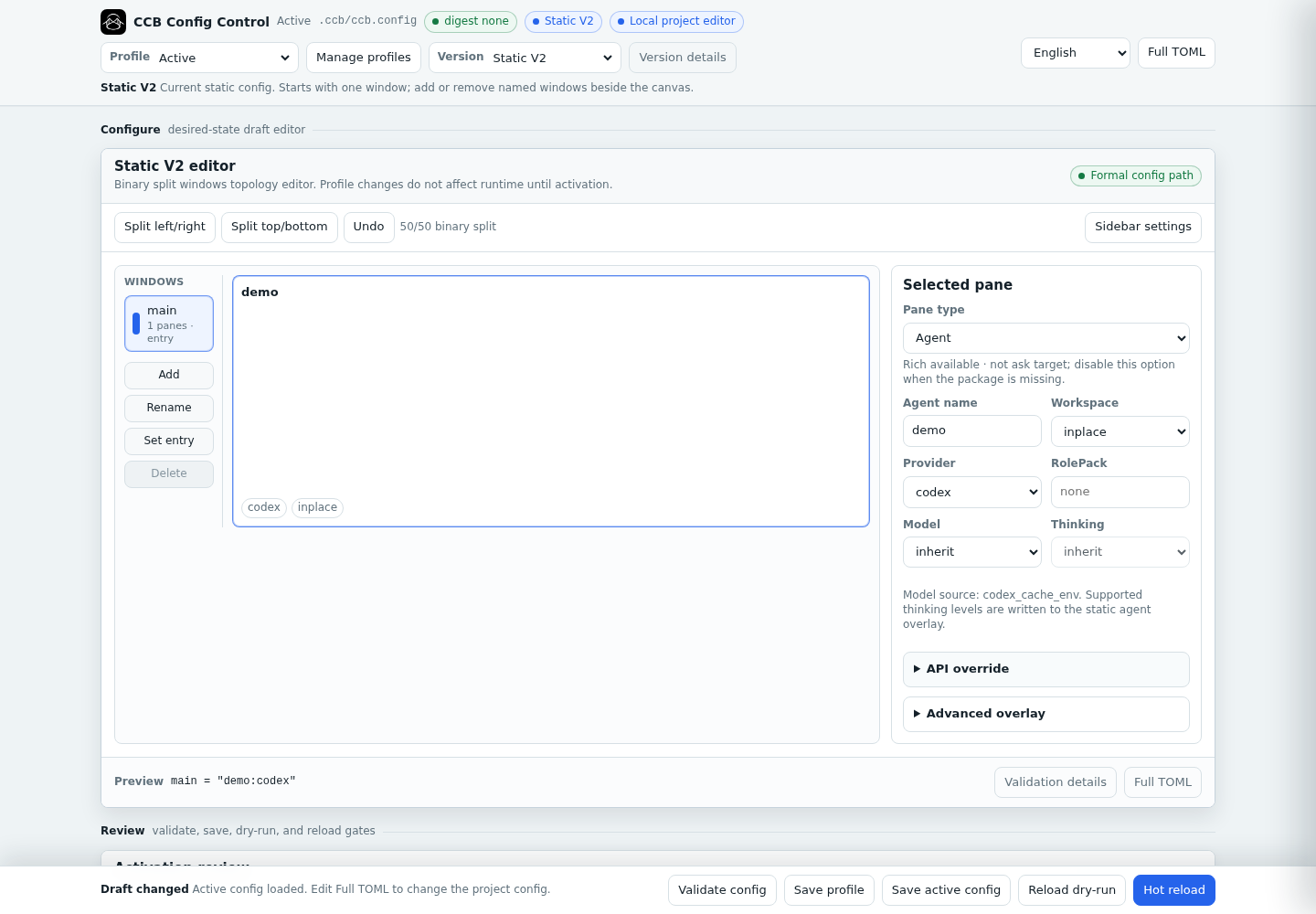
The panel edits windows, pane splits, providers, models, thinking levels, API overrides, workspaces, Rich mode, and sidebar settings. It validates changes before saving and supports reload dry-runs and guarded hot reload. Saving creates .ccb/ccb.config and pins the selected provider and topology for this project.
For an advanced multi-agent topology, edit it visually or create .ccb/ccb.config manually. In v2 [windows], , and ; control vertical stacking and horizontal splits inside each window, so A,B;C,D is close to a four-pane layout.
version = 2

[windows]
main = "main:codex"
work = "worker1:codex(worktree), worker2:claude(worktree)"
review = "reviewer:claude, qa:gemini"

[ui.sidebar]
mode = "every_window"
width = "15%"
bottom_height = 20
agents_height = "50%"
comms_height = "15%"
tips_height = "35%"
comms_limit = 3
Validate the config and start the workspace:
ccb config validate
ccb
3. Collaborate
You can type directly in any agent pane, or let agents collaborate:
/ask reviewer review the latest parser changes and list blocking issues.
Agents can also call /ask during workflow orchestration to delegate and hand off work. Use agent memory or the project-wide shared memory file .ccb/ccb_memory.md for durable coordination.
Mobile Remote Control (Android)
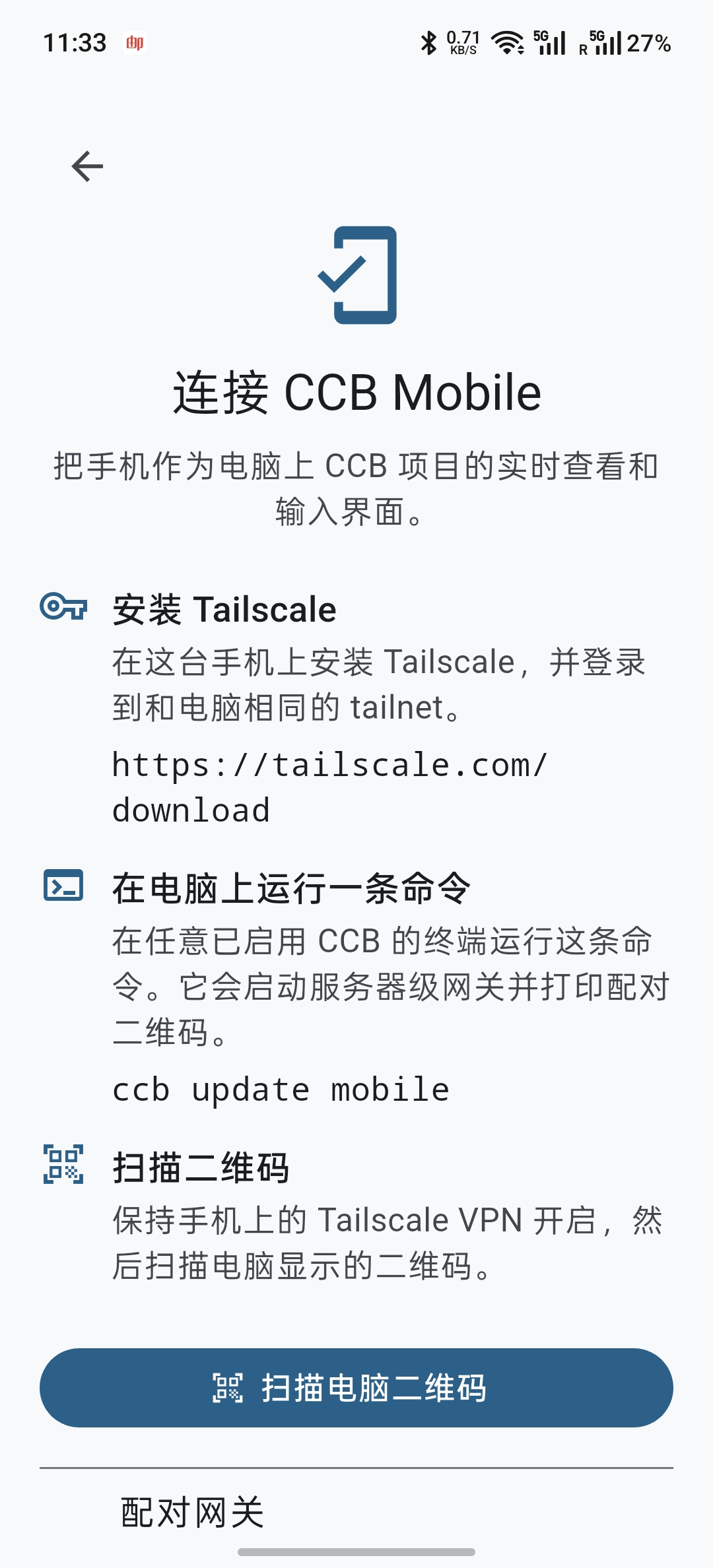
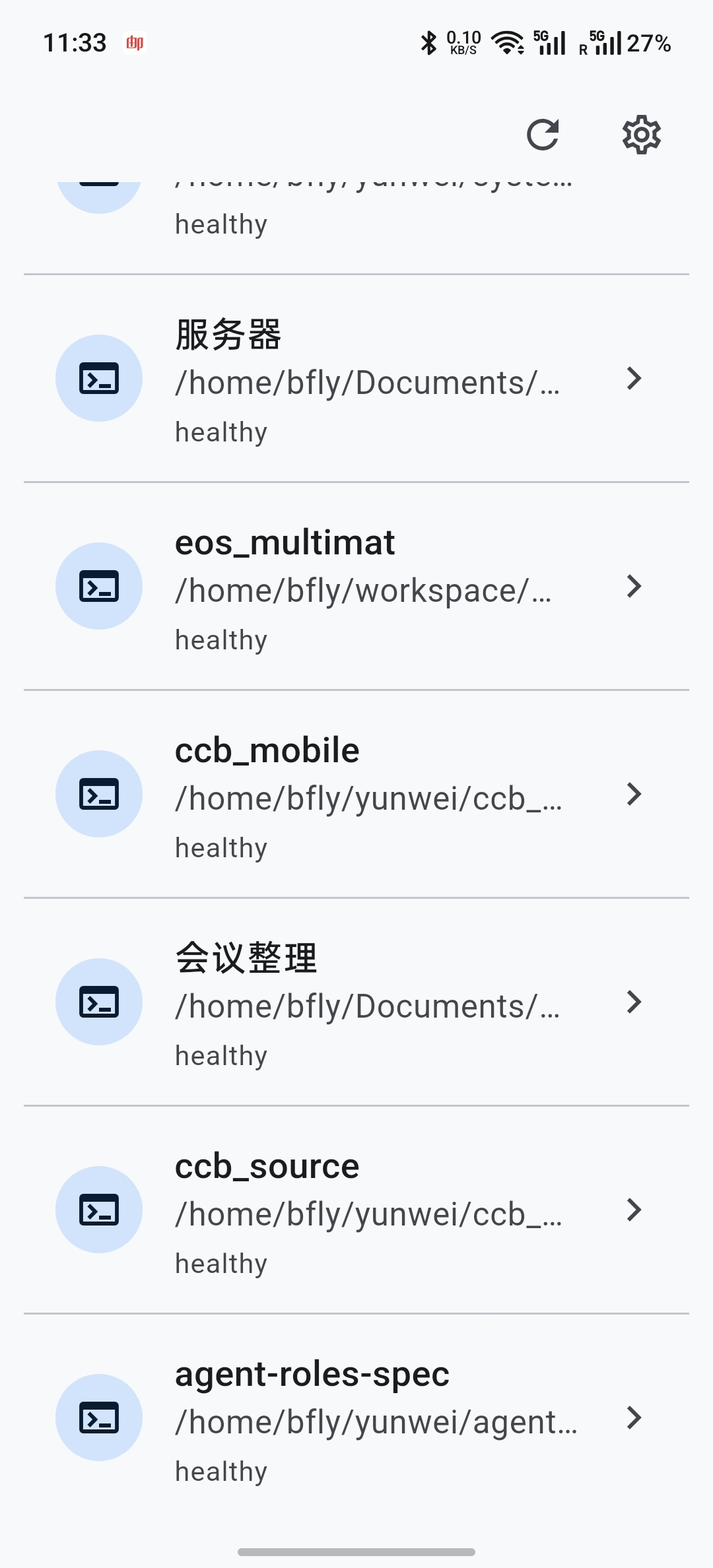
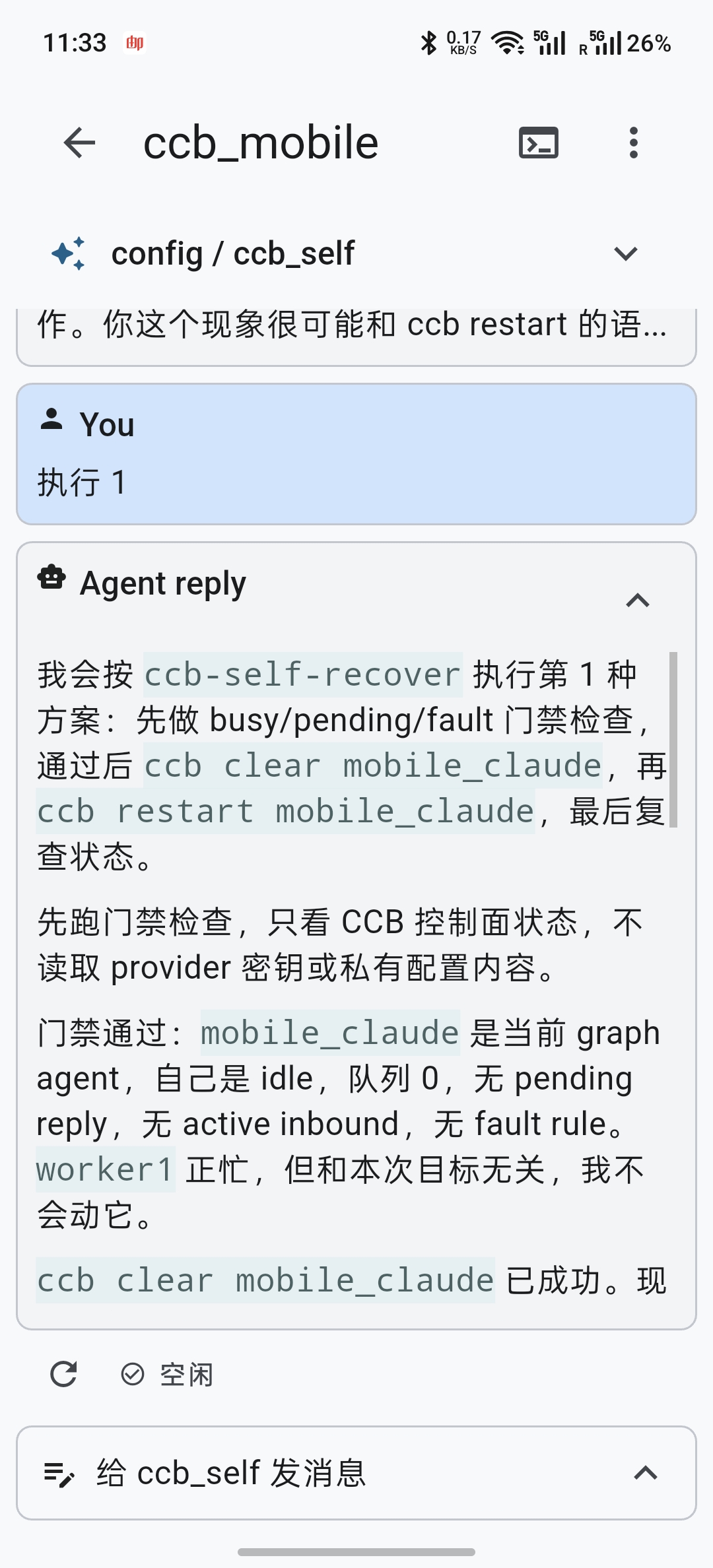
The recommended way to control CCB from a phone can connect to all CCB projects, control each agent, accept voice input, and transfer files.
ccb update mobile
This command guides installation and configuration.
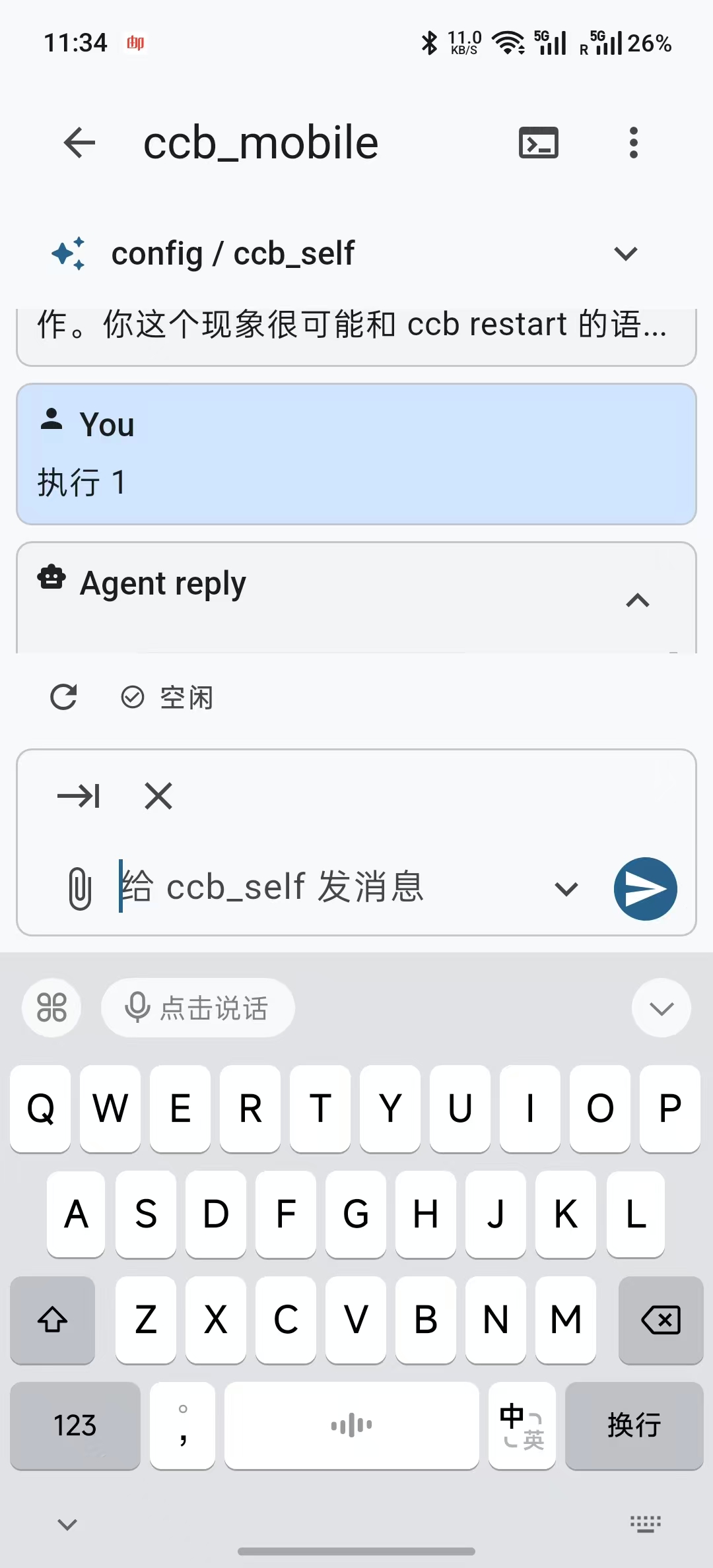
Mobile App details, safety boundary, and source
CCB 8.6.13 includes the Flutter CCB Mobile source in mobile/ and publishes the Android APK through GitHub Releases:
The phone app is a remote controller for real CCB projects running on a server. It can discover mounted projects from the server-wide mobile gateway, switch windows and agents, render agent conversation context, send text through pane-native input, open a terminal view, and upload/download images and documents through the authenticated gateway.
Safety boundary:
- The CCB gateway binds to loopback by default, for example
127.0.0.1:8787.
- For direct LAN access, bind one specific private interface address (wildcard and public addresses are rejected):
ccb install mobile --route-provider lan --listen 192.168.31.155:8787. The pairing URL is inferred from --listen; no forwarding process or --public-url is needed.
- Remote access uses Tailscale Serve, not Tailscale Funnel.
- CCB does not store Tailscale passwords, OAuth tokens, admin API tokens, or automatically modify tailnet ACLs/grants.
- The phone receives only the scopes authorized by the pairing profile, such as view, content, terminal, file upload, and file download.
Browse file trees, open files, edit documents, and preview media inside the terminal.
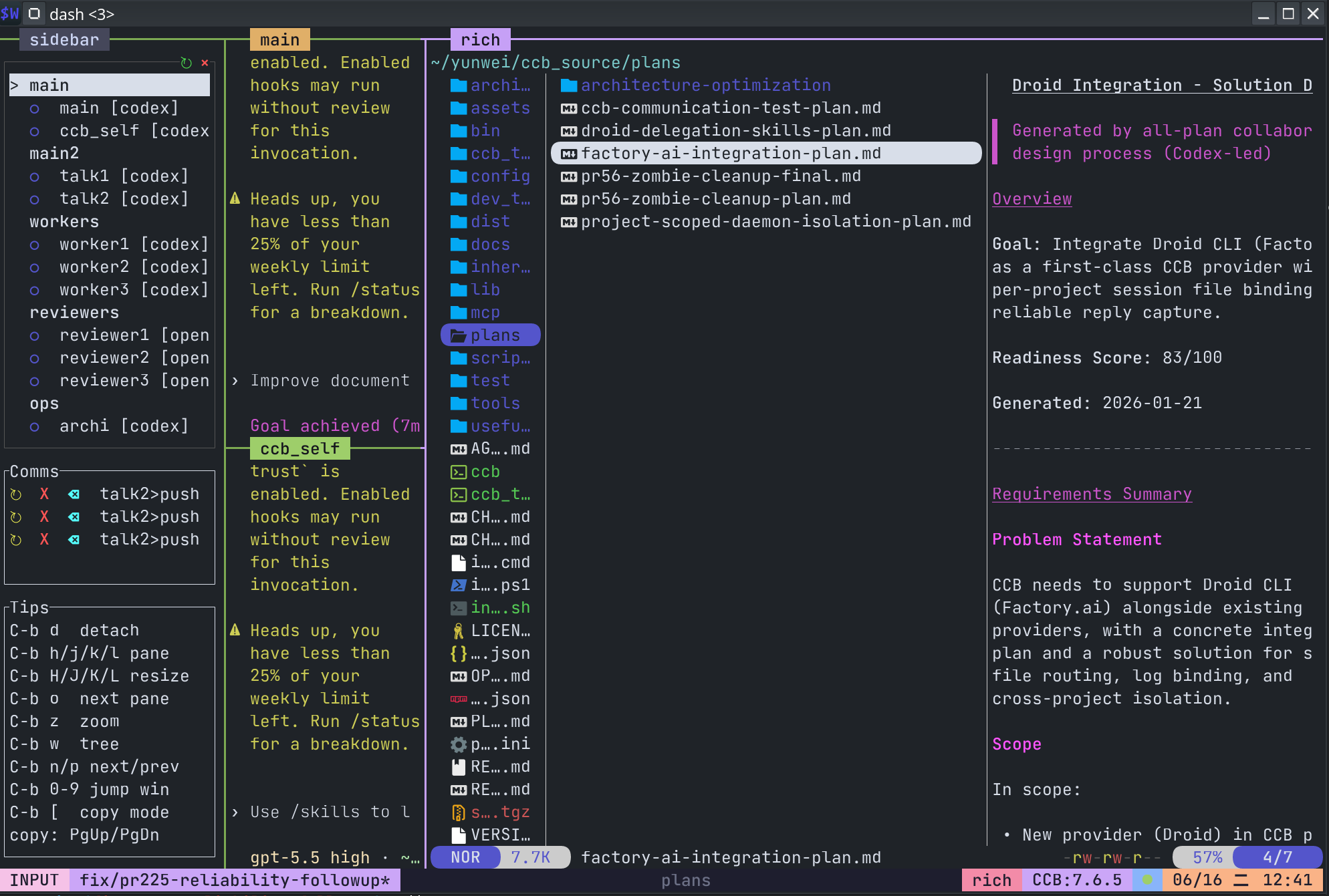
ccb update rich
After rich mode is enabled, plain ccb opens the rich WezTerm launcher automatically unless it is already running inside a CCB-managed rich WezTerm session. Run ccb uninstall rich to return to normal terminal startup.
Agent Roles Spec And Role Catalog
CCB supports Agent Roles Spec, a host-neutral specification for packaging specialist agents. It can bundle skills, memory, and tool dependencies into installable, mountable, and removable Role Packs. That repository also serves as the public role catalog.
View the public role catalog
| Role |
Purpose |
agentroles.ccb_self |
CCB self-maintenance, config help, runtime diagnosis, protected recovery, and workflow orchestration. |
agentroles.archi |
Architecture review, boundary checks, coupling analysis, maintainability risks, and follow-up gate advice. |
agentroles.frontend_engineer |
Frontend design and implementation, design systems, accessibility, browser QA, and reviewed AGY delegation. |
agentroles.mobile_app_engineer |
Mobile design and implementation for iOS, Android, React Native, Expo, Flutter, SwiftUI, Jetpack Compose, and more. |
agentroles.mother |
Role creation, role source audit, role research, blueprint design, and Agent Roles spec compliance checks. |
agentroles.su_ccb |
SU-CCB workflow operations for requirement analysis, planning, dispatch, review gates, archiving, and recovery. |
Config And Shared Memory
Use the ⚙ Settings control panel for normal project configuration. If you want agent-assisted configuration and runtime diagnosis, ccb_self remains available as an optional Role Pack and can be added with ccb roles add agentroles.ccb_self:codex.
Supported managed Agents receive the built-in ask, ccb-clear, ccb-compact, and ccb-diagnose control skills even when optional skill inheritance is disabled. Use $ccb_diagnose <agentname> to inspect one Agent's authoritative runtime/job state and live pane evidence, apply bounded recovery when safe, and review a redacted issue draft before explicitly authorizing GitHub submission. Managed Codex also keeps reconnect.
.ccb/ccb_memory.md is the project-wide shared memory document. Use it for team collaboration rules, project constraints, long-lived context, and agent handoff conventions. Stable cross-agent information belongs there instead of being copied into several provider-private memory files.

WeChat group QR codes are valid for seven days. If this one has expired, add seemseam-com to request the latest invitation.
Community And Credits
Thanks to the Linux.do community for testing, feedback, and discussion.
Thanks to tmux-agent-sidebar for sidebar ideas and inspiration.
Release Notes
v8.6.13 - Reliable visible OMP asks and focused role selection
- Run OMP asks in the visible managed pane and use OMP's native completion evidence, so tool-using turns remain active until the final assistant result.
- Keep Config V1/V2 role selection focused on general roles and
agentroles.ccb_self; workflow-specific ccb_* roles remain available to V3 rather than appearing in earlier schemas.
- Refocus current public provider guidance on the primary supported CLI families. DeepSeek CLI, Z.ai, and DeepSeek Harness remain implemented and documented in historical release notes, but are no longer presented as current headline support.
- No project, conversation, or configuration migration is required. Native Windows x64 and Herdr remain beta and isolated from the shared Linux/macOS runtime.
v8.6.12 - Provider profile inheritance and Mobile conversations
- Show Pi and OMP native conversations in CCB Mobile while preserving Provider-private session paths and transcript boundaries.
- Inherit Pi profile assets into Agent-private homes through immutable shared snapshots, and publish concurrent first-start snapshots atomically (PR #328).
- Preserve Git author and committer identity in managed Provider homes, and return Agent control immediately after an accepted ask submission (PRs #329 and #330).
- Refresh the WeChat community QR code. Restart managed Pi Agents to refresh projected profile assets; no project, conversation, pairing, or configuration migration is required.
v8.6.11 - Provider authentication and isolated Windows reliability
- Restore bearer authentication for explicit Codex CLI
0.149.0 custom providers while keeping route-only local gateways unauthenticated.
- Add per-Agent Codex model catalog projection and model override support, preserve reconnect and custom tmux configuration behavior, and make Pi clear start a fresh context (PRs #321, #322, #325, and #326).
- Keep Herdr lifecycle synchronization and UTF-8 native startup inside Windows-owned implementations, without adding shared-to-Windows imports (PRs #320 and #323).
- Restart managed Codex Agents and CCB projects after upgrading. No project, conversation, pairing, or configuration migration is required.
v8.6.10 - Claude OAuth re-login isolation
- Refresh an existing Agent-private Claude Keychain credential after an external OAuth re-login, so a stopped managed restart does not keep using a revoked token (Issue #319).
- Preserve a Claude-private Keychain refresh when the inherited source credential is unchanged; external Claude Keychain services remain read-only.
- Fail closed for symlinked CCB credential projections and private Keychain inspection errors. No project, conversation, pairing, or configuration migration is required.
v8.6.9 - DeepSeek Harness, AGY startup, and Windows isolation
- Add the official DeepSeek Harness as the separate Developer Preview provider
dsh, using its loopback HTTP/WebSocket service and exact native turn evidence.
- Make managed AGY 1.1.13 select private file token storage immediately, avoiding the keyring timeout without writing to the user's source HOME (Issue #318).
- Roll back Windows PR changes that crossed into shared Linux/macOS runtime code and add a trusted-base native-only PR gate that rejects future cross-platform leakage.
- Keep DSH clear, compact, exact-session restore, credentials, skills, and runtime state inside provider-native, agent-private boundaries.
v8.6.5 - Responsive and reliable Mobile terminals
- Reflow Agent terminal snapshots to the phone viewport while preserving the desktop tmux pane geometry.
- Keep terminal input and reconnection stable across LAN and Relay routes, and close active sessions cleanly during gateway shutdown.
- Keep terminal font size and shortcut order in the shared Terminal settings panel, with full-width inline terminal mode on phones and wide layouts.
- Reattach persisted Windows Herdr namespace and pane references with fail-closed capability checks (PR #304).
v8.6.3 - Mobile access to agent workspace artifacts
- Turn links to ordinary files in the current Agent's
.ccb/workspaces/<agent>/... tree into authenticated Mobile download attachments.
- Keep the boundary fail-closed: other Agent w





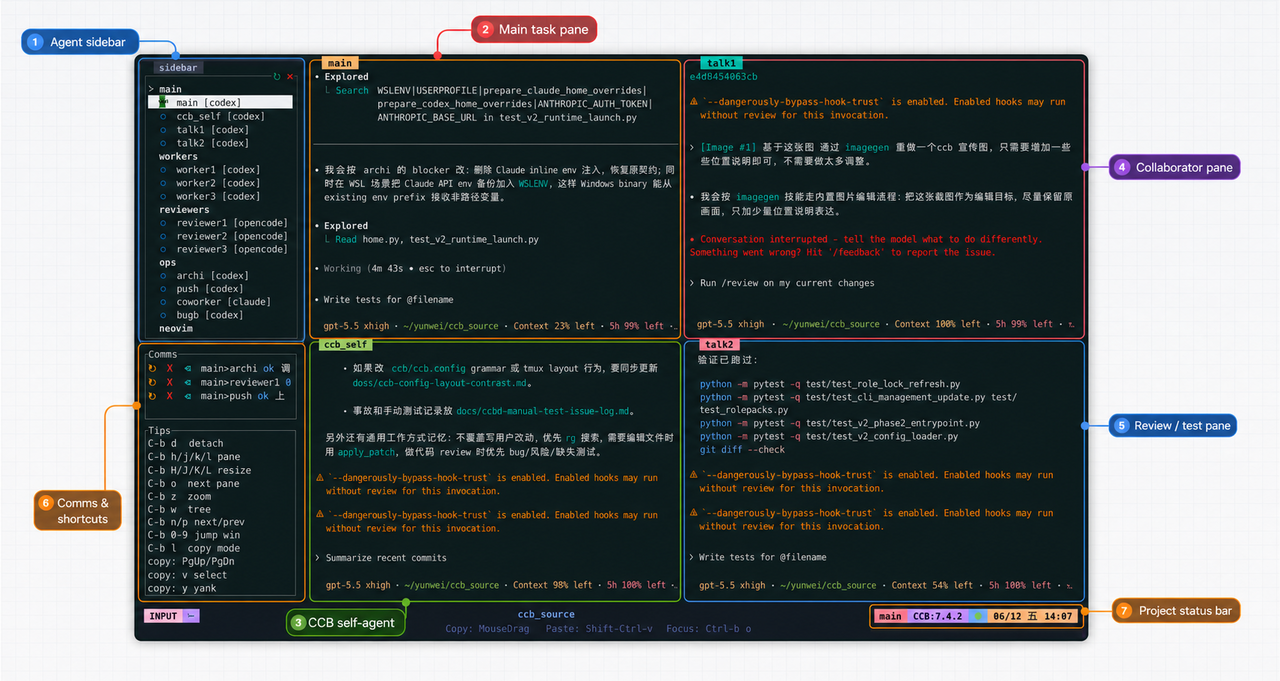

 CCB(Claude Codex Bridge)是一个多代理 CLI/TUI 工作区,让你可以并排运行和协调多个 AI 编程代理——Codex、Claude、Gemini、Kimi、Qwen、Cursor、Copilot、Pi、OpenCode 等——它们都在可见、可控的终端窗格中。