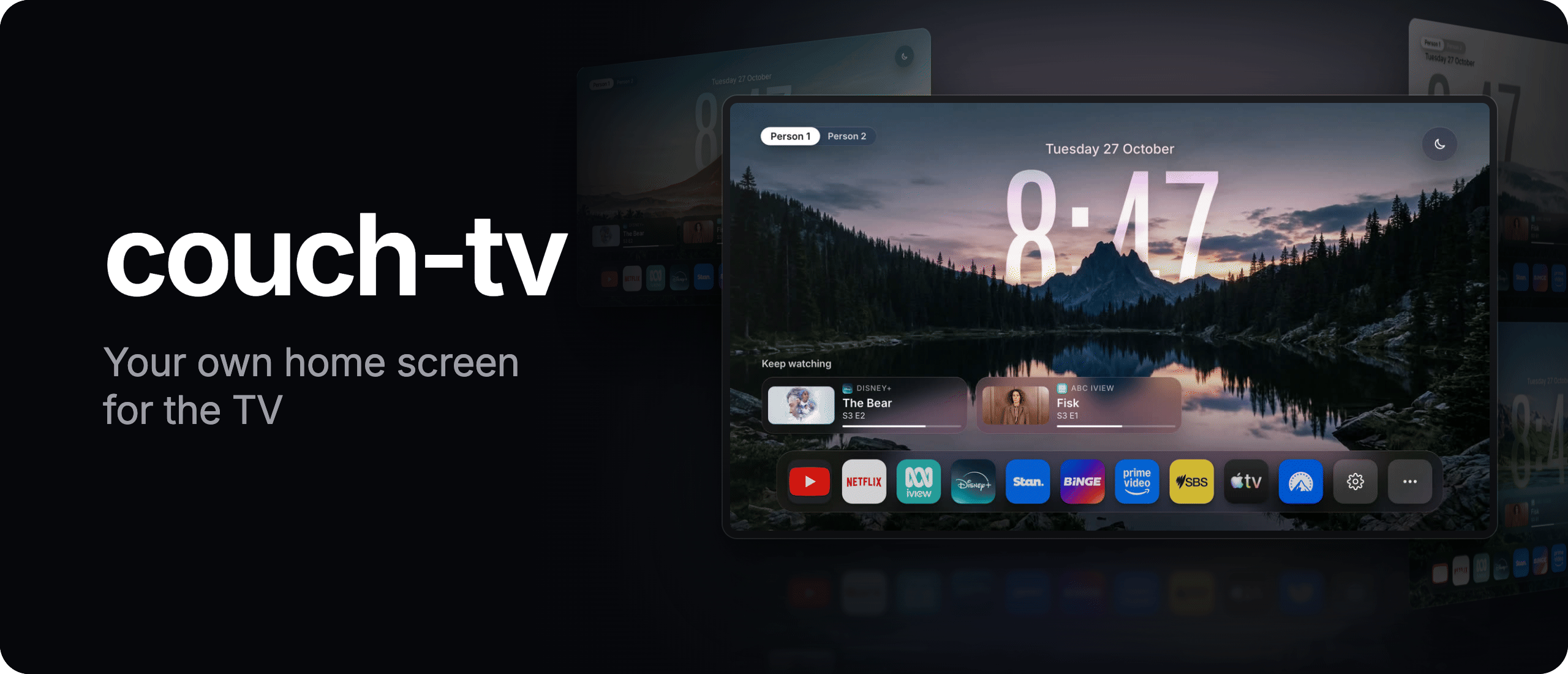
Your own home screen and phone remote for the TV.
Scenes with a glass clock, your apps in your order, Keep watching across apps,
and a phone remote that finds a show and starts it. No ads on the home screen. Open source.



Set it up
· Which TVs
· Docs
· What's new
Get started
- With your AI agent, the easiest way. Open this folder in Claude Code (or any coding agent)
and say "set this up on my TV". It reads AGENTS.md, finds your TV, asks which option
you want and a few questions (who watches, the look, your apps), reads the plan back, and changes
nothing on the TV until you say yes.
- From your phone or a computer: couchtv.sites.underseage.studio,
with the free Setup app on a Mac or Windows computer. It also checks whether your TV will work.
- By hand: docs/SETUP.md has every step, from developer mode to the TV home,
and how to undo it.
Pick the way for your TV before you start. Not every way does the whole job on every TV:
| Way |
What you need |
Google TV |
Android TV |
Fire TV |
Samsung or LG |
| AI agent (AGENTS.md) |
A computer on the TV's Wi-Fi with Claude Code or another coding agent |
Yes, Home button included |
Yes |
Yes, Home button included (Amazon's home flashes up first). The full phone remote keeps a computer on at home |
Yes, as an app that a computer at home that stays on opens. Their own Home button still opens their own menu |
| From your phone (website) |
The TV remote and a phone on the same Wi-Fi. No computer |
Only part: the app and the phone remote, but Google keeps the Home button. AI or the Setup app adds the Home button once, even afterwards |
Yes. On Android TV 10 and newer the app asks Android to make it the home |
Only part: Home needs three one off grants from a computer, and on current Fire OS the phone remote can't press keys or type |
No |
| Setup app (website) |
A Mac or Windows computer on the same Wi-Fi, once |
Yes, Home button included |
Yes, Android TV 7.1 and newer |
Yes on Fire OS 6, 7 and 8 (Amazon's home flashes up first) |
No |
| By hand (docs/SETUP.md) |
A Mac or Linux computer with Python 3.11 or newer |
Yes |
Yes |
on-tv/README.md, Fire TV |
docs/SAMSUNG.md, docs/LG.md, with a computer at home that stays on |
Other TVs: Will it work on my TV?
[!NOTE]
Set couch-tv up with 0.10 or older on a Google TV? 0.11 and newer leave the Google home and setup
apps switched on. Read If your TV loops after a restart
before you next restart your TV.
Updates
The newest release is 0.12 (9 November 2026), on the Releases page. These are on main, in the next release:
14 November: custom cards with a web link open in the TV's browser on Android TV, LG and Samsung, thanks ekagra-codes (#207)
14 November: choose where the home starts: profiles (as before), Keep watching or apps, thanks nidhalmouldi and ekagra-codes (#211)
15 November: the clock follows the TV's 12 or 24 hour setting, and Keep watching stays in view while you remove a show, thanks devmaliakbar and Hiren-Patel1 (#221, #218)
14 November: Restart home in Home settings, About, thanks janooh37-hue (#217)
14 November: two more real LGs (a NANO80TNA app only, a 28TQ515S with the bridge in Docker on a Synology), and --apps tv pairs by itself, thanks Anshul7171 and adri07 (#219, #220)
14 November: on a VIZIO, couch-tv's home in the TV's own webview, Beta, tried on one set, thanks lukionsp (#206)
14 November: input tiles for each TV, and a picture on an input tile, thanks BireshwarChakravarty (#205)
14 November: an LG goes back to couch-tv in about half a second, and input tiles switch straight to HDMI, thanks BireshwarChakravarty (#204)
14 November: remove a card from Keep watching on the phone remote, and it returns when you play the show again, thanks poinch (#176)
14 November: your own cards on the home from a small JSON file, display only, thanks geissmannz on Instagram for the idea (custom cards)
14 November: the bridge's messages in Polish, and the assistant answers in the home's language, thanks Azumi0 (#196)
14 November: a TV settings quick button, and Settings opens on its own screen, thanks syedhabibtirmizi (#190)
14 November: the TV home installs over paired Wireless debugging, tested on an Epson LS300, thanks mazzanfar (#194)
14 November: the Look button and Home settings changes show at once on the TV home, thanks clembgrn and syedhabibtirmizi (#185)
14 November: the phone remote is complete in Brazilian Portuguese, thanks scursel (#195)
14 November: Czech is complete on the TV home and the phone remote speaks Czech, thanks slezaCZ (#180)
14 November: home.hi_res: "always" loads the sharper 4K scenes on a 4K TV that draws its interface at 1080, thanks Hiren-Patel1 (#191)
14 November: an app banner that is not 16:9 keeps its proportions instead of being squeezed, thanks niravsaxena30 (#181)
13 November: the TV home speaks Czech, thanks slezaCZ (#178)
13 November: Bell Streamer's Fibe TV home is replaced by couch-tv (Beta, untested), thanks Sparkybabcia (#168)
13 November: Privacy clean (Beta): PRIVACY=1 switches off known tracking, ad and ACR apps, reversibly (docs/PRIVACY.md, details)
13 November: the home comes back to the tile you left after Settings, thanks IshMehta (#166)
13 November: on Fire OS 7 Couch TV comes back without the 5 second wait, thanks atul016 (#162)
13 November: the Next song button skips the track again on a Mi Box, thanks NathanGlasby (#158)
14 November: Brazilian Portuguese on the TV home and the phone remote, thanks scursel (#193)
14 November: Polish on the TV home and the phone remote, thanks Azumi0 (#184)
13 November: the TV home speaks Hebrew, right to left, thanks YuvalHir (#153)
Every change, with credits: docs/UPDATES.md.
Three ways to run it
- A. TV home only. The new home screen, and you use your normal TV remote. No computer has to
stay on. Set up with docs/SETUP.md, steps 1, 2 and 6.
- B. Computer bridge. The home, the phone remote, "put on Bluey", turning the TV on from the
phone, Keep watching across apps and the optional assistant. A Mac, a Linux box or a Raspberry Pi
at home stays on and runs the bridge. Set up with docs/SETUP.md, steps 1 to 6.
- C. Lives on the TV. The home and the phone remote with no computer: the bridge runs inside an
app on the TV. Set up with on-tv/README.md.
Will it work on my TV?
A is the TV home only, B adds the computer bridge, C lives on the TV (the three ways).
Beta means a computer at home that stays on, and the maker's own Home button still opens the maker's own home.
It depends on the model, not the brand. Open Settings, System, About (or Device Preferences, About) on the TV: "Android TV OS" means yes (brand by brand).
Want everything on a TV that is not Google TV or Android TV? Plug in a Google TV box (for example the Google TV Streamer) and set couch-tv up on that, and you get everything, on any TV with an HDMI port.
Test your own TV (changes nothing on it, and installs nothing outside this folder):
git clone https://github.com/Seagey/couch-tv.git && cd couch-tv
python3 --version                                  # needs 3.11 or newer
python3 -m venv .venv && .venv/bin/pip install -r bridge/requirements.txt
.venv/bin/python scripts/find-tvs.py               # lists the TVs on your Wi-Fi
.venv/bin/python scripts/check-tv.py <tv address>  # says which options that TV can run
It knocks on the ports each kind of TV answers on, so it can tell a Samsung from a Google TV without touching anything. More, including the check by hand and --adb: docs/PLATFORMS.md.
Home backgrounds
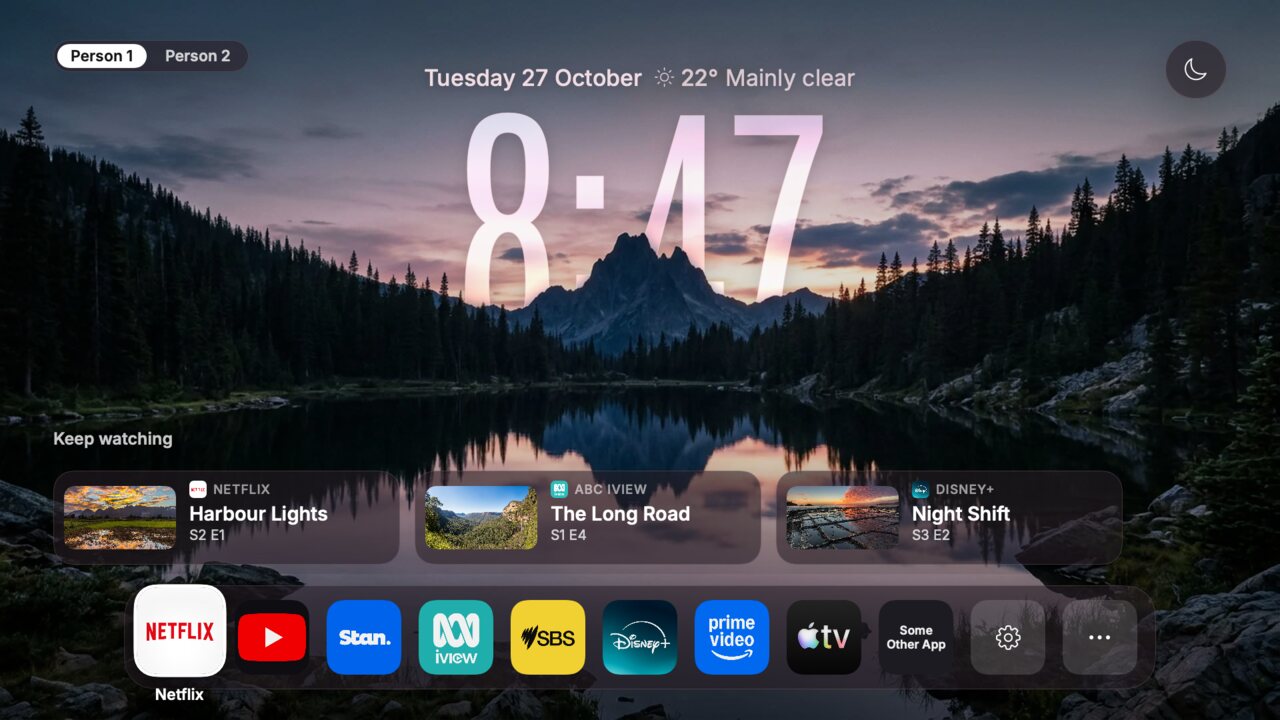
Five scenes take turns every 20 seconds, each with a big glass clock that sits just behind the
scenery: the peaks, the volcano and the misty hills overlap the digits, and on the lake the clock
floats with its reflection under the water. Or pick the Classic look, your own photos, or
a scene you design yourself.
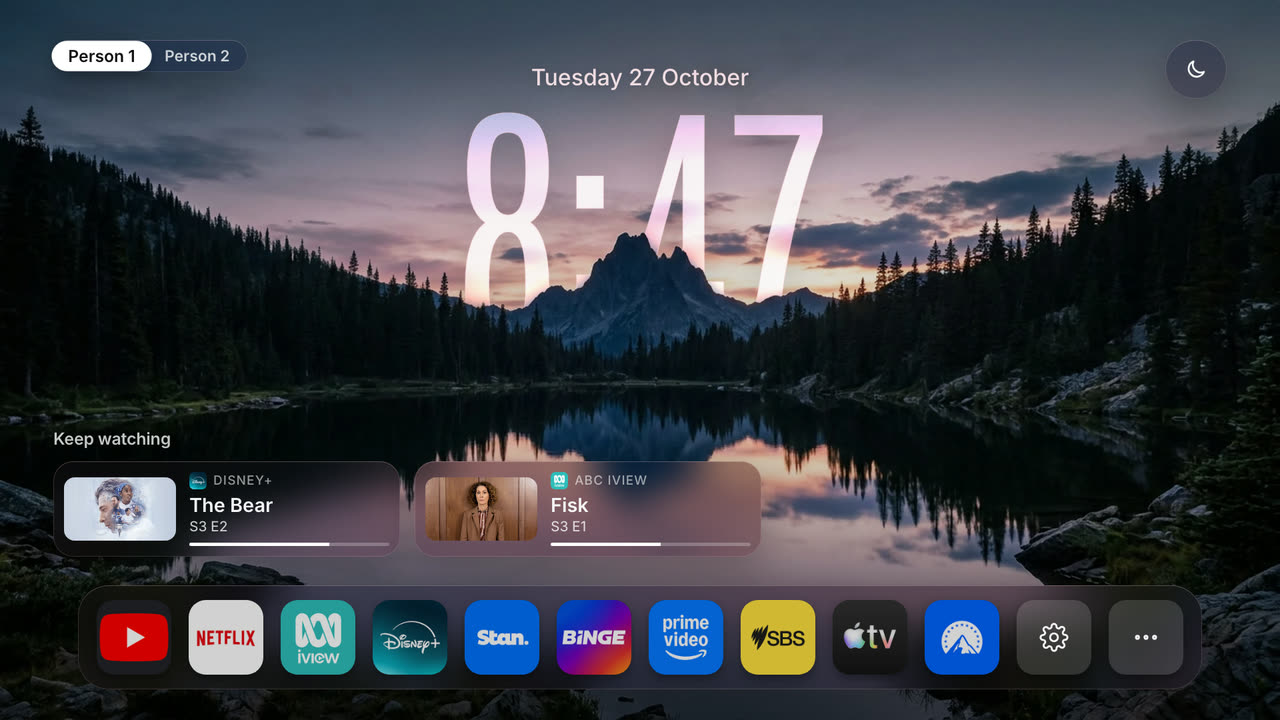
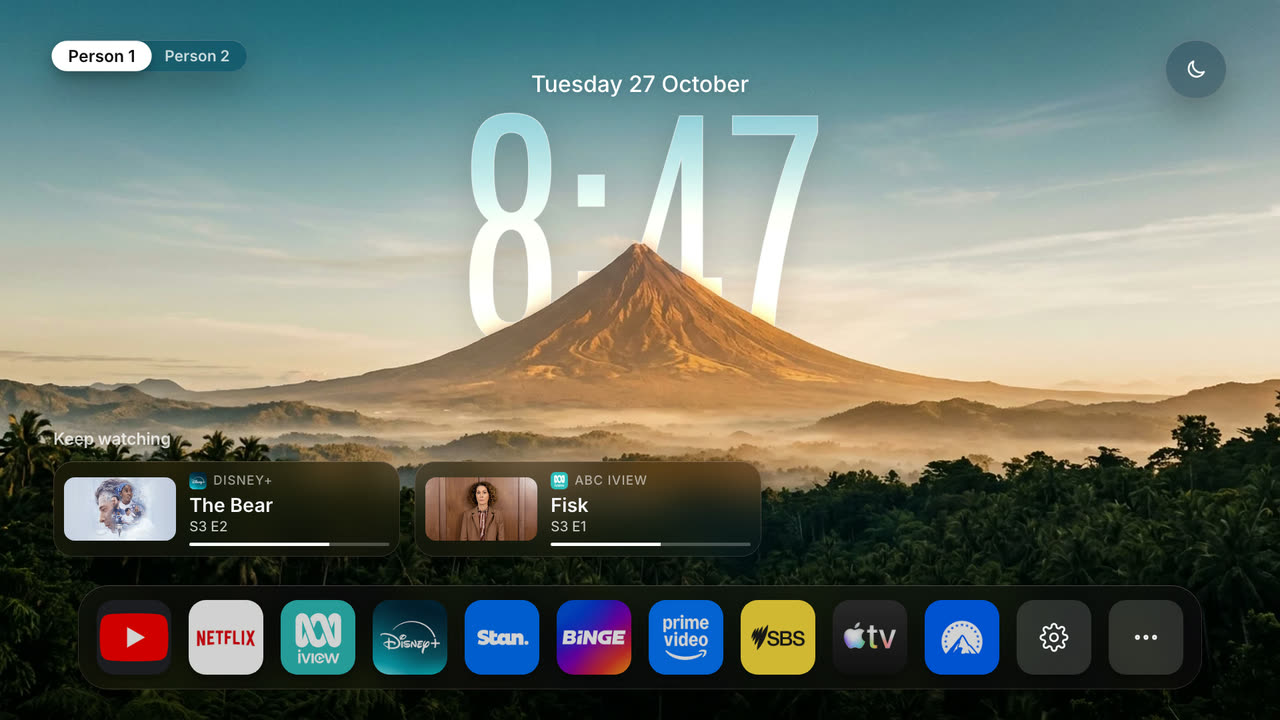
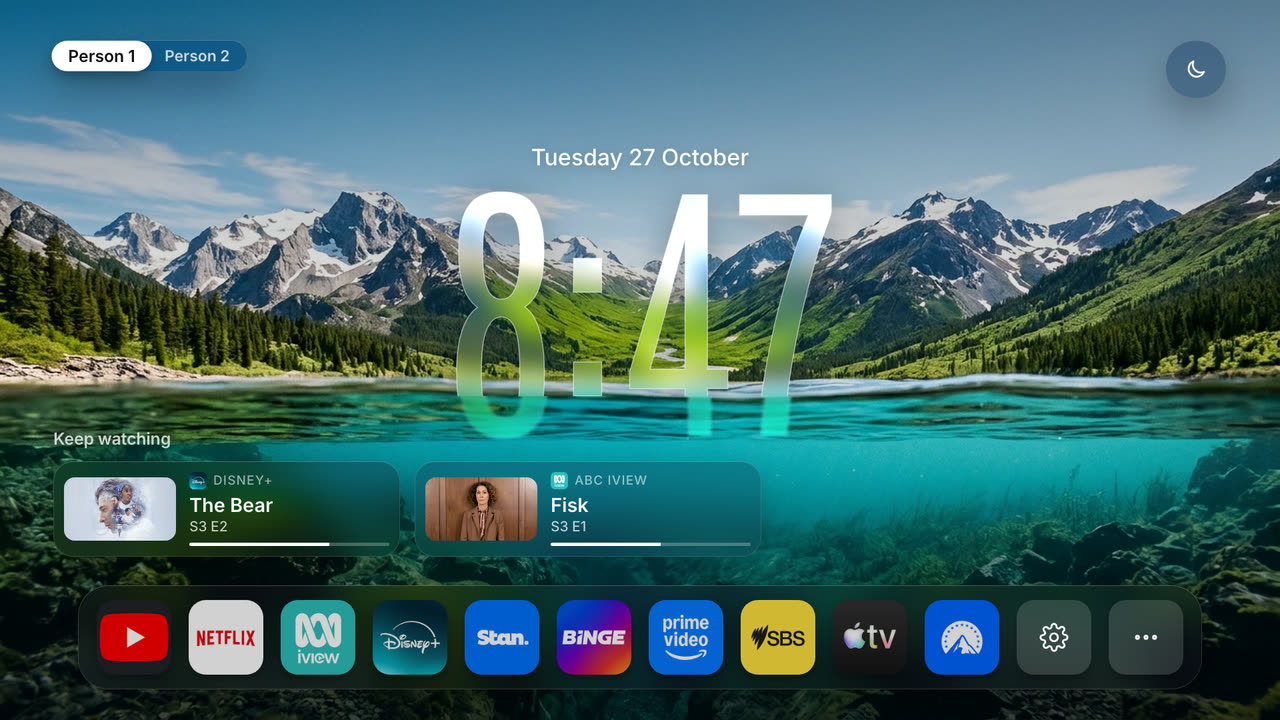
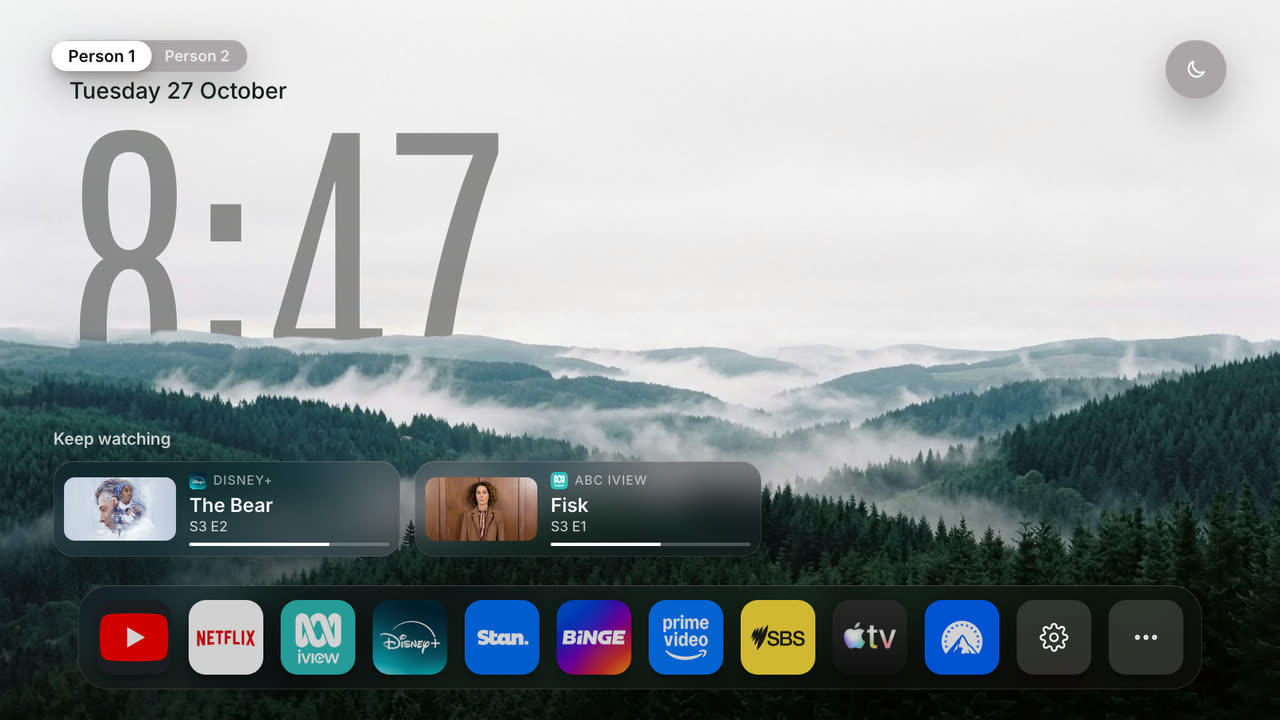
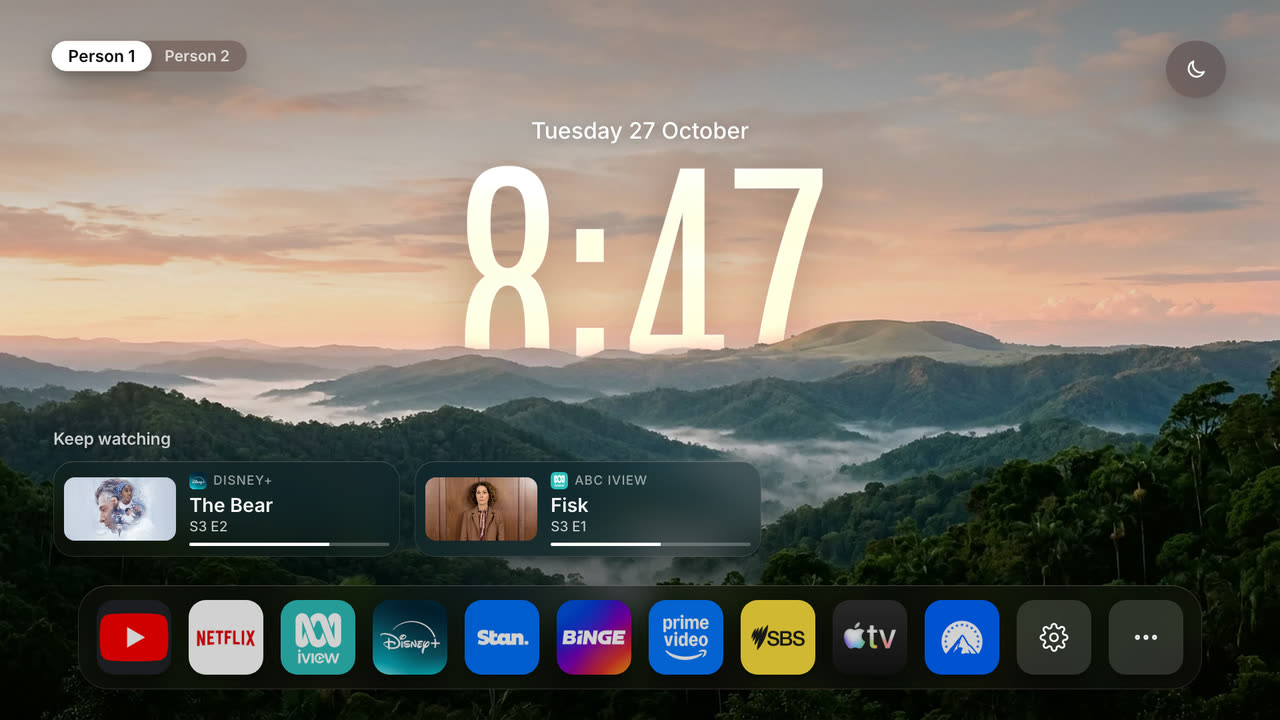
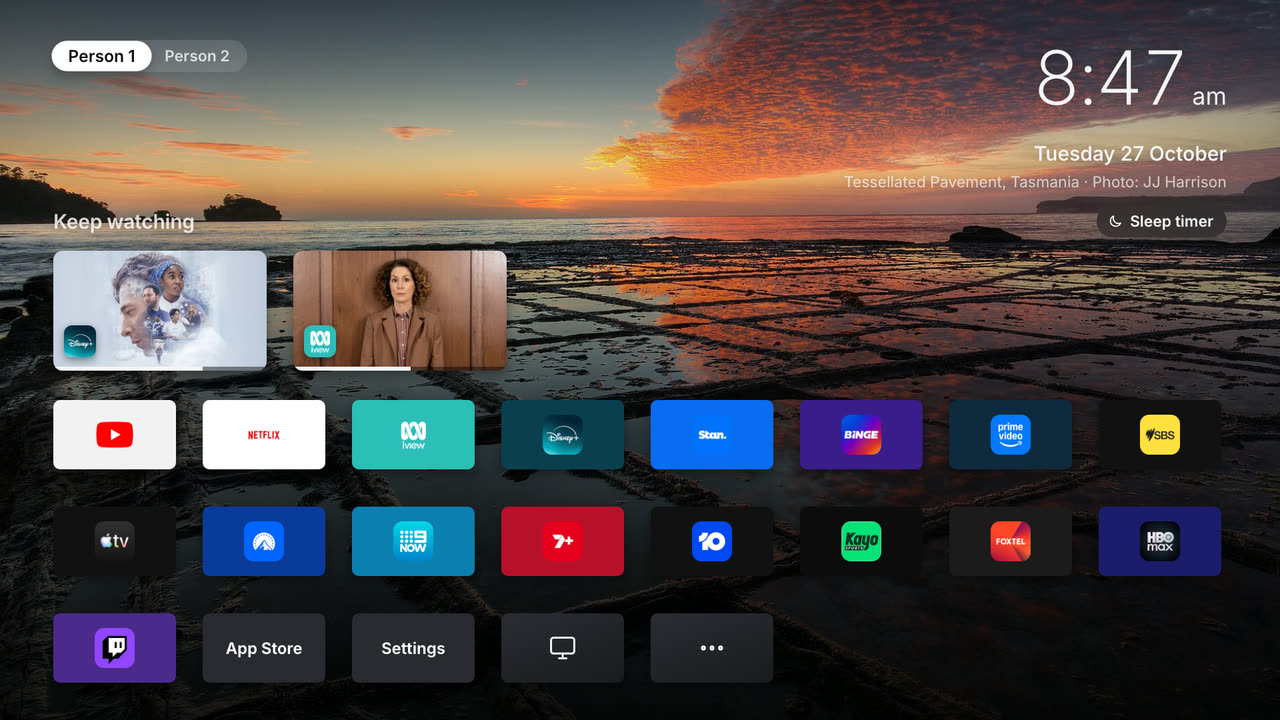
Night, Golden hour, Waterline, Fog, Dawn and Classic. Shown with sample shows and sample people.
The phone remote
Your phone becomes the remote: arrows, volume, typing and the power button. Ask for a show by name
("put on Bluey") and couch-tv finds where it streams and starts it in the right app, past "Who's
watching?" on Android TV. There is an optional assistant for "put on something funny": Claude with the
bridge, or Claude and other AI services in on-TV mode. Needs option B or C.
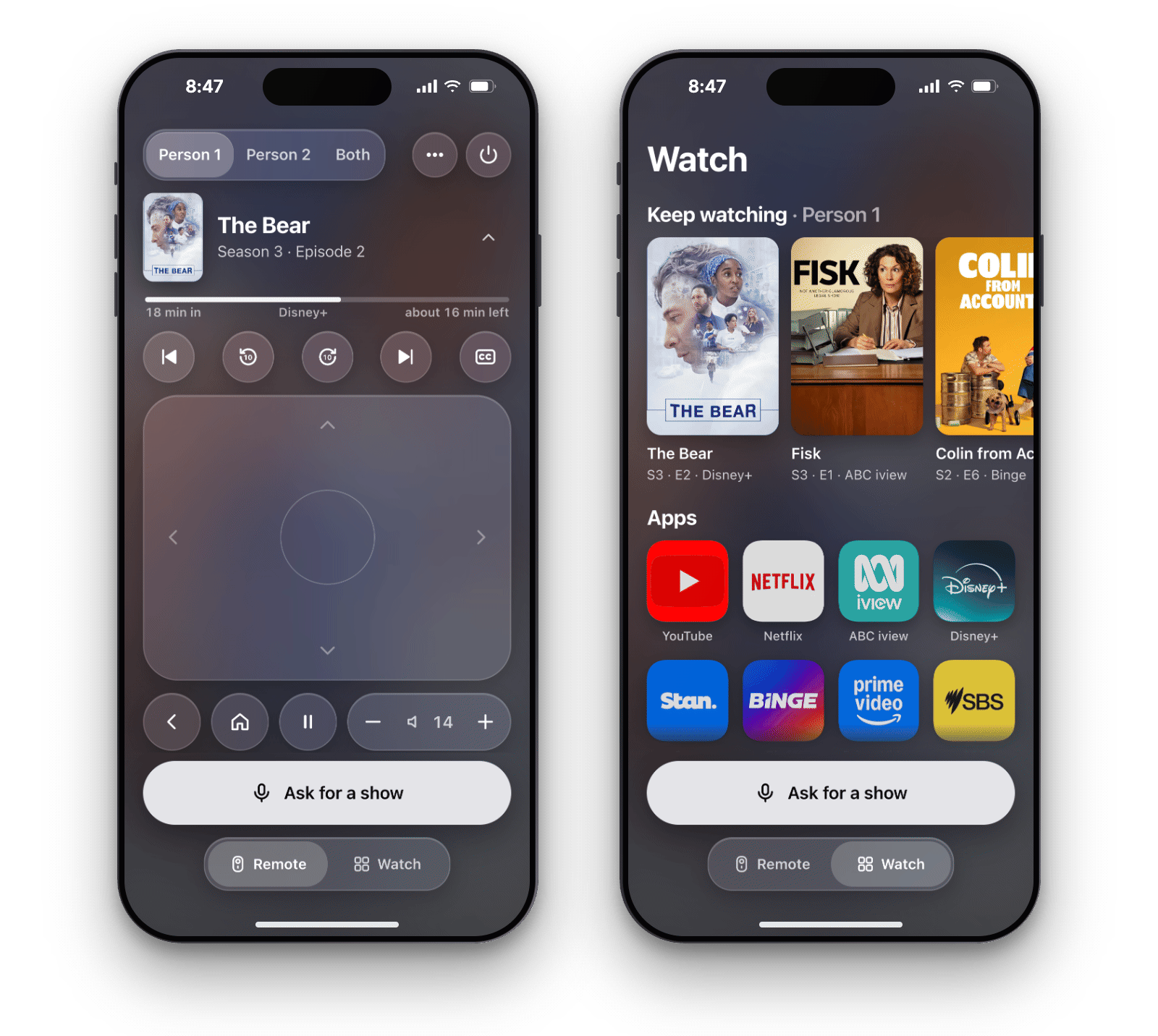
The phone remote · TV remotes and keys · Ask with any AI service
Kids mode
A kids profile's home is one shelf of shows you chose, as big posters that open straight into each
show, plus only the apps you allow. No other apps, no settings, no grown ups' Keep watching. Leaving
it needs the parent PIN. Optional, and off unless you set it up.
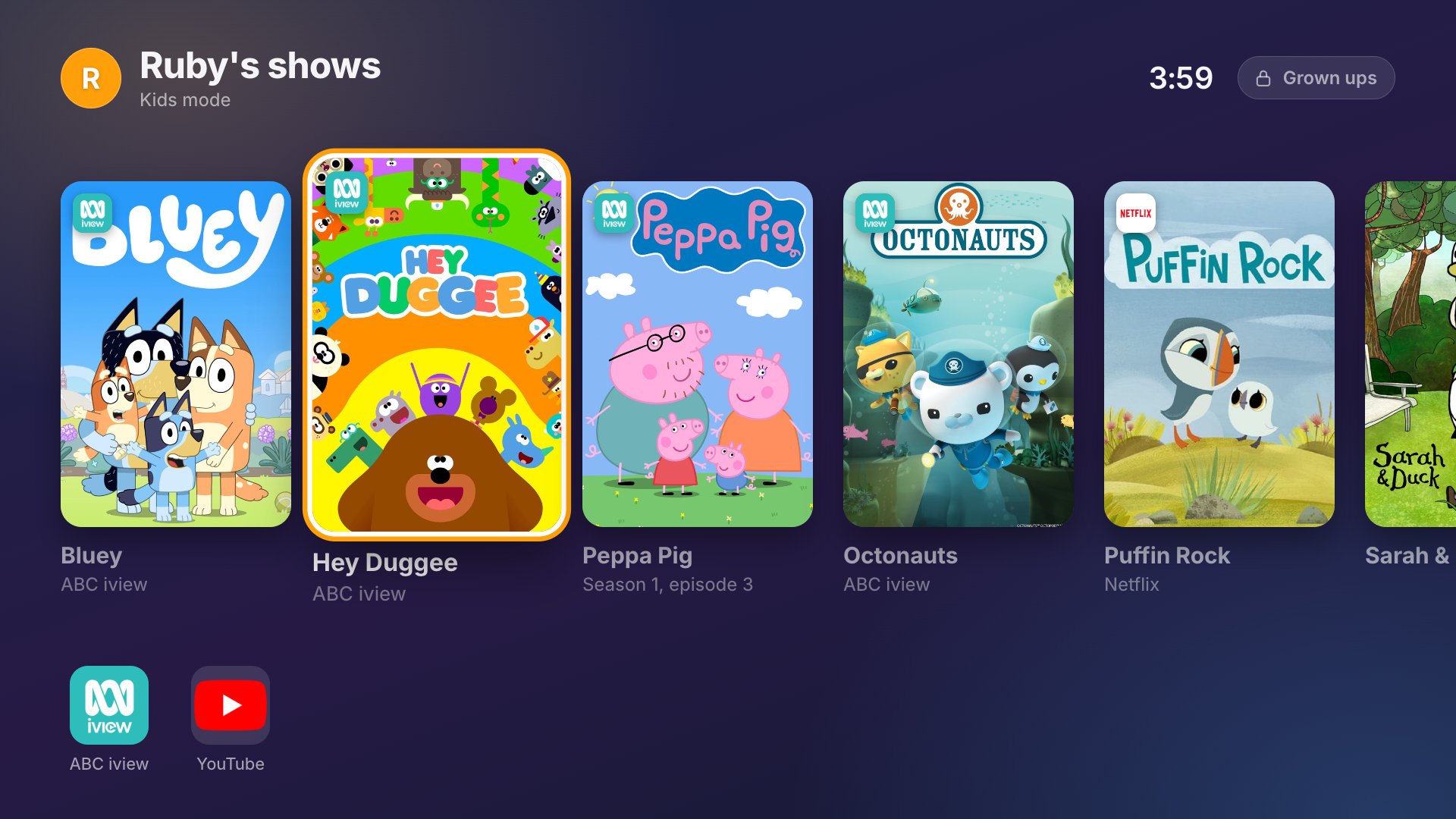
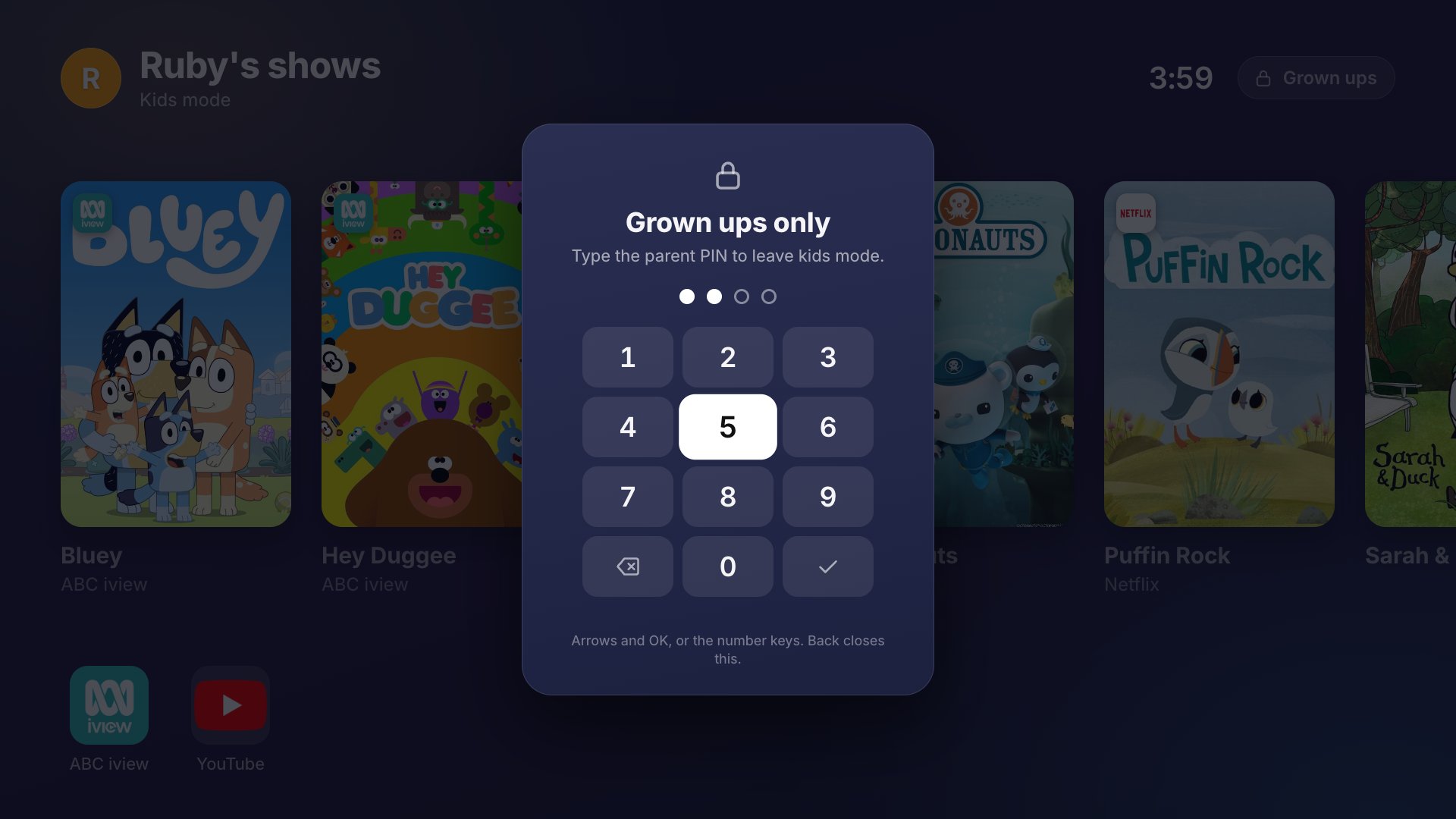
How Kids mode works and what it cannot do · Every setting
Settings on the TV
No computer and no config.json needed for the everyday settings. Pick the gear in the dock, or
press the remote's own Settings button, and change the language, the place for the weather, the
look and scenes, your apps and their order, the people and the quick buttons, with any remote.
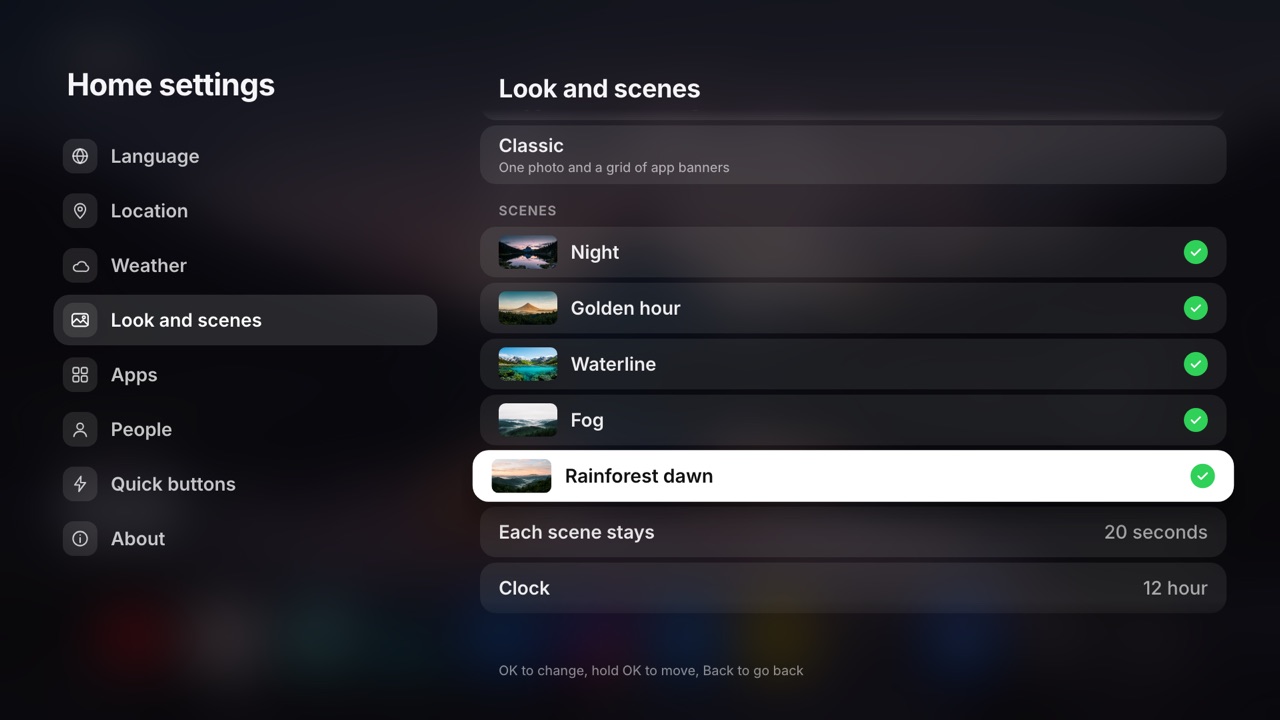
Every Home setting in full
And a lot more
- Keep watching: up to 10 shows you were part way through, newest first, per person with options B and C.
- Now playing: the song, the artist and its cover while music plays, with play, pause and skip.
- Glass and video: clear glass panels and icons, a liquid glass clock, or a looping video behind it all.
- Quick buttons: sleep timer, picture mode, inputs by name, screensaver and more, one press from the home.
- Smart home: air conditioning, scenes and a doorbell card from Home Assistant. Off unless you add it.
- Sixteen languages: English, Spanish, Mexican Spanish, Italian, German, French, Turkish, Serbian, Polish, Dutch, Hebrew, Czech, Brazilian Portuguese, Arabic, Romanian and Simplified Chinese.
- Your own photos: from a USB drive, the TV or the web, taking turns with the scenes.
- Two TVs, one show: start the same show on two TVs at once, so two rooms do not echo. Experimental.
- Updates on the TV: off until you say yes. Then the TV tells you about a new version and hands it to Android to install.
One home, many TVs
The same home on Google TV and Android TV, an app on Apple TV, a channel on Roku, and Fire TV,
Samsung and LG versions, with Beta paths for more.
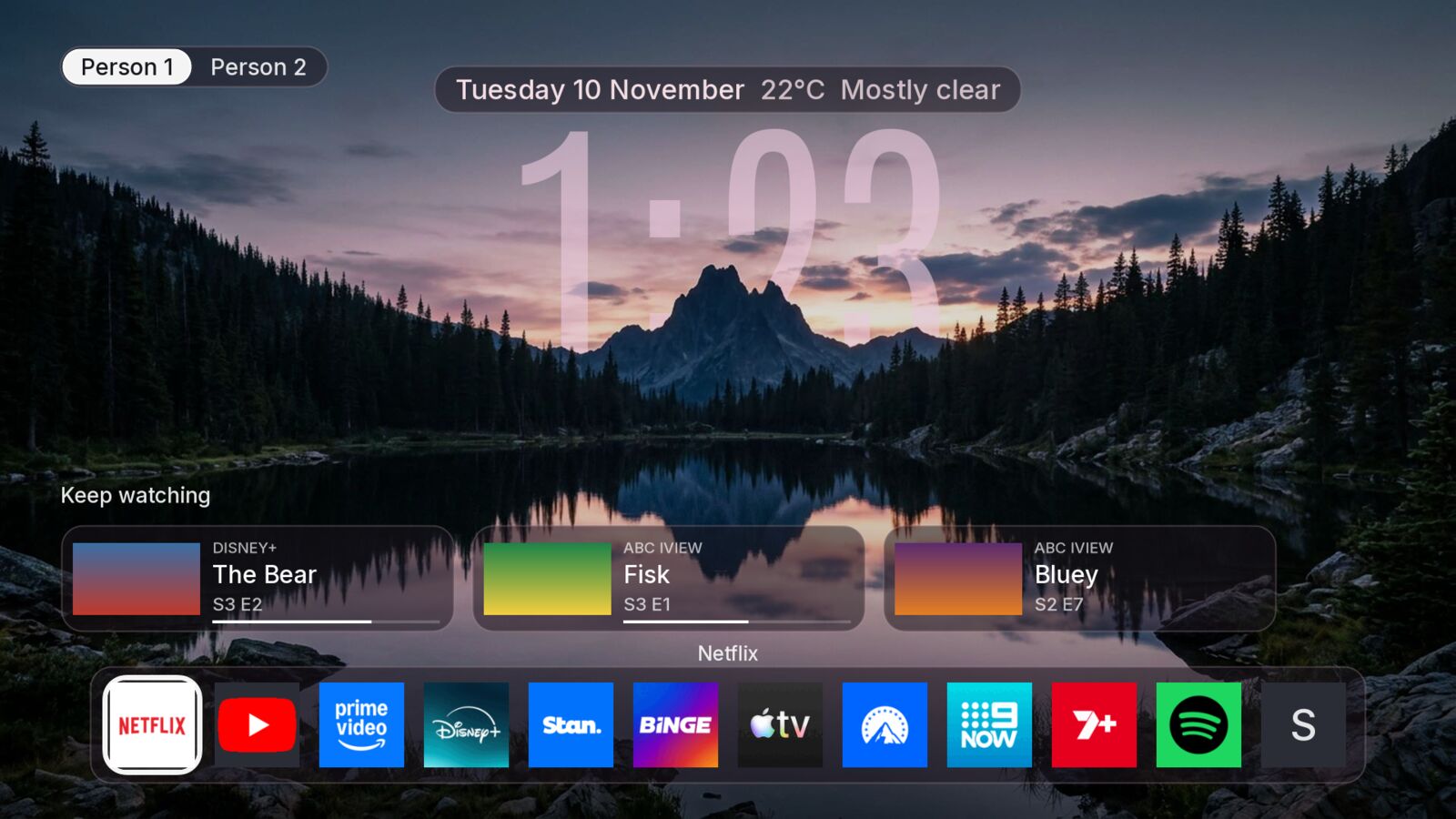
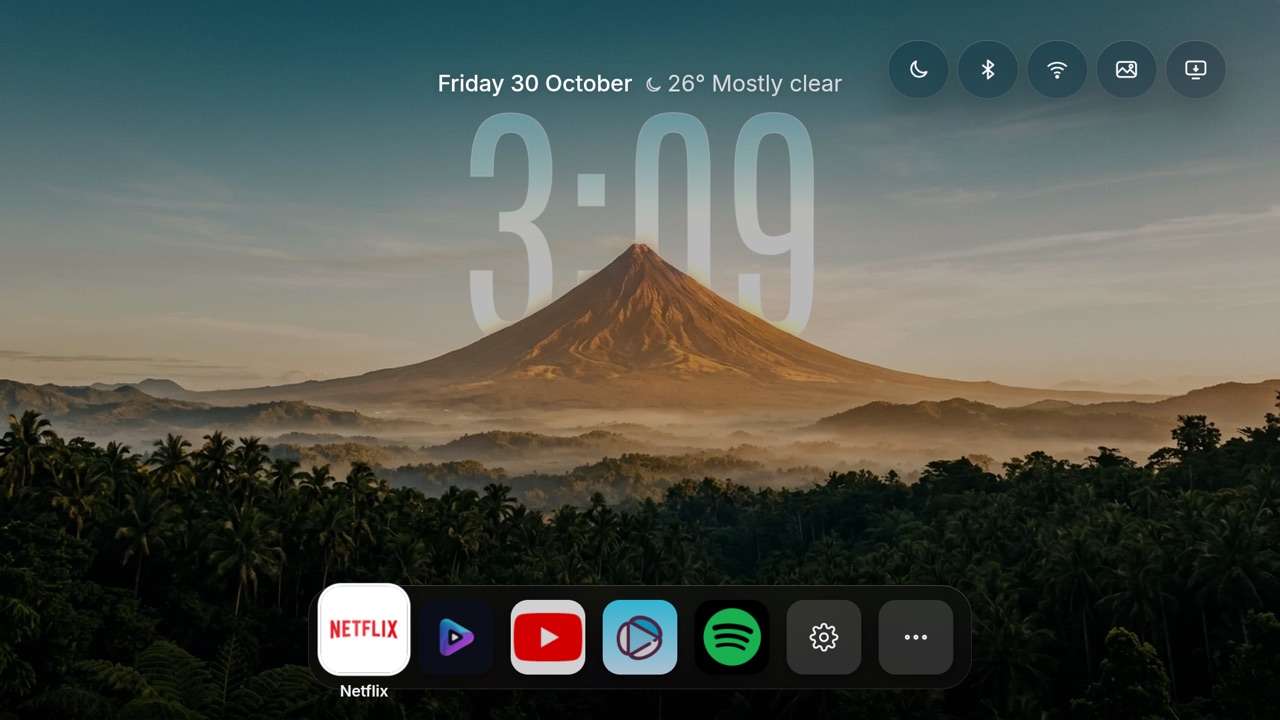
Apple TV (Beta), Roku and a Fire TV Stick.
Documentation
Everything else: docs/.
Credits
- The five scene backgrounds (
scene-*.jpg) were generated for this project and are free to use.
The Classic look's photos are Creative Commons from Wikimedia Commons. Both are listed in
tv-home/web/backgrounds/CREDITS.md.
- The streaming app logos in
remote/src/app-logos/ belong to their owners.
- Fonts: Inter and Antonio (both SIL Open Font Licence).
- Show data and posters: JustWatch (credit them if you publish anything built on this).
- Weather: Open-Meteo.
- The doorbell card and Home Assistant scenes on the TV started in the
roliusz fork.
- The no-computer install for option A came from
udhava2-stack.
- Kids mode: idea from Natalie Bruss (@nataliebruss on Instagram).
- The Bluetooth and Network buttons, Amazon YouTube support and the Fire TV Stick guide came from
the killy10o10 fork; the unpaired TV guard from the
Justin1491 fork.
Shout me a coffee
couch-tv is free. If it made your day a bit easier and you'd like to say thanks, you can shout me a coffee, any amount you like.
MIT licence, see LICENSE. Your settings, secrets and watch history stay on your own computer and TV: privacy and safety.

 couch-tv 会把 Google TV(现在也包括三星电视)上充满广告的主屏幕,替换成你自己的无广告主屏幕,还能加上手机遥控器,并可选安装 Claude 助手,让它理解诸如按剧情描述找节目之类的请求。