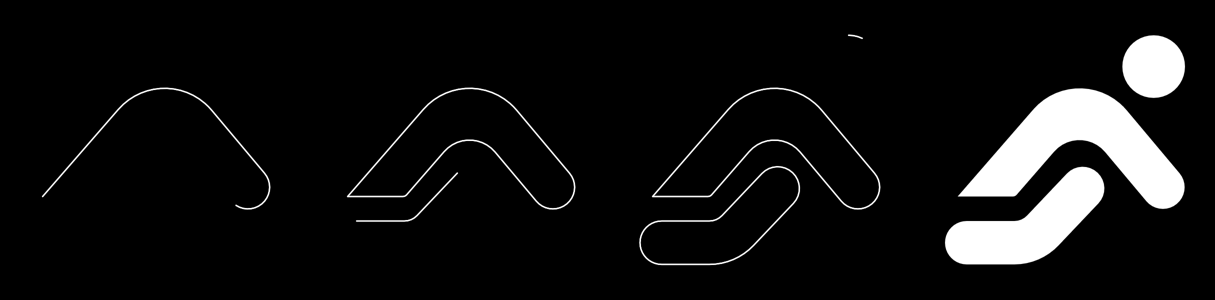
What is this?
 LogoDraw is a SwiftUI component that traces a logo's outline like a pen and then reveals its fill, paired with a reproducible Python + macOS pipeline for turning a logo PNG into a clean SwiftUI Shape.
LogoDraw is a SwiftUI component that traces a logo's outline like a pen and then reveals its fill, paired with a reproducible Python + macOS pipeline for turning a logo PNG into a clean SwiftUI Shape.Is this a full app or just a SwiftUI component?It's a single-file SwiftUI component (LogoDraw.swift) you drop into a project or add via Swift Package Manager; there's no standalone app. The PNG-to-Shape conversion is a separate set of Python scripts, not a GUI tool.
It's a single-file SwiftUI component (LogoDraw.swift) you drop into a project or add via Swift Package Manager; there's no standalone app. The PNG-to-Shape conversion is a separate set of Python scripts, not a GUI tool.How do I add it to my SwiftUI project?Add it as a Swift Package and import LogoDraw, or just copy the single file Sources/LogoDraw/LogoDraw.swift directly into your project.
Add it as a Swift Package and import LogoDraw, or just copy the single file Sources/LogoDraw/LogoDraw.swift directly into your project.What do I need to run the PNG-to-Shape conversion scripts?The component itself needs Swift 5.9+ with iOS 17 / macOS 14 (uses Task.sleep(for:) and .task(id:)). The conversion scripts need Python 3 with numpy, pillow and scipy, plus Xcode for rendershape.sh which renders Shapes without a simulator.
The component itself needs Swift 5.9+ with iOS 17 / macOS 14 (uses Task.sleep(for:) and .task(id:)). The conversion scripts need Python 3 with numpy, pillow and scipy, plus Xcode for rendershape.sh which renders Shapes without a simulator.Does any logo Shape work with the draw animation?No — the Shape you pass must have its subpaths in the exact order you want them drawn and a clean outline with no self-intersections; getting a logo to that state is the hard part the pipeline exists for.
No — the Shape you pass must have its subpaths in the exact order you want them drawn and a clean outline with no self-intersections; getting a logo to that state is the hard part the pipeline exists for.What minimum iOS and macOS versions does it need?It requires iOS 17 and macOS 14 at minimum, since the animation relies on Task.sleep(for:) and .task(id:).
It requires iOS 17 and macOS 14 at minimum, since the animation relies on Task.sleep(for:) and .task(id:).What is RunnerLogoShape?It's the bundled example — a runner icon reconstructed from a PNG into a SwiftUI Shape with 96% fidelity, used to demonstrate the whole PNG-to-Shape pipeline.
It's the bundled example — a runner icon reconstructed from a PNG into a SwiftUI Shape with 96% fidelity, used to demonstrate the whole PNG-to-Shape pipeline.What does the included Claude Code skill actually do?skill/logo-to-swiftui-draw packages the measure/geometry/tune workflow as a step-by-step skill; you install it by copying or symlinking the folder into ~/.claude/skills/.
skill/logo-to-swiftui-draw packages the measure/geometry/tune workflow as a step-by-step skill; you install it by copying or symlinking the folder into ~/.claude/skills/.What happens if Reduce Motion is enabled?The logo renders fully drawn immediately instead of animating, and the onComplete callback fires right away.
The logo renders fully drawn immediately instead of animating, and the onComplete callback fires right away.How does the tuning script check if the Shape matches the original logo?tune.py computes IoU (intersection-over-union) between the rendered Swift Shape and the source PNG, producing an overlay and auto-adjusting parameters to improve the match.
tune.py computes IoU (intersection-over-union) between the rendered Swift Shape and the source PNG, producing an overlay and auto-adjusting parameters to improve the match.What are similar projects?ChunUI, lottie-ios, FSCalendar, Spring, AirCard-macOS, chameleon, folding-cell, SVProgressHUD
ChunUI, lottie-ios, FSCalendar, Spring, AirCard-macOS, chameleon, folding-cell, SVProgressHUDWhich topics is it in?swift-package-manager, xcode, claude-code-skill, apple, component-library, design, image-processing, swift, ui-components, animation, customization, ui
swift-package-manager, xcode, claude-code-skill, apple, component-library, design, image-processing, swift, ui-components, animation, customization, ui