















10.3K ·GitHub
What is this?
 Tkinter Designer is a tool that turns Figma designs into working Python Tkinter GUIs: it reads your design file through the Figma API and generates all the code and images the GUI needs.
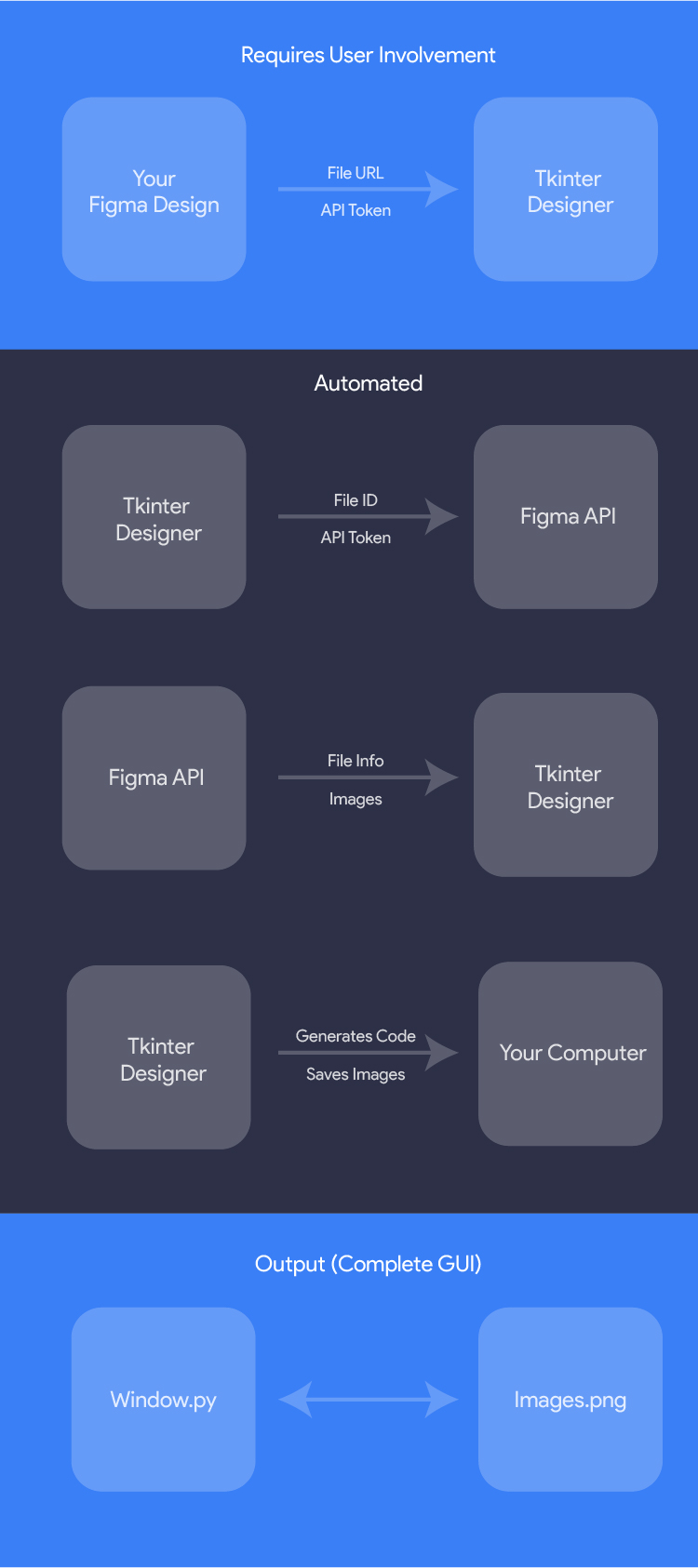
Tkinter Designer is a tool that turns Figma designs into working Python Tkinter GUIs: it reads your design file through the Figma API and generates all the code and images the GUI needs.So I draw the interface in Figma and it writes the Python code for me?Exactly — it's a code generator, not a library. You paste a Figma file URL and an API token, and it analyzes the design and emits the Tkinter code plus the image files. You drive it via a CLI, and it ships with its own GUI too.
Exactly — it's a code generator, not a library. You paste a Figma file URL and an API token, and it analyzes the design and emits the Tkinter code plus the image files. You drive it via a CLI, and it ships with its own GUI too.How do I get it running?Install the package with pip (Python 3.9 or newer is required), then run Tkinter Designer and paste in your Figma file URL and API token.
Install the package with pip (Python 3.9 or newer is required), then run Tkinter Designer and paste in your Figma file URL and API token.Do I need anything in Figma besides my design?Just a Figma account with your design in it — the tool authenticates with a Figma API token to read the file. Other than that you only need Python 3.9+.
Just a Figma account with your design in it — the tool authenticates with a Figma API token to read the file. Other than that you only need Python 3.9+.Any pitfalls when pasting the Figma link?Yes — quote the URL in your shell, because Figma links often contain ? and & parameters that break unquoted commands. Also, if you select a specific frame before copying the link, that selected frame is what gets generated.
Yes — quote the URL in your shell, because Figma links often contain ? and & parameters that break unquoted commands. Also, if you select a specific frame before copying the link, that selected frame is what gets generated.Can it generate an app with multiple screens?Yes. Besides single-frame output it can generate a class-based Tkinter app, or one app with Back/Next navigation across multiple Figma frames; generated apps can also apply a ttk theme.
Yes. Besides single-frame output it can generate a class-based Tkinter app, or one app with Back/Next navigation across multiple Figma frames; generated apps can also apply a ttk theme.How do I wire my own logic to the generated interface?The generated gui.py can be imported from another Python file without auto-starting the mainloop, so you can attach your own commands to the widgets and regenerate the UI later.
The generated gui.py can be imported from another Python file without auto-starting the mainloop, so you can attach your own commands to the widgets and regenerate the UI later.I tweaked my Figma design — how do I refresh the generated GUI?Re-run the CLI with the -f flag: it clears the existing build directory and regenerates everything from the updated design.
Re-run the CLI with the -f flag: it clears the existing build directory and regenerates everything from the updated design.Is Tkinter Designer itself built with Tkinter Designer?Yes — the README points out that even Tkinter Designer's own GUI was created using Tkinter Designer, which doubles as a live showcase of what the tool produces.
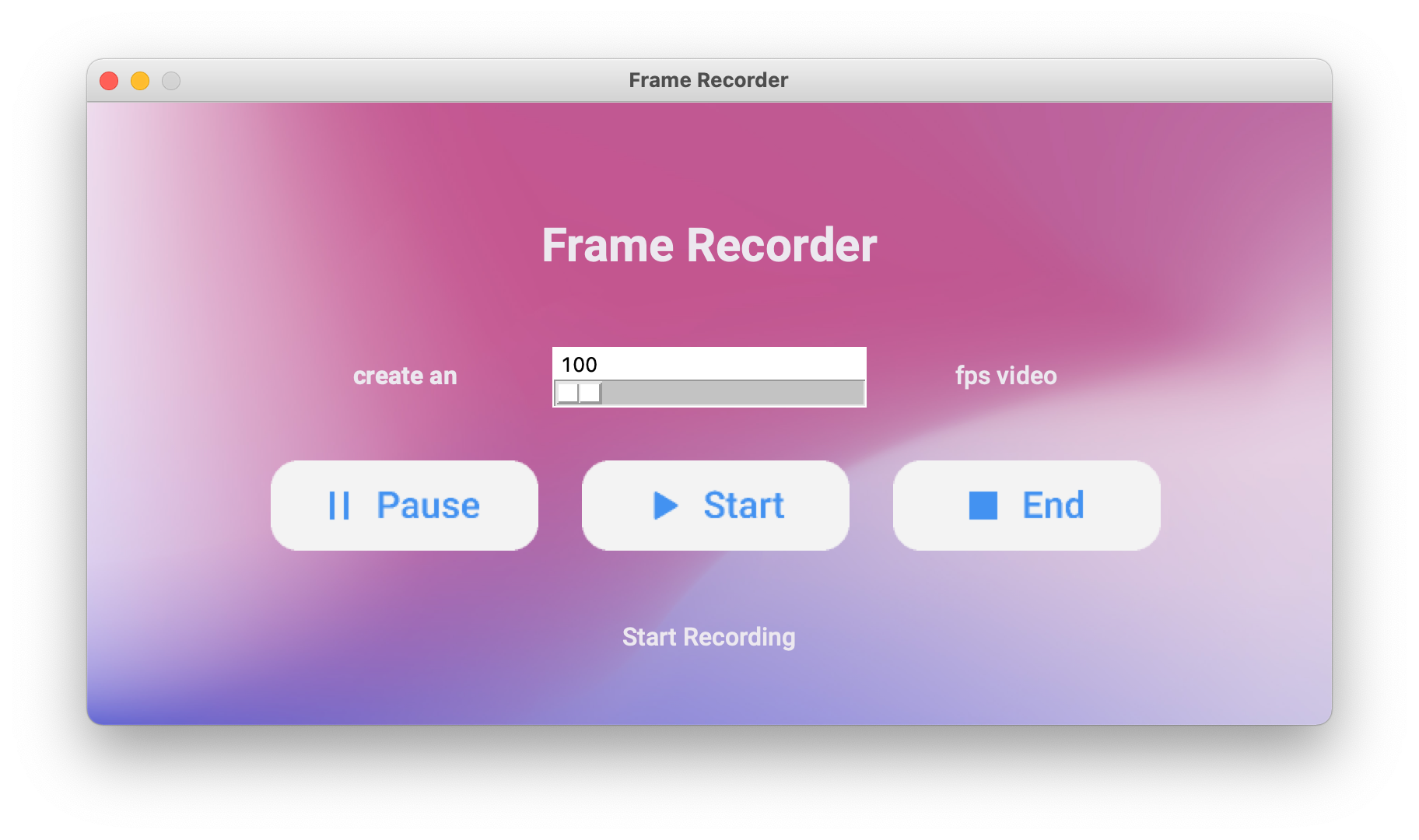
Yes — the README points out that even Tkinter Designer's own GUI was created using Tkinter Designer, which doubles as a live showcase of what the tool produces.What are similar projects?PySimpleGUI, CustomTkinter, Gooey, Filee, The-Complete-FAANG-Preparation, pyinstaller, rustcast, Core-Framework
PySimpleGUI, CustomTkinter, Gooey, Filee, The-Complete-FAANG-Preparation, pyinstaller, rustcast, Core-FrameworkWhich topics is it in?design-tool, learn, fast, figma, drag-and-drop, python3, code-generation, beginner-friendly, hacktoberfest, ui, desktop, command-line-tool
design-tool, learn, fast, figma, drag-and-drop, python3, code-generation, beginner-friendly, hacktoberfest, ui, desktop, command-line-tool