




Что это такое?
 Chat2DB — это бесплатный кроссплатформенный клиент для баз данных и SQL-редактор, который работает локально. Он подойдёт разработчикам, администраторам баз данных, аналитикам и командам, работающим с данными. Внутри — полноценный SQL-клиент плюс AI-ассистент, к которому можно подключить свою собственную модель.
Chat2DB — это бесплатный кроссплатформенный клиент для баз данных и SQL-редактор, который работает локально. Он подойдёт разработчикам, администраторам баз данных, аналитикам и командам, работающим с данными. Внутри — полноценный SQL-клиент плюс AI-ассистент, к которому можно подключить свою собственную модель.Это десктопное приложение или веб-сервис?И то и другое, плюс ещё и CLI: есть установщики для Windows, macOS и Linux, Docker-образ с веб-интерфейсом, а также открытый CLI. Всё работает локально на вашем компьютере.
И то и другое, плюс ещё и CLI: есть установщики для Windows, macOS и Linux, Docker-образ с веб-интерфейсом, а также открытый CLI. Всё работает локально на вашем компьютере.Как его запустить?Проще всего поставить десктопную версию: скачайте установщик для своей платформы со страницы GitHub Releases, установите и подключайтесь — больше ничего настраивать не нужно. Как вариант, можно запустить Docker-образ (нужен Docker 19.03+, 2+ ядра процессора и 4+ ГиБ оперативной памяти) и открыть веб-интерфейс в браузере.
Проще всего поставить десктопную версию: скачайте установщик для своей платформы со страницы GitHub Releases, установите и подключайтесь — больше ничего настраивать не нужно. Как вариант, можно запустить Docker-образ (нужен Docker 19.03+, 2+ ядра процессора и 4+ ГиБ оперативной памяти) и открыть веб-интерфейс в браузере.Есть ли подводные камни при настройке, о которых стоит знать?Режимы Docker, web и headless не запустятся, пока вы не создадите ключ шифрования входящим в комплект скриптом; только в Desktop-режиме такой ключ создаётся автоматически. Обязательно сделайте резервную копию файла с ключом: если его потерять или заменить, сохранённые пароли к источникам данных и API-ключи AI-сервисов станут нечитаемыми.
Режимы Docker, web и headless не запустятся, пока вы не создадите ключ шифрования входящим в комплект скриптом; только в Desktop-режиме такой ключ создаётся автоматически. Обязательно сделайте резервную копию файла с ключом: если его потерять или заменить, сохранённые пароли к источникам данных и API-ключи AI-сервисов станут нечитаемыми.Мои данные остаются локально, а можно ли вынести всё на общий сервер?Приложение рассчитано на локальную работу и на одного пользователя: здесь нет ни учётных записей, ни разграничения прав между пользователями. В README прямо сказано, что HTTP-сервис нужно держать привязанным к 127.0.0.1 или ::1 и никогда не открывать его другим пользователям и недоверенным сетям.
Приложение рассчитано на локальную работу и на одного пользователя: здесь нет ни учётных записей, ни разграничения прав между пользователями. В README прямо сказано, что HTTP-сервис нужно держать привязанным к 127.0.0.1 или ::1 и никогда не открывать его другим пользователям и недоверенным сетям.Это полностью open source?Строго говоря, уже нет: начиная с версии 5.3.0 используется лицензия source-available на основе Apache 2.0 с дополнительными условиями. Релизы, вышедшие до 5.3.0, по-прежнему распространяются под Apache 2.0.
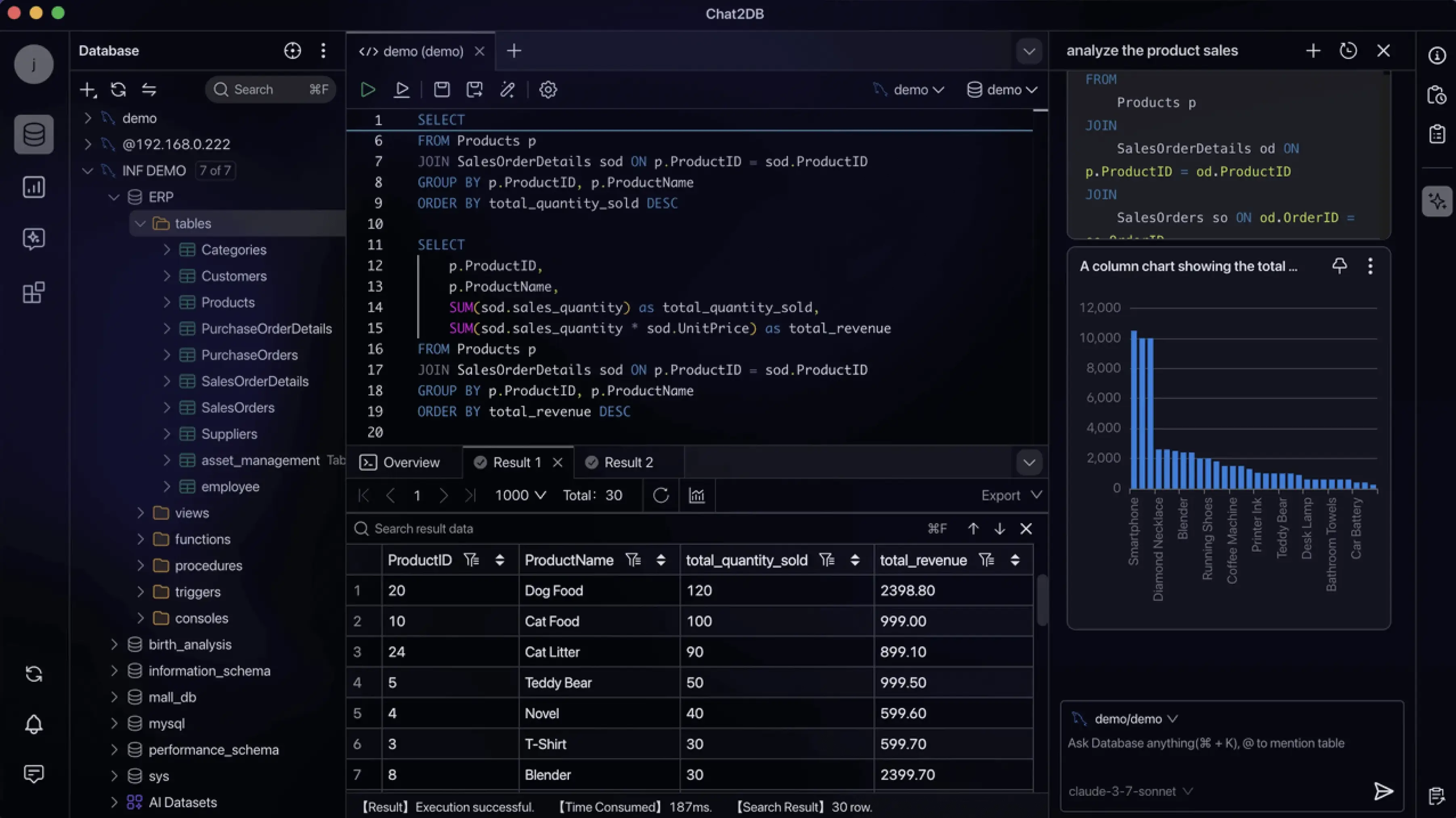
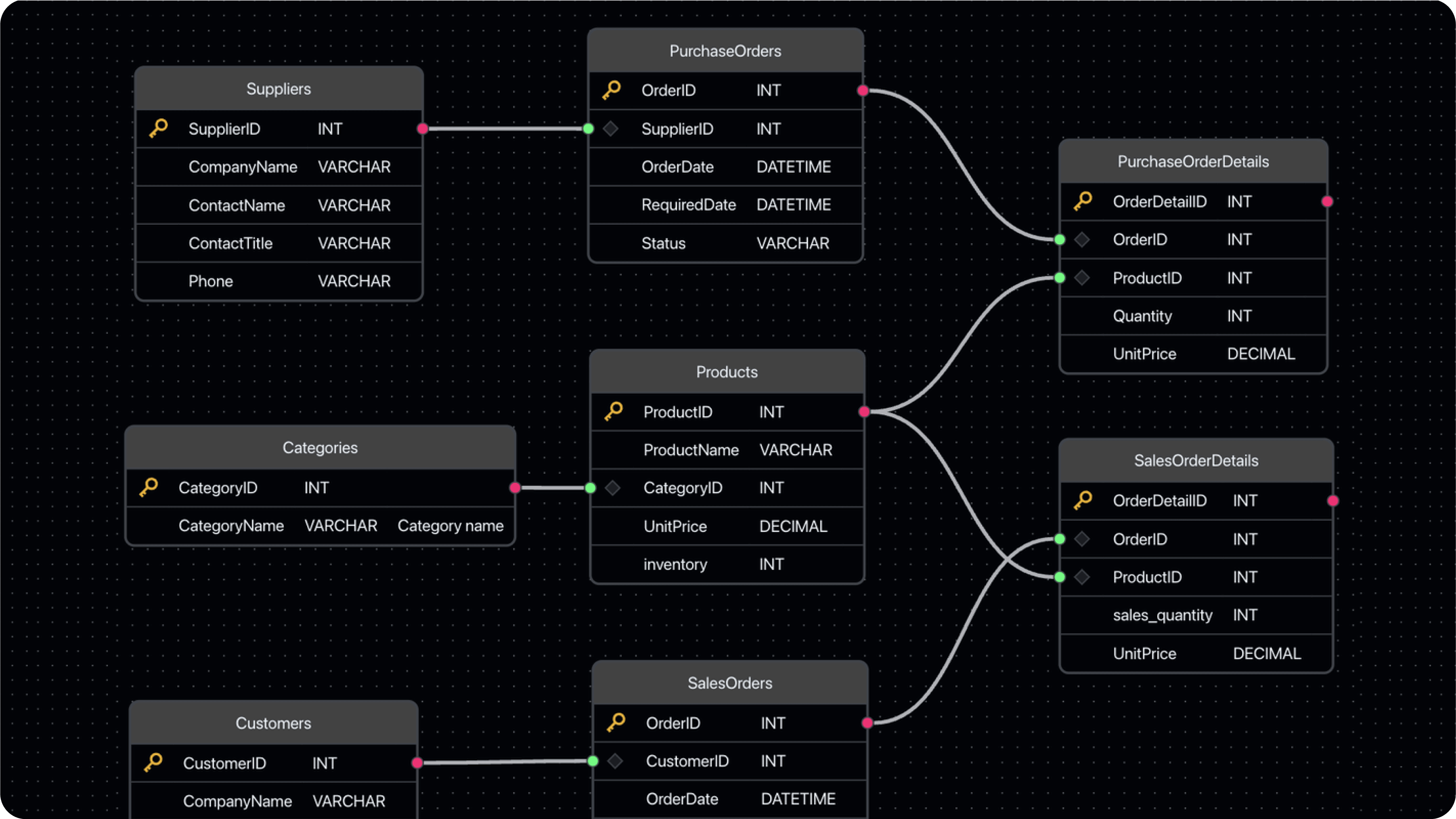
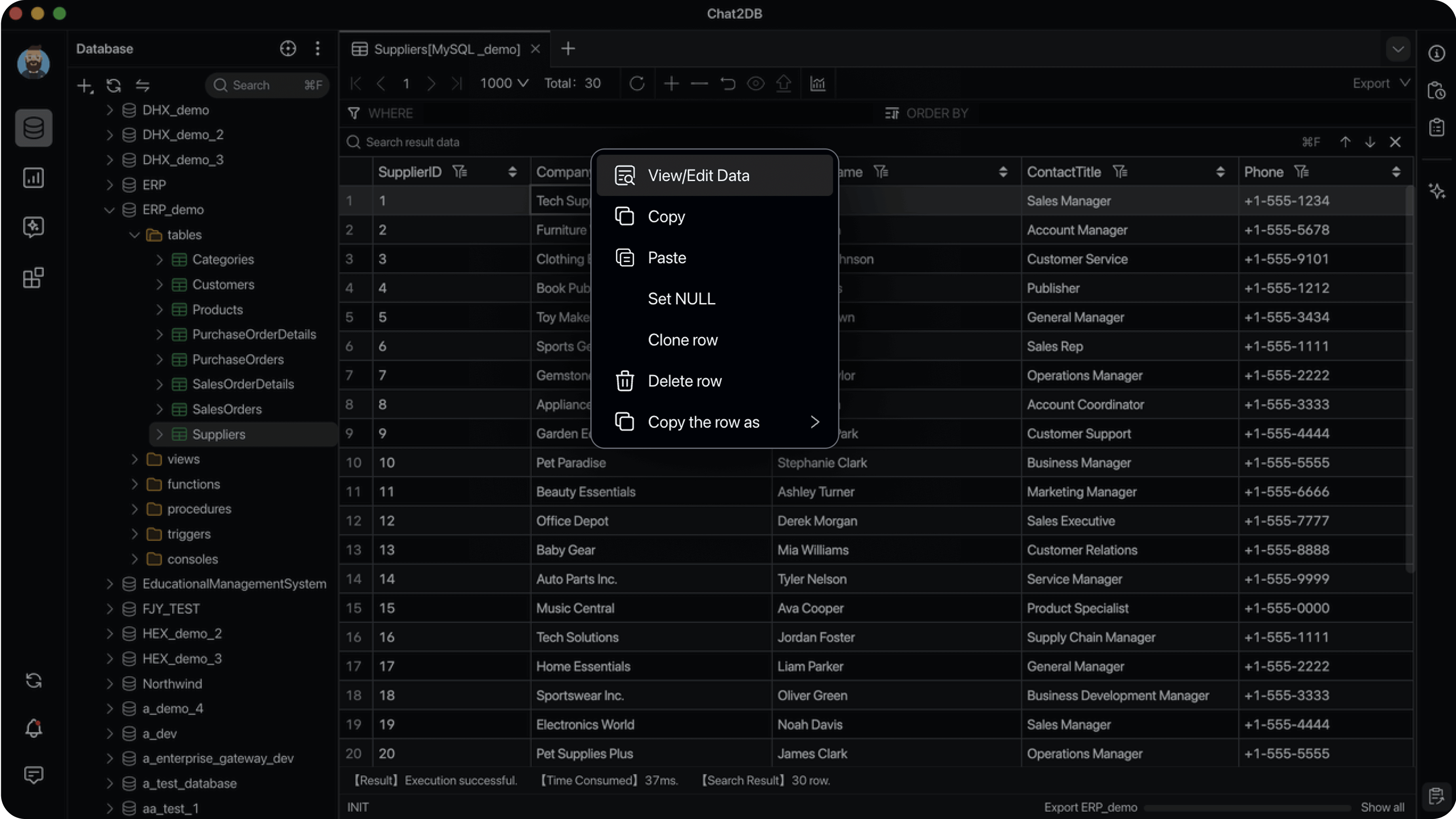
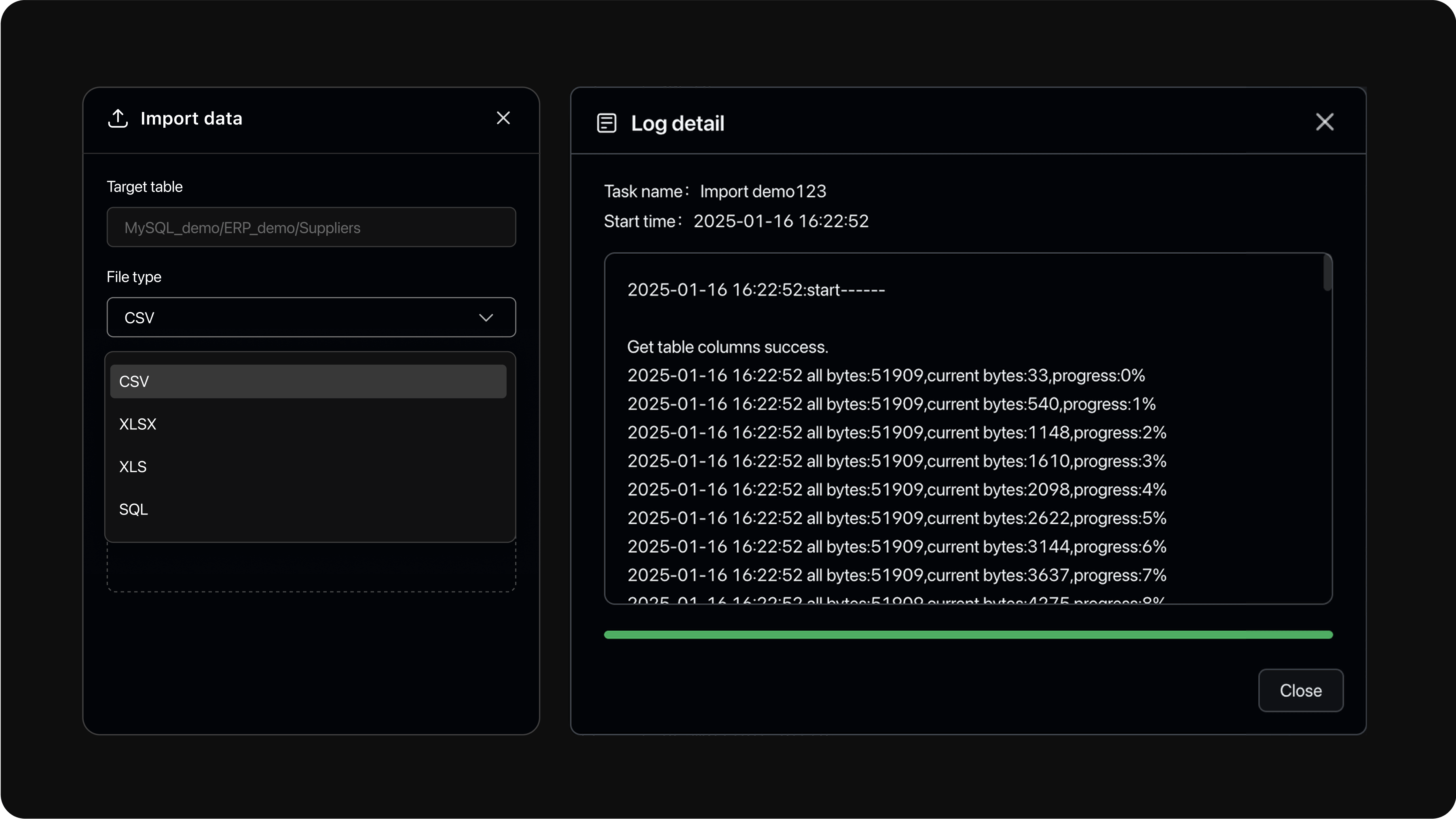
Строго говоря, уже нет: начиная с версии 5.3.0 используется лицензия source-available на основе Apache 2.0 с дополнительными условиями. Релизы, вышедшие до 5.3.0, по-прежнему распространяются под Apache 2.0.Что я могу делать с его помощью, кроме выполнения запросов?Можно просматривать метаданные и управлять таблицами и другими объектами (DDL/DML), редактировать данные прямо в таблице, импортировать и экспортировать данные, смотреть ER-диаграммы, строить дашборды и графики, а также пользоваться автодополнением SQL, форматированием, сохранёнными SQL-запросами и полной историей выполнения.
Можно просматривать метаданные и управлять таблицами и другими объектами (DDL/DML), редактировать данные прямо в таблице, импортировать и экспортировать данные, смотреть ER-диаграммы, строить дашборды и графики, а также пользоваться автодополнением SQL, форматированием, сохранёнными SQL-запросами и полной историей выполнения.Чем бесплатная версия Community отличается от платных?В Community входит полноценный локальный клиент, включая поддержку своих AI-моделей. Коммерческие редакции Pro и Enterprise построены на том же ядре, но добавляют хостинговые AI-сервисы, учётные записи пользователей, облачное хранилище с синхронизацией между устройствами, а также функции для командной работы и управления доступом.
В Community входит полноценный локальный клиент, включая поддержку своих AI-моделей. Коммерческие редакции Pro и Enterprise построены на том же ядре, но добавляют хостинговые AI-сервисы, учётные записи пользователей, облачное хранилище с синхронизацией между устройствами, а также функции для командной работы и управления доступом.Что на практике означает поддержка MCP в CLI?Открытый CLI поддерживает MCP (Model Context Protocol) — стандартный способ подключения AI-инструментов к внешним системам. Благодаря этому агенты для написания кода и другие AI-ассистенты могут работать с вашими базами данных через CLI, а не только через графический интерфейс.
Открытый CLI поддерживает MCP (Model Context Protocol) — стандартный способ подключения AI-инструментов к внешним системам. Благодаря этому агенты для написания кода и другие AI-ассистенты могут работать с вашими базами данных через CLI, а не только через графический интерфейс.What are similar projects?dbx, GoNavi, tusk, TablePro, dbeaver, beekeeper-studio, tabularis, dsh-data-agent
dbx, GoNavi, tusk, TablePro, dbeaver, beekeeper-studio, tabularis, dsh-data-agentWhich topics is it in?sql-client, database-management, jdbc, sql-editor, text-to-sql, database-gui, oracle, sql-server, database-client, diagram, clickhouse, mongodb
sql-client, database-management, jdbc, sql-editor, text-to-sql, database-gui, oracle, sql-server, database-client, diagram, clickhouse, mongodb