What is this?
 Mocreak is a one-click deployment tool that automatically downloads, installs and configures genuine-licensed Windows 10/11 and Office (2016-2024) on a PC, completely free of charge.
Mocreak is a one-click deployment tool that automatically downloads, installs and configures genuine-licensed Windows 10/11 and Office (2016-2024) on a PC, completely free of charge.Is this just a plain installer, or does it do more than that?It is a graphical deployment tool that builds a custom Windows image tailored to your hardware and separately handles Office install/uninstall, rather than running a stock installer.
It is a graphical deployment tool that builds a custom Windows image tailored to your hardware and separately handles Office install/uninstall, rather than running a stock installer.How do I get it running on my PC?You run it on a Windows 10/11 x64 machine, where it can either download and install Windows/Office online or use files you already have offline.
You run it on a Windows 10/11 x64 machine, where it can either download and install Windows/Office online or use files you already have offline.Do I need any special hardware or prerequisites first?No extra software is required beyond a Windows 10/11 x64 system; the tool even includes workarounds for PCs that lack the official TPM/CPU/memory requirements.
No extra software is required beyond a Windows 10/11 x64 system; the tool even includes workarounds for PCs that lack the official TPM/CPU/memory requirements.Can I use Mocreak for commercial purposes?No. The README explicitly forbids commercial use without the developer's written consent and limits the tool to personal, non-profit learning, research, or appreciation purposes.
No. The README explicitly forbids commercial use without the developer's written consent and limits the tool to personal, non-profit learning, research, or appreciation purposes.Does it work without an internet connection?Yes, besides the online download mode it supports a fully offline installation path for both Windows and Office.
Yes, besides the online download mode it supports a fully offline installation path for both Windows and Office.What are the legal terms around using and modifying this software?The project is not open-source in the usual sense: it carries registered software copyrights, bans decompiling/cracking it, and reserves legal action against violators and commercial users.
The project is not open-source in the usual sense: it carries registered software copyrights, bans decompiling/cracking it, and reserves legal action against violators and commercial users.Which Office versions and apps can I install?It supports Office 2016, 2019, 2021 and 2024, letting you pick components individually such as Word, Excel, PowerPoint, Outlook, OneNote, Access, Visio, Project, OneDrive and Skype/Lync.
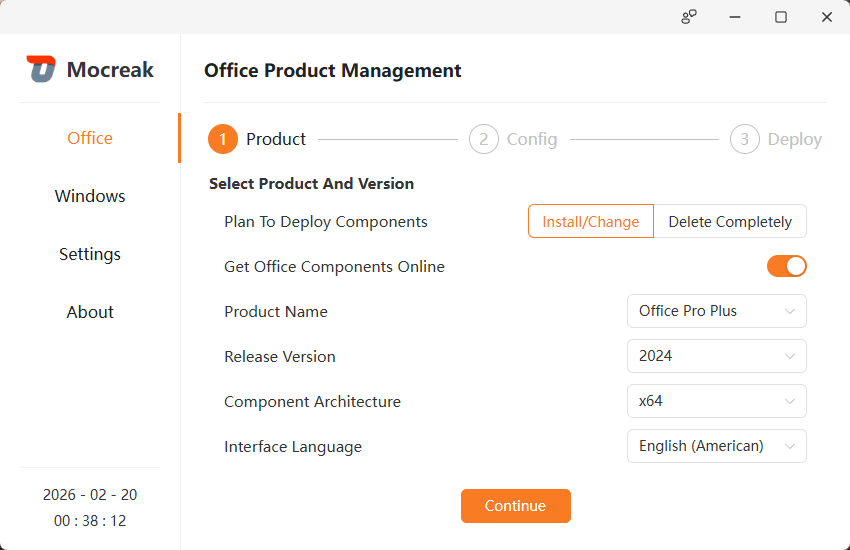
It supports Office 2016, 2019, 2021 and 2024, letting you pick components individually such as Word, Excel, PowerPoint, Outlook, OneNote, Access, Visio, Project, OneDrive and Skype/Lync.Can it remove Office instead of installing it?Yes, Mocreak can also be used to completely uninstall all Office components when you no longer need them.
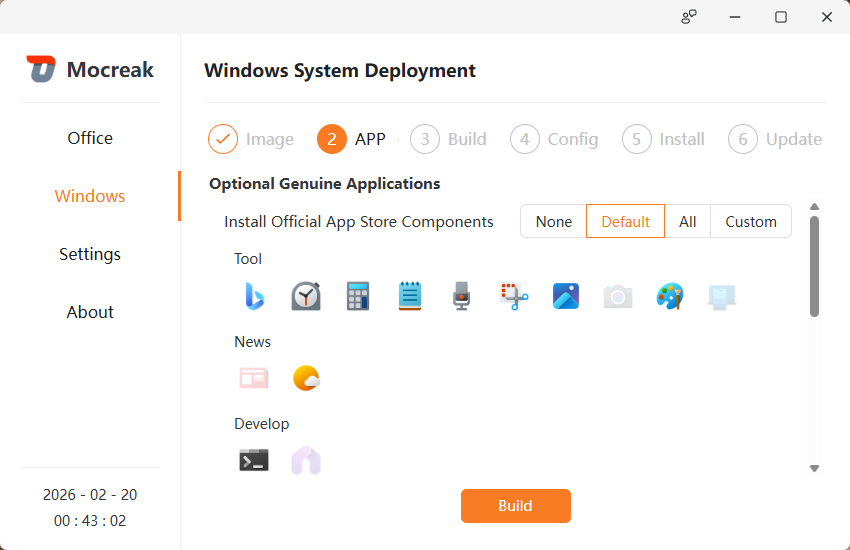
Yes, Mocreak can also be used to completely uninstall all Office components when you no longer need them.Can I skip installing certain Windows components like Defender?Yes, the system components are highly customizable, so you can choose not to install things like Windows Defender or Notepad.
Yes, the system components are highly customizable, so you can choose not to install things like Windows Defender or Notepad.Does the interface support languages other than English?Yes, the GUI adapts to multiple countries/regions' languages and offers light and dark themes, and you can also pick the default language for the newly installed Windows or Office.
Yes, the GUI adapts to multiple countries/regions' languages and offers light and dark themes, and you can also pick the default language for the newly installed Windows or Office.What are similar projects?LKY_OfficeTools, Microsoft-Activation-Scripts, Office-Tool, CMWTAT_Digital_Edition, HEU_KMS_Activator, SteamDaddy-Backup, GenP, Winhance
LKY_OfficeTools, Microsoft-Activation-Scripts, Office-Tool, CMWTAT_Digital_Edition, HEU_KMS_Activator, SteamDaddy-Backup, GenP, Winhance