Dextop
English | 日本語 | 简体中文 | 한국어
Dextop is an open-source Android app that creates a virtual display and provides a desktop-like workspace using only a smartphone. Dextop 1.5.0 and later include a built-in privileged access runtime, which works with Android system services to control app launching, window placement, touch input, orientation, and related desktop behavior.
Community and feedback
Join the official Discord server: Join here
You can report bugs, submit device reports, and request features there.
Screenshots and demo
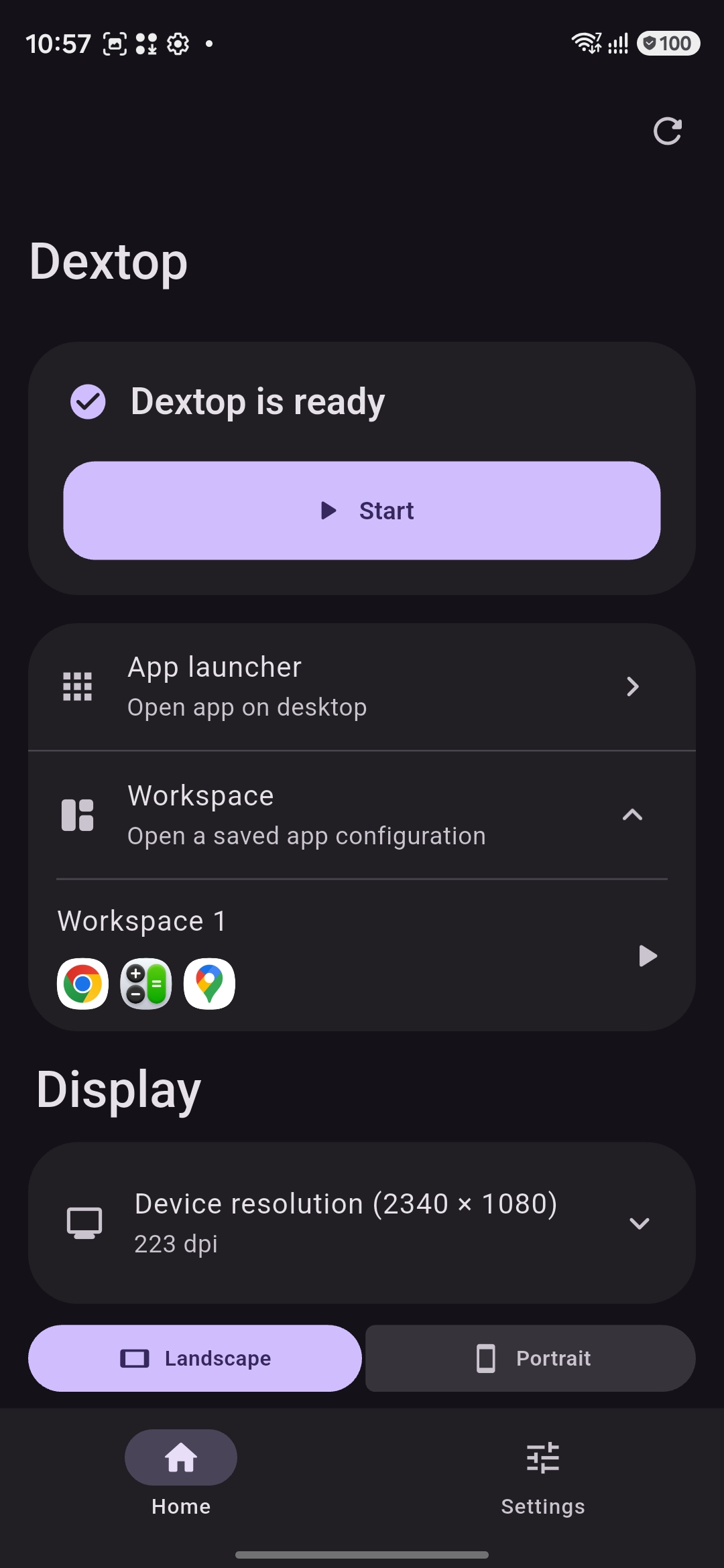
Home and workspaces |
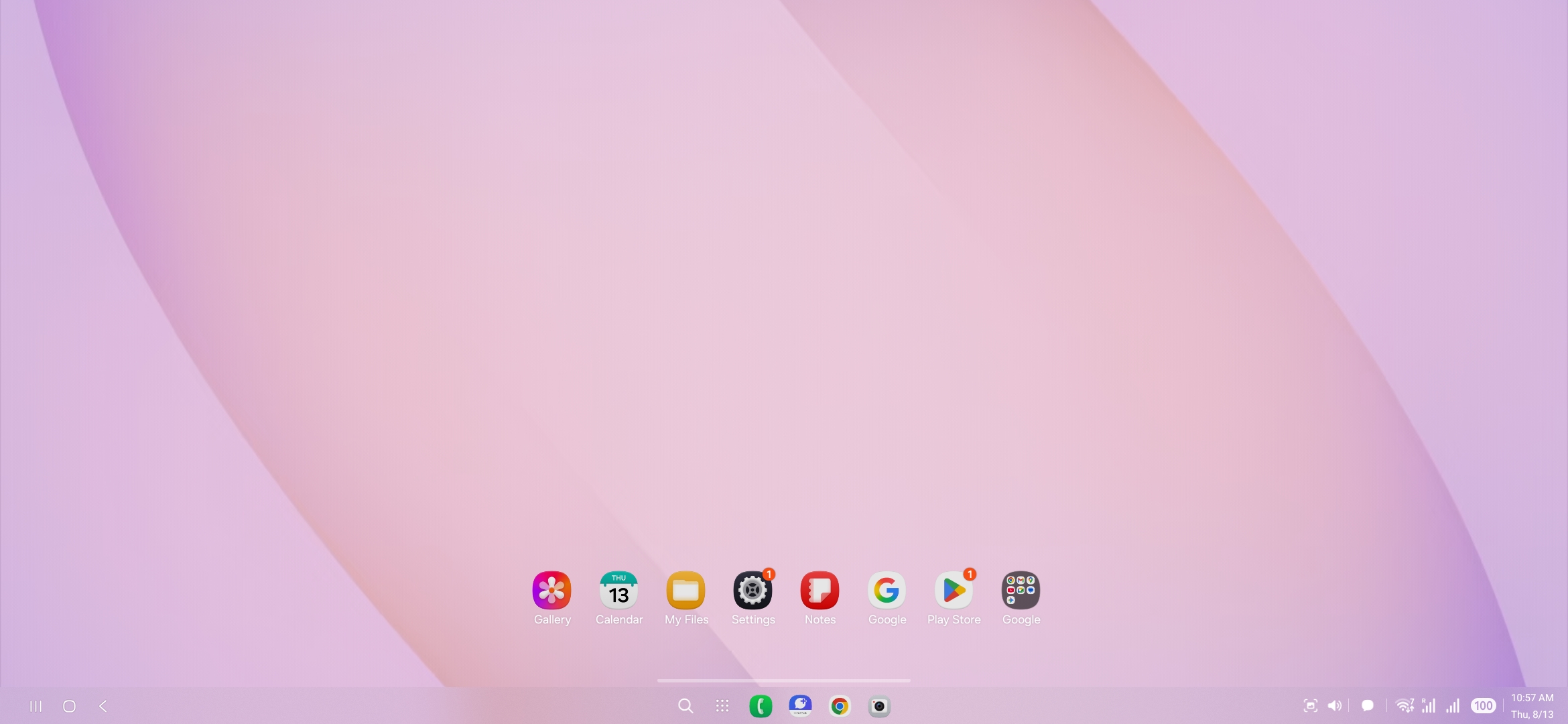
Desktop |
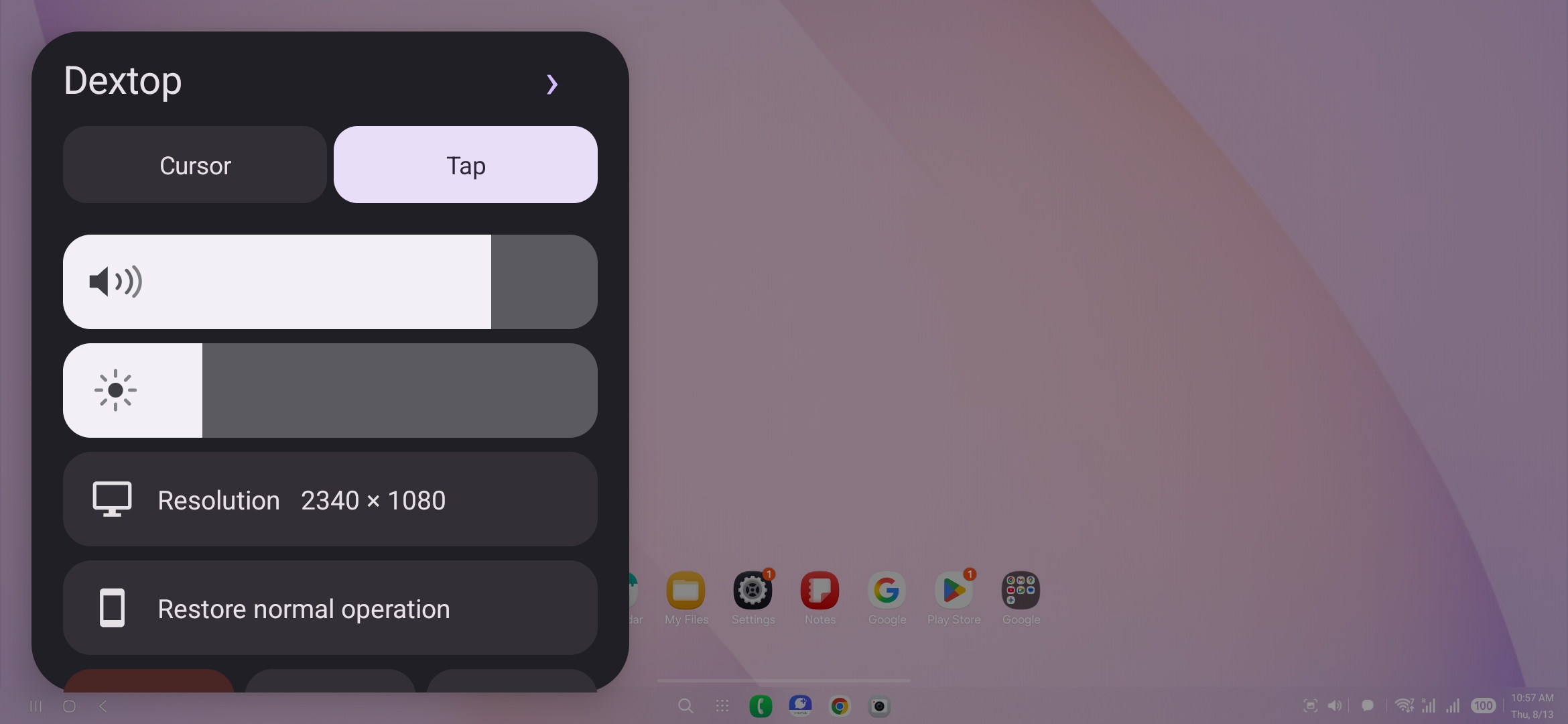
Control overlay |
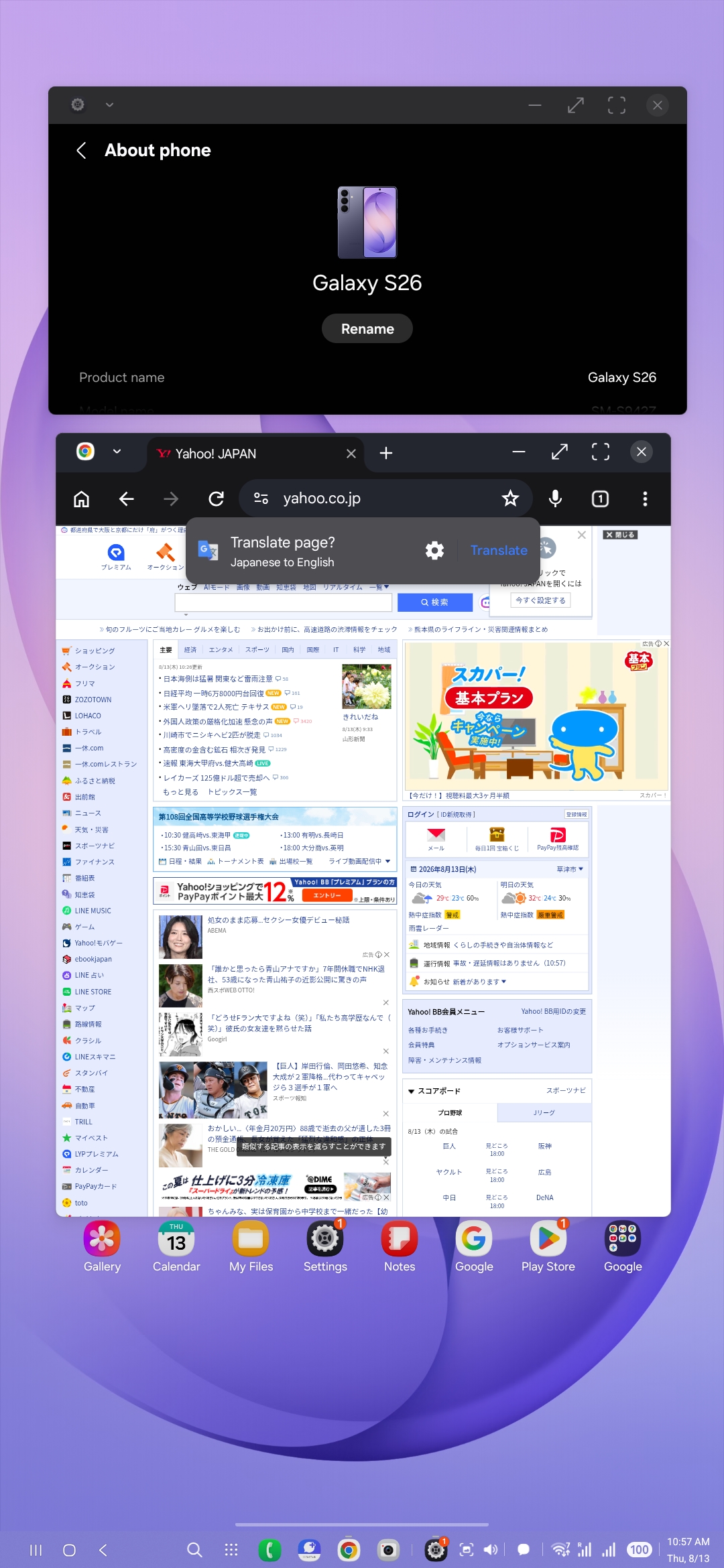
Multi-window workspace |
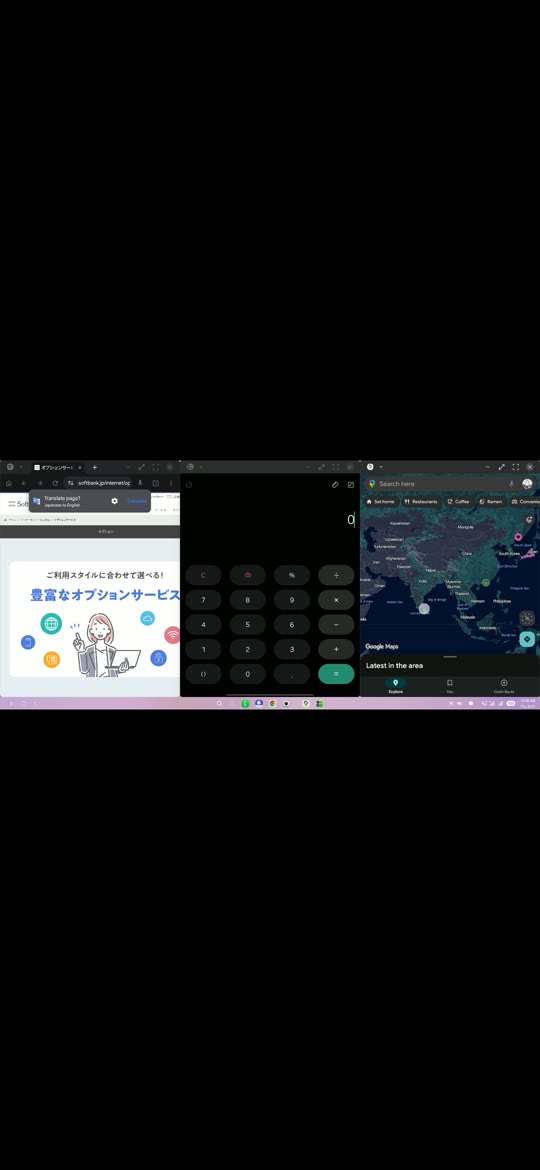
▶ Demo video |
Features
- Virtual displays with configurable resolution, density, and portrait or landscape orientation
- Secure-display and Android system-decoration controls
- Desktop app launcher
- Workspaces that save and restore the placement of multiple apps
- Two-pane, three-pane, four-pane, and other window layouts
- Workspace import and export as JSON
- Cursor and direct-touch input modes
- Tap, long-press, drag, right-click, two-finger, and three-finger gestures
- Multi-touch input, including scrolling and pinch-to-zoom
- Physical mouse support
- Physical keyboard support
- Mouse and keyboard input routing between Dextop and the external display on supported devices
- Multi-display topology with saved monitor placement and cross-display pointer routing
- Automatic desktop taskbar hiding and optional built-in-display 120 Hz enforcement
- Foldable laptop mode with a US keyboard, trackpad, manual overlay control, and optional hinge-angle detection
- Switchable virtual gamepad from the Style menu with ABXY, L/R, triggers, sticks, D-pad, and Start/Select/Home controls
- Foldable main/cover-display switching
- Parked Android Auto mirror activity with automatic head-unit sizing, Dextop/phone source selection, and touch forwarding
- Performance overlay for FPS, refresh rate, memory, battery, and estimated power usage
- Quick Settings tile launch
- Interrupted-session recovery and restoration of temporary Android settings
- Detailed diagnostic reports containing app logs, capability probes, fallback results, and device specifications
- Localized device compatibility reports with per-feature results and automatic email composition
- Japanese, English, Chinese, Korean, and Russian interfaces
Compatibility
| Environment |
Status |
Notes |
| Samsung DeX (One UI 8 or later) |
Fully supported |
Currently the most complete environment. Features managed by DeX use Samsung's platform implementation. |
| Samsung DeX (earlier than One UI 8) |
Limited and likely incompatible |
Older DeX implementations may not provide the display and window-management behavior required by Dextop. |
| Google Pixel |
Limited and incomplete |
Depends on Android's freeform/desktop implementation and hidden API availability. Some features may not work. |
| OPPO ColorOS desktop |
Limited and incomplete |
The desktop can be displayed, but platform components such as the taskbar may not appear. |
| Xiaomi devices running HyperOS or later |
Disabled |
MIUI and HyperOS are not supported. |
| Other Android devices |
Experimental |
Virtual-display, mirroring, and freeform support varies by manufacturer, model, and OS update. |
The Android Auto entry is exposed through the parked-app CAR_LAUNCHER activity on Android 15 and later. Android Auto's host still decides whether a sideloaded app is shown; its current public parked-app support is limited to approved categories.
Dextop probes device capabilities at runtime and tries compatible backends in order. It still depends on Android hidden APIs and OEM behavior, so results can differ between models and OS versions from the same manufacturer.
Supported devices
The status below applies only to firmware versions that were actually tested. Open a vendor to see its devices. For feature-by-feature results, see the Device compatibility wiki.
Samsung
| Device |
Model |
Tested software |
Status |
| Galaxy S26 |
SM-S942Z (m1q) |
Android 16 / One UI 8.5 / S942ZSCS1AZF2 |
✅ Confirmed working |
| Galaxy Z TriFold |
SM-F968N (q7mq) |
Android 16 (API 36) / One UI 8.0 / F968NKSS6BZG3 |
✅ Confirmed working |
| Galaxy Z Fold8 |
SM-F971Q (h8q) |
Android 17 (API 37) / One UI 9.0 / F971QOPU1AZGI |
✅ Confirmed working |
| Galaxy Z Fold7 |
SM-F966Q (q7q) |
Android 16 (API 36) / One UI 8.0 / F966QOPU1BZF1 |
✅ Confirmed working |
| Galaxy Z Fold3 5G |
SCG11 (SCG11) |
Android 15 (API 35) / One UI 7.0 / SCG11KDS1EZB8 |
❌ Not working at this time |
Community-submitted and reviewed device report
Google
| Device |
Model |
Tested software |
Status |
| Pixel 9a |
Pixel 9a (tegu) |
Android 17 (API 37) / 15641320 |
🟡 Partial |
Community-submitted and reviewed device report
HONOR
| Device |
Model |
Tested software |
Status |
| HONOR Magic 8 Pro |
BKQ-AN10 (HNBKQ) |
Android 16 (API 36) / 10DLDLD170SP5C00E167 |
🧪 Experimental |
Community-submitted and reviewed device report
OPPO
ColorOS can display the desktop, but support is incomplete and the taskbar may not appear.
| Device |
Model |
Tested software |
Status |
| Find X9 |
OPG07 (OP5E8BL1) |
Android 16 (API 36) / ColorOS 16 / B.R4T3.1287153_118ce71_119cc78 |
🧪 Experimental |
Community-submitted and reviewed device report
Sony
| Device |
Model |
Tested software |
Status |
| Xperia 1 III |
XQ-BC42 (XQ-BC42) |
Android 13 (API 33) / 061002A0000472A1434898470 |
❌ Not working at this time |
Community-submitted and reviewed device report
Xiaomi
The desktop environment is disabled on Xiaomi devices running HyperOS or later. MIUI and HyperOS are not supported.
| Device |
Model |
Tested software |
Status |
| POCO X7 Pro 5G |
2412DPC0AG (rodin) |
Android 16 (API 36) / HyperOS 3.0 / OS3.0.301.0.WOJMIXM |
❌ Not working at this time |
| POCO X7 Pro |
2412DPC0AG (rodin) |
Android 16 (API 36) / HyperOS 3.0 / OS3.0.301.0.WOJMIXM |
❌ Not working at this time |
Community-submitted and reviewed device report
System requirements
- Android 10 or later. Most devices require Android 14 or later for a usable desktop environment.
- Dextop 1.5.0 or later, including the latest release
Dextop 1.5.0 and later include the access service needed for normal operation, so no external app or separate privileged service is required. Setup and first use can be completed with Dextop alone; Android may still show system permission or wireless-debugging pairing screens when required by the device.
Root, Stellar, Shizuku, and other compatible privileged services remain supported. If one is already available, Dextop detects the environment and automatically adapts to and uses it, so an existing setup does not need to be migrated or replaced.
Installation
The Google Play release is currently under review.
Download the latest APK from GitHub Releases and install it.
Nightly builds
The latest development build is available from GitHub Actions. Open the newest successful Debug APK workflow run and download its Nightly artifact to try changes that have not reached a stable release yet. The artifact contains matching Dextop and Dextop Car Companion debug APKs. Nightly builds are beta builds generated from the latest source and may contain unfinished features or regressions.
Stable GitHub Releases include both the Dextop APK and the matching Dextop Car Companion APK when Android Auto support is included. Install both APKs from the same release so their signatures and relay protocol match.
Android Auto quick start
Dextop supports a dedicated desktop on supported parked Android Auto displays through Dextop Car Companion on Android 15 or later.
- Install Dextop and the matching Dextop Car Companion APK from the same release.
- Complete Dextop's phone setup. On version 1.5.0 and later, Dextop configures its built-in access automatically; if root or a compatible privileged service such as Stellar or Shizuku is already available, Dextop detects and uses it automatically.
- Connect Android Auto while parked and open Dextop Car Companion from the car launcher.
- Select Start. Touch input is sent directly from the head unit to the Auto-owned Dextop display.
- Swipe right from the left edge of the car display to open the Auto controls for workspaces, video reconnection, and stopping the session.
Android Auto controls whether a sideloaded parked app appears on a particular head unit. The default compatibility mode may show the Auto virtual-display overlay on the phone; an experimental hidden-display mode is available under Dextop → Settings → Auto. See the Android Auto wiki for installation details, display modes, gestures, controls, limitations, DHU testing, and troubleshooting.
Development
git clone https://github.com/NarYuki/Dextop.git
cd Dextop
flutter pub get
flutter analyze
flutter test
flutter build apk --debug
To contribute support for another device, read Adding support for a device. The Japanese guide is available here.
Diagnostics
Open Settings → App information → Operation log and device diagnostics to view, copy, or share device specifications, capability probes, fallback results, and Dextop operation logs. Remove any personal information you do not want to publish before attaching a report to an issue.
Device reports
Open Settings → Device report to report how Dextop works on a specific device and firmware. Choose Working, Not working, or Not tested for the overall result and every listed feature, add optional notes, then tap Send report by email. Dextop prepares a structured Markdown report and opens your email app with [email protected] as the recipient.
The report includes the device model, codename, Android/API version, firmware identifiers, security patch, Dextop version, detected capabilities, and the results you selected. Review the generated email before sending it. See Device reports for the complete field list and procedure.
This project is under active development. Available features and behavior may change with device firmware and Android updates.
License
Licensed under GPL-3.0-or-later. See LICENSE.

 Dextop is an open-source Android app that creates a virtual display and gives you a desktop-like workspace using only your phone, unlocking the hidden Samsung DeX and desktop capabilities of Android.