




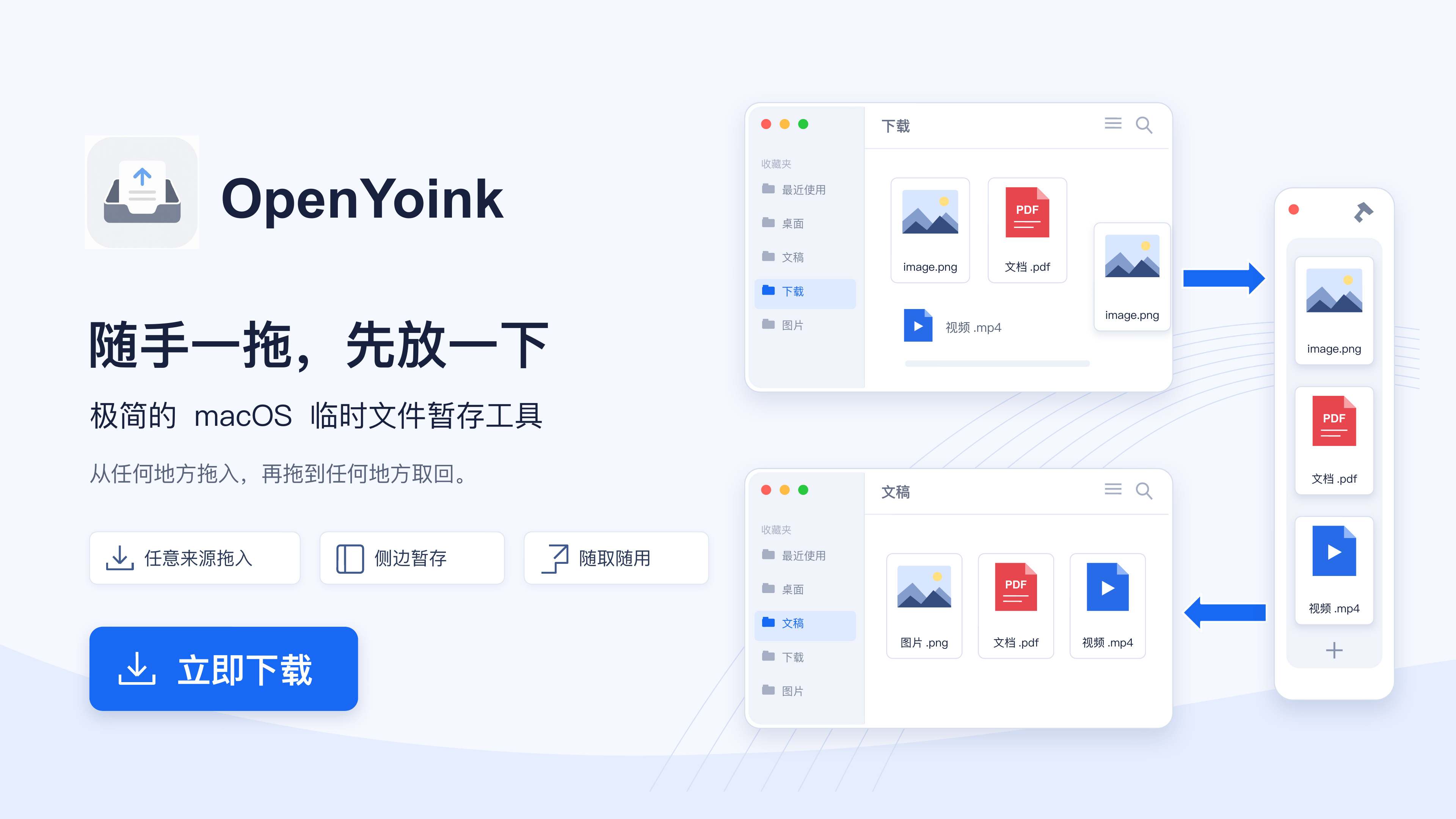
What is this?
 OpenYoink is a free, open-source macOS utility that lets you drag files, images, text, and links onto a temporary shelf at the screen edge or into the Mac's Dynamic Island, then drag them out again once you've switched to the target window. It's built with SwiftUI + AppKit and lives in the menu bar without a Dock icon.
OpenYoink is a free, open-source macOS utility that lets you drag files, images, text, and links onto a temporary shelf at the screen edge or into the Mac's Dynamic Island, then drag them out again once you've switched to the target window. It's built with SwiftUI + AppKit and lives in the menu bar without a Dock icon.Is this the same thing as the commercial Yoink app?No — OpenYoink is an independent open-source reimplementation of the shelf-and-dock-stash idea popularized by commercial apps like Yoink and Dropover, with no affiliation to either.
No — OpenYoink is an independent open-source reimplementation of the shelf-and-dock-stash idea popularized by commercial apps like Yoink and Dropover, with no affiliation to either.What macOS version does it need?OpenYoink requires macOS 15 Sequoia or later, and the Release builds support both Apple Silicon and Intel Macs.
OpenYoink requires macOS 15 Sequoia or later, and the Release builds support both Apple Silicon and Intel Macs.Will macOS block the first launch?The free community builds on GitHub Releases are ad-hoc signed and not Apple-notarized, so a manual first install can trigger a Gatekeeper warning — you'll need to right-click and choose 'Open' or allow it in Privacy & Security settings. Installing via Homebrew avoids this by stripping quarantine automatically.
The free community builds on GitHub Releases are ad-hoc signed and not Apple-notarized, so a manual first install can trigger a Gatekeeper warning — you'll need to right-click and choose 'Open' or allow it in Privacy & Security settings. Installing via Homebrew avoids this by stripping quarantine automatically.Any licensing concerns given the Yoink-inspired name?OpenYoink is released under the MIT License and explicitly states it has no affiliation, licensing, or endorsement relationship with the commercial Yoink app or its developer.
OpenYoink is released under the MIT License and explicitly states it has no affiliation, licensing, or endorsement relationship with the commercial Yoink app or its developer.Does it copy my files or just reference the originals?By default OpenYoink only keeps a sandbox bookmark pointing to the original file — nothing is copied. Holding Cmd while dragging switches to a managed move, which copies the file into the app's sandbox and then trashes the original.
By default OpenYoink only keeps a sandbox bookmark pointing to the original file — nothing is copied. Holding Cmd while dragging switches to a managed move, which copies the file into the app's sandbox and then trashes the original.What's the difference between the sidebar shelf and the Island?They're two independent entry points sharing the same stash: the classic side shelf expands when files approach the screen edge, while the Island integrates with the Mac's notch (or shows a floating capsule on external/non-notch displays) and can also host modules like battery, now-playing, and quick access to favorite folders.
They're two independent entry points sharing the same stash: the classic side shelf expands when files approach the screen edge, while the Island integrates with the Mac's notch (or shows a floating capsule on external/non-notch displays) and can also host modules like battery, now-playing, and quick access to favorite folders.What kinds of content can I put on the shelf besides files?It accepts files, folders, plain and rich text, images, links, plus contacts, calendar events, and emails when the source app exposes readable data for them.
It accepts files, folders, plain and rich text, images, links, plus contacts, calendar events, and emails when the source app exposes readable data for them.What are similar projects?Ice, Doll, tendedero, MacPacker, macos-sysdata, macspace-releases, dimble, FinderSearch
Ice, Doll, tendedero, MacPacker, macos-sysdata, macspace-releases, dimble, FinderSearchWhich topics is it in?sparkle, appkit, file-management, menubar-app, menubar, tray, mit-license, file-manager, mac, drag-and-drop, menu-bar, swiftui
sparkle, appkit, file-management, menubar-app, menubar, tray, mit-license, file-manager, mac, drag-and-drop, menu-bar, swiftui