Topics / #sparkle
Sparkle projects on GitHub
Sparkle, the macOS software auto-update framework
As of , the most-starred Sparkle projects on GitHub are codenotch (2.8K stars), mac-performance-monitor (937 stars) and macspace-releases (386 stars). GitHub.Locker tracks 5 Sparkle repositories with 4.7K stars combined. The fastest-growing on October 16 was macspace-releases, with +10 stars in a day.
Hot right now
Most stars gained in a day · Oct 16
 +10
+10macspace-releases
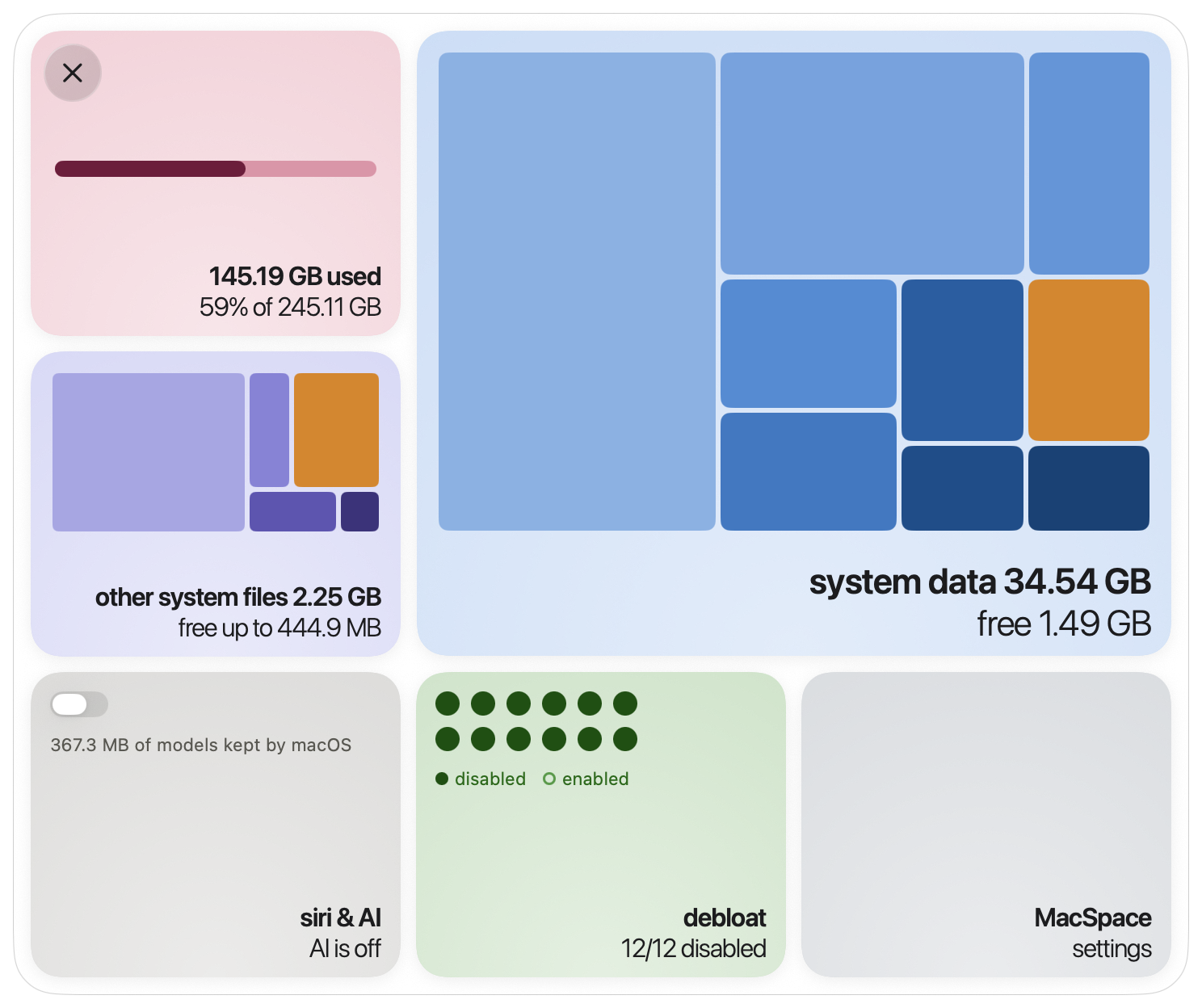
1architect/macspace-releases · ★ 386MacSpace is a free, open-source macOS menu bar app that shows what fills your disk's System Data, frees what's safe to delete, and can turn off Apple Intelligence (deleting the on-device models) plus Apple's background analytics and data-collection features.
 +9
+9codenotch
vinzdg/codenotch · ★ 2.8KCodenotch is a macOS app that pins a small notch to a screen edge showing how much of each coding assistant's usage limit you have burned, and whether a session is working, done, or waiting on you.
 +1
+1mac-performance-monitor
Zesty0wl/mac-performance-monitor · ★ 937A native macOS performance monitor and recorder that tracks CPU, memory, GPU, network, disk, battery, and sensor readings, letting you compare them against the processes behind them. It works as a menu bar readout, a quiet background recorder, or a window you open when needed.
 +1
+1what-the-port
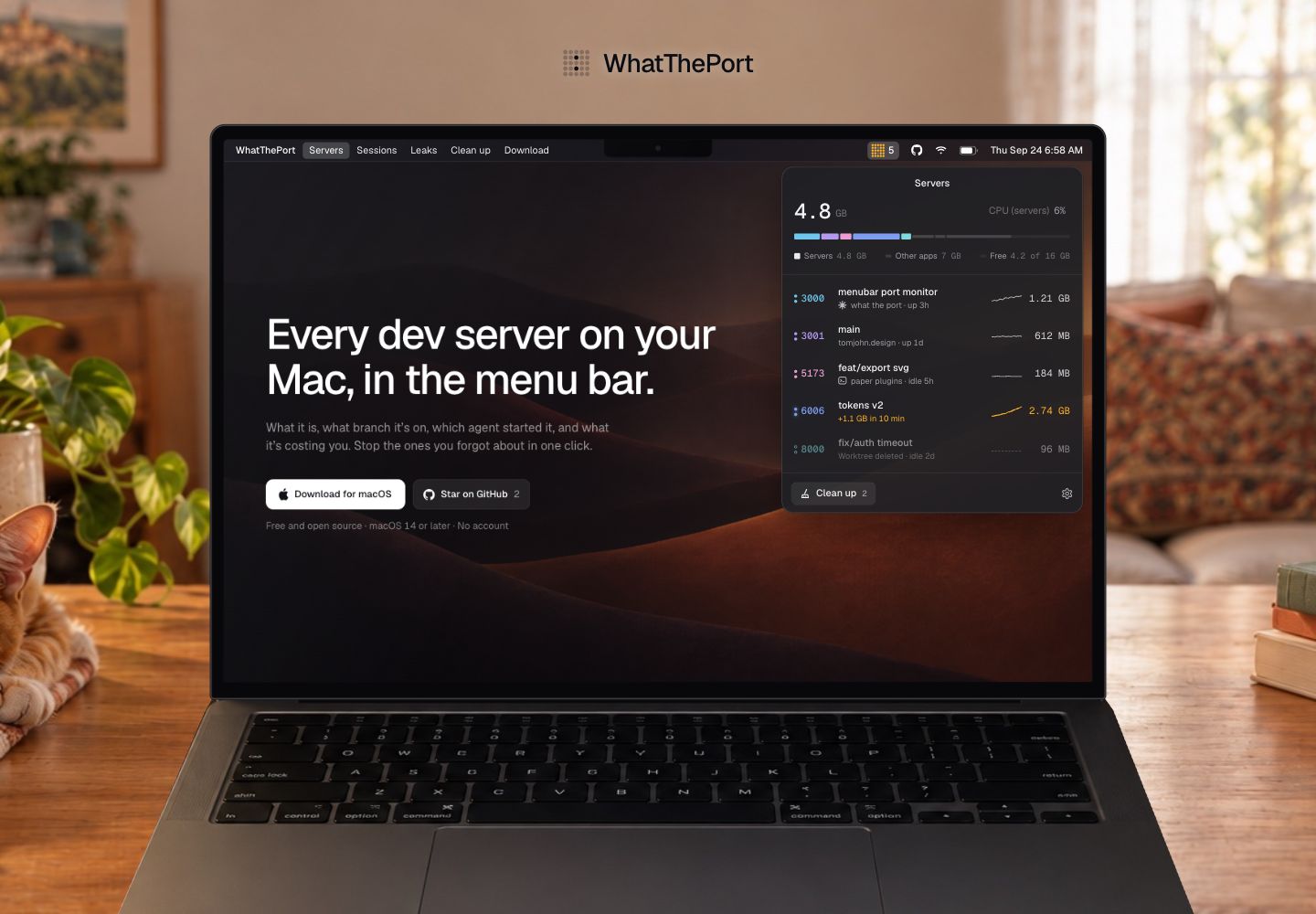
tomjohndesign/what-the-port · ★ 251WhatThePort is a native Swift menu bar app for macOS that shows every local development server running on your Mac: project name, port, git branch, uptime, and resource use, so you can open, restart, or stop them without hunting through terminal windows.
The all-time top
5 projects · by stars
- 2.8K#1 · vinzdg/codenotch
codenotch
Codenotch is a macOS app that pins a small notch to a screen edge showing how much of each coding assistant's usage limit you have burned, and whether a session is working, done, or waiting on you.
- 937#2 · Zesty0wl/mac-performance-monitor
mac-performance-monitor
A native macOS performance monitor and recorder that tracks CPU, memory, GPU, network, disk, battery, and sensor readings, letting you compare them against the processes behind them. It works as a menu bar readout, a quiet background recorder, or a window you open when needed.
- 386#3 · 1architect/macspace-releases
macspace-releases
MacSpace is a free, open-source macOS menu bar app that shows what fills your disk's System Data, frees what's safe to delete, and can turn off Apple Intelligence (deleting the on-device models) plus Apple's background analytics and data-collection features.
- 4
what-the-port
251tomjohndesign/what-the-port · SwiftWhatThePort is a native Swift menu bar app for macOS that shows every local development server running on your Mac: project name, port, git branch, uptime, and resource use, so you can open, restart, or stop them without hunting through terminal windows.
- 5

OpenYoink
230MuQY1818/OpenYoink · SwiftOpenYoink is a free, open-source macOS utility that lets you drag files, images, text, and links onto a temporary shelf at the screen edge or into the Mac's Dynamic Island, then drag them out again once you've switched to the target window. It's built with SwiftUI + AppKit and lives in the menu bar without a Dock icon.
Related topics
Often tagged together