
233 ·GitHub
这是什么?
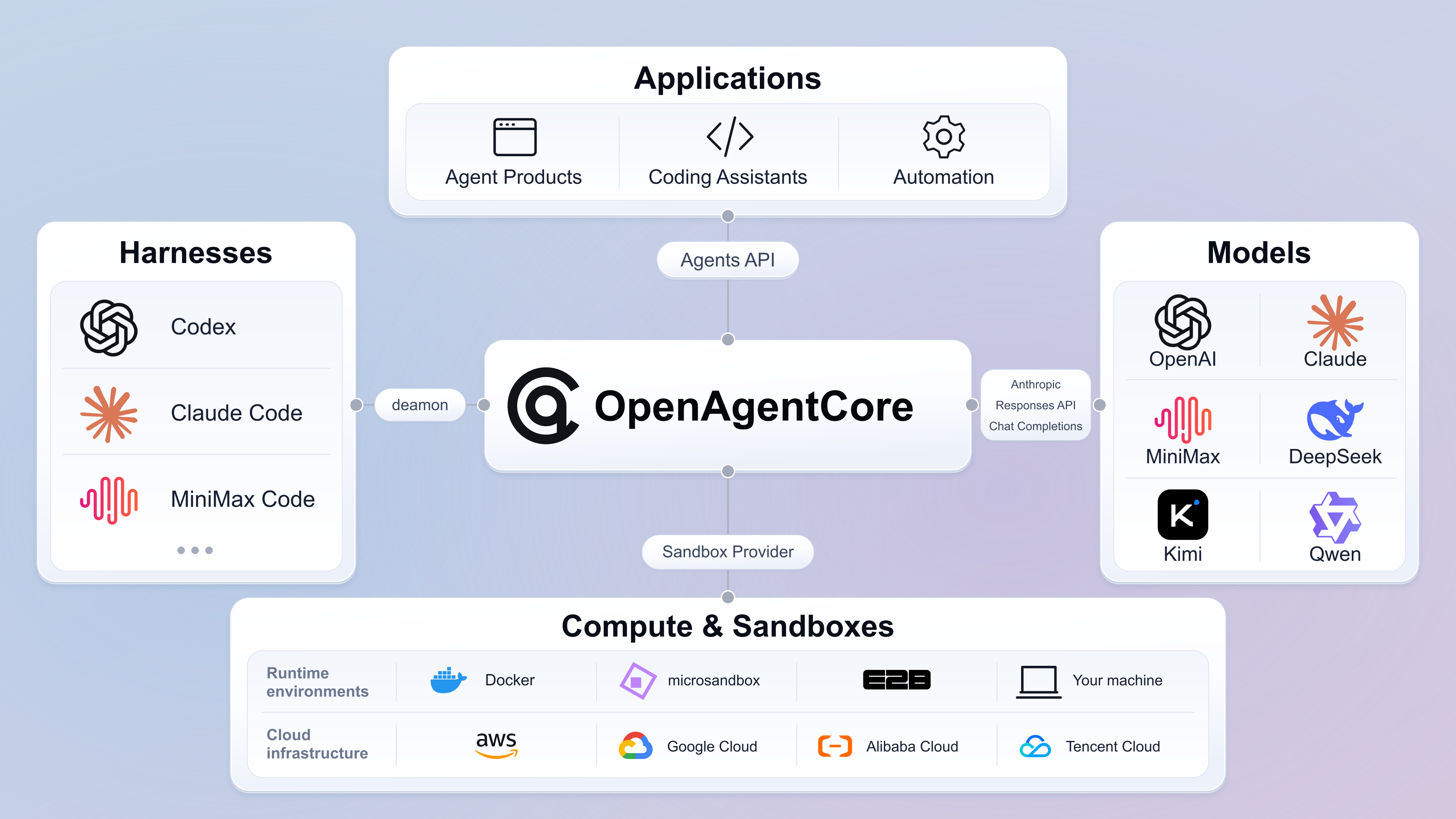
 OpenAgentCore 是 OpenAI Agents API 的开源自托管实现,让你在自己的基础设施上运行 AI 代理,使用可插拔的原生 harness(如 Codex、Claude Code 或 MiniMax Code)。
OpenAgentCore 是 OpenAI Agents API 的开源自托管实现,让你在自己的基础设施上运行 AI 代理,使用可插拔的原生 harness(如 Codex、Claude Code 或 MiniMax Code)。这是我导入的库,还是我运行的服务器?它是一个由 Core 和 Runtime 组件组成的自托管后端服务;你的应用通过与 OpenAI 相同的 Agents API 协议或普通 HTTP 与它通信,而不是导入一个库。
它是一个由 Core 和 Runtime 组件组成的自托管后端服务;你的应用通过与 OpenAI 相同的 Agents API 协议或普通 HTTP 与它通信,而不是导入一个库。怎么让它跑起来?在 Linux 或 macOS 上配置好 Docker 后运行安装程序,或使用 Windows 的 PowerShell 安装程序;然后用生成的 Core 密钥登录管理控制台 Web,配置域名/HTTPS,设置默认模型,并签发一个 Project API 密钥。
在 Linux 或 macOS 上配置好 Docker 后运行安装程序,或使用 Windows 的 PowerShell 安装程序;然后用生成的 Core 密钥登录管理控制台 Web,配置域名/HTTPS,设置默认模型,并签发一个 Project API 密钥。安装它需要 Docker 吗?在 Linux 或 macOS 上,运行安装程序之前需要先配置好 Docker;Windows 则改用一个单独的 PowerShell 安装程序。
在 Linux 或 macOS 上,运行安装程序之前需要先配置好 Docker;Windows 则改用一个单独的 PowerShell 安装程序。我需要自己提供模型提供方和执行能力吗?需要——安装完之后,你仍然必须设置默认模型,并添加执行能力(比如节点、E2B 或你自己的机器),然后才能运行第一个会话。
需要——安装完之后,你仍然必须设置默认模型,并添加执行能力(比如节点、E2B 或你自己的机器),然后才能运行第一个会话。它是面向谁的?面向想自己托管和运营 AI 编程代理、而不依赖 OpenAI 托管 Agents API 的团队,使用他们自己的模型提供方和基础设施。
面向想自己托管和运营 AI 编程代理、而不依赖 OpenAI 托管 Agents API 的团队,使用他们自己的模型提供方和基础设施。代理实际在哪里执行?代理在受管沙盒(Docker、microsandbox 或 E2B)内运行,或者直接在你自己的 Linux、macOS 或 Windows 机器上运行,取决于你怎么配置执行能力。
代理在受管沙盒(Docker、microsandbox 或 E2B)内运行,或者直接在你自己的 Linux、macOS 或 Windows 机器上运行,取决于你怎么配置执行能力。它支持哪些编程代理?每个 Session 运行三个原生 harness 之一——Codex、Claude Code 或 MiniMax Code——并搭配你配置的任意模型提供方。
每个 Session 运行三个原生 harness 之一——Codex、Claude Code 或 MiniMax Code——并搭配你配置的任意模型提供方。我能替换系统的部件吗?可以,沙盒、harness 和模型提供方都通过定义好的协议接入,因此任何组件都可以被独立替换。
可以,沙盒、harness 和模型提供方都通过定义好的协议接入,因此任何组件都可以被独立替换。长时间运行的会话是怎么追踪的?Core 持久保存执行状态,同时 Runtime 在 Environment 里运行所选的 harness,因此会话可以在重启和重连之后继续存在。
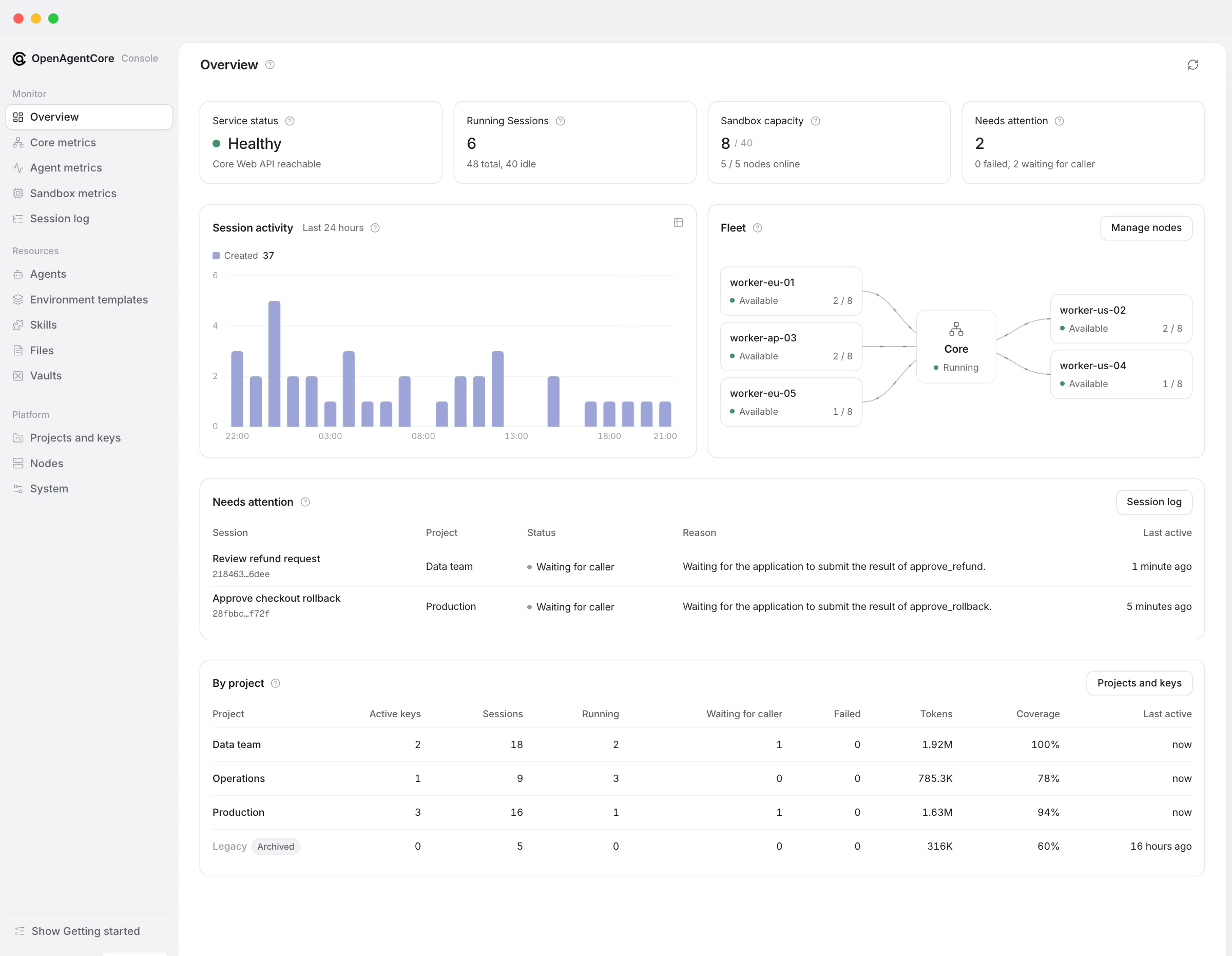
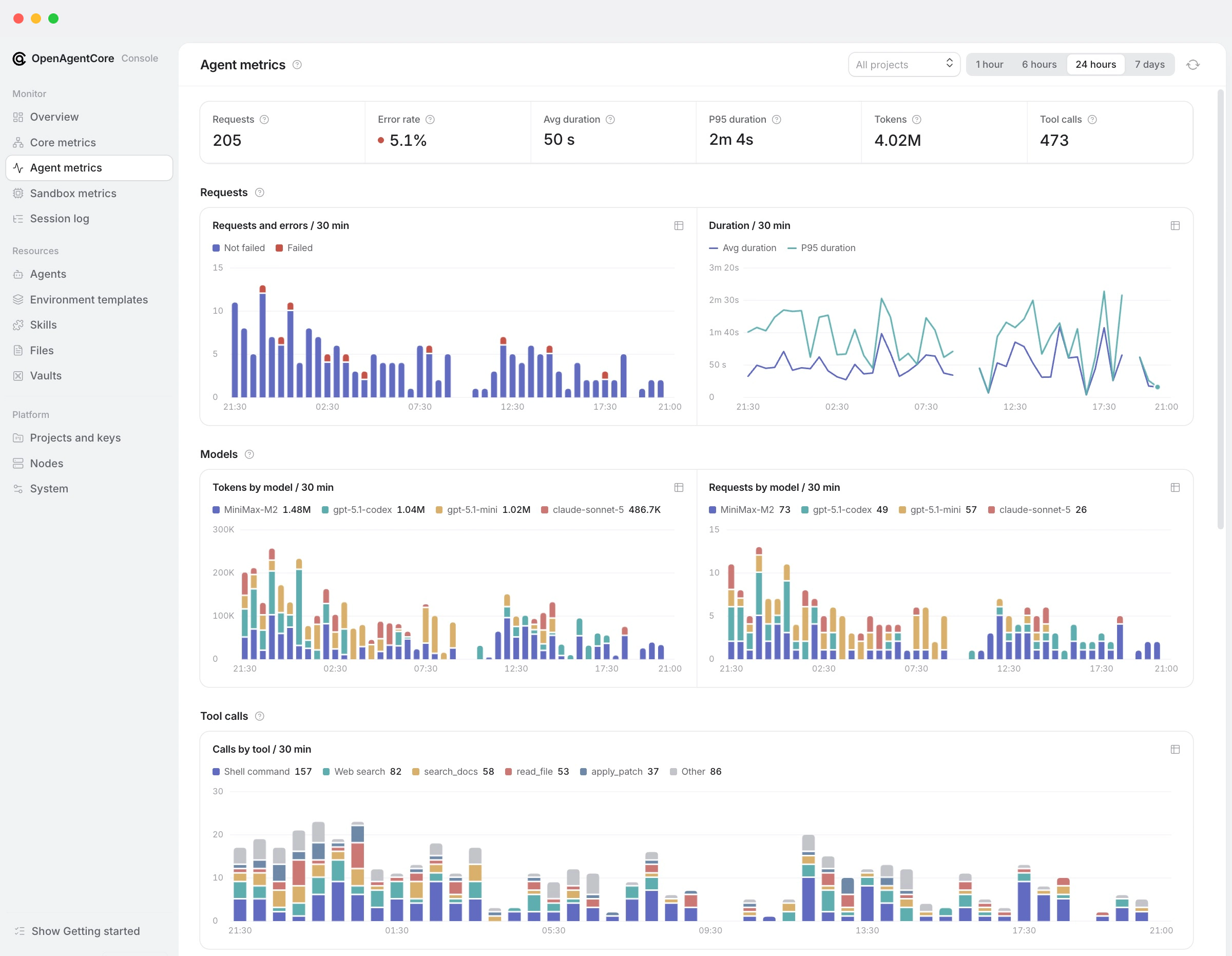
Core 持久保存执行状态,同时 Runtime 在 Environment 里运行所选的 harness,因此会话可以在重启和重连之后继续存在。有管理界面吗?有,“Web”就是运维管理控制台,用于用 Core 密钥登录、配置域名/HTTPS,以及管理模型和 API 密钥。
有,“Web”就是运维管理控制台,用于用 Core 密钥登录、配置域名/HTTPS,以及管理模型和 API 密钥。What are similar projects?casbin-gateway, trueforge, harnessrouter, claw-code, cayu, overmind, open-multi-agent, oar
casbin-gateway, trueforge, harnessrouter, claw-code, cayu, overmind, open-multi-agent, oarWhich topics is it in?agent-runtime, durable-execution, openai-api, agent-harness, containers, harness, sandbox, openai-compatible, docker-compose, agents, rest-api, backend
agent-runtime, durable-execution, openai-api, agent-harness, containers, harness, sandbox, openai-compatible, docker-compose, agents, rest-api, backend