A mouse-themed, offline Windows file converter. / 一款鼠鼠主题、可离线使用的 Windows 文件格式转换工具。
作者 Author:牢蜂(LaoFeng)
⚠️ 非商用声明 Non-Commercial Notice:本软件仅供个人免费使用,禁止任何形式的商业售卖、转卖、套壳换皮重新发布(详见 LICENSE)。发现闲鱼/淘宝等渠道倒卖请告知作者,感谢!




下载最新版 / Download · 问题反馈 / Issues
中文
主要功能
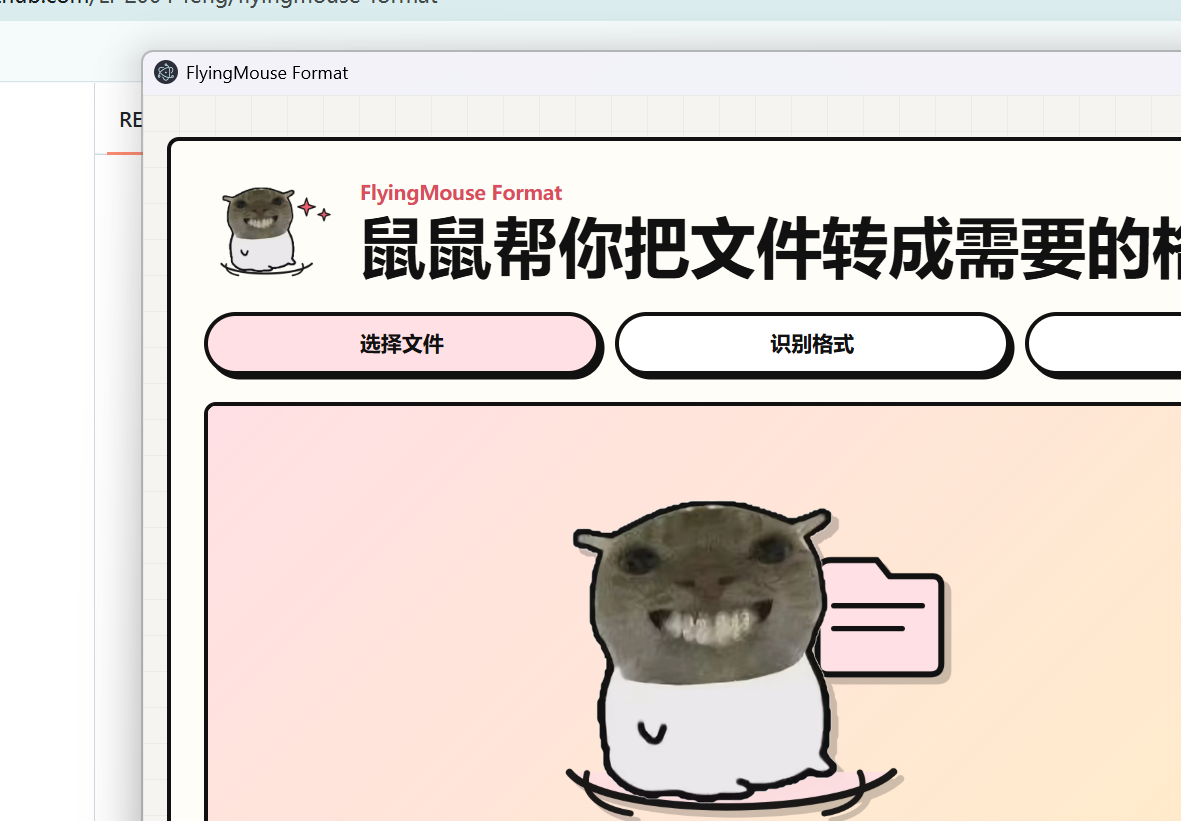
- 鼠鼠原版界面:鼠鼠会跟随上传、识别、批量、OCR、转换成功或失败切换状态。
- 本地离线转换:内置 FFmpeg、LibreOffice、Poppler、Tesseract 和 AVS3 解码器。
- 支持图片、文本、Word/WPS、Excel/WPS、PPT/WPS、PDF、音频、视频和 ZIP。
- 音频转换:支持 MP3 / WAV / FLAC / M4A / AAC / OGG / OPUS / WMA 等普通格式互转;不支持其他音乐平台的加密特殊格式(如 NCM / KGG / mflac / kgma / kwm 等)。
- 视频编码选择:转视频时可选 H.264 / H.265 / AV1 编码(目标 mp4/mov/mkv 时显示)。
- 操作记忆:按“源文件格式”分别记住上次选择的目标格式;重新修改后,新选择会成为该源格式的默认值。
- 路径记忆:记住上次保存目录,下次保存时自动从该目录开始。
- 中文/English 界面:首次启动跟随系统语言,手动选择后会记住设置。
- 批量转换:显示逐文件进度、结果和失败原因,并可单独保存或保存全部。
- 结果预览:转换完成后可在侧边抽屉预览图片、PDF、文本、音频和视频;窄窗口自动切换为底部面板。
- CLI 与 Agent 接入:命令行覆盖能力查询、目标查询、单个/批量转换、图片合并 PDF 和 PDF 合并;应用内可把配套 skill 一键接入现有 Codex、Claude 或通用 Agent 目录。
- 转换质量:HTML / Office 转 Markdown 保留标题、列表和代码块;CSV 支持 BOM、转义引号和字段内换行。
- PDF → Excel(智能表格提取):支持电子文字坐标、扫描页 OCR、有框/无框表格、多表、跨页续接、合并单元格、低置信度批注与 Raw 回退。
- PDF → Word(版式还原):内置 pdf2docx 引擎还原段落、表格、图片、字体与布局;扫描版自动 OCR 回退。Windows 10/11 版支持版式还原,Windows 7 版回退到文字提取。
- PDF 拆分 / 加密 / 解密:PDF 可逐页拆分或每 N 页一组(打包 ZIP),也可用密码加密(AES-256)或解密(需原密码)。
- 电子书:txt/md/html → EPUB(纯本地生成);EPUB → TXT/Markdown;MOBI → EPUB/TXT/Markdown(MOBI 解析为实验性,复杂版式可能不完整)。
- 图片合并 PDF 支持调整顺序:多张图片转 PDF 前可在队列中上移/下移,PDF 页序跟随队列顺序。
- HEIC/HEIF 图片可转换为 JPG/PNG/WebP 等(内置 ffmpeg 解码)。
- ICO 图标可转换为 PNG/JPG 等,PNG/JPG 也可生成多尺寸 ICO 图标(实验性)。
- TGA 图片可转换为 PNG/JPG/WebP 等(内置 ffmpeg 解码,实验性)。
- 相机 RAW 原片(CR2/CR3/NEF/ARW/DNG 等)可转换为 JPG/PNG/WebP/TIFF 等(内置 dcraw 解码,Windows 版,实验性)。
- 资源保护:图片/批量/PDF/OCR 的大小与页数上限已整体放开(1:1 还原),超大文件取决于引擎与机器内存,长文档加载较慢;解码合法性与产物完整性校验保留。
合规声明 Compliance Notice:本软件仅支持普通音频格式转换(MP3 / WAV / FLAC / AAC / OGG 等),不支持任何音乐平台的加密特殊格式。请支持正版音乐,尊重创作者。音频文件版权归原作者/唱片公司所有,本工具与各音乐平台无任何关联。本软件仅供个人免费使用,禁止商业售卖/转卖/套壳换皮重新发布。
快速开始
- 在 Releases 下载 v0.6.10 对应系统的安装包。
- 安装并启动 FlyingMouse Format。
- 拖入文件,选择目标格式并开始转换。
- 选择保存位置;软件会记住目标格式与保存目录。
从源码运行:
源码仓库不包含体积较大的 FFmpeg、LibreOffice、Poppler 和 Tesseract 资源;普通用户请直接下载 Release 安装包。开发者从源码运行完整转换功能前,需要自行准备 bin/ 下的引擎资源。
npm install
npm run desktop
命令行示例:
node cli.js capabilities --json
node cli.js targets example.pdf --json
node cli.js convert input.docx --to pdf --output output.pdf --json
node cli.js convert a.png b.png --to webp --output-dir converted --json
node cli.js images-to-pdf 1.jpg 2.jpg --output album.pdf --json
node cli.js merge-pdfs a.pdf b.pdf --output merged.pdf --json
安装版也可直接调用应用入口:macOS 使用 FlyingMouse Format.app/Contents/MacOS/FlyingMouse Format --cli ...,Windows 使用 FlyingMouse Format.exe --cli ...。在软件顶部点击“接入 Agent”,会检索已存在的 ~/.codex/skills、~/.claude/skills、~/.agents/skills(Windows 对应用户目录)并在确认后安装或更新 skill;不会自动创建未安装产品的目录。
运行测试与打包:
npm test
npm run dist
Windows 版本选择
- Windows 10 / 11 x64(推荐):下载标准资产
FlyingMouse-Format-Setup-0.6.10-x64.exe。它使用 Electron 43、Sharp 0.35 和 PDF.js 6 运行时。
- Windows 7 SP1 x64(兼容版):下载
FlyingMouse.Format-Setup-0.6.10-win7-x64.exe。它使用同一源码和鼠鼠 UI,但在独立环境固定 Electron 22.3.27、Sharp 0.32.6 与 PDF.js 2.16.105。
Windows 7 兼容版是 Legacy 构建,不会降低标准版依赖。其 Electron 22 已停止上游安全维护,并包含无法在 Windows 7 上直接升级的已知依赖风险;PDF.js 动态代码执行已通过 isEvalSupported: false 缓解,但仍只建议离线处理可信文件。v0.6.10 通过 Windows、macOS arm64 和 macOS x64 自动化门禁以及真实样本回归;真实 Windows 7 SP1 x64 设备仍待验收。Windows 安装包均未签名,SmartScreen 可能提示。
macOS 版本选择
- Apple Silicon(M1 及更新):下载
FlyingMouse.Format-Setup-0.6.10-mac-arm64.dmg。
- Intel Mac:下载
FlyingMouse.Format-Setup-0.6.10-mac-x64.dmg。
首批 macOS 包支持 macOS 11 及更新版本,未签名且未公证,可能触发 Gatekeeper。两个架构已在原生 GitHub runner 完成固定引擎、完整转换、包结构和 12 秒启动冒烟;真实 Mac 设备仍待验收。
完整构建只需:
npm run dist:win7
Win7 staging 使用专用 win7-package-lock.json 和 npm ci 重建;推荐使用 Node.js 22 LTS(构建脚本接受 18–22,其他主版本会在改动 staging 前拒绝)。构建脚本会绑定子进程到当前 Node、以 Unicode 安全方式复制源码、锁定 staging manifest/lockfile,并校验本地 builder 与打包资源没有越过各自允许的根目录或经过 junction/符号链接。
仅需检查 staging 时可运行 node scripts/build-win7.js --prepare-only;它不会打包。完整构建会重新准备 staging。
English
Highlights
- Original mouse UI with animated state changes for upload, detection, batch work, OCR, success, and errors.
- Fully local conversion with bundled FFmpeg, LibreOffice, Poppler, Tesseract, and an AVS3 decoder.
- Converts images, text, Word/WPS, Excel/WPS, PPT/WPS, PDF, audio, video, and ZIP files.
- Audio conversion between ordinary formats: MP3 / WAV / FLAC / M4A / AAC / OGG / OPUS / WMA. Encrypted special formats from music platforms (NCM / KGG / mflac / kgma / kwm etc.) are NOT supported.
- Video codec selection: H.264 / H.265 / AV1 for video conversion (shown when targeting mp4/mov/mkv).
- Remembers the chosen target separately for each source extension. Changing it replaces that extension's default.
- Remembers the last save directory for the next save dialog.
- Chinese and English UI. The first launch follows the system language; a manual choice is remembered.
- Batch conversion with per-file progress, results, error details, individual save, and Save All.
- Result previews for images, PDFs, text, audio, and video in a responsive side drawer / bottom sheet.
- A complete CLI plus one-click Agent skill installation for existing Codex, Claude, and generic Agent skill directories.
- Higher-quality text conversion: structural HTML/Office Markdown plus standards-compliant quoted and multiline CSV parsing.
- PDF → Excel smart table extraction for digital text and scanned pages, including multiple tables, continued pages, merged cells, confidence notes, and Raw fallback.
- PDF → Word (layout-preserving): the bundled pdf2docx engine restores paragraphs, tables, images, fonts, and layout; scanned PDFs fall back to OCR. Layout restoration is available on Windows 10/11; Windows 7 falls back to text extraction.
- PDF split / encrypt / decrypt: split a PDF per page or into groups of N pages (packed as a ZIP), or password-protect it (AES-256) and decrypt it (requires the original password).
- E-books: txt/md/html → EPUB (generated locally); EPUB → TXT/Markdown; MOBI → EPUB/TXT/Markdown (MOBI parsing is experimental; complex layouts may be incomplete).
- Image-to-PDF ordering: when merging multiple images into a PDF, reorder items with up/down controls before converting; PDF page order follows the queue.
- HEIC/HEIF images convert to JPG/PNG/WebP and more (built-in ffmpeg decoding).
- ICO icons convert to PNG/JPG and more; PNG/JPG can also produce multi-size ICO icons (experimental).
- TGA images convert to PNG/JPG/WebP and more (built-in ffmpeg decoding, experimental).
- Camera RAW files (CR2/CR3/NEF/ARW/DNG, etc.) convert to JPG/PNG/WebP/TIFF and more (built-in dcraw decoding, Windows build, experimental).
- Resource safeguards: size, pixel, batch, PDF-page and OCR-page caps have been removed for 1:1 fidelity; very large files are bounded by engine and machine memory and may load slowly. Decode-validity and output-integrity checks remain.
Compliance Notice: this software supports only ordinary audio format conversion (MP3 / WAV / FLAC / AAC / OGG etc.) and does NOT support encrypted special formats from any music platform. Please support the artists and respect copyright. Audio file copyrights belong to the respective artists/labels; this tool is not affiliated with any music platform. The software is free for personal use only; commercial resale or repackaging is prohibited.
Quick start
- Download the v0.6.10 build for your system from Releases.
- Install and launch FlyingMouse Format.
- Drop in files, choose a target, and convert.
- Choose a save location. The app remembers both the target preference and save folder.
The source repository excludes the large FFmpeg, LibreOffice, Poppler, and Tesseract bundles. Regular users should install the Release build. Developers need to provide the corresponding resources under bin/ for the complete conversion feature set.
CLI examples:
node cli.js capabilities --json
node cli.js targets example.pdf --json
node cli.js convert input.docx --to pdf --output output.pdf --json
node cli.js convert a.png b.png --to webp --output-dir converted --json
node cli.js images-to-pdf 1.jpg 2.jpg --output album.pdf --json
node cli.js merge-pdfs a.pdf b.pdf --output merged.pdf --json
Packaged builds accept the same commands after --cli: use FlyingMouse Format.app/Contents/MacOS/FlyingMouse Format --cli ... on macOS or FlyingMouse Format.exe --cli ... on Windows. “Connect to Agent” discovers existing Codex, Claude, and generic Agent skill directories and installs the bundled lightweight wrapper after confirmation.
Choose a Windows build
- Windows 10 / 11 x64 (recommended): use
FlyingMouse-Format-Setup-0.6.10-x64.exe with Electron 43, Sharp 0.35, and PDF.js 6.
- Windows 7 SP1 x64 (compatibility build): use
FlyingMouse.Format-Setup-0.6.10-win7-x64.exe, derived from the same source and mouse UI with Electron 22.3.27, Sharp 0.32.6, and PDF.js 2.16.105 pinned in isolation.
The Windows 7 package is a Legacy build and does not downgrade the standard build. Electron 22 no longer receives upstream security maintenance, and other known legacy dependency risks cannot be upgraded without dropping Windows 7. PDF.js dynamic evaluation is disabled as a mitigation, but this build should remain offline and process trusted files only. v0.6.10 passed Windows, native macOS arm64, and native macOS x64 automation gates plus real-sample regressions; acceptance on a physical Windows 7 SP1 x64 system is still pending. Both Windows installers are unsigned and may trigger SmartScreen.
Choose a macOS build
- Apple Silicon (M1 or newer): use
FlyingMouse.Format-Setup-0.6.10-mac-arm64.dmg.
- Intel Mac: use
FlyingMouse.Format-Setup-0.6.10-mac-x64.dmg.
The first macOS packages support macOS 11 or newer and are unsigned and unnotarized, so Gatekeeper may warn. Both architectures passed pinned-engine, full-conversion, bundle, and 12-second launch gates on native GitHub runners; physical Mac acceptance remains pending.
The complete build requires only:
npm run dist:win7
The Win7 staging tree is rebuilt with its dedicated win7-package-lock.json via npm ci. Node.js 22 LTS is recommended (host majors 18–22 are accepted; other majors fail before staging changes). The script binds child processes to the active Node, copies sources safely on Unicode paths, binds the staged manifest/lockfile, and rejects local builder or packaged resources that escape their allowed roots or traverse junctions/symlinks.
Use node scripts/build-win7.js --prepare-only only to inspect staging without packaging. A complete build prepares staging again.
| Category / 类别 |
Input / 输入 |
Output / 输出 |
| Images / 图片 |
jpg, png, webp, avif, tiff, gif, bmp, heic, heif, cr2, cr3, crw, nef, arw, dng, raf, rw2, orf, pef, srw, 3fr, erf, fff, iiq, kdc, mef, mrw, x3f |
png, jpg, webp, avif, tiff, gif (动图), pdf, txt (OCR), mp4, webm |
| Text / 文本 |
txt, md, html, json, csv, log, xml, yaml |
txt, md, html, json, csv, pdf, docx, epub |
| E-book / 电子书 |
epub, mobi |
txt, md, epub (mobi→epub 实验性) |
| Word/WPS/OFD |
doc, docx, odt, rtf, wps, wpt, wpd, ofd |
pdf, docx, odt, rtf, txt, html, md |
| Excel/WPS |
xls, xlsx, xlsm, ods, csv, tsv, et, ett |
pdf, xlsx, xls, ods, csv, html |
| PPT/WPS |
ppt, pptx, odp, dps, dpt |
pdf, pptx, odp, html, png, jpg (逐页转图 zip) |
| PDF |
pdf |
xlsx, docx, txt, html, png, jpg, split/解密 PDF |
| Audio / 音频 |
mp3, wav, flac, m4a, aac, ogg, opus, wma |
mp3, wav, flac, m4a, ogg, aac, opus, wma |
| Video / 视频 |
mp4, mov, mkv, webm, avi, m4v, wmv, flv |
mp4, webm, mkv, mov, gif, mp3, wav, flac, m4a, ogg, aac, opus, wma |
| ZIP / 压缩包 |
zip |
pdf (图片合并) |
| Any file / 任意文件 |
any |
zip |
Privacy and security / 隐私与安全
- Files are processed locally and are not uploaded to a cloud conversion service. / 文件在本地处理,不上传到云端转换服务。
- Electron uses context isolation, sandboxing, restricted navigation, and a local-only random port. / Electron 使用上下文隔离、沙箱、导航限制和仅本机可访问的随机端口。
- The Windows installer is currently unsigned, so SmartScreen may show a warning. / 当前 Windows 安装包尚未签名,SmartScreen 可能显示提示。
- Privacy policy / 隐私政策
License / 许可证
非商用许可 Non-Commercial License — 作者:牢蜂(LaoFeng)。
- 允许个人免费使用与传播(须保留作者署名与本协议)。
- 禁止商业用途:禁止销售、转卖、收费提供服务、在电商平台(闲鱼/淘宝/拼多多等)倒卖。
- 禁止套壳换皮:禁止对本软件改名、换肤、重新打包后冒充自有产品发布。
- 二次开发公开发布须显著标注原作者,并遵守同样的非商用限制。
- 内置第三方组件遵循各自许可证。
- 内置 docengine 文档引擎含 PyMuPDF(AGPL-3.0):许可文本与源码获取见 PyMuPDF 官方仓库,本软件的完整源码与许可证汇总见 GitHub Issues(按 AGPL 要求提供源码获取途径)。
完整条款见 LICENSE。/ Full terms in LICENSE.
发现任何渠道倒卖本软件,欢迎通过 GitHub Issues 联系作者举报。
Support / 支持
FlyingMouse Format is free, offline, and has no ads. If it helped you, you can buy Mouse a dried fish — completely optional. / 飞鼠格式免费、离线、无广告。如果它帮到了你,欢迎请鼠鼠吃根小鱼干,纯自愿。


 FlyingMouse Format 是一款免费、可离线使用的桌面应用,适用于 Windows(以及 macOS),可在图片、文档、表格、演示文稿、PDF、电子书、音频、视频和 ZIP 等格式之间进行转换,并内置 OCR 文字识别。