










Levyra-deepsound README

The project's README from github.com/LUC4N3X/Levyra-deepsound. As one markdown file: README.md.

Levyra

Levyra

Open-source music player for Android and Windows.

Play streamed music and your own files in the same app, save tracks for offline listening, and follow synced lyrics. Levyra does not need an account and does not track you.

Latest release Total downloads GPL-3.0 License GitHub Stars Levyra Documentation

Download Levyra

Download Levyra from GitHub Releases Get Levyra on F-Droid Get Levyra on OpenAPK Download Levyra for Windows

More download options
Get Levyra on IzzyOnDroid Download Levyra from SourceForge Get Levyra on APKPure
Get Levyra on AndroidFreeware Install Levyra with Obtainium Get Levyra on Appteka

Levyra speaks 37 languages  ·  100% Android translation coverage

100% Kotlin  ·  Jetpack Compose  ·  Compose Multiplatform  ·  AndroidX Media3  ·  libvlc  ·  Zero Tracking


[!IMPORTANT] Legal & responsible use · No piracy. Levyra is independent open-source client software and does not host or distribute third-party music. It is built for lawful use and is not intended or promoted for copyright infringement, piracy, or unauthorized copying. Use Levyra only with media you are allowed to access or save, and follow the terms of any third-party service you use.

For details about third-party services, lawful use, downloads, and user responsibilities, please review the complete Legal Notice. It applies to Levyra alongside this README.

Levyra does not grant rights to third-party content and is not affiliated with or endorsed by YouTube, Google, JioSaavn, or other referenced services.

✦ Why Levyra

I started Levyra because I wanted one player for the music I stream and the files I already have. I wanted local tracks to feel like part of the same library, with playlists, history and downloads that do not depend on a Levyra account.

Downloaded tracks are saved as normal audio files in your device storage. Local and streamed music can share the same library, playlists and queues, while listening data stays on the device.

As I kept using Levyra, I added the things I missed in other players: synced lyrics with timing controls, romanization, SponsorBlock, Queue Spaces, AutoEQ, Android Auto, music recognition, live radio, backups and a Windows version. They all use the same library and playback flow.

Some features rely on outside services for music, lyrics, artwork and metadata. Levyra itself stays open source, and your library remains under your control.

✦ Project recognition

Levyra Deepsound approved on SaaSHub

CodeFactor OpenSSF Best Practices REUSE compliant

Tech & developer media coverage
OSCHINA 开源中国  ·  CSDN  ·  SecurityLab.ru  ·  GeekParadize  ·  Techolay  ·  Hysen Labs

✦ JioSaavn · Verified high-quality audio

When high-quality audio is enabled, Levyra can use JioSaavn as another source for the same track. The track in your library does not change.

Before switching sources, Levyra checks that it found the right recording and that the stream matches the quality it claims to have. It can try the available 320, 160 and 96 kbps versions. If a stream is advertised as 320 kbps but measures below that range, Levyra does not show it as 320 kbps.

The match uses more than the song title. Levyra also checks performers and artist roles, album and release details, duration, explicit status, language, featured artists and version markers. When needed, it compares a search result with JioSaavn's track details so it can tell an original recording from a compilation, reissue or alternate version.

When a match passes those checks, Levyra can play the audio directly from JioSaavn's CDN. If that source is temporarily unavailable, or Levyra cannot verify the recording safely, playback stays on the normal source. Successful matches can be remembered so Levyra does not have to start the lookup from scratch every time.

Artwork, lyrics, queue position, listening history and recommendations still belong to the original Levyra track.

OFF  ·  AUTOMATIC  ·  PREFER 320 KBPS

Levyra checks the actual stream quality before using it and falls back automatically when JioSaavn is not a safe match.

✦ Interface & screenshots

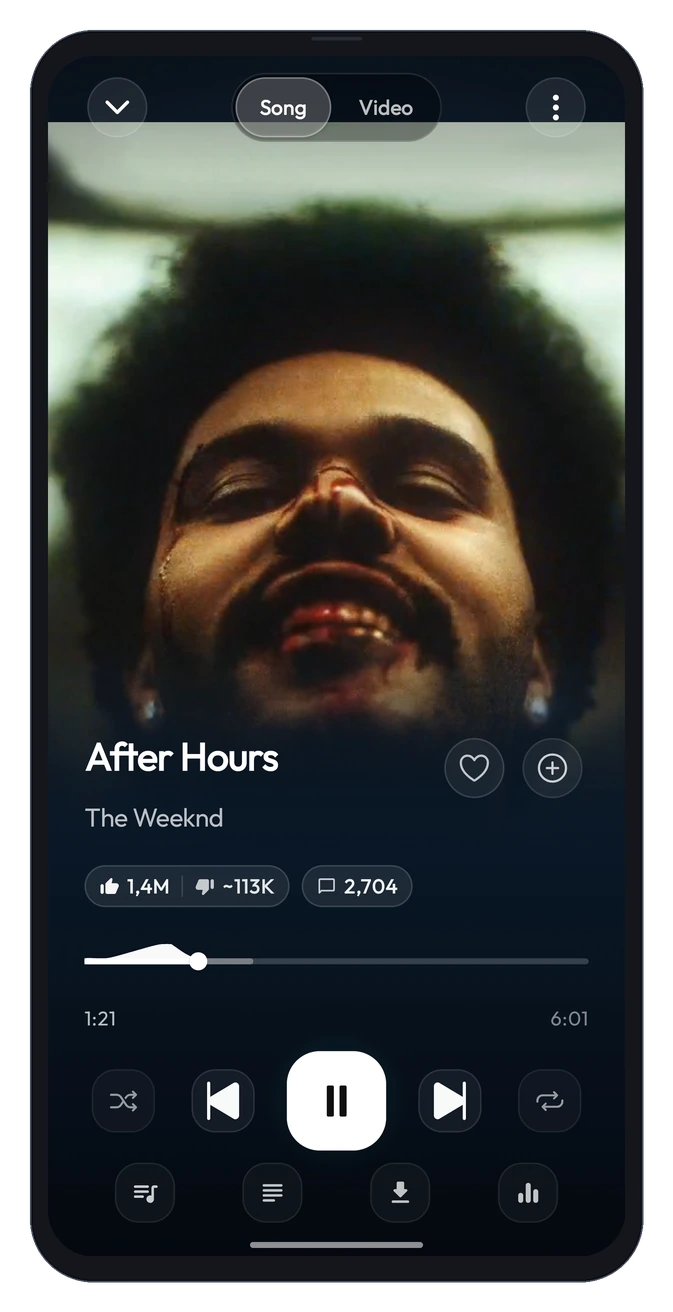
Levyra interface preview


Playback and synced lyrics Home feed and charts
Playback & synced lyrics
Android uses ExoPlayer and Windows uses libVLC. Synced lyrics support millisecond timing offsets, romanization across multiple scripts, and shareable lyric cards.
Home feed & top charts
Your Orbit rotates through personal picks, mood tags help you browse, and international Top 50 charts update in the background.
Search and artist profiles Local library and stats
Search & artist discographies
Search shows results right away, with Wikipedia summaries and complete artist discographies ordered by release date.
M4A downloads & listening stats
Downloads are saved as tagged M4A files in normal device storage. Listening Pulse shows 7-day trends from stats stored locally in SQLite.
Short clips and video Playlists and genres
Vertical clips & video feed
Browse short vertical previews, full music video feeds, and live comment activity.
Editorial playlists & genres
Browse curated collections and genres such as Rap, Lo-Fi, Anime, Electronic, and more.

✦ Browse full gallery (15 high-res views)

Playback & lyrics

Now Playing Canvas Synchronized Lyrics

Home & discovery

Home Selection & Orbit Global Top 50 Charts Editorial Collections
Home Orbit Global Top 50 Editorial Collections

Search & artists

| Search Discovery & Recent | Live Artist Results | Artist Profile & Bio | Artist Discography | | :---: | :---: | :---: | | Search History | Artist Search | Artist Bio | Discography |

Offline vault & listening stats

Library Quick Picks Listening Pulse Analytics Playlist Details
Library Quick Picks Listening Pulse Playlist Details

Explore & video

Vertical Samples Clips Moods & Subgenre Matrix Video Feed & Energy
Samples Clips Genres Matrix Video Feed

✦ What Levyra can do

Playback

Library and offline storage

Lyrics, discovery, and extras

More technical notes and platform details are available in the documentation.

✦ Under the hood

Android and Windows share Kotlin code for extraction and networking. Each platform keeps its own native interface and playback engine.

Layer Android Windows
Interface Jetpack Compose + Material 3 Compose Multiplatform (Desktop JVM)
Audio engine AndroidX Media3 / ExoPlayer libVLC via vlcj (native C bindings)
Extraction & network LevyraExtractor, OkHttp (Brotli, DoH) LevyraExtractor, OkHttp (Brotli)
Persistence Room (SQLite), DataStore, MediaStore Local file storage, JSON serialization
OS integration MediaSessionService, Android Auto, Quick Settings Native desktop windowing, system audio
Optimization R8, ProGuard, Android Baseline Profiles JVM 21 bytecode, zero Chromium runtime

Why native instead of a web wrapper

On Windows, Compose Multiplatform draws the interface and libVLC handles playback. Android uses Media3 for audio focus, Bluetooth controls, lockscreen playback, media sessions and Android Auto.

Levyra does not bundle Chromium, Electron or a WebView runtime.

✦ Development

Levyra is developed in public. I use AI-assisted tools when they are useful for research, debugging or review. I treat generated code like any other draft: I read it, adapt it to the project, test the parts it can affect and decide whether it should ship.

Commits, pull requests, issues and releases are public. The repository also includes the engineering rules I follow while working on the project. Read more about how I work on Levyra.

✦ Privacy

Levyra has no telemetry, analytics or ads, and you do not need an account to use it.

Your play history, stats, playlists and cached metadata stay on your device. When an online feature needs another service, Levyra connects to that service directly. Streaming, lyrics and optional scrobbling work this way.

Levyra asks for microphone access only when you start song identification. You can also configure a custom proxy or DNS provider in the app.

Apptizo scanned a Levyra build from F-Droid and reported no known third-party tracker SDKs. See the Apptizo scan. The Levyra 2.5.10 APK also returned 0/68 detections on VirusTotal.

✦ Translations

Levyra is available in 37 languages, with community translations maintained on Weblate.

Translation status


Levyra translation progress

Help translate Levyra on Weblate

✦ Open-source acknowledgements

Levyra builds on ideas and work from several open-source projects:

App logo designed by @gauravbhindwar in #525.

Contributions and bug reports are welcome. Technical documentation and architecture notes are in the project documentation.


✦ Author & credits

LUC4N3X

LUC4N3X

Creator & Lead Developer

Levyra is a personal project. I maintain the Android and Windows apps, review changes and decide what goes into each release.

GitHub   ·   Website


Open source. Independent. Built for lawful use.

NO PIRACY  ·  NO CONTENT HOSTING  ·  THIRD-PARTY RIGHTS RESPECTED

Levyra is an independent open-source music player built for lawful use, research, and interoperability. It does not own, host, or distribute third-party music catalogs.


Third-party services and content

Levyra is client-side software that runs on your device. It does not own or host music catalogs, artwork, lyrics, or video files.

When you stream or search, Levyra connects to the external services needed for that feature. Those services can change, rate-limit, or restrict access at any time.

If there is a problem with media hosted by another service, contact that service or the relevant rights holder. If the issue is with something distributed as part of Levyra itself, use the GitHub issue tracker.

Lawful use and user responsibility

Levyra is built for lawful use, research, and interoperability, not for piracy or copyright infringement.

Streaming, downloading, format conversion, and offline caching are software features. They do not transfer copyright or ownership of third-party media.

Levyra may cache media temporarily for playback and can save user-requested downloads as standard media files. Neither feature gives you permission to redistribute third-party content.

You are responsible for making sure your use of Levyra complies with applicable law and with the terms of any third-party service you choose to access.

Support artists and creators

Levyra does not unlock paid subscriptions or grant access rights offered by third-party providers. If you want an official subscription experience, subscribe directly through the provider, including YouTube Premium, YouTube Music Premium, or Spotify Premium.

You can also support artists directly through licensed streaming services, music purchases, concerts, merchandise, and other official channels.

Privacy

Levyra does not require a Levyra account and does not include telemetry, analytics, or ads. Network requests go directly to the services used by the features you enable, including optional integrations.

Technical interoperability and access restrictions

Levyra includes client-side code for compatibility with external services. It handles things like stream resolution, requests, and tokens so those integrations can work.

These are interoperability features, not tools for bypassing access controls, geographic restrictions, or paid entitlements.

Warranty and third-party availability

Levyra is released under the GNU GPL v3.0 and is provided "as is", without warranty of any kind, to the fullest extent permitted by applicable law.

The GNU GPL v3.0 covers Levyra's source code. It does not grant rights to third-party content, trademarks, or service endpoints. Third-party services can change or disappear, so Levyra cannot guarantee that every stream, metadata source, artwork provider, lyrics source, or API will keep working.

Use Levyra responsibly

For the complete legal terms covering technical interoperability, user responsibilities, and third-party integrations, see the Legal Notice.

Using Levyra does not give you rights to content you are not otherwise allowed to access or use.


🇮🇹 Made in Italy. Built for the world.

Levyra-deepsound (LUC4N3X/Levyra-deepsound)

Searching Database…

Что это такое?Levyra — опенсорсный музыкальный плеер для Android и Windows, который в одной библиотеке проигрывает и стриминговую музыку, и ваши собственные локальные файлы. Есть синхронизированные тексты песен, офлайн-загрузки и интернет-радио.
Это одно приложение сразу для Android и Windows или два разных плеера?Один проект с двумя нативными приложениями: Android и Windows используют общий код на Kotlin для извлечения потоков и сетевой работы, а интерфейс и движок воспроизведения у каждой платформы свои.
Как установить его на телефон или компьютер?Скачайте Android APK или сборку для Windows по ссылкам загрузки проекта; есть также сборки с F-Droid. После установки аккаунт и настройка не нужны.
Нужно ли где-то регистрироваться, чтобы пользоваться Levyra?Нет — без аккаунта, без рекламы, без телеметрии: установили и слушаете. Онлайн-функции вроде стриминга и текстов песен подключаются к нужным сервисам прямо из приложения.
Раз музыка берётся из сторонних сервисов, что может пойти не так?Сам Levyra музыку не хостит, поэтому стриминг зависит от сторонних сервисов, которые могут в любой момент измениться, ограничить частоту запросов или закрыть доступ. В README также жёстко сказано о законном использовании: это независимый клиент, а не инструмент пиратства, и соблюдать правила сторонних сервисов — ваша ответственность.
Можно ли сохранять песни, чтобы слушать без интернета?Да — загрузки сохраняются как M4A-файлы с тегами в обычное хранилище устройства, а ваши локальные файлы живут в той же библиотеке, плейлистах и очередях. Levyra Vault также может сохранить плейлисты, избранное, историю и настройки в один локальный файл.
Приложение собирает мою историю прослушиваний и статистику?Нет — история воспроизведения, статистика, плейлисты и кэш метаданных остаются на вашем устройстве, статистика хранится локально в SQLite. В приложении можно также настроить свой прокси или DNS-провайдер.
Что он умеет, кроме простого проигрывания песен?Синхронизированные тексты песен с точными смещениями в миллисекундах, романизацией и текстовыми карточками, которыми можно поделиться; автопропуск рекламы через SponsorBlock; 10-полосный эквалайзер с профилями AutoEQ для наушников; интернет-радио, мировые чарты Top 50 и подборки по настроению; поддержка Android Auto; бесшовное воспроизведение с кроссфейдом, а также регулировкой тона и скорости.
Что за функция проверенного качественного аудио из JioSaavn?При включении Levyra может использовать JioSaavn как дополнительный источник для той же композиции. Перед воспроизведением с CDN JioSaavn он сверяет запись (исполнителей, альбом, длительность, наличие нецензурной лексики и другое) и реальный битрейт потоков 320, 160 или 96 kbps, а если совпадение ненадёжно, возвращается к обычному источнику.
Почему нативные приложения, а не веб-обёртка в стиле Electron?Интерфейс Windows построен на Compose Multiplatform для Desktop JVM со звуком через libVLC, а на Android используется Media3/ExoPlayer для захвата аудиофокуса, управления по Bluetooth, воспроизведения на экране блокировки и Android Auto. Chromium, Electron или WebView в комплекте нет.
Может ли он распознать песню, которая играет рядом со мной?Да — распознавание песен может слушать через микрофон или внутренний звук устройства, а распознанные треки сохраняются локально в вашей библиотеке.
Creator
LUC4N3X
Size
188.9 MB
Stars
891
Age
3mo
Commits · 90 Days
