Claurst is an open-source, multi-provider terminal coding agent built from the ground up in Rust. It started as a clean-room reimplementation of Claude Code's behavior (from spec) and has since evolved into an amazing TUI pair programmer with multi-provider support, a rich UI, plugin system, a companion named Rustle, chat forking, memory consolidation, and much more.
It's fast, it's memory-efficient, it's yours to run however you want, and there's no tracking or telemetry.
[!IMPORTANT]
Claurst is now officially in Beta (v0.1.7). The core agent, multi-provider routing, and TUI are stable enough for daily driving — expect rough edges around experimental features (flagged below). Bug reports and PRs welcome.
[!NOTE]
Recent Updates:
/share support: Use /share to share chat sessions with others via unlisted GitHub Gists. [EXPERIMENTAL]
Free Mode: Try out Free in '/connect' to get a great agentic coding experience in Claurst for absolutely free (or as good as free gets you :P). [EXPERIMENTAL]
/goal support: Try out /goal <objective> to see claurst keep working an objective, spanning multiple turns instead of stopping after one normal turn. [EXPERIMENTAL]
ultracode: The highest effort level — pick it in the effort selector (/effort, where it sits past max on the "Smarter" end with an animated purple spectrum) or just type ultracode anywhere in your prompt. The keyword lights up with a purple gradient (claurst's take on Claude Code's ultrathink) and that turn runs at the model's top reasoning plus a disciplined plan → delegate → integrate → verify workflow that fans bounded packets out across native subagents (Agent), swarms (TeamCreate), and background tasks (TaskCreate). Composes with /goal for sustained multi-turn objectives. [EXPERIMENTAL]
Getting Started
Quick install (one-liner)
Linux / macOS:
curl -fsSL https://github.com/kuberwastaken/claurst/releases/latest/download/install.sh | bash
Windows (PowerShell):
irm https://github.com/kuberwastaken/claurst/releases/latest/download/install.ps1 | iex
This drops claurst into ~/.local/bin (or %LOCALAPPDATA%\Programs\claurst on Windows; Git Bash uses the same Windows path) and adds it to your PATH automatically. Open a new terminal and run claurst.
Via npm / bun
If you have Node.js or Bun installed, you can install Claurst as a global package. The postinstall script automatically downloads the right pre-built binary for your platform.
# npm
npm install -g claurst

# bun
bun install -g claurst

# or run without installing
npx claurst
bunx claurst
To upgrade later, run:
claurst upgrade
Pin a specific version with --version 0.1.0 on either installer, or claurst upgrade --version 0.1.0.
Manual download
If you'd rather grab the binary yourself, the latest archives are on GitHub Releases:
| Platform |
Archive |
| Windows x86_64 |
claurst-windows-x86_64.zip |
| Linux x86_64 |
claurst-linux-x86_64.tar.gz |
| Linux aarch64 |
claurst-linux-aarch64.tar.gz |
| macOS Intel |
claurst-macos-x86_64.tar.gz |
| macOS Apple Silicon |
claurst-macos-aarch64.tar.gz |
Each archive contains a single claurst (or claurst.exe) binary. Extract it and put it on your PATH.
Build from source
git clone https://github.com/kuberwastaken/claurst.git
cd claurst/src-rust
cargo build --release --package claurst

# Binary is at target/release/claurst
Raspberry Pi / systems without ALSA (e.g. Debian Trixie, headless servers):
# Build without voice/microphone support — no libasound2-dev required
cargo build --release --package claurst --no-default-features
First run
# Set your API key (or use /connect inside Claurst to configure)
export ANTHROPIC_API_KEY=sk-ant-...

# Start Claurst
claurst

# Or run a one-shot headless query
claurst -p "explain this codebase"
Devcontainer setup
After cloning this repository, open it in VS Code and use Reopen in Container to start the development environment.
Prerequisites:
GPG and SSH forwarding is enabled in the devcontainer, given you have it set up on your host machine. Follow this guide if you need help with that.
Devcontainer features
- Base image:
rust:1-bullseye.
- Preinstalled build dependencies:
gnupg2, libasound2-dev, libxdo-dev, and pkg-config.
- Devcontainer features enabled:
common-utils (with vscode user uid/gid 1000 and Zsh install disabled), git, and docker-outside-of-docker (moby: false).
- Runs as
vscode user by default.
- Persistent Cargo caches via named volumes for
/usr/local/cargo/registry and /usr/local/cargo/git.
- Binds local
.claurst into /home/vscode/.claurst for local settings/session history access.
- Sets
GNUPGHOME=/home/vscode/.gnupg and prepends src-rust/target/debug and src-rust/target/release to PATH.
- Post-create setup creates and permissions
.gnupg, and fixes ownership for /usr/local/cargo.
- VS Code setting
terminal.integrated.inheritEnv is enabled.
Editor integration (Agent Client Protocol)
Claurst speaks the Agent Client Protocol (ACP) — the open protocol pioneered by Zed for editor-to-agent communication. Any ACP-compatible editor (Zed, Neovim, JetBrains plugins, …) can drive Claurst as a subprocess and present it in the editor's native chat UI.
To use Claurst as the agent in your editor, point its ACP integration at:
command: claurst
args:    ["acp"]
Zed example (~/.config/zed/settings.json):
{
  "agent_servers": {
    "claurst": {
      "command": "claurst",
      "args": ["acp"]
    }
  }
}
Claurst will run in JSON-RPC 2.0 mode over stdio. It implements initialize, session/new, session/prompt, and session/cancel, streams session/update notifications (text deltas, agent thinking, tool calls with their progress + results), and routes every tool permission through session/request_permission so the editor can show a native approval dialog.
Configure your provider / API key in ~/.claurst/settings.json (or claurst auth login / claurst /connect) before launching — the ACP agent uses the same credentials and providers as the interactive TUI.
Enable verbose ACP logging (to stderr — never stdout, which would corrupt the protocol) by setting CLAURST_ACP_LOG=debug.
Listing on the ACP Registry
The Agent Client Protocol registry is the canonical directory editors look up when offering "available agents". To get Claurst listed:
- Fork
agentclientprotocol/registry.
- Create a
claurst/ folder at the repo root and drop in the prepared manifest from this repo: src-rust/crates/acp/registry-template/agent.json. Bump the version and release-archive URLs to match the latest GitHub release.
- Add
claurst/icon.svg (16×16 recommended) — the Rustle logo from public/ is a fine starting point.
- Open a PR to the registry. The registry CI validates
agent.json against the schema before merge.
After merge, Zed and other ACP-aware editors will pick up Claurst on their next registry refresh.
Documentation
For more info on how to configure Claurst, head over to our docs.
PS: The original breakdown of the findings from Claude Code's source that started this project is on my blog - the full technical writeup of what was found, how the leak happened, and what it revealed.
Contributing
Claurst is built for the community, by the community and we'd love your help making it better.
Please see and include AGENTS.md for project-specific rules (for both humans and agents).
Open an issue for bugs, ideas, or questions, or Raise a PR to fix bugs, add features, or improve documentation.
Important Notice
This repository does not hold a copy of the proprietary Claude Code TypeScript source code.
This is a clean-room Rust reimplementation of Claude Code's behavior.
The process was explicitly two-phase:
Specification spec/ — An AI agent analyzed the source and produced exhaustive behavioral specifications and improvements, deviated from the original: architecture, data flows, tool contracts, system designs. No source code was carried forward.
Implementation src-rust/ — A separate AI agent implemented from the spec alone, never referencing the original TypeScript. The output is idiomatic Rust that reproduces the behavior, not the expression.
This mirrors the legal precedent established by Phoenix Technologies v. IBM (1984) — clean-room engineering of the BIOS — and the principle from Baker v. Selden (1879) that copyright protects expression, not ideas or behavior.




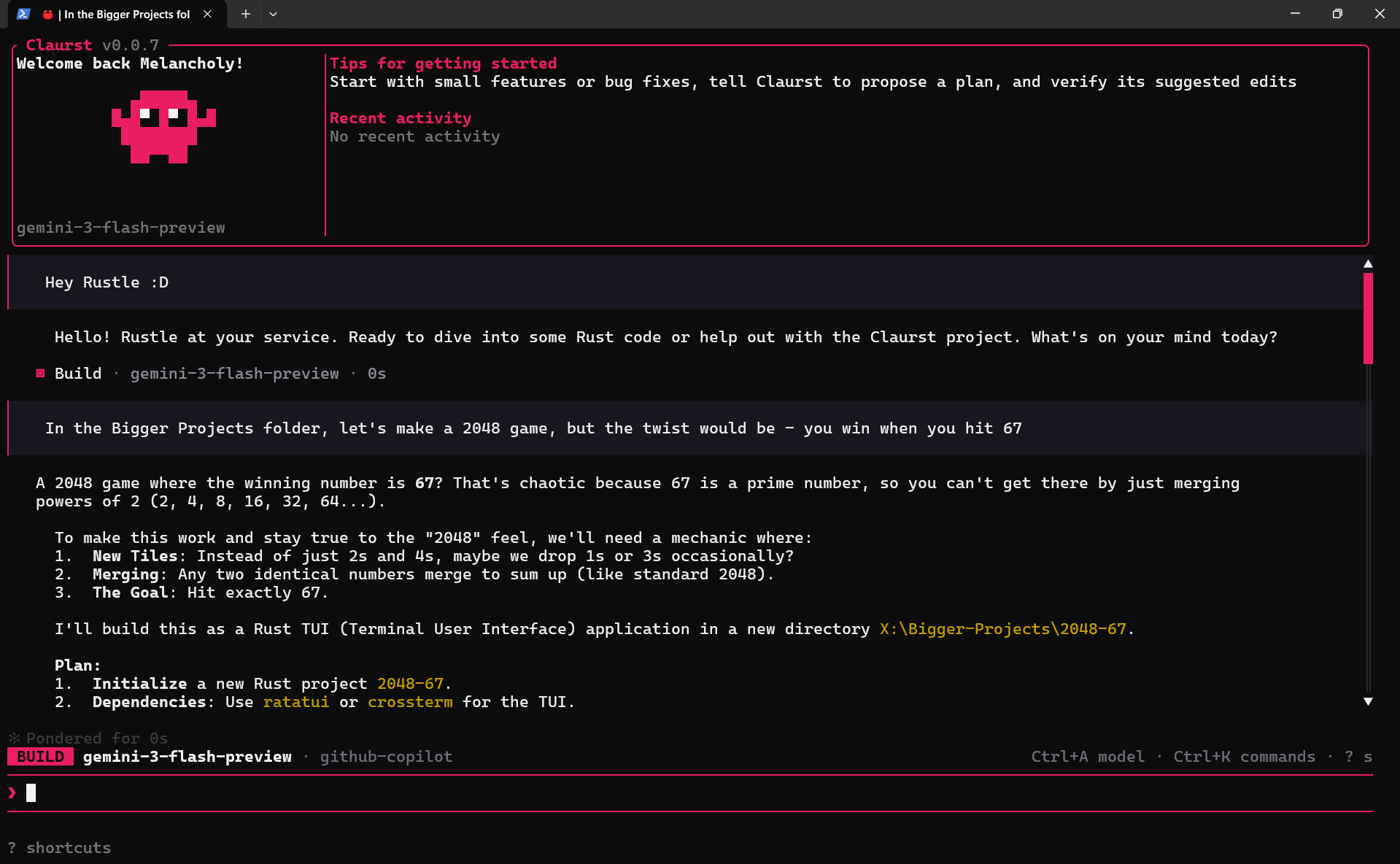

 Claurst 是一个用 Rust 编写的开源多供应商终端编程代理。它最初是 Claude Code 的净室重实现,后来发展成了一个拥有插件系统、对话分叉、记忆整合功能以及一个名叫 Rustle 的伙伴的 TUI 结对编程工具。