Poki is an app that operates your iPhone. It reads the screen, taps, types and scrolls in real apps. You choose how it asks for approval; payments, deletions and actions in Wallet always ask.
The Poki app runs on the iPhone itself. You give it a task in a chat, and it works in your other apps. You install it once from a Mac or a Windows PC, and after that it runs tasks on the iPhone without the computer.
You need a computer once, to install Poki: a Mac or a Windows PC.
On a Mac, tell your agent to install Poki, or download Poki Setup for macOS and click through it.
On Windows, download Poki Setup for Windows and follow its window. Install Apple Devices or iTunes first, so the PC can find the iPhone over USB. Your agent can also run Poki Setup's own command line tool.
After that, Poki runs tasks on the iPhone without the computer. With a free Apple Account the signature lasts 7 days, and Poki Setup renews it while it stays open on the computer. See Common questions.
What you need
Requirement
iPhone
iOS 18 or later, so iPhone XS, XR, SE (2nd generation) or newer. Poki has been tested on physical iPhones with iOS 27.
Computer
A Mac with macOS 14 or later, or a Windows PC (x64) with Apple Devices or iTunes installed. The agent install on a Mac also needs Node.js 24 or later.
Cable and account
A USB data cable and an Apple Account. With a free account the signature lasts 7 days, and Poki Setup can renew it for you.
Connection
A VPN app on the iPhone that routes 10.7.0.1 back to the iPhone. The free LocalDevVPN from the App Store works, and so do Karing and Shadowrocket set up through Poki's instructions.
Model account
Your own. Signing in with a ChatGPT Plus or Pro plan is the easiest start. You can also paste an API key from Anthropic, OpenAI, Gemini, DeepSeek or OpenRouter, or use your own OpenAI-compatible server. A Claude subscription cannot sign in, so use an Anthropic API key instead.
On iOS 27 and later Poki controls the iPhone through its native services. On iOS 18 to 26 it uses an XCTest session instead, which needs UI Automation turned on in the iPhone's Developer settings. The app also installs on iPad with iPadOS 18 or later.
The iPhone app uses your own model account. Your coding agent’s subscription does not automatically connect that account to Poki. If you only want Poki MCP in your existing coding agent, follow MCP installation instead; MCP uses that client’s model access.
One-click installation (recommended)
You only need to connect and unlock your iPhone, sign in when prompted, and complete the iPhone permissions, local connection and model-account steps.
Tell your agent, such as Claude Code or Codex:
Install Poki on my iPhone from https://github.com/JosssphZhou/poki
The agent follows the install-poki skill and runs bin/install-iphone.mjs, which does every step it can by itself. You only do what iOS asks of you: type your Apple Account into a Poki Setup window on the Mac, tap Trust and turn on Developer Mode on the iPhone, trust the developer, and open Poki. When Poki first opens it asks for Automation Mode: tap Continue and enter the iPhone passcode. If you cancel, turn Poki on again to be asked again. The agent tells you each step in a sentence when it comes up. A free Apple Account works.
The current installer selects Beta. Historical Stable, Alpha and Pre-alpha preferences also resolve to Beta. It stops if no Beta is available. Older installed copies of Poki Setup may retain their previous channel behavior; read the version selected by your run.
No Node.js 24, or on Windows? The same prompt works once Poki Setup is installed: the agent then uses the command line tool inside Poki Setup. Poki Setup's own menu also copies a prompt for your agent (Poki > Copy Prompt for Your Agent on a Mac, Settings > Use an agent on Windows).
If GitHub answers 403 or 429 while the installer reads Poki's releases, it is usually GitHub's hourly limit on anonymous requests, which everyone on your network shares. Switch to another network or proxy node and run it again, or wait an hour.
With Poki Setup
Download Poki Setup for macOS (.dmg) or Windows (.exe, contributed by ZhehanZhang) from the newest Beta release that includes the installer, then follow its window. See Poki Setup for the steps.
Run your first task
After the installer has verified the installed version and you have finished the local connection and model-account steps, open Poki and send:
Create a new note in Notes titled "Poki Demo" with these three lines: Milk, Eggs, Coffee. Open the note when finished. Leave existing notes unchanged.
Check the new note in Notes: the title must be "Poki Demo" and the body must contain Milk, Eggs and Coffee on separate lines. A completion message alone is not proof. If Notes is unavailable or setup is incomplete, finish that step first. After an interruption, check whether the note already exists before trying again.
Common questions
Can I install Poki from Windows? Yes. Poki Setup for Windows installs, pairs and renews Poki like the Mac version. Install Apple Devices or iTunes first so the PC can find the iPhone. See Poki Setup.
Do I still need the computer after installing? Not to run tasks: Poki works on the iPhone alone. With a free Apple Account, keep Poki Setup open on the computer so it can renew the signature each week, or sign in to your Apple Account in Poki so the iPhone renews itself (if sign-in fails, use Poki Setup on the computer). See What to keep running.
Does a free Apple Account work, and what is the 7-day limit? A free account works, but Apple signs apps from it for 7 days only. While it is open, Poki Setup renews Poki every 6 hours once 2 days or fewer are left, as long as the computer is awake and the iPhone is reachable. Without a renewal, Poki stops opening when the signature ends, so it warns you in its last 2 days. See No paid developer account.
Which iPhone and iOS do I need? iOS 18 or later, so iPhone XS, XR, SE (2nd generation) or newer, and iPad with iPadOS 18 or later. Physical testing so far has been on iOS 27; iOS 18 to 26 use a different control path that has not been tested on a physical iPhone yet. See Verification and known limits.
Do I need my own model account? Yes. Sign in with a ChatGPT Plus or Pro plan, or paste an API key from Anthropic, OpenAI, Gemini, DeepSeek or OpenRouter, or use your own OpenAI-compatible server. Talking with Poki also needs a voice model key. See What you need.
No update shows up, for example on a network in mainland China. What now? Poki looks for updates on GitHub, and some networks cannot reach it or hit GitHub's 403 and 429 limits. Try another network or proxy node, or update from the computer with Renew in Poki Setup. See Update Poki.
Will Poki change things on my iPhone, and does it ask first? Poki works in your real apps and does what you ask, including sending messages, and the screen contents go to the model service you set up. Payments, deletions and actions in Wallet always need your confirmation. For other sensitive steps, such as sending a message or typing a password, you choose in Settings > Approvals how Poki asks, or whether it asks. See Known issues.
Update Poki
On the iPhone. Open Poki's signing and updates page: Settings > Signing & Updates in current builds. Older builds may place it under Connection. When a newer build is out, the page offers to download and install it. If it asks you to sign in first, Poki was installed from a computer and the iPhone does not have your Apple Account yet. Sign in with the account you installed with, or update from the computer instead.
From the computer. Renew in Poki Setup installs the newest build on its channel over the installed app. On a Mac you can also tell your agent "Update Poki on my iPhone"; the install-poki skill has a separate update path that checks the installed version and signing identity first.
If an update stops at "Finishing the update", swipe Poki away in the app switcher and open it again, then check the version in Settings. If the version did not change, update from Poki Setup on the computer. Do not delete Poki to fix an update: deleting it deletes its conversations.
The release channels and how a build moves from Alpha to Beta are in Release channels.
Known issues
Poki operates your real iPhone. If you ask it to send messages or make payments, it will. Screen contents are sent to the model service you set up.
If you cannot sign in to your Apple Account on the iPhone, renew and update from Poki Setup on the computer.
Physical iPhone support has been verified only on iPhones using the Chinese interface, in portrait orientation. Landscape is not supported.
This release has not been tested on a physical iPhone below iOS 27, or on an iPad. On older and smaller iPhones, the three-dimensional bear and the home page animations may run warmer or slower. Low Power Mode and Reduce Motion show a still picture of the bear instead.
With a free Apple Account the signature lasts 7 days. Keep Poki Setup on the computer able to reach the iPhone, or renew by hand before it expires.
Reading Poki's releases from GitHub can fail with 403 or 429, usually because many people share one network. Switch network or proxy node and try again, or wait an hour.
Open Poki and type a task in the message field, such as "Check tomorrow's weather and tell me if I need an umbrella", or tap one of the apps on the home page to start a task in it. Poki works in the app on your screen, shows each step in the Dynamic Island and on the Lock Screen, and asks for approval according to your settings.
You can also call Poki without opening it: press and hold the Action Button to talk to it, or use Talk to Poki and Send Task to Poki from Shortcuts and Siri. A task sent that way replies with a notification.
Note: Poki controls your real iPhone. If you ask it to send messages or make payments, it will.
Roadmap
This lists directions, not dates. Released features are documented in CHANGELOG.md.
Released in 0.4.0 Beta
The iPhone app runs tasks without the computer after setup, with approvals on the Lock Screen and in the Dynamic Island.
Install with your agent or Poki Setup on a Mac or Windows PC, using a free Apple Account.
Native control on iOS 27 and later, plus web tasks in Poki's built-in browser.
A new home page with the three-dimensional bear, voice conversations, the Action Button, archived conversations and dark mode.
In progress
A more reliable download source for updates, with GitHub as a backup.
One update channel in place of several.
The interface in more languages.
Planned
More iPhones, iOS versions and screen languages verified on real devices.
makirqi-alt Filed Poki's first issue, #1, on iOS 18.6.2: screenshots worked, accessibility and touch did not, and the clear split made it easy to follow.
edge369 Made Poki run on a router in #14, so Telegram can drive the iPhone with the Mac powered off; #15, #17 and #19 followed.
mawenhao1028 Reported in #6 that usbmuxd listed no iPhone on macOS 27.2; Poki now says so plainly and why a helper stops early (#59).
igc110 Found why taps on a physical iPhone were slow in #10; the fix that followed made them about a third faster.
carrotciallo Ported Poki to Linux and tested it on a physical iPhone over USB, LAN and Tailscale in #16; the README now points to it.
guangtouge82 Traced failing touches on a physical iPhone to a missing display service in #18; Poki now says nothing was sent and points to prepare-device.
Dreaminmaster Fixed a corrupt cached route that aborted unrelated Agent tasks (#21, #22), then let the Agent reuse its post-action screen read in #37.
PeterKingXu1s Reported in #25 that a natural-language stop request did not interrupt an iMessage task; Poki now replies to mid-task messages and points to /stop.
ScottH1122 Reproduced two Agent bugs in #27 and #28, then merged seven fixes and test repairs, from cancelled input locks (#102) to invalid touch coordinates (#136).
jiahuipaung Fixed in #34 a RemotePairing connection that died when the iPhone's LAN address changed (#30); a real iPhone reconnected in 768 ms.
Zeno6898 Field-tested the iPhone app over cellular and from Windows in #35 and #40, which led to the Wi-Fi setup note (#138); reported #162.
scy7796 Fixed taps that failed every time over RemotePairing from a Windows host in #39; 5 of 5 taps then worked.
foshanfm Ran an insurance-terms check on a real iPhone over Tailscale in #42; the report shaped clearer USB errors and a per-session transport switch.
xiaweiyi713 Recorded demo videos of Poki driving a real iPhone, so new visitors can see what it does before installing anything.
f******* Added OpenCode Go as a model account in the iPhone app in #68, with its own Keychain credential and independent model choice.
owensn951954688 Shared a full timeline of Runner pairing failing after 25 idle minutes in #69; Poki Setup now points to Loopback and Pairing (#70).
kira-ariaki Made batch calls report an ambiguous device instead of crashing (#74), added POKI_MCP_DEVICE (#75) and an optional per-task approval gate (#77).
Purelite Fixed pairing setup sending people to the wrong Settings page, so the Developer Mode and UI Automation steps now open the right one (#137).
heyallencao Fixed screen reads that ran past their call deadline in #139, with a regression test for consistently slow runner responses.
Ryanwu316 Brought two-app workspaces to iPhone Duo in #354, so a task waits through rotation and resumes on the same app pair.
soloface Traced MCP 503 errors on a phone that showed online to a relay reconnect bug in #311, with a reproducing test and a patch.
whiteluw Contributed #326 to avoid a 3D bear startup crash on iPhone.
cs50Mu Found in #362 that the Poki Setup macOS download only ran on Apple silicon; the universal build that followed also runs on Intel Macs.
mgkvibez Added a test in #380 that keeps payment checks ahead of message sending, so a Send money button in Mail still asks for approval.
Special contributors
yulunRyanw Sent a full set of interface designs for the 0.4.0 redesign, from the chat and Live Activity to Settings and a first run (#250, #256 to #268); they shaped the direction of the new interface.
Thanks
Thanks to everyone who opened an issue or pull request. Your feedback and fixes make Poki better.
Poki MCP connects a computer's agent to an iPhone or the iOS Simulator; this earlier tool is no longer updated.
Poki Agent is the terminal agent with iMessage and Telegram channels; setup and usage remain in the linked guide.
Disclaimer
Poki is an independent open source project. It is not affiliated with, or endorsed by, Apple, OpenAI, or the makers of any app or website it operates. iPhone is a trademark of Apple Inc.
Automating third-party apps and websites may violate their terms of service. Decide for yourself whether to use Poki with a given service. You are responsible for what it does on your device and accounts, including messages it sends, changes it makes, and any account restrictions that result.
Poki is provided "as is", without warranty, as set out in the AGPL-3.0 license.
The Poki bear, the app icon and Poki's other artwork are not covered by that license. You can use screenshots to write about Poki; a fork needs its own name and artwork. See BRAND.md.
Copyright (c) 2026 Joseph Zhou (周瑟夫) and contributors. Open-source dependencies and third-party assets retain their respective licenses; see THIRD_PARTY_NOTICES.md. To contribute, see CONTRIBUTING.md.
Acknowledgments
See third-party notices for the open source dependencies and assets used by Poki.
poki (JosssphZhou/poki)
Выберите тег — он появится здесь. Пока теги не выбраны, показаны все проекты каталога.
Ищем в базе…
Выберите тег — он появится здесь. Пока теги не выбраны, показаны все проекты каталога.
Что это такое?Poki — это приложение для iPhone, которое позволяет ИИ-агентам управлять вашим настоящим iPhone: оно читает экран, нажимает, печатает и прокручивает в реальных приложениях, без джейлбрейка и без дополнительного оборудования.
Это приложение на телефоне или инструмент на компьютере?Это приложение, которое работает прямо на iPhone. Вы устанавливаете его один раз с Mac или ПК на Windows, а после этого оно выполняет задачи на iPhone без компьютера.
Как запустить его на iPhone?Скажите своему агенту, например Claude Code или Codex, чтобы он установил Poki, или скачайте Poki Setup для macOS или Windows и следуйте его окну. Агент использует навык install-poki и сам делает всё, что может; вам нужно только нажать «Доверять», включить режим разработчика и войти в свой Apple Account, когда iOS попросит.
Что нужно до начала?iOS 18 или новее, Mac с macOS 14 или новее либо ПК на Windows с Apple Devices или iTunes, USB-кабель, Apple Account (подойдёт бесплатный), VPN-приложение, которое направляет 10.7.0.1 обратно на iPhone, например LocalDevVPN, и собственный аккаунт модели.
Есть ли риски или подводные камни при установке, о которых нужно знать?Poki действительно действует на вашем телефоне, поэтому, если вы попросите отправить сообщения или совершить платежи, он это сделает. Платежи, удаления и действия с Wallet всегда сначала запрашивают подтверждение. Бесплатный Apple Account подписывает приложения только на 7 дней, а ограничения GitHub 403 или 429 могут блокировать обновления.
Какие iPhone и версии iOS поддерживаются?iPhone XS, XR, SE (2-го поколения) или новее на iOS 18 или новее, а также iPad на iPadOS 18 или новее. Физическое тестирование пока проводилось на iOS 27, а альбомная ориентация не поддерживается.
Куда попадают мои данные и спрашивает ли он перед действиями?Содержимое экрана отправляется в сервис модели, который вы выбираете, поэтому этот провайдер видит то, что читает Poki. В Settings > Approvals вы выбираете, как Poki запрашивает подтверждение перед чувствительными шагами, например отправкой сообщения или вводом пароля.
Что можно ему поручить?Напишите задачу в чате, например проверить завтрашнюю погоду и нужен ли зонт, или нажмите на приложение на главном экране, чтобы начать задачу там. Poki показывает каждый шаг в Dynamic Island и на экране блокировки.
Можно ли запустить его, не открывая приложение?Да. Нажмите и удерживайте Action Button, чтобы поговорить с ним, или используйте Talk to Poki и Send Task to Poki из Shortcuts и Siri. Задача, отправленная таким способом, ответит уведомлением.
Какие аккаунты моделей можно подключить?Войдите с тарифом ChatGPT Plus или Pro либо вставьте API-ключ от Anthropic, OpenAI, Gemini, DeepSeek или OpenRouter, или используйте свой сервер, совместимый с OpenAI. Войти по подписке Claude нельзя, поэтому используйте API-ключ Anthropic.
Как он работает без джейлбрейка?На iOS 27 и новее он использует нативные сервисы управления iPhone. На iOS 18–26 он использует сессию XCTest, для которой нужно включить UI Automation в настройках разработчика iPhone.

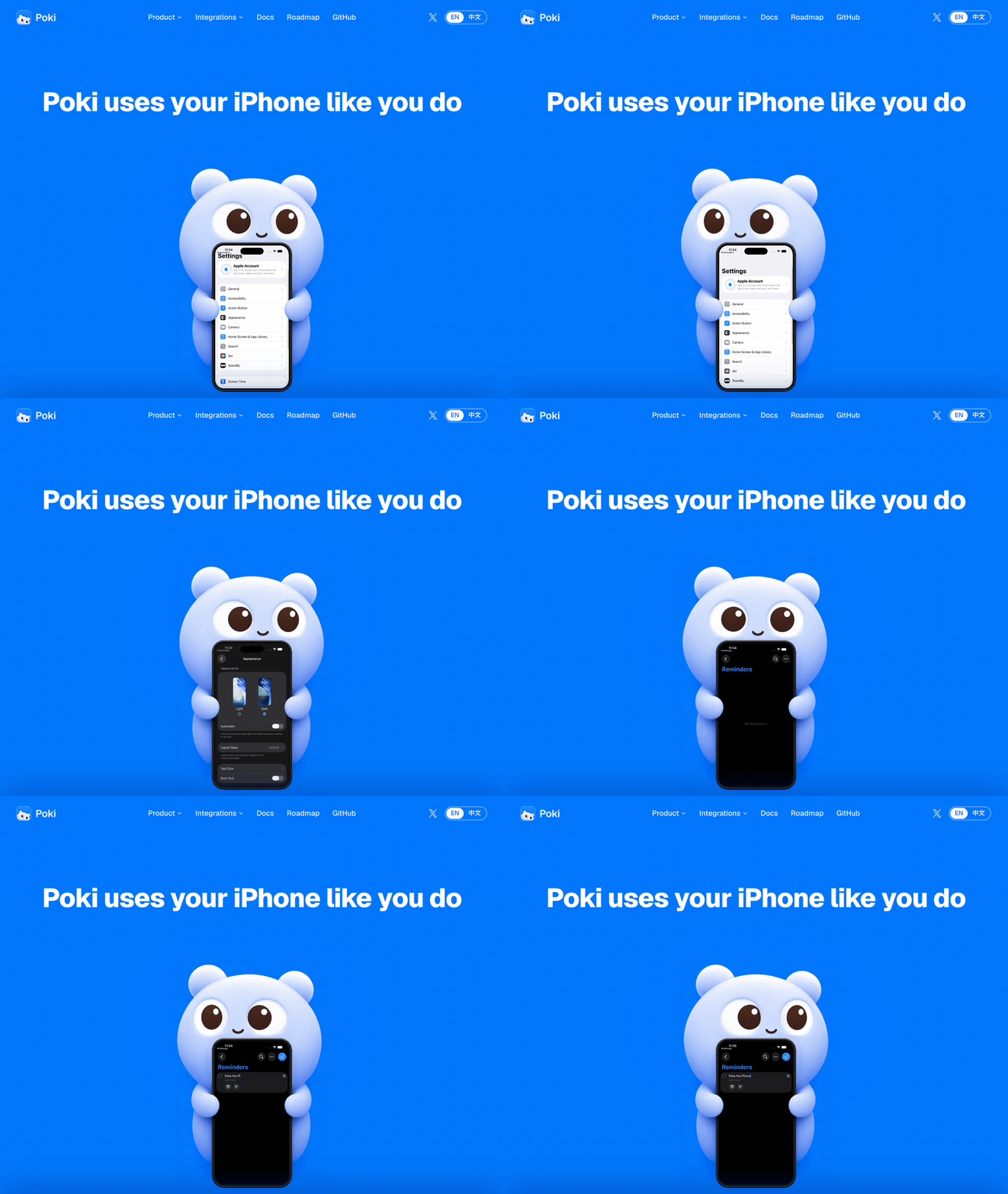







 Poki — это приложение для iPhone, которое позволяет ИИ-агентам управлять вашим настоящим iPhone: оно читает экран, нажимает, печатает и прокручивает в реальных приложениях, без джейлбрейка и без дополнительного оборудования.