




What is this?
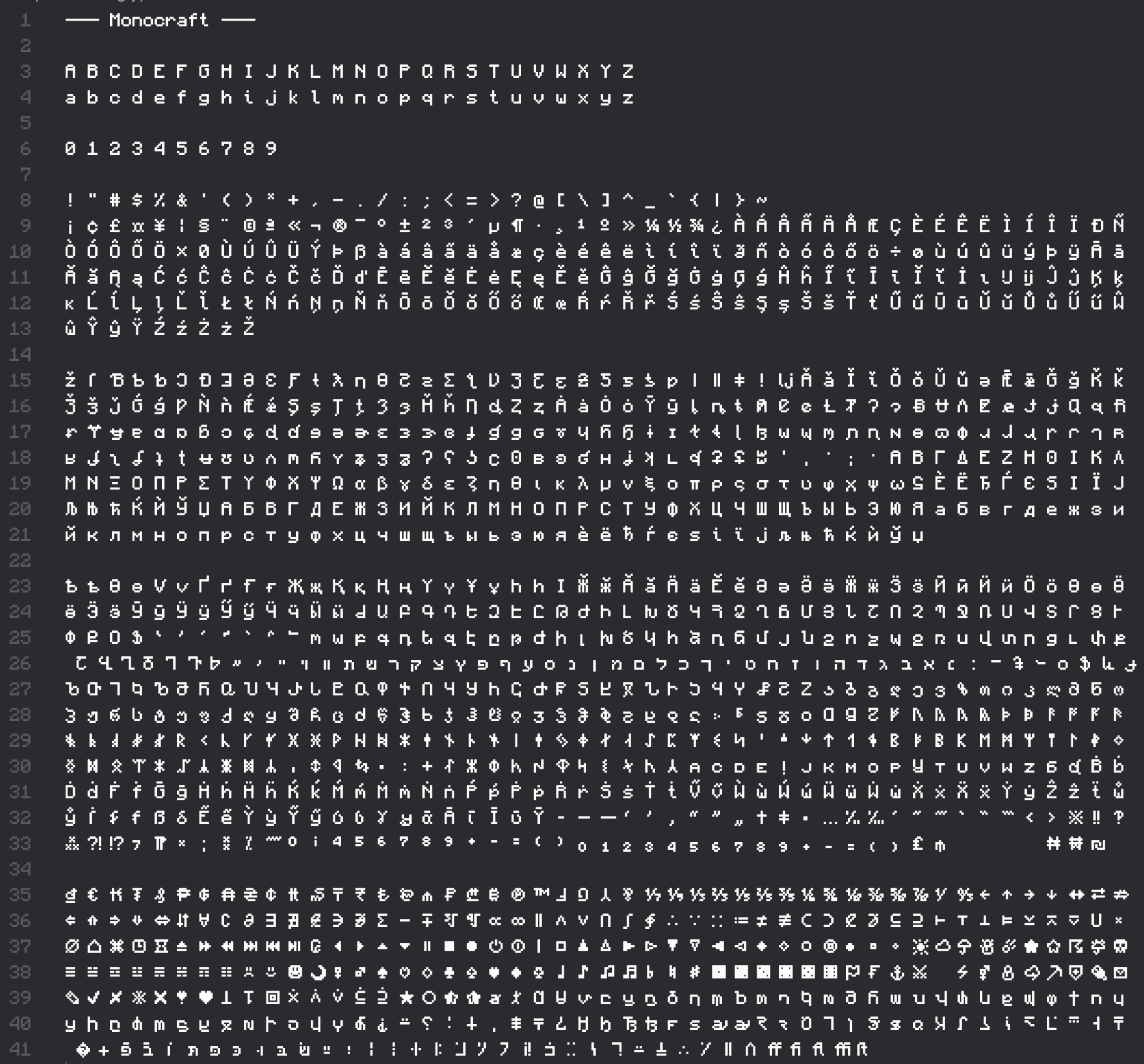
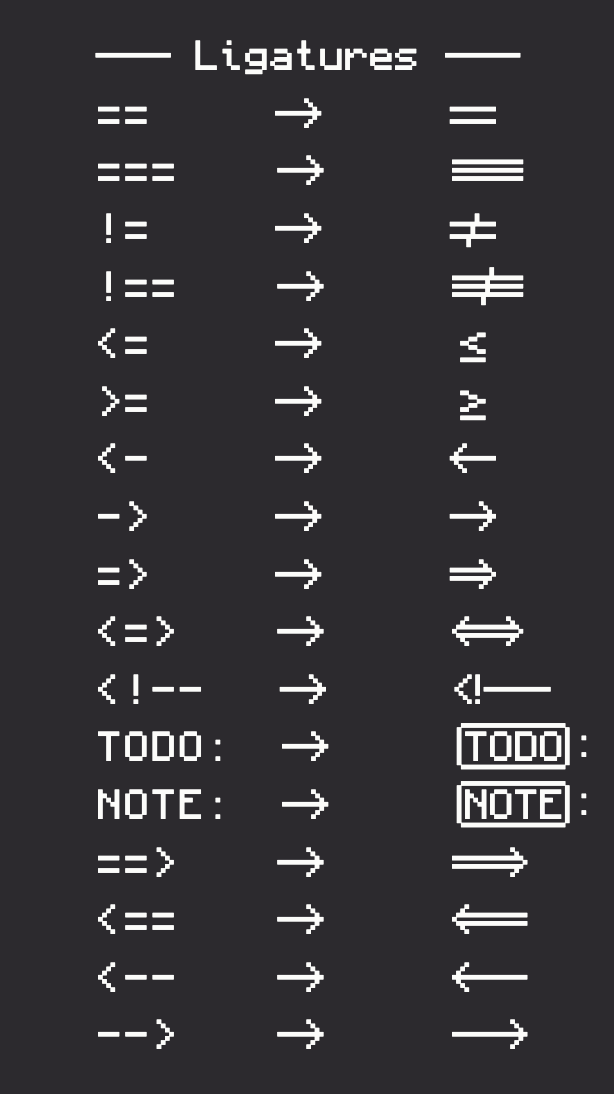
 A free monospaced programming font that recreates the Minecraft UI typeface, with 1500+ glyphs reworked for readability and spacing. It ships as an installable .ttc file.
A free monospaced programming font that recreates the Minecraft UI typeface, with 1500+ glyphs reworked for readability and spacing. It ships as an installable .ttc file.So is it a program I run, or just a font I install?Just a font: download Monocraft.ttc from the Releases page, install it like any system font, then select 'Monocraft' (note the space) in apps that support custom fonts — restart the app if it doesn't show up.
Just a font: download Monocraft.ttc from the Releases page, install it like any system font, then select 'Monocraft' (note the space) in apps that support custom fonts — restart the app if it doesn't show up.How do I install it on Windows, Mac, or Linux?Windows: right-click the downloaded .ttc and pick Install (may need admin rights). Mac: use Homebrew or double-click and choose Install Font. Linux: move it to ~/.local/share/fonts and run fc-cache -fv.
Windows: right-click the downloaded .ttc and pick Install (may need admin rights). Mac: use Homebrew or double-click and choose Install Font. Linux: move it to ~/.local/share/fonts and run fc-cache -fv.Is Monocraft an official Minecraft product?No. It is explicitly a fan project, not affiliated with Minecraft or Mojang in any way, and includes no assets or font files from the original game.
No. It is explicitly a fan project, not affiliated with Minecraft or Mojang in any way, and includes no assets or font files from the original game.The pixel look is hard to read — is there a more usable option by the same author?Yes: Miracode, a vectorized font based on Monocraft that the author calls a little more usable. The README also recommends Fira Code and Scientifica for more conventional choices.
Yes: Miracode, a vectorized font based on Monocraft that the author calls a little more usable. The README also recommends Fira Code and Scientifica for more conventional choices.Is there a version with the original, non-monospaced Minecraft font?Yes. The author also made a rendition of the Minecraft typeface without monospacing, linked from the FAQ.
Yes. The author also made a rendition of the Minecraft typeface without monospacing, linked from the FAQ.What are similar projects?JetBrainsMono, maple-font, Iosevka, Hack, source-code-pro, FiraCode, cascadia-code, Sarasa-Gothic
JetBrainsMono, maple-font, Iosevka, Hack, source-code-pro, FiraCode, cascadia-code, Sarasa-GothicWhich topics is it in?programming-ligatures, ligatures, monospace-font, programming-font, monospace, minecraft, typeface, pixel-art, fonts, coding, font, typography
programming-ligatures, ligatures, monospace-font, programming-font, monospace, minecraft, typeface, pixel-art, fonts, coding, font, typography