Turn any website into a typed CLI and MCP server for your AI agent. Read, search, create, edit, and automate—using your real browser login, with zero cookie leaks to LLMs and built-in anti-bot resilience.
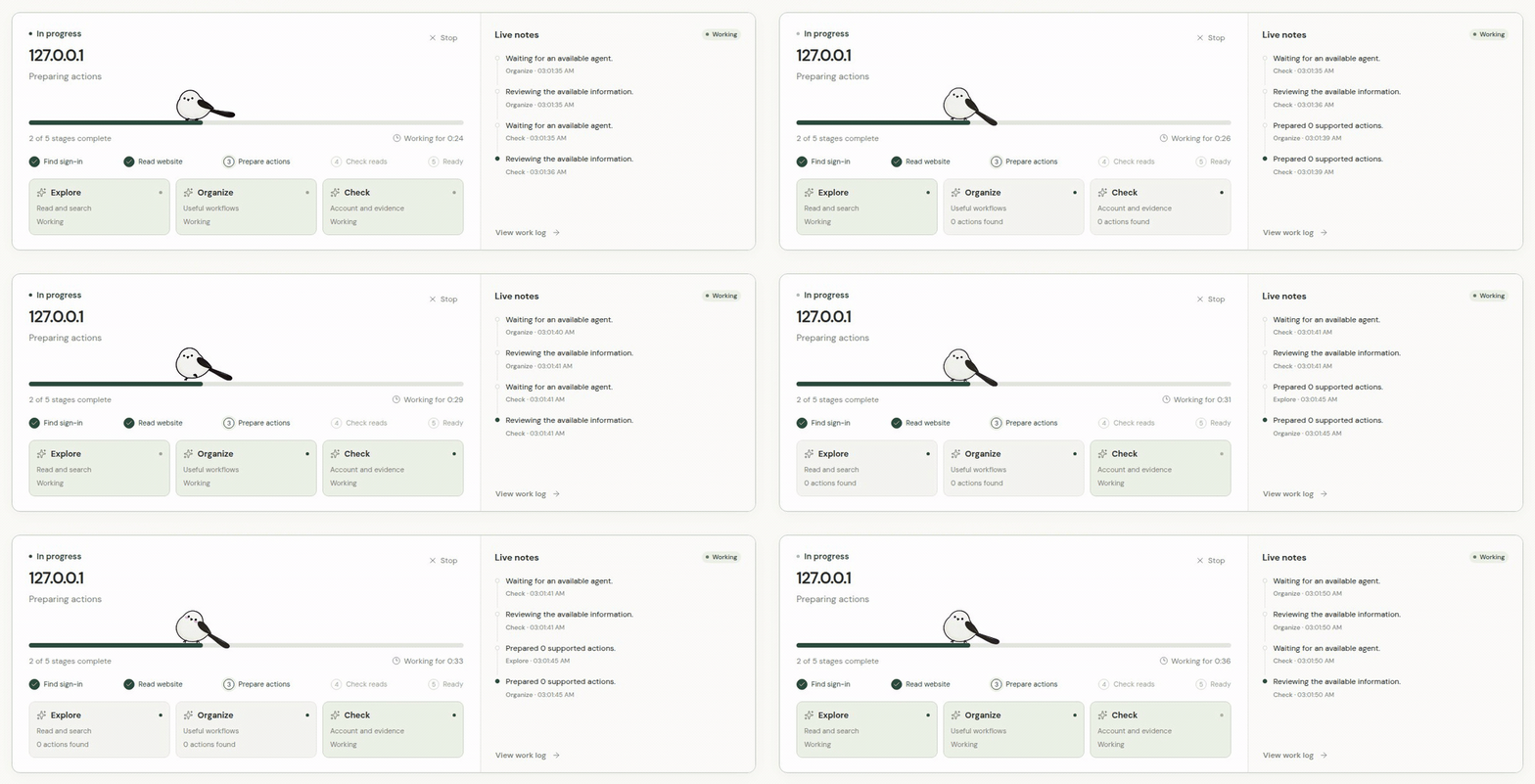
Give Hycli any website URL and what you want to do. Three AI workers inspect its docs, frontend bundles, and live browser network traffic to build a typed CLI and MCP toolset—covering both reads and writes—without ever mutating your account during setup.
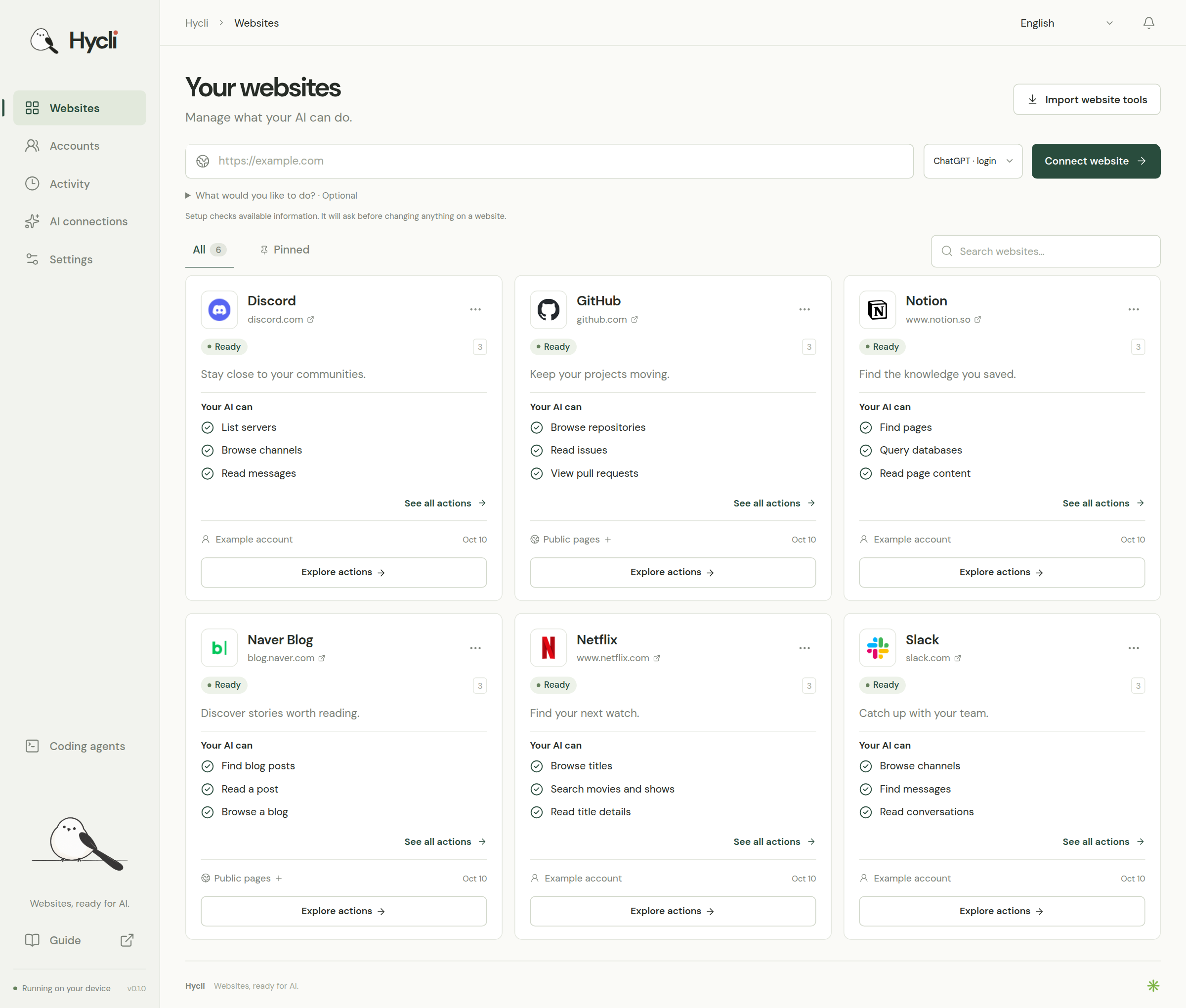
One local dashboard and CLI for your websites, accounts, and AI agents.
Try it in 30 seconds
# 1. Point Hycli at any website and describe your goal (prepares reads & writes; zero live mutations)
hycli prepare https://your-website.example --intent "Search posts, save drafts, and publish articles"

# 2. See every prepared read, write, and multi-step workflow
hycli describe your-website

# 3. Run read actions immediately
hycli your-website search-posts --query "release notes"

# 4. Enable writes once for this CLI when you're ready to create, edit, or delete
hycli writes your-website allow
hycli your-website create-draft --title "Hello from Hycli" --body "Automated from my terminal."
Or connect Hycli to Claude Code, Cursor, Codex, or Windsurf once with "command": "hycli", "args": ["mcp"] and ask your agent in plain language:
"Use Hycli to prepare https://..., show me what actions are available, and draft a new post."
Get started
Hycli ships as a single native binary containing both the website engine and the local dashboard (http://127.0.0.1:4318). Neither Rust nor Node.js is needed to run a release package.
Download and run (Windows, macOS, Linux)
Download the native installer or portable archive for your platform from Releases (v0.1.1):
Platform
Architecture
Native Installer
Portable Archive
How to start
Windows 10/11
x64 & ARM64
hycli-0.1.1-win32-*-setup.exe
hycli-0.1.1-win32-*.tar.gz
Run *-setup.exe (adds hycli to your user PATH and Start Menu), then launch Hycli or run hycli open in PowerShell.
macOS 13+
Apple Silicon (arm64) & Intel (x64)
hycli-0.1.1-darwin-*.dmg
hycli-0.1.1-darwin-*.tar.gz
Open the .dmg, drag Hycli.app to Applications, and open it (automatically links hycli into ~/.local/bin).
Linux
x64 & ARM64
hycli-0.1.1-linux-*.deb
hycli-0.1.1-linux-*.tar.gz
Install the .deb (sudo apt install ./hycli-*.deb) or extract the .tar.gz and run ./install.sh, then run hycli open.
Published v0.1.0: Windows and macOS portable archives do not include installation scripts. Use the Windows *-setup.exe or macOS .dmg installer from the release above instead.
Quick terminal install & build from source
The archive commands below require a package containing install.sh (Linux/macOS) or install.ps1 (Windows), such as a package built from current source.
Linux / macOS portable archive:
sha256sum -c hycli-0.1.1-*.tar.gz.sha256   # or: shasum -a 256 -c on macOS
tar -xzf hycli-0.1.1-*.tar.gz
cd hycli-0.1.1-*
./install.sh
hycli open
Windows PowerShell portable archive:
tar -xzf hycli-0.1.1-win32-x64.tar.gz
cd hycli-0.1.1-win32-x64
powershell -ExecutionPolicy Bypass -File .\install.ps1
hycli open
Run hycli open (or click the Hycli app icon) to open the local dashboard at http://127.0.0.1:4318.
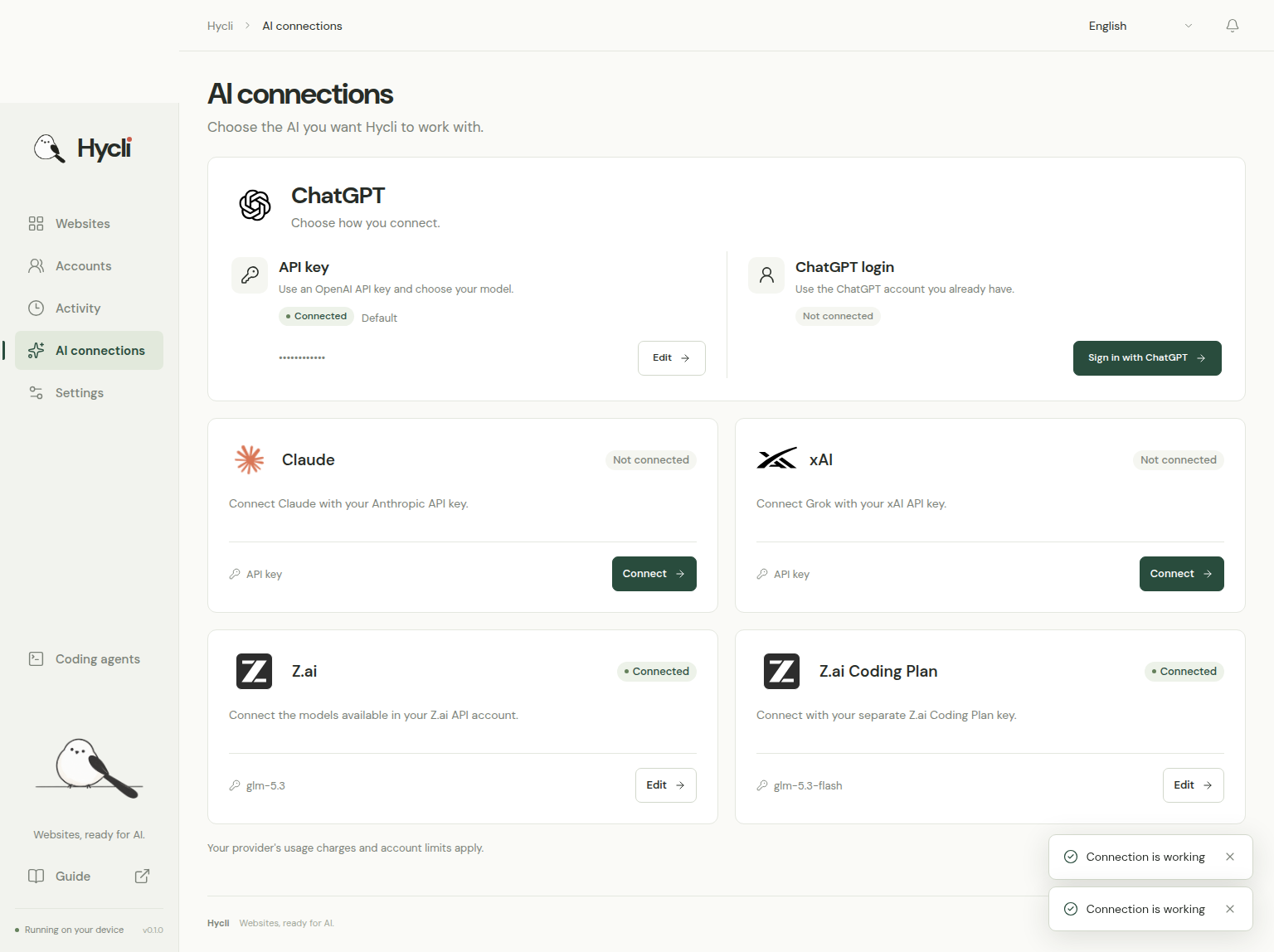
Open AI connections and connect OpenAI, Anthropic Claude, xAI, Z.ai, or your local ChatGPT Codex login.
For logged-in sites, click Accounts → Find my sign-in to import your browser session into the local vault.
Enter a website URL and optional goal, or copy the MCP config from Coding agents into your AI assistant.
What your AI can do
Hycli turns real website interfaces into self-documented CLI subcommands and MCP tools:
Website interface
Prepared capability
REST and OpenAPI
Typed read and write actions grounded in JSON/YAML schemas and API docs.
GraphQL
Parsed query and mutation documents with typed JSON variables.
HTML & JS-rendered pages
Structured records, links, pagination, and rendered GET reads via a local Chromium engine.
JSON and URL-encoded forms
Documented inputs, defaults, and account-scoped form submissions (POST, PUT, PATCH, DELETE).
Choose the AI that prepares your websites.
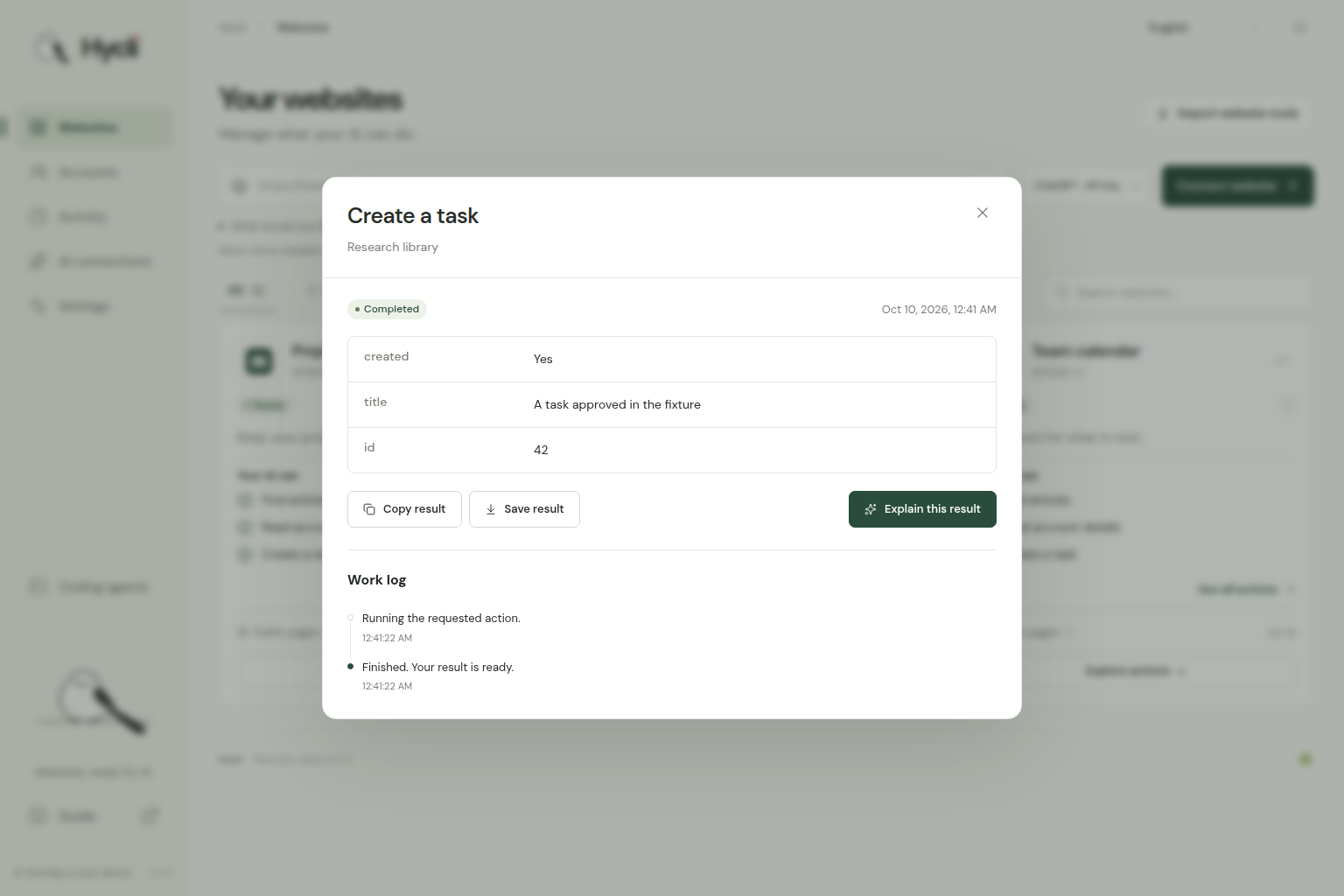
Inspect actions and structured results locally.
Three workers. One very busy little bird.
Action type
Execution behavior
Read or search
Runs immediately when grounded in evidence and classified as a safe read.
Create, send, edit, or delete
Discovered and synthesized into the CLI without ever running during preparation. Off by default (writes: false). Your AI agent asks you once per CLI whether to enable writes (hycli writes SITE allow or MCP hycli_writes). Once enabled, write actions execute directly when you ask for them.
Unclear effect
Held for review before sending.
Auth challenge or rate limit
Switches transport strategy (HTTP → in-page window.fetch → stealth Chromium) or pauses cleanly.
See the operation reference for supported request shapes and extraction rules.
Common concerns and how Hycli solves them
Connecting an AI agent to real websites and logged-in accounts raises serious questions. Here is how Hycli handles each one by design:
1. "Will the AI accidentally post, edit, or delete data on my account?"
Zero live mutations during CLI creation: While preparing or checking a website (hycli prepare, hycli request, hycli recon, hycli check), Hycli discovers and compiles both read and write operations into the CLI spec, but never executes write requests. Even disguised mutations (GET routes with mutating paths like /delete, GraphQL mutation bodies, or HTML <form method="post"> actions) are blocked from running during verification.
One-time per-CLI write confirmation: Every newly created website CLI starts with writes: false. When an AI agent needs to run a write action on a CLI for the first time, it asks you once for that CLI: "Allow write actions for <site>?" Only after you confirm does it run hycli writes <site> allow (or MCP hycli_writes), enabling direct write execution for that CLI. You can revoke write permission anytime with hycli writes <site> deny or the dashboard's Allow changes toggle.
No automatic write retries: Failed or interrupted write requests are never auto-retried. If a connection drops after a mutation is sent, Hycli reports action_outcome_unknown so you can check the website rather than duplicating an order or post.
2. "Does Hycli send my cookies, login tokens, or API keys to the AI model?"
Secrets never enter LLM prompts: Browser cookies, localStorage / sessionStorage tokens, and API keys are stored strictly in your local vault (encrypted via OS keyring on Windows Credential Manager, macOS Keychain, and Linux Secret Service, or restricted to 0600 user-only permissions).
Symbolic connection recipes: AI models only see account labels, storage key names, and redacted response schemas. The model builds a symbolic ConnectionRecipe (referencing a cookie or token name), and Hycli injects the real secret locally at execution time while scrubbing secrets from all outputs and logs.
Site-scoped read-only import: Importing a browser session reads only the target domain's cookies and storage from a temporary read-only snapshot. It never weakens browser security or exports other websites.
3. "Will scraping trigger CAPTCHAs or get my account banned?"
No fuzzing or brute-force scanning: Hycli never guesses endpoint wordlists or fuzzes live servers. It learns from linked documentation, OpenAPI/GraphQL schemas, static JS bundles, and observed browser network shapes.
Serialized, paced traffic: Requests are serialized and rate-limited per website and per account, honoring Retry-After and bounding read retries.
Strategy circuit breaker & native browser execution: When plain HTTP hits a 403/429 or bot challenge (Cloudflare, Akamai Bot Manager), Hycli never loops the same blocked request. Its circuit breaker immediately switches transport—executing window.fetch(..., { credentials: 'include' }) inside your authenticated browser context or using a local stealth Chromium engine—or pauses cleanly to protect your account.
4. "Can a redirect leak my session, or can a shared spec expose my computer's paths?"
Strict origin binding: Auth headers and cookies are locked to the target origin and stripped immediately on cross-origin redirects. Private and loopback IP ranges are blocked by default unless --allow-local is explicitly passed.
Portable specs: Local browser executable and profile paths remain in machine-local state and are never written into portable SiteSpec files.
5. "Will the AI waste tokens retrying when my login expires?"
Deterministic health check without AI (hycli check):hycli check (and MCP hycli_check) replays verified read chains without invoking an LLM and cleanly separates signed_out (reconnect your account) from site_changed (repair spec), blocked, and unreachable.
AI connections
Provider
Authentication
ChatGPT · API key
OpenAI API key
Claude
Anthropic API key
xAI
xAI API key
Z.ai / Z.ai Coding Plan
Z.ai API key
ChatGPT · login
Local ChatGPT sign-in via the official Codex app-server protocol
The Codex login connection runs in an ephemeral thread with file, shell, browser, and external MCP execution disabled; Hycli never reads or copies Codex OAuth tokens.
Use Hycli with your AI
MCP lets an AI app call Hycli tools. It does not connect that app's subscription to Hycli's AI connections. Hycli's Claude provider uses an Anthropic API key. Its ChatGPT login provider uses the Codex app-server protocol described above.
Open Coding agents → View connection settings in Hycli. For manual setup, preserve the generated executable path, arguments, and HYCLI_DATA_DIR so the client uses the same installed sites and accounts.
In ChatGPT desktop versions with Settings → MCP servers → Add server, choose STDIO and enter those values in the corresponding fields. Save, then select Restart. Follow the ChatGPT MCP instructions for your version. The JSON below is not ChatGPT's configuration format.
In Claude Desktop, use the generated settings with its manual local MCP configuration. If you have a Hycli .mcpb bundle, install it through Settings → Extensions → Advanced settings → Install Extension instead. Choose the bundle that matches both your OS and CPU: darwin-x64 or darwin-arm64 for macOS, win32-x64 or win32-arm64 for Windows. See Claude's extension instructions. Managed policies can restrict installation. The bundle does not set HYCLI_DATA_DIR. If your dashboard uses a custom data directory, use the manual configuration to preserve it.
For clients that accept mcpServers JSON, this is a minimal example. Use the generated settings rather than replacing their path, arguments, or data directory with this example:
Use hycli mcp --sites-only to expose only installed website tools, or add --only-site SITE to scope to a single site. The MCP server provides hycli_prepare, hycli_writes (enables writes once per CLI after asking you), hycli_run, hycli_check, hycli_result, and hycli_activity—and never exposes a tool for reading credentials.
From the terminal, every workflow works the same way:
hycli prepare https://your-website.example --intent "Find saved references"
hycli request SITE "Add draft editing and publishing with full post content"
hycli describe SITE
hycli SITE ACTION --help
hycli writes SITE allow
hycli SITE ACTION --query "design systems"
hycli check SITE
See the Hycli skill and agent guide (CLAUDE.md) for how coding agents discover capabilities, summarize available read/write actions for you, ask once per CLI before enabling writes, and recover from failures.
Browser sign-in
Hycli discovers local Chrome, Chromium, Edge, Brave, Vivaldi, Arc, Whale, and Firefox profiles (plus local stealth Chromium binaries when installed) on Windows, macOS, and Linux, importing only the requested website's session into the local vault. Profiles sharing the same verified website account are deduplicated automatically.
Native discovery is optional. In Settings, choose whether Hycli may scan local browser sessions. It defaults off on macOS, including upgrades without a saved choice; Windows and Linux retain the enabled default. The choice applies to the dashboard, CLI and MCP using the same data directory (HYCLI_DATA_DIR when configured), including already-running processes. Enabling it does not start a scan: use Find/Recheck explicitly. Native access may request OS keychain approval.
Turning it off preserves imported accounts and the browser companion connection. If a native attempt does not complete, automatic retries pause. Finish or dismiss any existing OS prompts before choosing Find/Recheck again; a still-running scan must finish first. Cancellation prevents further work cooperatively but cannot dismiss dialogs the OS already displayed. See recovery guidance.
If a session is locked by Windows App-Bound encryption, private containers, or an unimported browser, use Accounts → Connect an account to sign in via your browser, connect the browser companion extension, or import a JSON/Netscape cookie file in the dashboard (never paste cookies into an AI chat).
Languages
The dashboard and AI-generated action descriptions support the 20 languages linked at the top of this README, including right-to-left Arabic.
Local data and request limits
Website definitions, encrypted credentials, and activity logs live in your OS data directory (%LOCALAPPDATA%\hycli on Windows, ~/Library/Application Support/hycli on macOS, ~/.local/share/hycli on Linux, or HYCLI_DATA_DIR). Inspect active vault protection anytime under Settings.
npm --prefix dashboard ci
npm --prefix dashboard run check
npm --prefix dashboard run build
cargo test --all-targets --locked
cargo test --locked --features dashboard-test-support --test codex_launch
cargo build --locked --bin hycli
cargo build --locked --features dashboard-test-support --example dashboard_fixture
node scripts/test-e2e.mjs --full
All tests run against synthetic local websites and fixtures—never test write operations against a real third-party account.
Community
For setup questions and ideas, open an issue. Use the issue templates to report a reproducible bug or request an improvement.
hycli feedback requests a browser to open a generic issue editor with the Hycli version and platform in the title and body. It always returns JSON containing url and launch_requested; the latter only says whether the browser launcher started, not whether a page opened. If no page opens, open the returned URL yourself. The command exits successfully even without a launcher.
No issue is submitted automatically. Opening the URL contacts GitHub and sends the version and platform in the URL, along with ordinary browser request metadata. Review the public issue before submitting and remove credentials, cookies, account details and private website data.
License and intended use
Hycli is licensed under Apache-2.0. Use it only with websites and accounts you are authorized to access. Provided "as is" without warranty; the authors and contributors are not liable for any losses, account restrictions, or bans resulting from its use.
Star History
For a known JSON or GraphQL endpoint before a website action exists, see bounded verified-account reads: hycli accounts read ACCOUNT --request REQUEST.json.






 Hycli 可以把任意网站变成带类型的 CLI 和 MCP 服务器,让 AI 智能体使用你真实的浏览器登录状态,读取、搜索、创建、编辑网站内容并实现自动化操作,并内置反机器人检测应对机制。