
1.6K ·GitHub
Что это?
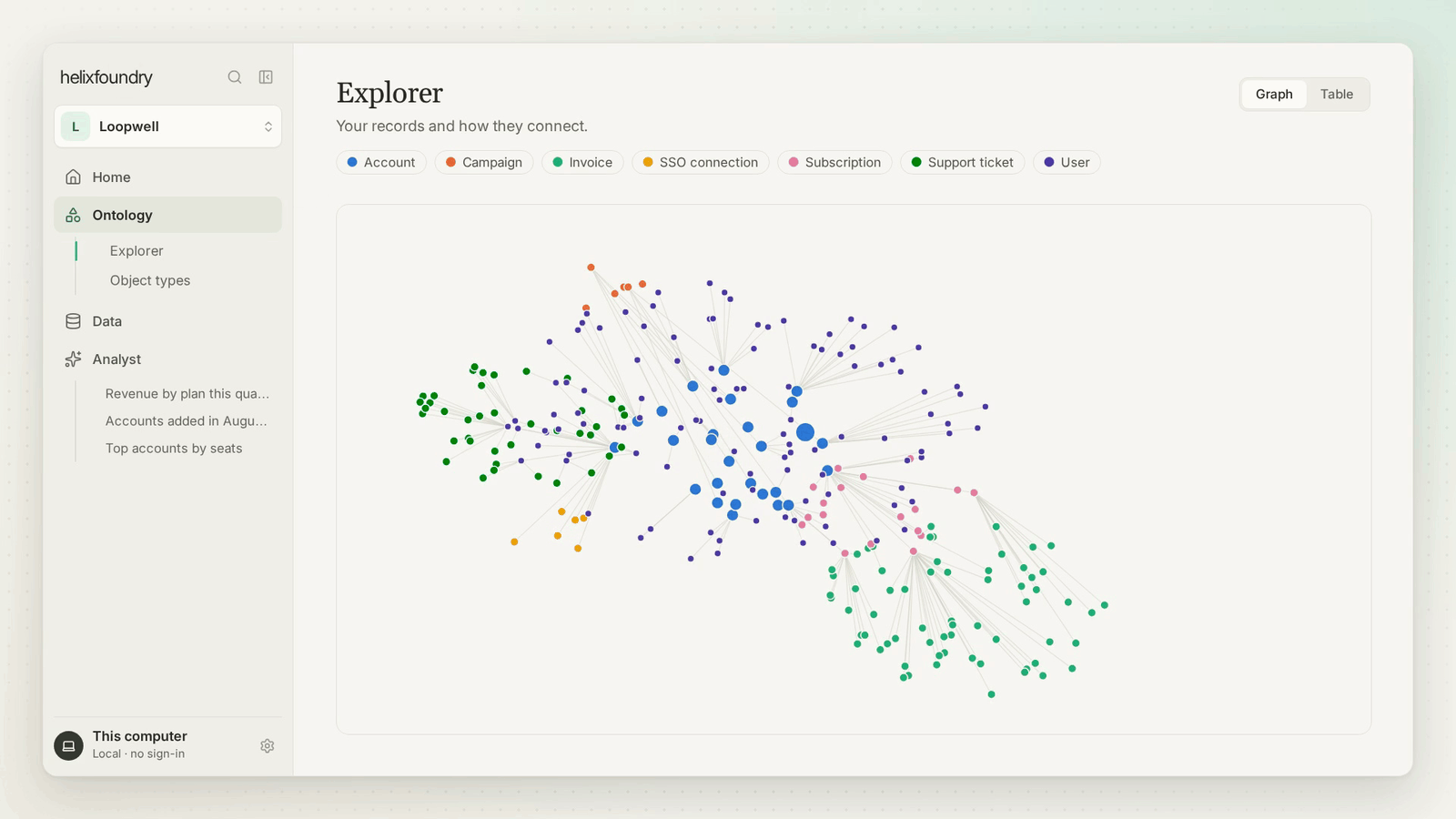
 Helix Foundry — рабочее пространство данных с приоритетом локальности (local-first), которое связывает инструменты вашей компании (базы данных, Stripe, WorkOS, PostHog, файлы, API) в единую предлагаемую онтологию, хранящуюся в HelixDB, и позволяет исследовать данные и задавать о них вопросы.
Helix Foundry — рабочее пространство данных с приоритетом локальности (local-first), которое связывает инструменты вашей компании (базы данных, Stripe, WorkOS, PostHog, файлы, API) в единую предлагаемую онтологию, хранящуюся в HelixDB, и позволяет исследовать данные и задавать о них вопросы.Это хостинговый сервис или всё работает целиком на моей машине?Он работает целиком на вашем компьютере через Docker Compose, без создания аккаунтов и без удалённого хостинга; AI по умолчанию тоже работает локально.
Он работает целиком на вашем компьютере через Docker Compose, без создания аккаунтов и без удалённого хостинга; AI по умолчанию тоже работает локально.Как это запустить?Вставьте установочный промпт в кодинг-агента вроде Claude Code, Codex или Cursor — он проверит Docker, сгенерирует ключи шифрования и соберёт/запустит стек Docker Compose; как вариант, запустите ручной быстрый старт через scripts/setup.sh самостоятельно.
Вставьте установочный промпт в кодинг-агента вроде Claude Code, Codex или Cursor — он проверит Docker, сгенерирует ключи шифрования и соберёт/запустит стек Docker Compose; как вариант, запустите ручной быстрый старт через scripts/setup.sh самостоятельно.Что должно быть установлено перед стартом?Нужны Docker с плагином Compose v2, а также git, bash и openssl для установочных скриптов; первый запуск дополнительно скачивает несколько гигабайт, включая HelixDB, Ollama и модель qwen3:4b.
Нужны Docker с плагином Compose v2, а также git, bash и openssl для установочных скриптов; первый запуск дополнительно скачивает несколько гигабайт, включая HelixDB, Ollama и модель qwen3:4b.Будет ли это работать на Windows или Mac с Intel?Windows не тестировалась, потому что скриптам нужен bash, а на Apple Silicon Docker не может использовать Metal, поэтому для более быстрого локального AI рекомендуется нативная Ollama вместо модели из Docker.
Windows не тестировалась, потому что скриптам нужен bash, а на Apple Silicon Docker не может использовать Metal, поэтому для более быстрого локального AI рекомендуется нативная Ollama вместо модели из Docker.Покидают ли мою машину мои данные или использование AI?Нет, по умолчанию всё остаётся локальным: приложение слушает только 127.0.0.1, отклоняет запросы с других origin, а AI работает локально через Ollama, если вы сами сознательно не выберете Claude или OpenAI и не введёте свои ключи.
Нет, по умолчанию всё остаётся локальным: приложение слушает только 127.0.0.1, отклоняет запросы с других origin, а AI работает локально через Ollama, если вы сами сознательно не выберете Claude или OpenAI и не введёте свои ключи.К каким источникам данных он может подключаться?Поддерживаются Neon, Supabase, PlanetScale, PostgreSQL, MySQL, Stripe, WorkOS, PostHog, REST API, S3-совместимые хранилища, загрузка файлов (CSV, JSON, JSONL, Parquet) и универсальный API приёма данных.
Поддерживаются Neon, Supabase, PlanetScale, PostgreSQL, MySQL, Stripe, WorkOS, PostHog, REST API, S3-совместимые хранилища, загрузка файлов (CSV, JSON, JSONL, Parquet) и универсальный API приёма данных.Как он поддерживает данные в актуальном состоянии?Он использует нативный захват изменений для PostgreSQL и MySQL там, где это поддерживается, а для прочих источников переключается на запланированное обновление снапшотов, храня версионированные неизменяемые Parquet-снапшоты с историей дрейфа схемы.
Он использует нативный захват изменений для PostgreSQL и MySQL там, где это поддерживается, а для прочих источников переключается на запланированное обновление снапшотов, храня версионированные неизменяемые Parquet-снапшоты с историей дрейфа схемы.Какие варианты AI доступны, чтобы задавать вопросы о моих данных?При настройке вы выбираете Local, Claude или OpenAI; локальный вариант использует модель qwen3:4b через Ollama, а Claude и OpenAI требуют ввести собственные API-ключи в браузере.
При настройке вы выбираете Local, Claude или OpenAI; локальный вариант использует модель qwen3:4b через Ollama, а Claude и OpenAI требуют ввести собственные API-ключи в браузере.Могут ли разработчики встроить Helix Foundry в другие инструменты?Да, он отдаёт OpenAPI-спецификацию на /api/docs, TypeScript SDK и API-токены с ограниченной областью действия, по умолчанию с доступом только на чтение, из Settings → Developer tools.
Да, он отдаёт OpenAPI-спецификацию на /api/docs, TypeScript SDK и API-токены с ограниченной областью действия, по умолчанию с доступом только на чтение, из Settings → Developer tools.Which topics is it in?etl, duckdb, graph-database, data-engineering, knowledge-base, ollama, docker-compose, anthropic, sdk, local-first, rest-api, database
etl, duckdb, graph-database, data-engineering, knowledge-base, ollama, docker-compose, anthropic, sdk, local-first, rest-api, database