


Что это такое?
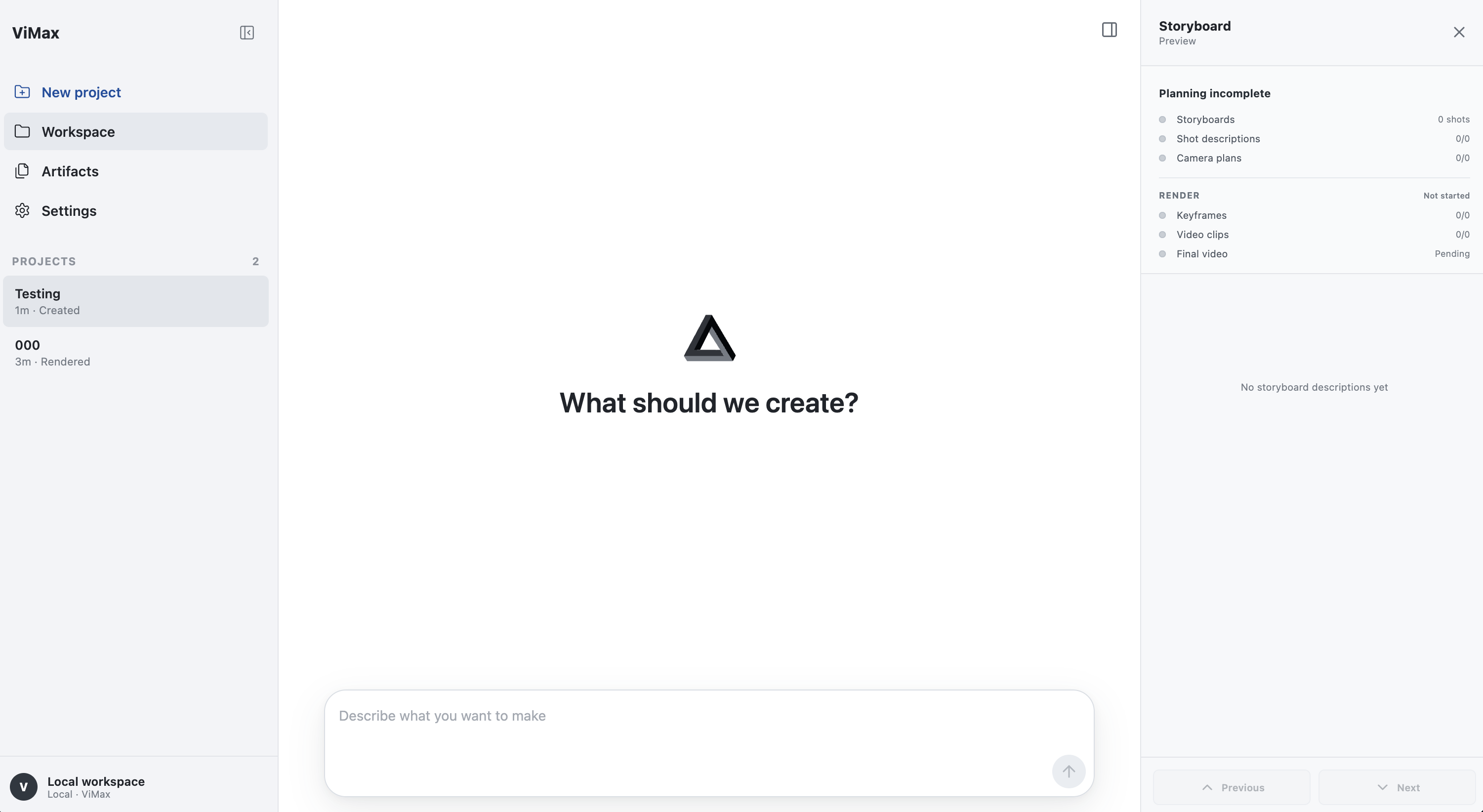
 ViMax — агентный ИИ-фреймворк, который совмещает роли режиссёра, сценариста, продюсера и генератора видео: дайте ему идею, сценарий или роман, и он самостоятельно займётся написанием сценария, раскадровкой, созданием персонажей и финальной сборкой видео.
ViMax — агентный ИИ-фреймворк, который совмещает роли режиссёра, сценариста, продюсера и генератора видео: дайте ему идею, сценарий или роман, и он самостоятельно займётся написанием сценария, раскадровкой, созданием персонажей и финальной сборкой видео.Это Python-библиотека, которую я подключаю в код, или приложение, которое я запускаю?Это самостоятельно развёртываемый агентный конвейер, который вы запускаете из склонированного репозитория: через основные скрипты вроде idea2video.py и script2video.py, интерактивный терминальный TUI или веб-интерфейс в браузере. Это не то, что ставится через pip в другой проект.
Это самостоятельно развёртываемый агентный конвейер, который вы запускаете из склонированного репозитория: через основные скрипты вроде idea2video.py и script2video.py, интерактивный терминальный TUI или веб-интерфейс в браузере. Это не то, что ставится через pip в другой проект.Как его запустить?Установите зависимости через uv, скопируйте configs/agent.local.yaml из примера в репозитории и заполните настройки LLM, генератора изображений и генератора видео, затем запустите TUI из корня репозитория. Для веб-интерфейса установите зависимости фронтенда на Node.js 18+ и запустите локальный сервер, который по умолчанию привязан к 127.0.0.1.
Установите зависимости через uv, скопируйте configs/agent.local.yaml из примера в репозитории и заполните настройки LLM, генератора изображений и генератора видео, затем запустите TUI из корня репозитория. Для веб-интерфейса установите зависимости фронтенда на Node.js 18+ и запустите локальный сервер, который по умолчанию привязан к 127.0.0.1.Какие API-ключи или инструменты нужны, чтобы сгенерировать видео?Нужны учётные данные для провайдера чат-модели (LLM), генератора изображений и генератора видео. Их можно задать через переменные окружения, например VIMAX_LLM_API_KEY, VIMAX_IMAGE_API_KEY и VIMAX_VIDEO_API_KEY. Также понадобятся uv для Python-окружения и Node.js 18+, если хотите использовать веб-интерфейс.
Нужны учётные данные для провайдера чат-модели (LLM), генератора изображений и генератора видео. Их можно задать через переменные окружения, например VIMAX_LLM_API_KEY, VIMAX_IMAGE_API_KEY и VIMAX_VIDEO_API_KEY. Также понадобятся uv для Python-окружения и Node.js 18+, если хотите использовать веб-интерфейс.Решает ли он на самом деле типичные проблемы ИИ-видео, например короткие ролики и персонажей, которые от кадра к кадру выглядят по-разному?ViMax нацелен именно на эти проблемы: в нём есть управление референсами и проверки согласованности. Однако в самом README признаётся, что генератор изображений всё равно может выдать непригодный результат, даже при правильных референсах по персонажу, позиции и окружению.
ViMax нацелен именно на эти проблемы: в нём есть управление референсами и проверки согласованности. Однако в самом README признаётся, что генератор изображений всё равно может выдать непригодный результат, даже при правильных референсах по персонажу, позиции и окружению.Чем отличаются Idea2Video, Script2Video и Novel2Video?Idea2Video разворачивает короткую идею в полноценные истории, персонажей и кадры; Script2Video превращает готовый сценарий в видео, сохраняя его замысел; Novel2Video адаптирует длинную художественную прозу в серийные видео с сжатием повествования и отслеживанием персонажей.
Idea2Video разворачивает короткую идею в полноценные истории, персонажей и кадры; Script2Video превращает готовый сценарий в видео, сохраняя его замысел; Novel2Video адаптирует длинную художественную прозу в серийные видео с сжатием повествования и отслеживанием персонажей.Что такое AutoCameo?AutoCameo позволяет загрузить фото человека или питомца, и ViMax вставит его в созданную историю как персонажа, который сохраняет узнаваемость на протяжении всего повествования.
AutoCameo позволяет загрузить фото человека или питомца, и ViMax вставит его в созданную историю как персонажа, который сохраняет узнаваемость на протяжении всего повествования.Какие модели для генерации изображений и видео поддерживаются?ViMax работает с такими провайдерами, как GPT Image 2 от OpenRouter для изображений и Seedance 2.0 Fast или Google Omni для видео, а также с MiniMax как провайдером чат-моделей.
ViMax работает с такими провайдерами, как GPT Image 2 от OpenRouter для изображений и Seedance 2.0 Fast или Google Omni для видео, а также с MiniMax как провайдером чат-моделей.Умеет ли ViMax работать со звуком?Да, функция Audio and Video Binding синхронизирует голоса персонажей и звуковые эффекты с картинкой, делая историю более погружённой.
Да, функция Audio and Video Binding синхронизирует голоса персонажей и звуковые эффекты с картинкой, делая историю более погружённой.What are similar projects?AdCraft, shuohao-skills, reelmimic, storycast, artcraft, dramaclaw, Pixelle-Video, OpenMontage
AdCraft, shuohao-skills, reelmimic, storycast, artcraft, dramaclaw, Pixelle-Video, OpenMontageWhich topics is it in?gpt-image, ai-video, text-to-video, openrouter, content-creation, workflow, video-generation, tui, orchestration, image-generation, agentic-ai, generative-ai
gpt-image, ai-video, text-to-video, openrouter, content-creation, workflow, video-generation, tui, orchestration, image-generation, agentic-ai, generative-ai