Paper2Slides: From Paper to Presentation in One Click




✨ Never Build Slides from Scratch Again ✨
| 📄 Universal File Support | 🎯 RAG-Powered Precision | 🎨 Custom Styling | ⚡ Lightning Speed |
🎯 What is Paper2Slides?
Turns your research papers, reports, and documents into professional slides & posters in minutes.
✨ Key Features
📄 Universal Document Support
Seamlessly process PDF, Word, Excel, PowerPoint, Markdown, and multiple file formats simultaneously.
🎯 Comprehensive Content Extraction
RAG-powered mechanism ensures every critical insight, figure, and data point is captured with precision.
🔗 Source-Linked Accuracy
Maintains direct traceability between generated content and original sources, eliminating information drift.
🎨 Custom Styling Freedom
Choose from professional built-in themes or describe your vision in natural language for custom styling.
⚡ Lightning-Fast Generation
Instant preview mode enables rapid experimentation and real-time refinements.
💾 Seamless Session Management
Advanced checkpoint system preserves all progress—pause, resume, or switch themes instantly without loss.
✨ Professional-Grade Visuals
Deliver polished, presentation-ready slides and posters with publication-quality design standards.
⚡ Easy as One Command
# One command to generate slides from a paper
python -m paper2slides --input paper.pdf --output slides --style doraemon --length medium --fast --parallel 2
🔥 News
- [2025.12.09] Added parallel slide generation (
--parallel) for faster processing
- [2025.12.08] Paper2Slides is now open source!
🎨 Custom Styling Showcase
💡 Custom Style Example: Totoro Theme
--style "Studio Ghibli anime style with warm whimsical aesthetic. Use soft watercolor Morandi tones with light cream background, muted sage green and dusty pink accents. Totoro character can appear as a friendly guide relating to the content, with nature elements like soft clouds or leaves."
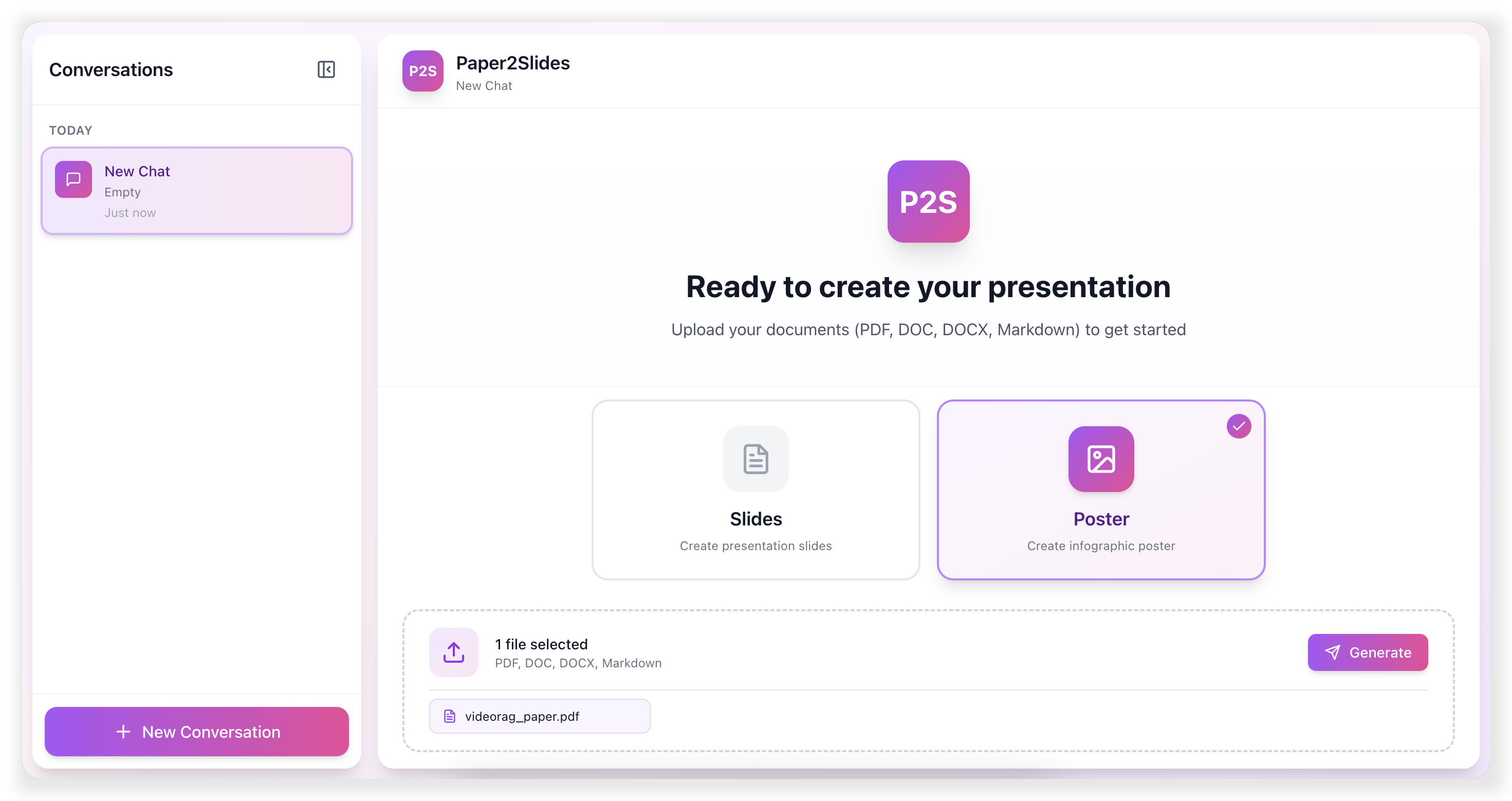
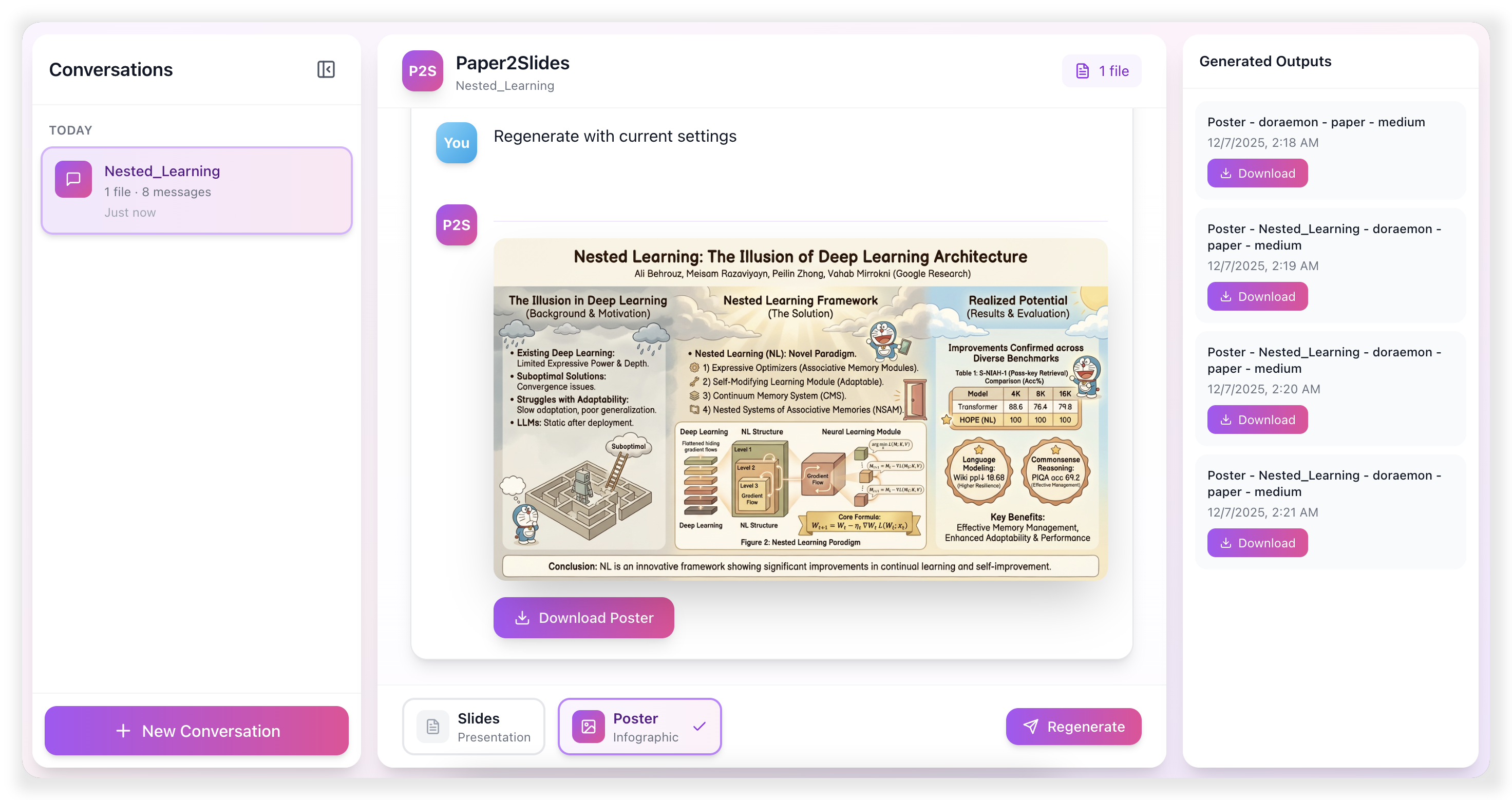
🌐 Paper2Slides Web Interface
📋 Table of Contents
🏃 Quick Start
1. Environment Setup
# Clone repository
git clone https://github.com/HKUDS/Paper2Slides.git
cd Paper2Slides

# Create and activate conda environment
conda create -n paper2slides python=3.12 -y
conda activate paper2slides

# Install dependencies
pip install -r requirements.txt
[!NOTE]
Create a .env file in paper2slides/ directory with your API keys. Refer to paper2slides/.env.example for the required variables.
2. Command Line Usage
# Basic usage - generate slides from a paper
python -m paper2slides --input paper.pdf --output slides --length medium

# Generate poster with custom style
python -m paper2slides --input paper.pdf --output poster --style "minimalist with blue theme" --density medium

# Fast mode
python -m paper2slides --input paper.pdf --output slides --fast

# Enable parallel generation (2 workers by default)
python -m paper2slides --input paper.pdf --output slides --parallel 2

# List all processed outputs
python -m paper2slides --list
CLI Options:
| Option |
Description |
Default |
--input, -i |
Input file(s) or directory |
Required |
--output |
Output type: slides or poster |
poster |
--content |
Content type: paper or general |
paper |
--style |
Style: academic, doraemon, or custom |
doraemon |
--length |
Slides length: short, medium, long |
short |
--density |
Poster density: sparse, medium, dense |
medium |
--fast |
Fast mode: skip RAG indexing |
false |
--parallel |
Enable parallel slide generation: --parallel uses 2 workers, --parallel N uses N workers |
1 (sequential without this option) |
--from-stage |
Force restart from stage: rag, summary, plan, generate |
Auto-detect |
--debug |
Enable debug logging |
false |
💾 Checkpoint & Resume:
Paper2Slides intelligently saves your progress at every key stage, allowing you to:
| Scenario |
Command |
| Resume after interruption |
Just run the same command again — it auto-detects and continues |
| Change style only |
Add --from-stage plan to skip re-parsing |
| Regenerate images |
Add --from-stage generate to keep the same plan |
| Full restart |
Add --from-stage rag to start from scratch |
[!TIP]
Checkpoints are auto-saved. Just run the same command to resume. Use --from-stage only to force restart from a specific stage.
3. Web Interface
Launch both backend and frontend services:
./scripts/start.sh
Or start services independently:
# Terminal 1: Start backend API
./scripts/start_backend.sh

# Terminal 2: Start frontend
./scripts/start_frontend.sh
Access the web interface at http://localhost:5173 (default)
🏗️ Paper2Slides Framework
Paper2Slides transforms documents through a 4-stage pipeline designed for reliability and efficiency:
| Stage |
Description |
Checkpoint |
Output |
| 🔍 RAG |
Parse documents and construct intelligent retrieval index using RAG |
checkpoint_rag.json |
Searchable knowledge base |
| 📊 Analysis |
Extract document structure, identify key figures, tables, and content hierarchy |
checkpoint_summary.json |
Structured content map |
| 📋 Planning |
Generate optimized content layout and slide/poster organization strategy |
checkpoint_plan.json |
Presentation blueprint |
| 🎨 Creation |
Render final high-quality slides and poster visuals |
Output directory |
Polished presentation materials |
💾 Smart Recovery System
Each stage automatically saves progress checkpoints, enabling seamless resumption from any point if the process is interrupted—no need to start over.
Fast Mode vs Normal Mode
| Mode |
Processing Pipeline |
Use Cases |
| Normal |
Complete RAG indexing with deep document analysis |
Complex research papers, lengthy documents, multi-section content |
| Fast |
Skip RAG indexing, direct LLM query |
Short documents, instant previews, quick revisions |
Use --fast when:
- Document (text + figures) is short enough to fit in LLM context
- Quick preview/iteration needed
- Don't want to wait for RAG indexing
Use normal mode (default) when:
- Document is long or has many figures
- Multiple files to process together
- Need retrieval for better context selection
⚙️ Configuration
Output Directory Structure
outputs/
├── <project_name>/
│   ├── <content_type>/                   # paper or general
│   │   ├── <mode>/                       # fast or normal
│   │   │   ├── checkpoint_rag.json       # RAG query results & parsed file paths
│   │   │   ├── checkpoint_summary.json   # Extracted content, figures, tables
│   │   │   ├── summary.md                # Human-readable summary
│   │   │   └── <config_name>/            # e.g., slides_doraemon_medium
│   │   │       ├── state.json            # Current pipeline state
│   │   │       ├── checkpoint_plan.json  # Content plan for slides/poster
│   │   │       └── <timestamp>/          # Generated outputs
│   │   │           ├── slide_01.png
│   │   │           ├── slide_02.png
│   │   │           ├── ...
│   │   │           └── slides.pdf        # Final PDF output
│   │   └── rag_output/                   # RAG index storage
│   └── ...
└── ...
Checkpoint Files:
| File |
Description |
Reusable When |
checkpoint_rag.json |
Parsed document content |
Same input files |
checkpoint_summary.json |
Figures, tables, structure |
Same input files |
checkpoint_plan.json |
Content layout plan |
Same style & length/density |
Style Configuration
| Style |
Description |
academic |
Clean, professional academic presentation style |
doraemon |
Colorful, friendly style with illustrations |
custom |
Any text description for LLM-generated style |
Image Generation Providers
- Set
IMAGE_GEN_PROVIDER in paper2slides/.env to choose the backend:
openrouter (default): uses IMAGE_GEN_API_KEY, IMAGE_GEN_BASE_URL, and IMAGE_GEN_MODEL (default google/gemini-3-pro-image-preview)google: uses the official Gemini API at GOOGLE_GENAI_BASE_URL (default https://generativelanguage.googleapis.com/v1beta), IMAGE_GEN_API_KEY, IMAGE_GEN_MODEL (default models/gemini-3-pro-image-preview, must be image-capable), and IMAGE_GEN_RESPONSE_MIME_TYPE (default text/plain; use text types if your model does not support image responses)
- Reference figures are sent as inline data when supported (Google) or as
image_url attachments (OpenRouter).
Image Generation Notes
[!TIP]
By default Paper2Slides uses gemini-3-pro-image-preview (OpenRouter) for image generation; you can switch to an image-capable Google Gemini model (e.g., models/gemini-1.5-flash) via IMAGE_GEN_PROVIDER=google. Key findings:
- Mood Keywords: Words like "warm", "elegant", "vibrant" strongly influence the overall color palette
- Layout vs Style: Fine-grained layout instructions ground well; fine-grained element styling does not
- Prompt Length: Simple prompts generally outperform detailed ones
- Multi-slide Generation: Native multi-image output is story-like; for consistent slides, we use iterative single-image generation
📁 Code Structure
| Module |
Description |
paper2slides/core/ |
Pipeline orchestration, 4-stage execution |
paper2slides/raganything/ |
Document parsing & RAG indexing |
paper2slides/summary/ |
Content extraction: figures, tables, paper structure |
paper2slides/generator/ |
Content planning & image generation |
api/ |
FastAPI backend for web interface |
frontend/ |
React frontend (Vite + TailwindCSS) |
Click to expand full project structure
Paper2Slides/
├── paper2slides/                 # Core library
│   ├── main.py                   # CLI entry point
│   ├── core/
│   │   ├── pipeline.py           # Main pipeline orchestration
│   │   ├── state.py              # Checkpoint state management
│   │   └── stages/
│   │       ├── rag_stage.py      # Stage 1: Parse & index
│   │       ├── summary_stage.py  # Stage 2: Extract content
│   │       ├── plan_stage.py     # Stage 3: Plan layout
│   │       └── generate_stage.py # Stage 4: Generate images
│   │
│   ├── raganything/
│   │   ├── raganything.py        # RAG processor
│   │   └── parser.py             # Document parser
│   │
│   ├── summary/
│   │   ├── paper.py              # Paper structure extraction
│   │   └── extractors/           # Figure/table extractors
│   │
│   ├── generator/
│   │   ├── content_planner.py    # Slide/poster planning
│   │   └── image_generator.py    # Image generation
│   │
│   ├── prompts/                  # LLM prompt templates
│   └── utils/                    # Utilities
│
├── api/server.py                 # FastAPI backend
├── frontend/src/                 # React frontend
└── scripts/                      # Shell scripts (start/stop)
🌟Found Paper2Slides helpful? Star us on GitHub!
🚀 Turn any document into professional presentations in minutes!
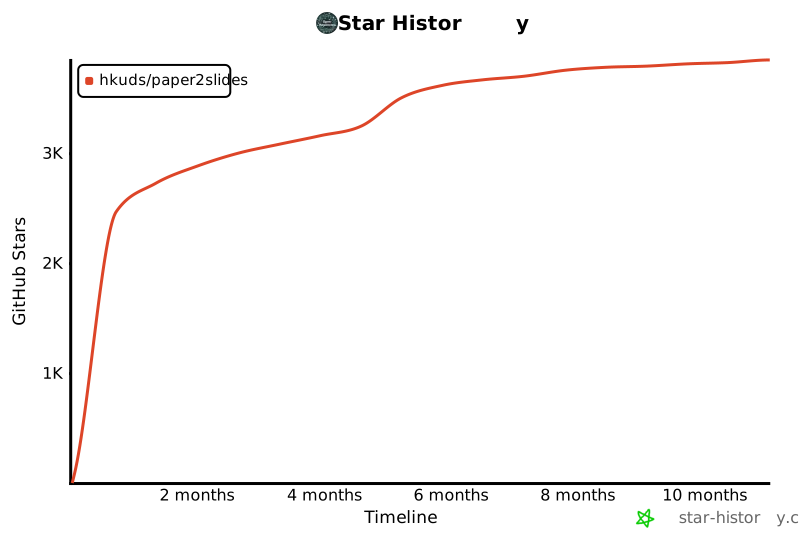
Star History
❤️ Thanks for visiting ✨ Paper2Slides!



 Paper2Slides 能在几分钟内把研究论文、报告和文档变成专业的幻灯片和海报,借助基于 RAG 的流水线精确提取内容。